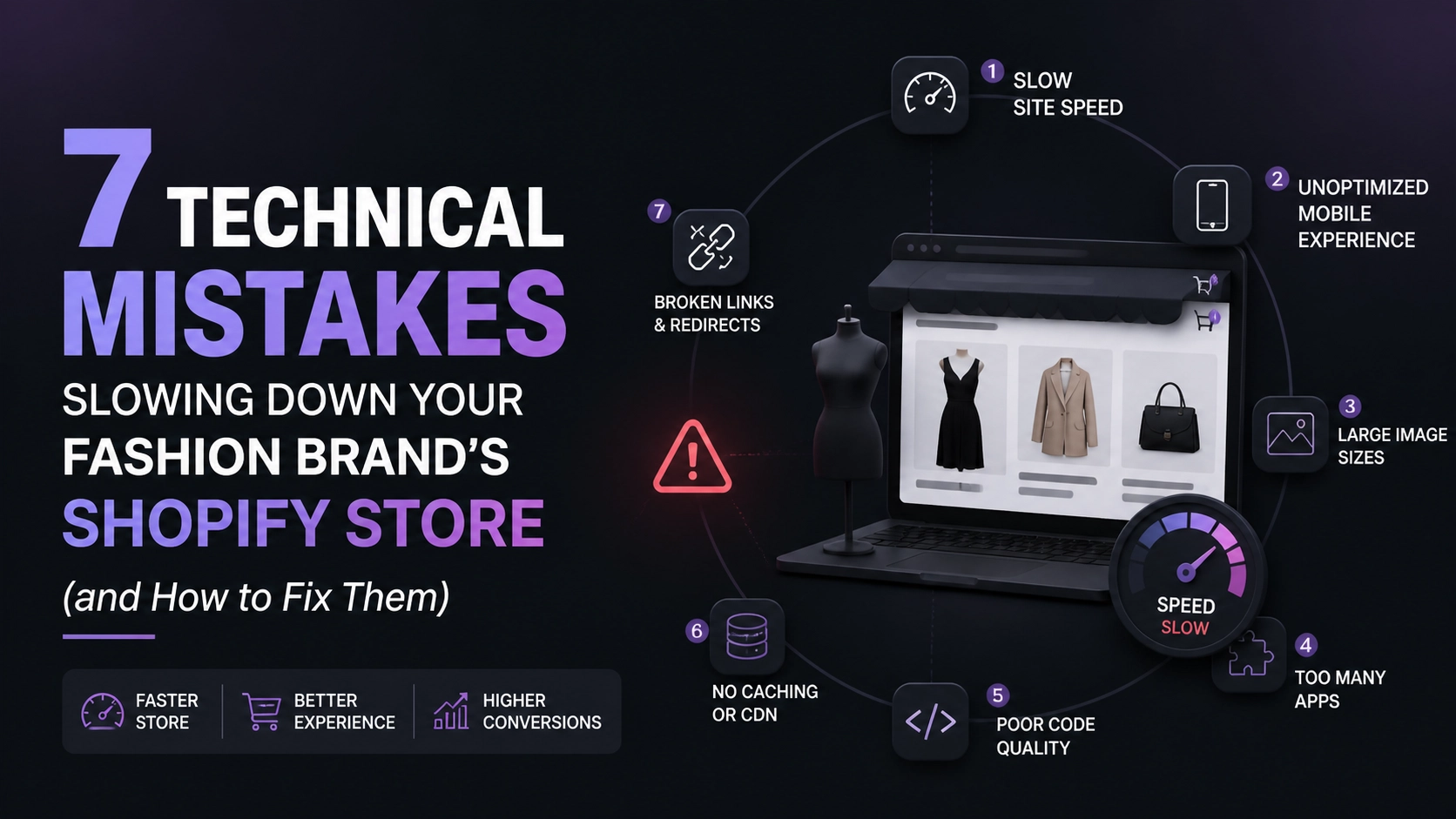
In the high-stakes world of online fashion, streetwear, and jewelry, your website is your digital flagship store. Imagine a customer walking into a physical boutique, only for the door to jam for ten seconds. They wouldn't wait; they’d walk to the next shop on the block.
On Shopify, those seconds are even more expensive. For high-growth fashion brands, Shopify speed optimization isn't just a "nice-to-have" technical chore: it is a direct lever for your conversion rate. Studies consistently show that a one-second delay in page load time can lead to a 7% drop in conversions. When you’re scaling a D2C brand, that 7% could be the difference between a record-breaking month and a stagnating one.
If your Shopify store feels sluggish, the culprit usually isn't Shopify itself. It’s the technical "debt" accumulated through heavy themes, unoptimized assets, and app clutter. Let’s dive into the seven technical mistakes slowing you down and, more importantly, how to fix them for 2026 and beyond.
1. High-Resolution "Image Overload" Without Optimization
Fashion is visual. You need stunning, high-resolution product photography to sell a lifestyle. However, many brands make the mistake of uploading massive 5MB files directly from their photographer's drive. While Shopify does some basic resizing, it often isn't enough to prevent a massive "Largest Contentful Paint" (LCP) delay.
The Technical Fix:
- Switch to WebP or AVIF: These modern formats provide superior compression compared to JPEG or PNG without losing quality.
- Implement Lazy Loading: Ensure images below the fold only load when the user scrolls down.
- Explicit Dimensions: Always define width and height attributes in your Liquid code to prevent layout shifts.

2. The "App Graveyard" and Ghost Code
Every time you install a Shopify app: whether it’s for loyalty rewards, size charts, or "frequently bought together" upsells: it injects JavaScript into your theme. The problem? Even after you uninstall an app, "ghost code" often remains in your theme.liquid or product templates. This extra weight forces the browser to make unnecessary requests, dragging down your performance.
The Technical Fix:
- Conduct an App Audit: If an app hasn't contributed to your ROI in the last 30 days, delete it.
- Custom Development Over Apps: For simple features like size charts or basic upsells, hire a Shopify agency to build them directly into your theme. Custom code is almost always faster than a third-party app.
- Manual Code Cleanup: Check your snippets and layouts for old script tags from apps you no longer use.
Key Insight: Treat your app list like a minimalist wardrobe. If you don’t wear it, don’t keep it. Every app should earn its place by proving its value against the speed cost it incurs.
3. Unoptimized Third-Party Tracking Pixels
Between Meta, TikTok, Pinterest, Google Analytics, and Heatmaps, your store might be firing a dozen different tracking pixels simultaneously. These scripts often block the "main thread," meaning the browser stops rendering your beautiful fashion collections to process a piece of tracking code.
The Technical Fix:
- Use Shopify's Web Pixels API: Move away from hard-coding scripts into your header. Shopify's modern pixel manager runs scripts in a "sandbox," preventing them from slowing down the visible page.
- Consolidate via Google Tag Manager (GTM): Use GTM to trigger scripts asynchronously, ensuring your product photos load before the tracking data does.
4. Inefficient Liquid Loops and Code Bloat
For fashion brands with large catalogs, inefficient Liquid code can lead to slow "Time to First Byte" (TTFB). For example, if your collection page code loops through every single product variant just to check a stock level, it puts a heavy load on Shopify’s servers.
The Technical Fix:
- Optimize Liquid Logic: Avoid nested loops wherever possible.
- Pagination is Key: Never try to load 200 products on a single page. Use standard Shopify pagination or "load more" functionality to keep the initial server response fast.
- Minify CSS and JS: Ensure your theme's stylesheets and scripts are minified to reduce file size.

5. Neglecting the Mobile "First Fold"
Over 70% of fashion and beauty traffic now comes from mobile devices. Many brands design their stores on large 27-inch monitors, forgetting that a mobile user on a 4G connection has a completely different experience. If your "above the fold" content includes a heavy 4K video background, your mobile bounce rate will skyrocket.
The Technical Fix:
- Mobile-First CSS: Use media queries to serve smaller images or hide heavy decorative elements on mobile.
- Prioritize Critical CSS: Inline the CSS required to render the top of the page so it appears instantly.
- Disable Autoplay Videos on Mobile: Replace heavy background videos with high-quality static "hero" images for mobile users to save bandwidth.
Pro Tip: Use the "Performance" tab in Chrome DevTools to simulate a "Mid-tier Mobile" connection. It’s a humbling but necessary reality check for every brand owner.
6. Excessive Use of Custom Web Fonts
Typography is a core part of brand identity in fashion. However, loading five different weights of a custom font adds several hundred kilobytes to every page load. Each font file is an extra request the browser has to make before it can display text correctly.
The Technical Fix:
- Limit Font Variations: Stick to two font families and two weights (Regular and Bold).
- Use
font-display: swap: This allows the browser to show a system font while your custom brand font loads, preventing the "Flash of Invisible Text." - Self-Host Fonts: Instead of calling fonts from an external server (like Adobe Fonts), host them locally within your Shopify assets folder to reduce DNS lookups.

7. Ignoring Shopify Plus Features for High-Growth
If you are doing high volume, staying on a basic Shopify plan might actually be holding your performance back. Shopify Plus features allow for more advanced customization, such as specialized checkout liquid access and higher API rate limits, which are essential for scaling streetwear drops or flash sales.
The Technical Fix:
- Leverage Shopify Scripts: Use scripts to handle complex discounting logic on the server side rather than using front-end apps that slow down the cart page.
- Utilize the Storefront API: For ultra-high-growth brands, moving toward a "Headless" architecture using the Storefront API can provide unparalleled speed, though it requires significant Shopify development expertise.
The Pros and Cons of Shopify Speed Optimization
| Pros | Cons |
|---|---|
| Improved SEO Rankings: Google loves fast sites, especially on mobile. | Upfront Cost: Professional optimization requires an investment in quality development. |
| Higher Conversion Rates: Faster sites turn more browsers into buyers. | Maintenance: Speed isn't a "one-and-done" task; it requires ongoing monitoring. |
| Better Ad ROI: Lower bounce rates mean your ad spend on Meta/TikTok goes further. | Design Constraints: You might have to sacrifice some heavy animations for the sake of speed. |
Your Speed Optimization Checklist: Next Steps
Ready to turn your Shopify store into a high-performance machine? Follow these steps to start seeing results:
- Run a Baseline Test: Use PageSpeed Insights and GTmetrix to see your current score.
- Audit Your Images: Use a tool like Crush.pics or manual compression to shrink your hero banners.
- Clean Your App List: Delete any app you haven’t used in the last month.
- Check Your "Ghost Code": Open your
theme.liquidand look for any script tags pointing to deleted apps. - Optimize for Mobile: Ensure your mobile menu and "Add to Cart" buttons are lightning-fast.
- Partner with Experts: If the technical side feels overwhelming, reach out to a professional.
Start small, stay creative, and never think of giving up on your brand’s performance. Speed is a competitive advantage that most of your competitors are likely ignoring.
For brands looking to scale without the technical headaches, our team at Thriftizer specializes in bespoke Shopify development and performance tuning. We help D2C brands navigate the complexities of the Shopify ecosystem, ensuring your store is built for both beauty and speed. Check out our Shopify Expert profile to see how we’ve helped other fashion brands dominate the digital landscape.
Your store should be as fast as the latest trends. Don’t let a few technical errors stand in the way of your next big scale-up. Identify the gaps, automate the workflow, and watch your conversion rates soar.