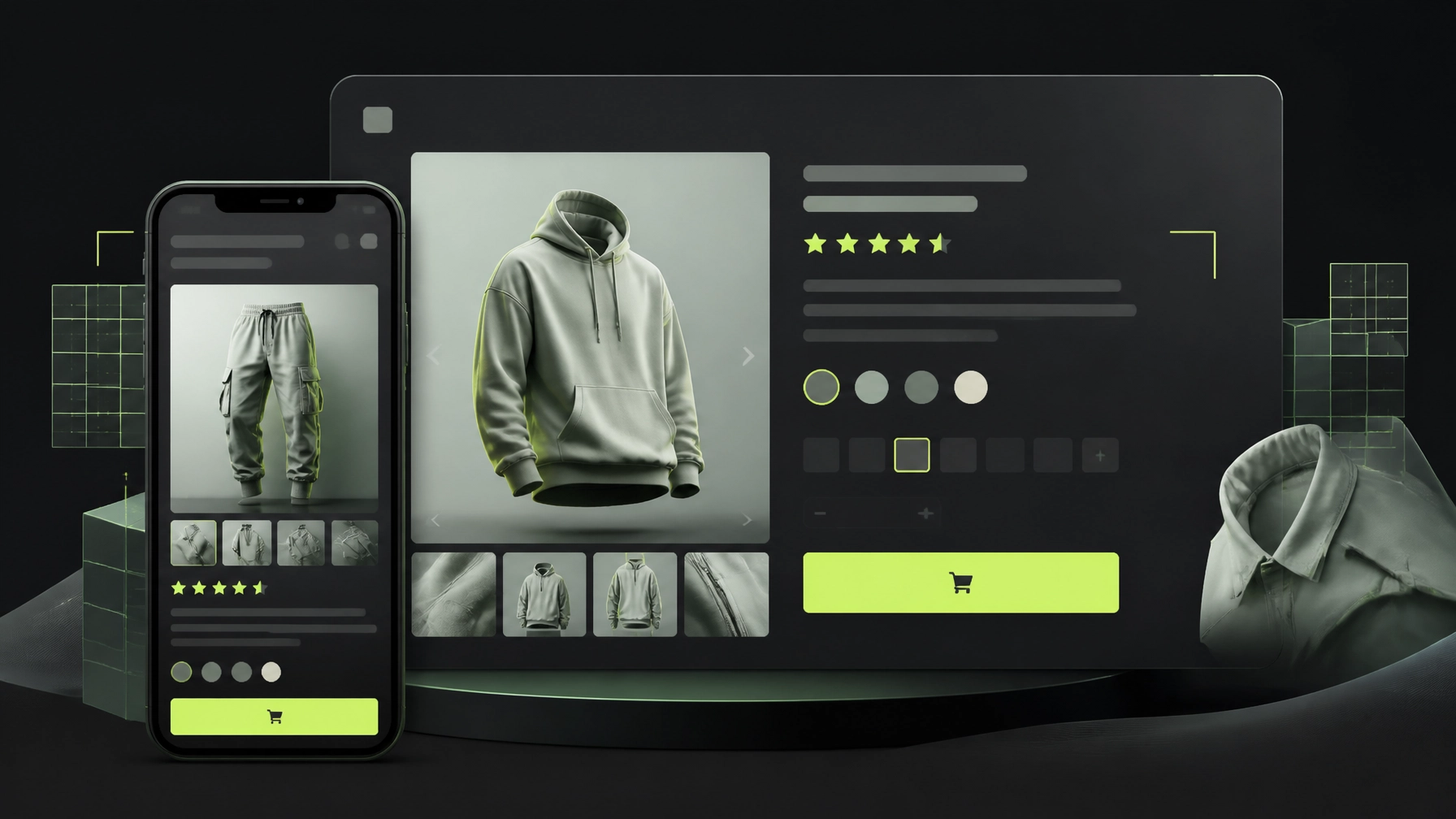
Your product page should turn qualified traffic into confident action, without forcing shoppers to search for answers. In 2026, fashion brands can often unlock more revenue by improving the Shopify product page experience before increasing their advertising budget.
A faster page, clearer fit information, stronger visual proof, and a frictionless mobile purchase path can improve Shopify conversion rate optimization while also reducing avoidable returns.
This guide breaks down a practical seven-element framework for apparel, streetwear, beauty, jewelry, and other D2C brands. Use it to identify gaps, prioritize improvements, and build a product page that works harder for every visitor.
Key insight: Product page optimization is not about adding more content. It is about placing the right information at the exact moment a shopper needs confidence.
What to Measure Before You Redesign
Start with evidence, not assumptions. In Shopify Analytics, review the journey from product view → add to cart → checkout initiated → purchase.
Track these metrics by device and product:
- Product page conversion rate
- Add-to-cart rate
- Variant selection errors
- Mobile versus desktop conversion
- Average order value
- Product-specific return rate
- Exit rate around the size selector and delivery information
A fashion product page with high views but low add-to-cart activity usually has a confidence problem. The cause may be weak imagery, unclear fit guidance, missing reviews, or an unexpected delivery concern.
Shopify’s official product-page guidance also emphasizes clear product information, strong imagery, and visible purchase actions. Your job is to connect those recommendations to your audience, margins, and product category.
The 7-Element Fashion Brand CRO Framework
1. Build Visual Proof That Shows the Product in Context
Fashion shoppers cannot touch fabric, inspect stitching, or try on a garment through a screen. Your image gallery must reduce that uncertainty.
For most apparel products, aim for four to six purposeful images, rather than several near-identical photos. Include:
- Full front view
- Back and side views
- Close-up of fabric, stitching, print, or hardware
- On-model image showing proportions
- Lifestyle image showing how the product is styled
- Short video or motion clip when drape and movement matter
For streetwear, show the garment’s silhouette and styling options. For jewelry, prioritize scale, clasp details, and close-ups. For beauty products, show texture, application, shade, and real-use context.
Research summarized by Baymard-style mobile UX guidance suggests that product pages with four to six useful images can outperform pages with only one to three images. The exact lift will vary, but the principle is reliable: show enough detail to replace the in-store inspection.
Use responsive image sizes, modern formats, and lazy loading below the fold. Do not allow high-resolution assets to slow down the first screen.

2. Make Size and Fit Information Impossible to Miss
For fashion brands, fit clarity is conversion content. It helps shoppers buy with confidence and can reduce returns that damage margins.
Place a Size Guide link directly beside the size selector. Avoid hiding it in the footer or a long accordion. Your guide should include:
- Body measurements for every size
- Garment measurements where relevant
- Regional conversions, such as UK, US, and EU sizing
- Instructions explaining how measurements were taken
- Model height, measurements, and size worn
- Fit notes such as “relaxed,” “slim,” “oversized,” or “runs small”
- Fabric stretch, weight, and drape information
Use plain language. “The model is 178 cm and wears size M” is more useful than “standard fit.”
If possible, add customer fit feedback such as true to size, runs small, or size up if between sizes. A fit-finder tool can help, but it should support, not replace, clear measurements.
Pro tip: Ask your customer support team for the five most common pre-purchase questions. Answer those questions beside the product selector, not after the shopper has already left.
3. Design the Mobile Purchase Path First
Mobile-first Shopify website design is no longer optional for D2C fashion brands. Design the product page at a 375px width first, then expand it for larger screens.
Prioritize:
- Product title, price, rating, and primary image near the top
- Size and color selectors with generous spacing
- Tap targets of at least 44–48 pixels
- Body text around 16px or larger
- Strong contrast between buttons and the background
- Minimal pop-ups and distracting animations
- A sticky mobile add-to-cart bar after the initial purchase button scrolls away
A sticky add-to-cart bar can keep the purchase action available while shoppers review materials, delivery details, or customer photos. Keep it simple. Include the product name, price, selected variant where possible, and one clear action.
Test the full experience with one hand. Can a shopper select a size, open the guide, review delivery information, and add the product to cart without zooming or losing their place?
4. Place Social Proof Near the Decision Point
Reviews should not live only at the bottom of a long product page. Display the star rating and review count near the title or price, where shoppers evaluate whether the product is worth considering.
For fashion and beauty, collect reviews that answer practical questions:
- How does the product fit?
- Is the color accurate?
- What is the fabric or texture like?
- How quickly did it arrive?
- How did the product hold up after use?
- What size did the customer purchase?
Photo reviews are especially valuable because they show real proportions, styling, and color variation. Research from the Spiegel Research Center, cited by Drip, found that products with five or more reviews can convert substantially better than products with no reviews. Treat this as a directional benchmark, not a promise for every store.
Use filters for:
- Size purchased
- Height or body type
- Fit feedback
- Color
- Use case
Key insight: Social proof is strongest when it answers the shopper’s objection. A generic five-star rating is helpful. A detailed fit review is actionable.
5. Improve Speed Without Sacrificing Brand Experience
Rich visuals are important, but a beautiful product page that loads slowly is still a poor conversion experience.
Aim for a mobile Largest Contentful Paint below 2.5 seconds where possible. Audit:
- Oversized hero images
- Unused Shopify apps
- Third-party tracking scripts
- Video autoplay
- Heavy page-builder sections
- Layout shifts caused by late-loading content
- Fonts and animations that delay interaction
Compress images, load below-the-fold media progressively, and remove scripts that do not support revenue, customer service, analytics, or essential functionality.
Speed is a feature. It communicates confidence before a shopper reads a single word.
This is where an experienced Shopify expert can help. A technical CRO review should identify what to remove, what to rebuild, and what to measure, not simply recommend another app.
6. Communicate Value, Materials, Delivery, and Returns Clearly
A product description should help someone decide. Do not make shoppers decode vague phrases such as “premium quality” or “designed for everyday luxury.”
Structure the information into scannable sections:
- Why it matters: the product’s main benefit
- Fit: silhouette, stretch, length, and model information
- Materials: composition, feel, weight, and lining
- Care: washing, storage, or usage guidance
- Shipping: dispatch window, delivery estimate, and fees
- Returns: eligibility, time frame, and process
Place short shipping and returns reassurance near the add-to-cart button. Unexpected costs and unclear policies create hesitation, especially for first-time customers.
For jewelry and beauty brands, add material sensitivities, ingredient information, dimensions, shade guidance, and care instructions. Trust grows when the page answers difficult questions directly.
7. Test One Meaningful Change at a Time
CRO is a system, not a one-time redesign. Once your fundamentals are in place, test changes that connect to a clear hypothesis.
Examples include:
- Model image versus product-only hero image
- Sticky add-to-cart versus standard button
- “Choose your size” versus “Select size”
- Fit guide above versus below the description
- Customer photos near the gallery versus below reviews
- Free shipping message near the CTA versus in the announcement bar
- Outfit recommendations versus generic related products
Set one primary KPI for each test. Use guardrails such as average order value, return rate, refund rate, and customer support contacts so a conversion lift does not create an unprofitable outcome.
Pros and Cons of a Conversion-Focused Product Page
Pros
- More conversions from existing traffic
- Greater mobile usability
- Better fit confidence
- Fewer repetitive customer questions
- Potentially lower return rates
- Stronger organic landing-page experience
Challenges
- Better photography requires planning and production
- Reviews need consistent collection and moderation
- Sticky elements can feel intrusive if poorly designed
- More content can slow the page if not optimized
- A test may not produce a statistically reliable result immediately
- Conversion gains can differ by category, price point, traffic source, and season
Do not copy another fashion store’s layout blindly. Use competitor research as a source of questions, then validate decisions with your own customer behavior.
A Faster Implementation Model for 2026
You do not need to rebuild your entire store before learning what works. Start with one high-traffic product page or one important collection.
Thriftizer follows a Speed as a Feature approach: identify the highest-impact gap, prioritize the fix, and move quickly from insight to implementation. Our 4-Hour Onboarding process is designed to reduce the delay between sharing your store context and receiving a focused action plan.
Think of tools, analytics, heatmaps, and AI as co-pilots. They can reveal patterns and accelerate execution, but your product knowledge and creative judgment remain essential.
Never ever think of giving up because the first test underperforms. Start small, stay creative, and keep learning from real shoppers.
Next Steps: Your Product Page Optimization Checklist
- Export your top product pages by traffic, revenue, and add-to-cart rate.
- Compare mobile and desktop performance in Shopify Analytics.
- Audit your first screen for imagery, price, rating, variants, and purchase action.
- Add or improve the size and fit guide beside the selector.
- Replace weak imagery with front, back, detail, lifestyle, and on-model views.
- Move reviews and customer photos closer to the buying decision.
- Test page speed and remove unnecessary apps or scripts.
- Clarify materials, care, shipping, and returns in short, scannable sections.
- Launch one controlled CRO test with a defined KPI and guardrails.
- Review the results after enough traffic, then document the next improvement.
If you want a practical second opinion, explore Thriftizer’s Shopify and D2C growth services. You can also review our work, ratings, and specialized services through our Shopify Expert profile.
The best product page is not the one with the most features. It is the one that helps the right shopper say yes: quickly, confidently, and without friction.