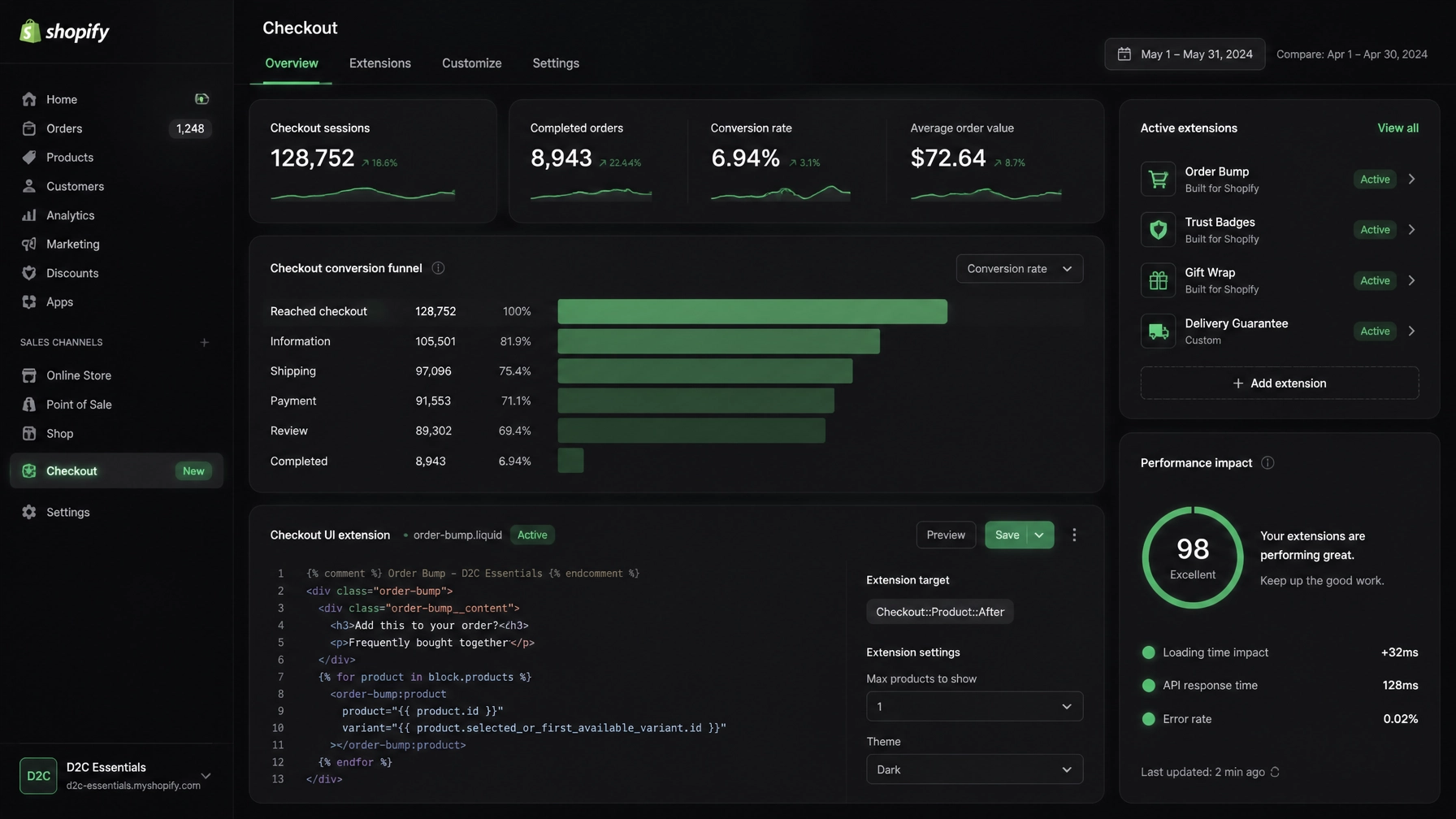
For D2C fashion, beauty, and lifestyle brands on Shopify, the checkout has always been the ultimate conversion battleground. For years, customising it meant hacking checkout.liquid, injecting arbitrary JavaScript, and holding your breath during peak traffic events like Black Friday.
Today, that era is firmly behind us. With Shopify fully transitioning to Checkout Extensibility, legacy code, script tags, and checkout.liquid have been sunsetted in favour of a secure, modular, app-based architecture powered by Checkout UI Extensions, Web Pixels, and Shopify Functions.
However, many growing brands are treating this shift as a simple code copy-paste exercise rather than a fundamental architectural rebuild. The result? Broken tracking, silent checkout errors, and lost revenue.
At Thriftizer, we view speed as a feature. In this deep-dive guide, we will unpack the 7 most common Shopify Checkout Extensibility mistakes D2C brands make during migration, and how you can fix them before your conversion rates take a hit.
Why Checkout Extensibility is a Rebuild, Not a Migration

When checkout.liquid was deprecated, merchants lost the ability to hard-code raw HTML and JavaScript directly into the checkout flow. While this initially caused panic among developers accustomed to unrestricted overrides, the new framework is vastly superior. It guarantees lightning-fast loading speeds, seamless mobile checkouts, native Shop Pay compatibility, and robust enterprise-grade security.
Yet, because the system sandboxes your UI components and moves business logic to server-side functions, you cannot simply migrate old code. You have to redesign your checkout experience using modern, approved primitives.
Let's examine where most brands stumble.
The 7 Common Shopify Checkout Extensibility Mistakes
1. Treating Checkout Extensibility Like a Direct Code Migration
The Mistake: Assuming that your legacy checkout.liquid snippets, custom CSS, and DOM-manipulation scripts can be automatically translated into the new checkout environment.
- The Reality: Shopify's secure sandbox completely blocks unverified scripts. Even if legacy code remains in your theme files, it simply will not execute.
- The Fix: Open Settings → Checkout in your Shopify admin and review your customisation report. Back up your old code for historical reference, then rebuild your UI modifications from scratch using official Checkout UI Extensions.
Key Insight: Never try to force old habits into new infrastructure. Embrace the modular component library provided by Shopify to build cleaner, faster, and conversion-optimised checkout steps.
2. Leaving Critical Tracking in Deprecated Additional Scripts
The Mistake: Relying on the legacy Additional Scripts box or global script tags for your Meta, TikTok, Google Ads, or affiliate tracking pixels, assuming they will continue firing indefinitely.
- The Reality: For non-Plus and Plus stores alike, legacy script injection on thank-you and order-status pages has strict deprecation deadlines. When these cutoffs hit, your ad pixels go dark overnight, blinding your attribution models.
- The Fix: Audit your tracking setup immediately. Migrate every single conversion event over to the Web Pixels API under Settings → Customer events. This ensures your data is collected securely, complies with privacy regulations, and feeds accurately back into your ad manager.

3. Attempting to Inject Custom HTML, CSS, or JS into the Checkout UI
The Mistake: Trying to bypass Shopify’s UI restrictions by writing custom hacks that inject raw HTML or manipulate the DOM directly at checkout.
- The Reality: Unsandboxed JavaScript introduced severe security vulnerabilities and crashed mobile checkouts in the past. Shopify's modern architecture strictly forbids raw code injection.
- The Fix: Use approved Checkout UI Extensions components and APIs. If you require advanced custom layouts or unique fields (like gift message boxes or delivery date selectors), build them as dedicated app extensions that run securely inside Shopify's sandboxed environment.
4. Ignoring Shopify Functions and Relying on Deprecated Shopify Scripts
The Mistake: Assuming that custom discount rules, bundle pricing, and advanced shipping calculations managed by old Shopify Scripts will keep working without intervention.
- The Reality: Legacy Shopify Scripts have been replaced by Shopify Functions. Functions run server-side with zero latency impact, offering infinitely better performance than client-side scripts.
- The Fix: Inventory every single script running in your store. Rebuild your custom discount logic, volume-based pricing tiers, and custom shipping fee rules as Shopify Functions. Combine them with cart attributes to pass necessary customer selections seamlessly.
5. Failing to Audit Checkout-Dependent Apps for Compatibility
The Mistake: Assuming that because an app is installed in your Shopify admin, it is fully compatible with Checkout Extensibility and Post-Purchase pages.
- The Reality: Many third-party review, upsell, and loyalty apps were built for the old script-tag ecosystem. If they haven't updated to Checkout Extensibility, they will silently fail or break your checkout flow.
- The Fix: Review every app that touches your cart, checkout, or thank-you page. Check their changelogs for official Checkout UI Extensions and Web Pixels support. If an app vendor hasn't upgraded, replace them with modern, certified alternatives before peak shopping seasons.
6. Misusing Checkout Metafields Instead of Cart Attributes for Functions
The Mistake: Storing customer selections collected in UI extensions inside checkout metafields, expecting Shopify Functions to read them instantly.
- The Reality: Shopify’s architecture maintains strict data boundaries. Checkout metafields are often not exposed to Shopify Functions in real time.
- The Fix: Always use cart attributes (and cart metafields where supported) to store data collected from UI extensions (such as gift-wrapping toggles or monogram instructions). Shopify Functions can easily read cart attributes to dynamically adjust pricing and shipping rates.
7. Skipping Rigorous Cross-Device Mobile & Payment Testing
The Mistake: Making changes in a development environment, testing once on a desktop browser, and immediately pushing live to production.
- The Reality: Over 80% of D2C fashion and beauty traffic happens on mobile devices, often through accelerated checkouts like Shop Pay, Apple Pay, and Google Pay. UI extensions can render differently across mobile viewports.
- The Fix: Run comprehensive test checkouts across multiple mobile devices, tablets, and desktop browsers using test payment modes. In your Checkout editor, toggle extensions on and off to isolate rendering bugs and verify that your web pixels fire test conversion events correctly.
The Pros & Cons of the New Checkout Architecture
Every major platform evolution comes with trade-offs. Understanding them helps you plan your engineering and marketing roadmap effectively:
| Pros (Advantages) | Cons (Challenges) |
|---|---|
| Lightning-Fast Speeds: Server-side execution and sandboxed UI load checkouts up to twice as fast. | Steeper Learning Curve: Requires developers skilled in React, GraphQL, and Shopify Extensions. |
| Flawless Shop Pay Integration: Native compatibility with one-click checkout boosts conversion rates. | Strict UI Boundaries: Less visual customisation freedom compared to old wild-west checkout.liquid hacks. |
| Enterprise-Grade Security: Eliminates malicious script injections and payment data leaks. | Mandatory Rebuilds: Zero automatic translation of old code means upfront development investment. |
Meet Thriftizer: The "Amazon of Shopify Services"

Migrating your D2C store to Checkout Extensibility shouldn't take months of downtime or drain your marketing budget. Traditional agencies move slowly, burdening you with bloated retainers and endless status meetings.
That is why brands call Thriftizer the "Amazon of Shopify Services". We combine elite technical craftsmanship with disruptive speed. Whether you need a complete checkout overhaul, custom Shopify Functions, or lightning-fast Web Pixel migration, we deliver enterprise results with startup agility.
Experience our signature 4-Hour Onboarding process: where our strategists audit your store, map your architecture, and deploy rapid fixes before your competitors even finish their morning standup.
Explore our proven track record and services at Thriftizer, or check out our verified credentials directly on the official Shopify Expert Profile.
Conclusion & Next Steps Checklist
Migrating away from legacy checkout infrastructure is no longer optional: it is a critical requirement for maintaining store security, tracking accuracy, and conversion velocity. Use this quick checklist to get started today:
- Audit your admin: Go to Settings → Checkout and review all warning banners regarding legacy code and
checkout.liquid. - Catalog your scripts: Document every tracking script in the Additional Scripts box and plan their migration to Web Pixels.
- Upgrade your logic: Replace deprecated Shopify Scripts with robust, scalable Shopify Functions.
- Partner with experts: Skip the migration headaches and let Thriftizer handle your technical upgrade with our rapid 4-Hour Onboarding.
Start small, stay creative, and never let outdated code hold your brand back from scaling to eight figures and beyond.