You’ve spent months perfecting your product line, hired the best photographers for your jewelry brand, and launched a sleek storefront. Yet, when you check your Google Search Console, the traffic graph looks like a flatline. For many D2C brands in the fashion, beauty, and apparel space, Shopify feels like a double-edged sword. It’s incredibly easy to use, but its rigid structure can sometimes feel like an anchor dragging down your organic growth.
If your Shopify SEO strategy isn't moving the needle, it’s rarely because of one single mistake. It’s usually a combination of technical "Shopify-isms" and content gaps that favor search engines over humans. In 2026, the bar for ranking is higher than ever, especially in the saturated streetwear and beauty markets.
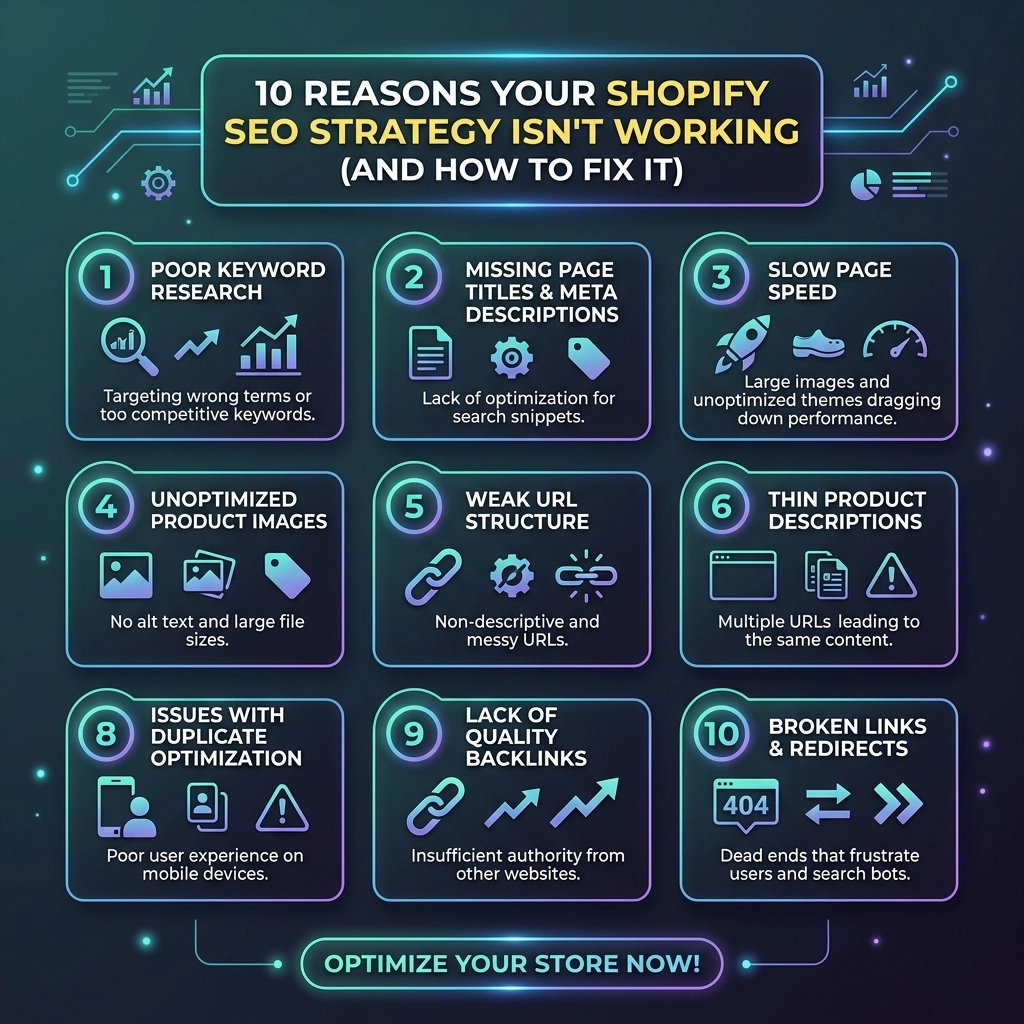
Let's dive into the 10 most common reasons your store is hiding on page five of Google: and exactly how to fix them.
1. The "Duplicate Content" Trap: Collection Tags
Shopify allows you to tag products for easy filtering (e.g., "blue," "cotton," "summer-collection"). While great for users, every time you add a tag, Shopify generates a new URL. This creates dozens of near-identical pages that compete against your main collection page.
The Problem: Google gets confused about which page is the "authority." This dilutes your ranking power and can lead to "keyword cannibalization."
The Fix:
- Use Canonical Tags: Ensure your theme's code correctly points all tagged versions back to the main collection URL.
- No-index Tagged Pages: If you don't need those filtered pages to rank, use an SEO app to add a "no-index" tag to filtered collection URLs.
- Focus on Logic: Only create tags that provide genuine value to the shopper’s journey.
2. Inflexible URL Structures
One of the most common complaints about Shopify website design is the forced folder structure. You are stuck with /products/ and /collections/ in your URLs. You cannot create a flat hierarchy like domain.com/mens-streetwear-hoodie.
The Problem: These long, nested URLs make it slightly harder for search engine crawlers to determine the priority of your pages.
The Fix: Since you can't change the folders, you must optimize the "handle" (the part after the folder). Instead of /products/product-12345, use /products/oversized-heavyweight-black-hoodie. Keep it descriptive but concise.

3. Thin Content in Fashion and Beauty Descriptions
Many apparel brands fall into the trap of using manufacturer descriptions or, worse, just a size chart and three bullet points.
The Problem: Search engines crave "Helpful Content." If your product page only has 50 words of text, Google views it as "thin content" and won't rank it above a competitor who has a 500-word deep-dive into the fabric, fit, and styling tips.
The Fix:
- Tell a Story: Describe how the jewelry feels or how the skincare product transforms a routine.
- Include Keywords Naturally: If you’re targeting "sustainable streetwear," explain why the item fits that category.
- Leverage FAQs: Add a small FAQ section at the bottom of high-priority product pages to capture long-tail search queries.
4. Slow Site Speed (The "App Overload" Effect)
Shopify makes it too easy to install apps. Want a countdown timer? There's an app. A currency converter? Another app. Every app adds a snippet of JavaScript that slows down your site.
The Problem: In 2026, page speed is a primary ranking factor. A one-second delay in mobile load time can drop conversions by 20% and tank your SEO rankings.
The Fix:
- Audit Your Apps: Delete any app you aren't using daily.
- Optimize Images: Use WebP formats and ensure your images are compressed before uploading.
- Upgrade Your Theme: If you’re on an older version of Shopify, consider migrating to a "2.0" theme which is built for performance. Professional Shopify SEO services often start with a technical speed audit for this very reason.
5. Ignoring Image Alt Text for Visual Search
For fashion and beauty brands, Google Image Search is a goldmine. People don't just search for "gold earrings"; they look at the images first.
The Problem: If your images are named IMG_5678.jpg and have no alt text, Google has no idea what’s in the picture.
The Fix:
- Be Descriptive: Instead of "Earrings," use "Handcrafted 14k Gold Hoop Earrings for Sensitive Ears."
- Rename Files: Rename your image files before uploading them to include your primary keywords.

6. The "Out of Stock" SEO Nightmare
When a seasonal item sells out, many store owners simply delete the product or unpublish it.
The Problem: Deleting a page creates a 404 error. If that page had backlinks or was ranking well, all that SEO value vanishes instantly.
The Fix:
- Keep the Page Live: If the item will return, keep the page up but replace the "Buy" button with an "Email Me When In Stock" form.
- Use 301 Redirects: If the product is gone for good, redirect that URL to the most relevant collection page or a newer version of the product. Never let a link die.
7. Lack of Internal Linking Strategy
Search engines find your content by following links. If your blog posts don't link to your products, and your products don't link to related collections, you're making the crawler's job harder.
The Problem: "Orphan pages" (pages with no internal links) rarely rank.
The Fix:
- Use "Recommended Products": This creates natural links between items.
- Content-to-Commerce: In your blog posts, link directly to the products you mention. For example, a blog about "5 Summer Skincare Essentials" should link to those specific product pages.
- Breadcrumbs: Ensure breadcrumb navigation is enabled to help Google understand your site hierarchy.
8. Missing Schema Markup (Rich Snippets)
Have you noticed how some search results show star ratings, prices, and "In Stock" status directly in Google? That’s Schema Markup.
The Problem: Without structured data, your listing is just a boring blue link. This leads to a lower Click-Through Rate (CTR), which eventually signals to Google that your result isn't relevant.
The Fix: Most modern Shopify themes include basic Schema, but you should verify it using Google’s Rich Results Test. If it’s missing, use a dedicated SEO app or a developer to add "Product" and "Review" schema.
9. Poor Mobile User Experience (UX)
Over 70% of eCommerce traffic in the fashion and apparel niche comes from mobile devices. If your "Add to Cart" button is hard to click or your pop-ups cover the entire screen, you’re in trouble.
The Problem: Google uses "mobile-first indexing." If your mobile site is a mess, your desktop rankings will suffer too.
The Fix:
- Test on Real Devices: Don't just look at the desktop preview. Open your store on an iPhone and an Android.
- Simplify Navigation: Ensure your menu is easy to navigate with one thumb.
- Minimize Pop-ups: Avoid aggressive entry pop-ups that frustrate mobile users.

10. No Backlink or Off-Page Strategy
SEO isn't just about what’s on your site; it’s about how the rest of the web views you.
The Problem: You can have the most optimized site in the world, but if no other reputable sites link to you, Google won't see you as an authority in the beauty or jewelry space.
The Fix:
- PR and Gifting: Send products to influencers or editors in your niche for honest reviews and potential links.
- Guest Posting: Write for fashion or lifestyle publications.
- Collaborations: Partner with complementary brands for joint giveaways or lookbooks that generate cross-links.
Challenges to Keep in Mind
| Challenge | Impact | How to Manage |
|---|---|---|
| Inventory Churn | High | Use 301 redirects for discontinued items to preserve link equity. |
| App Bloat | Medium | Regularly audit and remove unused scripts to maintain site speed. |
| Visual vs. Text | High | Balance high-quality imagery with keyword-rich descriptions for SEO. |
Pro Tip: Never ever think of giving up on SEO just because it takes time. Unlike paid ads, which stop the moment you stop paying, SEO is an asset that builds compound interest over time. Start small, stay creative, and focus on the user first.
Next Steps for Your Shopify Store
If you’re ready to stop guessing and start growing, follow this implementation checklist:
- Run a Site Audit: Use tools like Ahrefs or Semrush to identify broken links and duplicate content.
- Optimize Your Top 10 Pages: Identify your best-selling products and give them the "Deep-Dive" content treatment.
- Check Your Speed: Run your URL through Google PageSpeed Insights and fix the "Low Hanging Fruit" (usually image sizes).
- Fix Your URLs: Ensure every product handle is descriptive and keyword-focused.
- Review Your Schema: Verify that your star ratings are showing up in search results.
At Thriftizer, we specialize in helping D2C brands navigate the complexities of digital growth. Whether you need a complete overhaul of your Shopify website design or targeted Shopify SEO services to dominate the apparel market, our team is here to help.
Ready to scale? Check out our Shopify Expert profile or visit Thriftizer.com to see how we can transform your store into a search engine powerhouse. Start small, stay consistent, and watch your organic traffic soar.