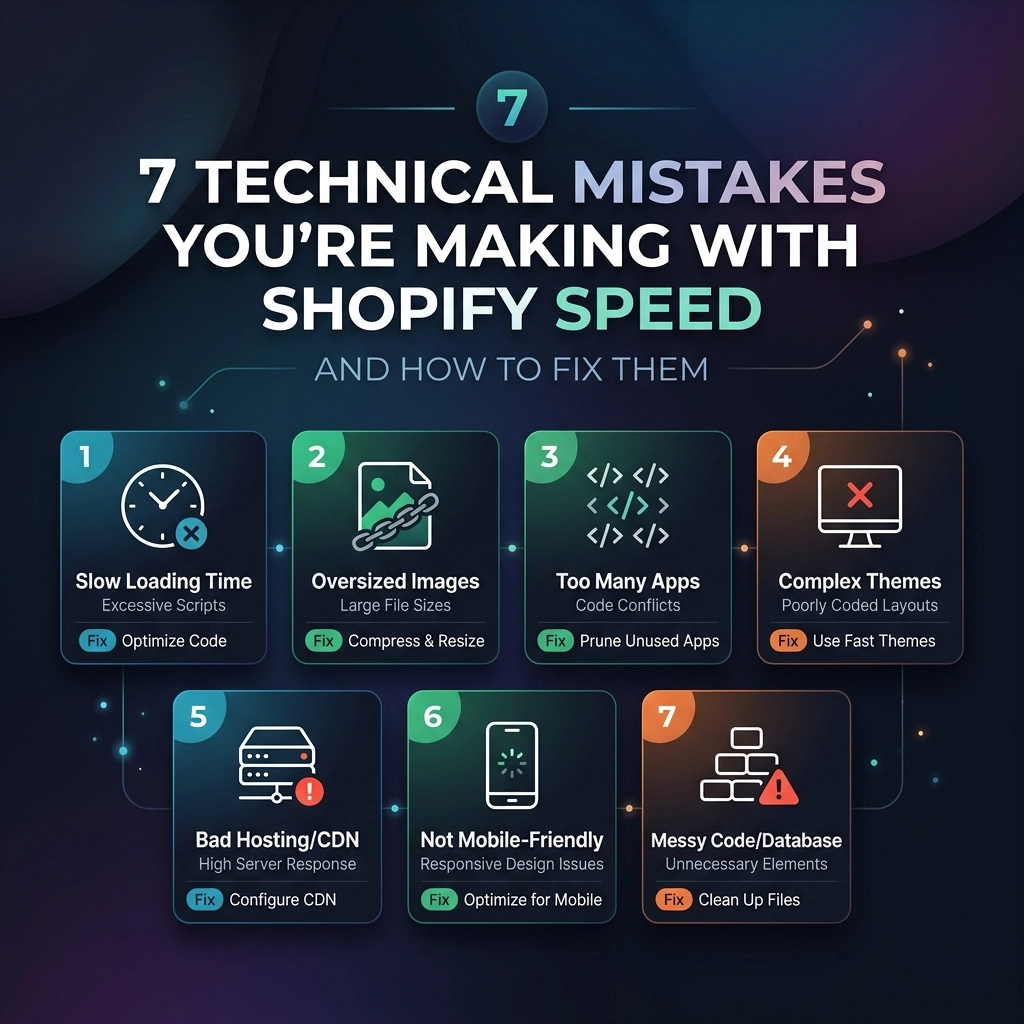
In the high-stakes world of e-commerce, speed isn't just a technical metric: it is your conversion rate's heartbeat. By April 2026, the threshold for "fast" has moved from seconds to milliseconds. For high-growth fashion and streetwear brands, a delay of even 100ms can be the difference between a completed checkout and a frustrated bounce to a competitor.
Scaling a brand requires a foundation that doesn't crumble under the weight of high-resolution lookbooks and complex app integrations. Many merchants believe that simply moving to Shopify Plus solves their performance issues, but the truth is that even the most robust platform can be slowed down by technical debt.
At Thriftizer, we specialize in Shopify speed optimization for brands that can't afford to slow down. If you want to scale your revenue this year, you need to stop making these seven common technical mistakes.
1. The "Ghost Code" of Uninstalled Apps
One of the most frequent mistakes we see during a Shopify development audit is "ghost code." When you uninstall a Shopify app, the platform doesn't always automatically scrub the theme files of the app's snippets.
The Problem: Over time, your theme.liquid and other layout files become a graveyard of unused JavaScript and CSS. These scripts still attempt to load, making unnecessary external calls that bloat your "Time to Interactive" (TTI). For a fashion brand running multiple "Shop the Look" or "Back in Stock" apps over several seasons, this bloat is significant.
The Fix: Manual Script Auditing
- Audit your Theme: Open your theme code and search for tags like
{% include 'app-name' %}or{% render 'app-snippet' %}that reference apps you no longer use. - Use the Network Tab: Open Chrome DevTools, go to the Network tab, and filter by JS. If you see scripts loading from domains of apps you uninstalled months ago, you have ghost code.
- Clean the Liquid: Remove the redundant script tags and snippets. If you aren't comfortable editing Liquid, hiring a professional Shopify agency is a safer bet to ensure you don't break critical site functions.
2. Using Massive Hero Images Without WebP or AVIF
Visual storytelling is the soul of fashion and jewelry brands. You need high-fidelity imagery to showcase textures and details. However, uploading a 5MB PNG file of your latest streetwear drop directly to Shopify is a recipe for a slow site.
The Problem: Large, unoptimized images are the #1 cause of poor "Largest Contentful Paint" (LCP) scores. While Shopify does some automatic compression, it often isn't enough for the complex layouts used by premium brands.

The Fix: Smart Asset Management
- Modern Formats: Always use WebP or AVIF formats. These provide superior compression without losing the "pop" of your jewelry close-ups.
- Explicit Sizing: Ensure your images have
widthandheightattributes defined in the code to prevent "Cumulative Layout Shift" (CLS). - Prioritize the Hero: Do not lazy-load your hero image. The browser needs to see that image immediately. Lazy-load everything below the fold instead.
3. Excessive "For" Loops in Liquid Code
Liquid is a powerful templating language, but it has its limits. We often see custom themes that use nested "for" loops to display product collections or complex mega-menus.
The Problem: Liquid is rendered on Shopify’s servers before the page is sent to the user. If your code is asking the server to loop through 50 products, and for each product, loop through 10 variants to check for a specific metafield, you are creating a massive server-side bottleneck. This increases your "Time to First Byte" (TTFB).
The Fix: Efficient Data Fetching
- Flatten Your Loops: Avoid nesting loops wherever possible.
- Use Metaobjects Wisely: In 2026, Shopify Metaobjects are the standard for custom data. Use them to store pre-calculated values rather than calculating them on the fly during the page load.
- Paginate Everything: Never try to load 100+ products on a single collection page without pagination or "load more" functionality.
4. The Third-Party Script Waterfall
Every tracking pixel, heatmapping tool, and chat widget you add to your store adds to the "waterfall" of resources the browser must download. For a D2C brand, these tools (Meta, TikTok, Klaviyo, Hotjar) are essential for growth, but they are speed killers if managed poorly.
The Problem: Most scripts are "render-blocking," meaning the browser stops displaying your site until the script finishes downloading. If a third-party server is slow, your site stays blank.
The Fix: Defer and Async Strategies
- Use a Script Manager: Implement a custom script loader or use Shopify’s newer pixels API to handle tracking scripts off the main thread.
- The Defer Attribute: Ensure non-critical scripts use the
deferattribute. This tells the browser to download the script in the background and only execute it after the HTML is parsed. - Critical CSS: Inline your "Above the Fold" CSS directly into the
<head>of your document. This allows the styling of your header and hero section to appear instantly while the rest of the stylesheet loads.

5. Mismanaged Video Banners
Video is the most engaging medium for beauty and fashion brands, but it is also the heaviest. Using a high-bitrate MP4 as a background banner is a technical mistake that often leads to a "broken" feel on mobile devices.
The Problem: Autoplaying videos can prevent a page from reaching its performance budget, especially on slower 4G/LTE connections.
The Fix: Optimized Video Delivery
- Host Externally if Needed: Use Shopify’s native file hosting but ensure you are using the compressed versions. Alternatively, use a specialized video CDN.
- Mute and Loop: For background videos, always ensure they are muted and use the
playsinlineattribute to ensure they work on mobile. - The "Poster" Image: Always provide a high-quality static "poster" image. This displays instantly while the video buffers in the background, preventing a black box from appearing.
6. Webfont Bottlenecks and FOIT
Custom typography is essential for brand identity. However, loading five different weights of a custom font can add seconds to your load time.
The Problem: Browsers often hide text until the font file is fully downloaded, leading to a "Flash of Invisible Text" (FOIT). Your customers see a blank page where the headings should be.
The Fix: Performance-First Typography
- Limit Font Variants: Do you really need "Light," "Regular," "Medium," "Bold," and "Black"? Stick to two weights if possible.
- Font-Display: Swap: Use the
font-display: swap;CSS property. This tells the browser to show a system font (like Arial) immediately and swap it for your custom font once it's ready. - Preloading: Use
<link rel="preload">for your primary brand font to move it to the front of the download queue.
7. Ignoring Mobile-Specific Performance
Many founders audit their site speed on a high-end MacBook with a fiber-optic connection. This is a massive mistake. The majority of your fashion sales happen on mobile devices, often on unreliable cellular networks.
The Problem: High-resolution desktop layouts that are merely "shrunk" for mobile still carry the weight of the desktop assets. This results in sluggish scrolling and delayed tap responses.
The Fix: Mobile-First Optimization
- Throttle Your Tests: Use Google PageSpeed Insights and set the device to "Mobile." This simulates a mid-tier Android device on a 4G connection. This is your real-world performance baseline.
- Adaptive Images: Use the
<picture>tag orsrcsetto serve smaller image versions to mobile users. - Touch Targets: Ensure your "Add to Cart" buttons are easily clickable and responsive. A "heavy" JS-driven button that takes 500ms to register a click will kill your conversion rate.
The Pros and Cons of Speed Optimization
Optimizing a Shopify store is a balancing act between aesthetic beauty and technical performance.
| Pros of Optimization | Challenges (Cons) |
|---|---|
| Higher Search Rankings: Google prioritizes fast sites in 2026. | Technical Complexity: Requires deep Liquid and JS knowledge. |
| Lower Customer Acquisition Cost (CAC): Better UX leads to higher ROAS. | Design Constraints: You may have to compromise on "heavy" animations. |
| Improved Mobile Conversion: Essential for the Instagram/TikTok traffic. | Ongoing Maintenance: New apps can quickly undo your hard work. |
Key Insight: Speed is not a one-time project; it is a culture. Every time you add a new feature or app, you must ask: "How does this affect our LCP?"
Next Steps to Supercharge Your Store
Never ever think of giving up on your site performance just because it seems technical. Start small, stay creative, and focus on the metrics that move the needle.
- Run a Baseline Audit: Check your current scores on PageSpeed Insights and Shopify’s built-in speed report.
- Purge Unused Apps: Delete anything you haven't used in the last 30 days.
- Optimize Your Top 5 Images: Fix the hero banners on your Home, Collection, and Product pages.
- Review Your Liquid Code: Look for those nested loops and simplify them.
- Consult the Experts: If your store is doing high volume and you can't seem to break the speed ceiling, it’s time for professional Shopify development.
At Thriftizer, we help brands turn technical bottlenecks into growth engines. Whether you need a full site rebuild or a targeted Shopify speed optimization sprint, our team is ready to help you scale.
Visit us at Thriftizer to learn more about our digital marketing and development services, or check out our Shopify Expert profile to see how we’ve helped other high-growth brands dominate their niche.
Success in e-commerce is built on speed. Don't let a slow site be the reason you miss your next revenue milestone. Get optimized today.