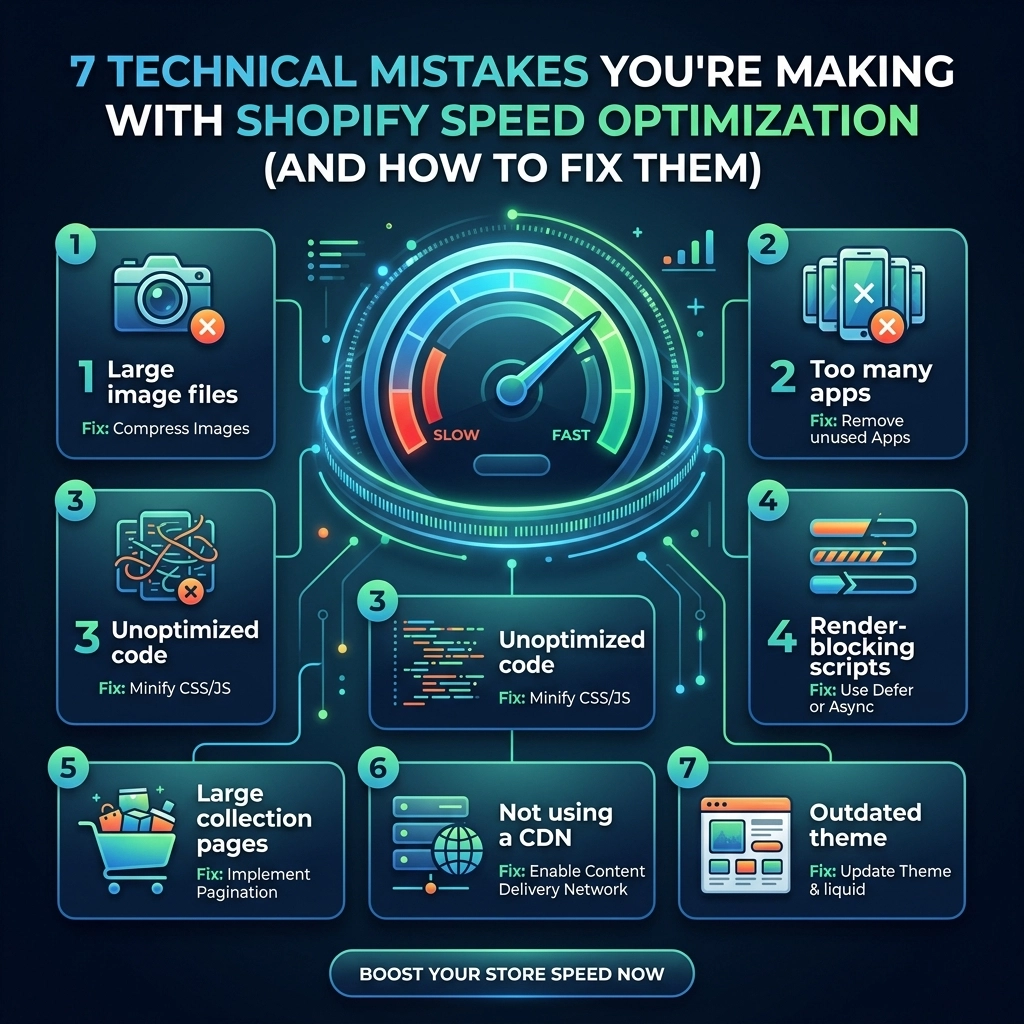
In the competitive world of high-growth fashion, streetwear, and jewelry brands, your storefront is your digital runway. But if that runway takes ten seconds to load, your customers are going to walk out before the show even starts.
As a Shopify development specialist, I’ve seen countless brands invest thousands in high-end photography and influencer marketing, only to see their conversion rates plummet because of a sluggish site. The reality is that speed is no longer just a "nice-to-have" feature; it is a core component of your SEO strategy and user experience. By 2026, the threshold for "fast" has moved from three seconds to under two.
If you’re seeing a high bounce rate or a lower-than-average conversion rate, you might be making these technical mistakes. Let’s break them down and, more importantly, fix them.
1. The High-Resolution Image Trap
For fashion brands, imagery is everything. You want your customers to see every stitch of that premium leather jacket or the shimmer of a gold pendant. However, uploading raw 4MB+ JPEGs directly to Shopify is a conversion killer.
The Problem: High-resolution images account for nearly 40% of a webpage's weight on mobile. While Shopify does some automatic compression, many themes fail to implement responsive sizing, meaning your store serves a massive desktop-sized image to a customer browsing on an iPhone.
The Fix:
- Use WebP Format: Transition all your assets to WebP. It offers superior compression (up to 30% smaller than JPEG) without losing visual quality.
- Implement Lazy Loading: Ensure your theme uses native lazy loading. This tells the browser to only load images as the user scrolls down, prioritizing "above the fold" content.
- Exact Dimension Mapping: Don't upload a 5000px image if it’s only going to be displayed at 500px in a grid. Crop and resize before you upload.

2. The "App Addiction" and Ghost Code Residue
Every merchant wants more features: product reviews, upsell pop-ups, loyalty programs, and size charts. In the Shopify ecosystem, there’s an app for everything. But there’s a hidden cost.
The Problem: Every app you install injects external JavaScript into your store. The real danger? When you uninstall an app, it often leaves behind "ghost code." These are snippets of liquid code or script tags in your theme files that still try to call a server that no longer exists. This creates a "hang" where the browser waits for a response that will never come.
The Fix:
- Perform a Code Audit: Regularly check your
theme.liquidand snippet files for leftover code from old apps. If you aren't comfortable with liquid, a Shopify agency like Thriftizer can help clean your backend. - The "One In, One Out" Rule: Before adding a new app, ask if an existing one can do the job or if you can build the feature via custom development.
- Consolidate: Use multi-functional apps (like an all-in-one marketing suite) rather than five separate single-purpose apps.
3. Relying on Bloated, "Feature-Rich" Themes
It’s tempting to buy a $350 theme from a marketplace that promises 50+ built-in features. While these look great in the demo, they are often built with a "kitchen sink" approach.
The Problem: These themes include massive amounts of CSS and JavaScript for features you probably aren't even using (like 10 different types of sliders or 5 mega-menu styles). This unused code still gets downloaded by every visitor, creating unnecessary rendering delays.
The Fix:
- Go Lean: Start with a lightweight, Shopify Online Store 2.0-ready theme like Dawn as a foundation and build up.
- Custom Development: For high-growth brands, a custom-coded storefront is often more efficient. It allows you to include only the code you need, resulting in a lightning-fast experience.
- Check the Speed Score: Before switching themes, look at the performance scores provided in the Shopify Theme Store.
Key Insight: A 1-second delay in mobile load times can decrease conversion rates by up to 20%. In the fashion niche, where impulse buys are common, every millisecond counts.
4. Synchronous Loading of Third-Party Scripts
Your store likely uses tracking pixels for Meta, TikTok, and Google Analytics, plus a chat widget and perhaps a heatmap tool like Hotjar.
The Problem: If these scripts are set to load "synchronously," they act as a roadblock. The browser stops everything, literally everything: to fetch and run that script before it moves on to showing your products. If the Meta pixel server is having a slow day, your site looks like it’s broken.
The Fix:
- Async and Defer: Use the
asyncordeferattributes on all non-essential script tags. This allows the rest of your site to load while the scripts fetch in the background. - Shopify Pixels API: Move your tracking pixels to Shopify’s native Pixels API (Customer Events). This handles tracking on the server side or in a sandbox, significantly reducing the impact on the main thread.

5. Logic Collisions: Stacking Multiple Discount Engines
High-growth brands thrive on complex promotions: Buy One Get One (BOGO), tiered discounts, and influencer codes.
The Problem: When you use three different apps to manage these, they often collide. During the checkout process or when a user adds an item to the cart, these apps perform heavy calculations simultaneously. This causes the "Add to Cart" button to lag, leading to frustrated customers who think the site is frozen.
The Fix:
- Native Discounts First: Always try to use Shopify’s native discount functionality first.
- Shopify Plus Features: If you are on Shopify Plus, use Shopify Functions or Scripts to handle complex logic. These run on Shopify’s servers, not in the user’s browser, making them significantly faster.
- Limit External Calls: Avoid apps that need to "call home" to their own servers just to calculate a price in the cart.
6. Ignoring Cross-Border Bottlenecks and API Limits
Scaling internationally is the goal for most D2C jewelry and streetwear brands. But internationalization often comes with a performance penalty.
The Problem: Many stores use third-party apps for currency conversion and shipping calculations that make dozens of API calls every time a page loads. Making 20 API calls just to show a price in Euros will tank your speed. Furthermore, hitting Shopify’s API rate limits during a peak sale event (like a limited edition drop) can actually disable parts of your site functionality.
The Fix:
- Use Shopify Markets: Stick to Shopify’s native multi-currency and internationalization features. They are integrated into the core platform and don't require external API round-trips.
- Batch Your Requests: If you must use custom integrations, ensure they are optimized to batch requests together rather than making them one by one.
7. Redirect Chains and Broken Link Lag
As your brand grows, you’ll naturally delete old products or change collection names.
The Problem: Every time a user hits a redirect, it adds 100ms to 500ms to their wait time. If you have "redirect chains" (Page A redirects to Page B, which redirects to Page C), you are effectively doubling or tripling that latency. Even worse, broken links (404 errors) cause the browser to waste time looking for a resource that isn't there.
The Fix:
- Audit Your Redirects: Use a tool like Screaming Frog or a Shopify-specific SEO app to find and flatten redirect chains.
- Clean Up 404s: Regularly check your Google Search Console for 404 errors and fix them by pointing them to the most relevant active page.

Performance Benchmarks: What to Track in 2026
To stay ahead, you need to move beyond the generic "Shopify Speed Score." Focus on these Core Web Vitals:
- Largest Contentful Paint (LCP): Measures how long it takes for the main content (usually your hero image) to load. Target: < 2.5s.
- First Contentful Paint (FCP): The time until the first bit of content is rendered. Target: < 1.8s.
- Cumulative Layout Shift (CLS): Measures visual stability. Does the "Buy" button move just as the user is about to click it? Target: < 0.1.
Your Next Steps Checklist
Ready to turn your store into a high-performance machine? Follow this implementation plan:
- Audit Your Apps: Uninstall any app you haven't used in the last 30 days.
- Clean the Code: Remove any leftover script tags from those uninstalled apps.
- Optimize Images: Convert your top 50 most-viewed product images to WebP.
- Fix Redirects: Flatten any redirect chains in your navigation.
- Test on Mobile: Always use a 4G connection profile when testing, not your office fiber-optic Wi-Fi.
Start Small, Stay Creative
Shopify speed optimization can feel overwhelming, but you don't have to do it all at once. Start with the "low-hanging fruit" like image optimization and app cleanup. Never ever think of giving up on performance: it is the foundation upon which your brand's digital growth is built.
At Thriftizer, we specialize in helping D2C brands bridge the gap between high-end design and technical excellence. Whether you're looking for a full site audit or custom Shopify development, our team is here to help you scale efficiently. You can also find us on our Shopify Expert profile to see how we've helped other high-growth brands hit their performance goals.
Speed is your "co-pilot" in the journey to scaling your fashion empire. Optimize it, and your customers will thank you with their loyalty: and their wallets.