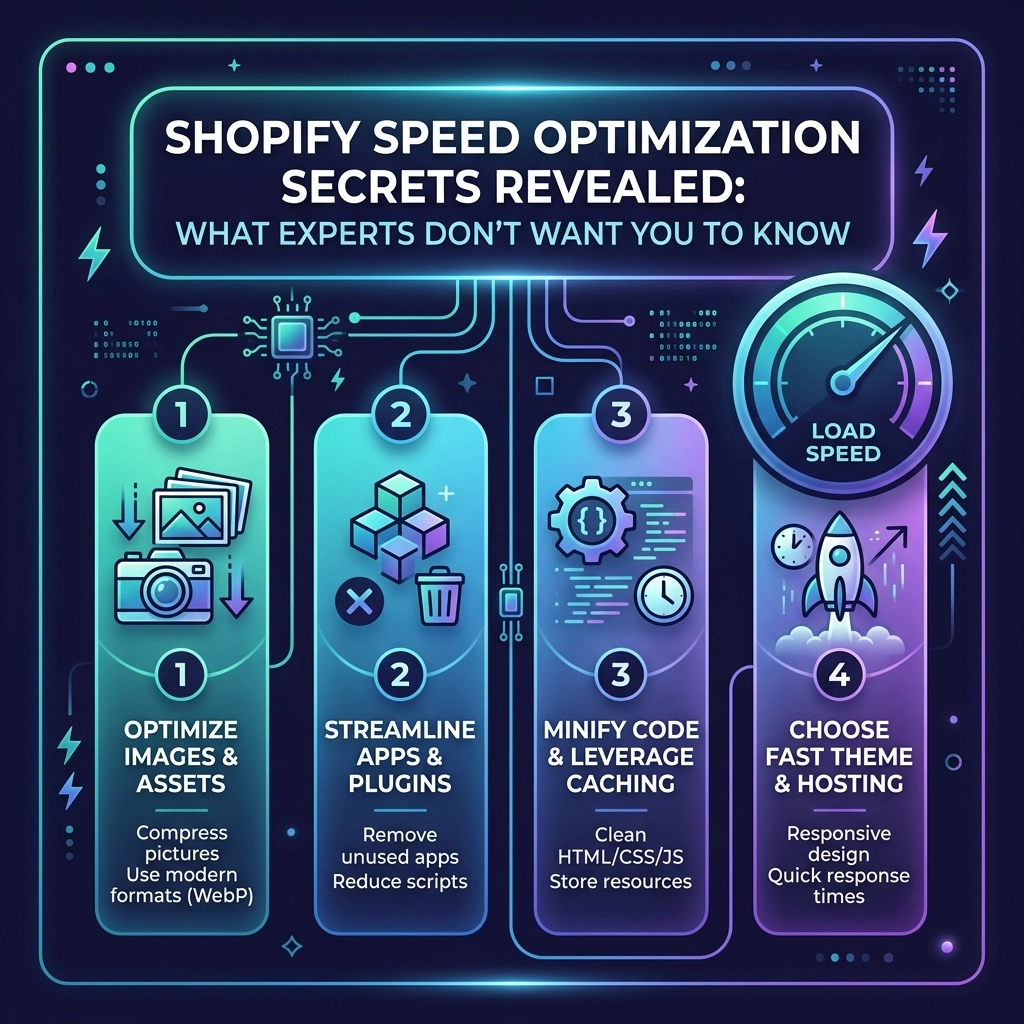
In the high-stakes world of e-commerce, speed isn't just a technical metric: it is your most important sales tool. For high-growth fashion brands, a delay of even one second can mean the difference between a new customer and a high bounce rate. If you are running a Shopify store in 2026, you've likely heard that "speed matters," but the advice you get is often generic.
Most "experts" will tell you to just delete a few apps and call it a day. But if you are scaling toward the seven or eight-figure mark, you need more than surface-level fixes. You need the technical architecture that allows for high-resolution jewelry close-ups and cinematic streetwear lookbooks without making your site feel like it’s running on a 2005 dial-up connection.
At Thriftizer, we focus on the intersection of aesthetics and performance. As a vetted Shopify Expert, we’ve seen exactly what works: and what "secrets" the big agencies often keep behind a massive retainer.
Let's pull back the curtain on true Shopify speed optimization.
The Brutal Reality of Mobile Performance
The majority of your traffic: especially in the fashion and beauty niches: is coming from mobile devices. These users are often on 4G or unstable 5G connections. When your site takes four seconds to load, you aren't just losing a visitor; you are flushing your ad spend down the drain.
Research consistently shows that a 0.1-second improvement in site speed can boost conversion rates by over 8%. For a Shopify Plus brand doing $100k a month, that is an extra $8,000 just for making things slightly faster.
Why Generic Advice Fails
Generic advice tells you to "compress images." Real Shopify speed optimization involves understanding how the browser renders those images. It's not just about the file size; it's about the execution.

Pillar 1: The Advanced Image Strategy for Fashion Brands
Fashion brands face a unique challenge: you need high-quality imagery to build trust and desire, but those large files are the #1 enemy of speed.
1. Moving Beyond Standard Compression
Don't just run your photos through a compressor. Implement WebP and Avif formats. These modern formats offer superior compression compared to JPEG or PNG without losing the crisp detail of your fabric textures. Shopify now handles much of this natively, but your custom Liquid code needs to be optimized to serve the right size for the right device.
2. Strategic Lazy Loading
Never lazy load images that appear "above the fold" (the content visible without scrolling). If you lazy load your hero banner, you’ll hurt your Largest Contentful Paint (LCP) score. Use the loading="eager" attribute for your main banner and loading="lazy" for everything else.
3. Adaptive Sizing
Stop uploading 4000px images and letting the browser resize them. Use the srcset attribute in your Shopify development to ensure a mobile user only downloads a 400px image, while a desktop user gets the high-res version.
Pillar 2: The "App Detox" and Code Management
Apps are the biggest "silent killers" of Shopify performance. Every time you install an app to add a "Frequently Bought Together" widget or a pop-up, you are likely adding external JavaScript files that slow down your entire site.
The Hidden Cost of App Scripts
Many apps leave "ghost code" behind even after you uninstall them. This legacy code continues to make requests to external servers, dragging down your performance.
Pro Tip: Regularly audit your theme.liquid file. If you see scripts for apps you deleted six months ago, they are still hurting you. Clean them out.
Using Google Tag Manager (GTM) Correcty
Many fashion brands use multiple tracking pixels (Meta, TikTok, Pinterest, Google). Instead of hard-coding these into your theme, use Google Tag Manager. However, the secret is to trigger non-essential tags after the window has loaded. This ensures your store remains interactive while the tracking data loads in the background.

Pillar 3: Custom Development vs. Heavy Themes
If you are using a bloated, multi-purpose theme from a third-party marketplace, you are already at a disadvantage. These themes are built to include every feature imaginable, which means they load code you will never use.
The Power of Clean Liquid
For high-growth brands, custom Shopify development is the way to go. By building on top of a lightweight framework like Shopify Dawn or creating a custom build, you ensure that every line of code serves a purpose.
Key Technical Gains:
- Minify CSS and JS: Stripping out whitespace and comments may seem small, but it adds up across thousands of visitors.
- Reduce Liquid Loops: Deeply nested
forloops in Liquid can slow down server response times. Optimize your collection pages to load only what’s necessary. - Pre-fetching: You can use simple scripts to "predict" which page a user will click next (like a product page from a collection) and start loading it in the background.
Pillar 4: Shopify Plus Exclusive Speed Features
If you are on Shopify Plus, you have access to tools that standard stores don't.
Shopify Scripts and Functions
Instead of using heavy apps for discounting or shipping logic, use Shopify Functions. These run on Shopify’s infrastructure rather than as an external app, meaning they have zero impact on your front-end load speed.
Specialized Checkouts
With the latest Checkout Extensibility, you can customize your checkout experience without the performance trade-offs of the old checkout.liquid hacks. This keeps the most critical part of your funnel: the payment: lightning fast.

Challenges and Trade-offs: The Reality Check
It’s important to be realistic. You cannot have a site filled with 4K auto-playing videos, 50 third-party apps, and 3D product models, and still expect a 100/100 Google PageSpeed score.
| Strategy | Pros | Cons |
|---|---|---|
| Minimalist Design | Maximum speed, high mobile conversion. | Might feel "too simple" for high-fashion brands. |
| App Reduction | Clean code, faster load times. | Requires custom dev for specific features. |
| High-Res Video | Huge "wow" factor, better engagement. | Significant impact on LCP and mobile data. |
Key Insight: Aim for "Fast Enough." A score of 85-90 with a beautiful, high-converting design is better than a score of 100 on a site that looks like a basic text document.
Next Steps: Your 7-Day Speed Implementation Checklist
Stop overthinking and start implementing. Follow this sequence to see immediate results:
- Run a Baseline Test: Use Google PageSpeed Insights and GTmetrix. Record your current LCP and Total Blocking Time.
- The App Audit: Identify three apps you haven't looked at in a month. Delete them.
- Image Overhaul: Convert your top 10 most visited pages' images to WebP. Ensure no image is larger than 200KB.
- Font Check: Switch from fancy external web fonts to system fonts (like Arial or Helvetica) or self-host your brand fonts to reduce external requests.
- Critical CSS: Work with a Shopify agency to implement critical CSS, ensuring the top of your page styles load instantly.
- Fix Broken Links: Use a crawler to find 404 errors. Broken links waste "crawl budget" and frustrate users.
- Monitor & Repeat: Speed optimization is not a one-time project. It’s a habit. Review your stats every 30 days.

Start Small, Stay Creative
Don't let the technical jargon overwhelm you. Speed is a journey, not a destination. You don't need to be a coding genius to start making your store faster today. Start with the "low-hanging fruit" like image sizes and app management, then move into deeper Shopify development as you scale.
If you are a fashion, beauty, or jewelry brand looking to dominate in 2026, your store needs to move as fast as the trends. Never ever think of giving up on performance just to get a flashy feature. Your customers: and your bottom line: will thank you for the speed.
Ready to take your store to the next level? As a specialized Shopify agency, Thriftizer Solutions helps brands like yours trim the bloat and maximize conversions. Check out our Shopify Expert profile to see how we’ve helped other high-growth brands hit their performance goals.
Your store deserves to be fast. Let's make it happen.