Author: Nivi

  • The Proven Shopify Conversion Rate Optimization Framework for Modern Beauty Brands

    The Proven Shopify Conversion Rate Optimization Framework for Modern Beauty Brands

    In the hyper-competitive world of D2C beauty, "good enough" is a recipe for stagnation. If your Shopify store feels slow, clunky, or fails to bridge the gap between a digital screen and a physical product, you're leaving significant revenue on the table. In 2026, the beauty consumer is more discerning than ever, and their patience for a sub-par mobile experience is non-existent.

    At Thriftizer, we don't believe in the traditional, bloated agency model that moves at a glacial pace. We position ourselves as the "Amazon of Shopify Services": built for speed, high agility, and disruptive efficiency. While others take weeks to "audit," we offer a 4-Hour Onboarding process that gets your optimization engine running before the day is over.

    To scale a beauty brand today, you need more than a pretty theme. You need a systematic framework. We break Conversion Rate Optimization (CRO) into three non-negotiable pillars: Discovery, Trust, and Intent.


    Pillar 1: Discovery – Solving the "Digital Gap"

    Beauty is tactile. Your biggest hurdle is that customers can’t "swatch" a lipstick or "smell" a serum through their iPhone. The Discovery phase is about removing the friction of finding the right product using visual intelligence.

    Smart Color Swatches & Shade Finders

    Generic dropdown menus are conversion killers for makeup brands. Modern beauty shoppers expect a visual-first interface that mirrors the in-store experience.

    • Dynamic Texture Swatches: Replace basic flat color dots with high-resolution texture crops. If your foundation has a dewy finish, the swatch should reflect that. This reduces "expectation gaps" and improves the add-to-cart rate.
    • Skin Tone Contextualization: Implement a "View on My Skin Tone" toggle. Seeing a shade on light, medium, and deep skin tones simultaneously reduces choice paralysis and is proven to cut down return rates in the beauty sector.
    • The "Shade Finder" Quiz: A 30-second guided quiz that recommends products based on undertone and skin type isn't a luxury: it's a core conversion tool. It moves the user from "I'm looking" to "This was made for me" in seconds.

    Intuitive Navigation and Search

    If a user has to click more than three times to find their specific concern, they’re gone.

    • Pro Tip: Use "Shop by Concern" (e.g., "Hyperpigmentation," "Redness," "Fine Lines") in your mega-navigation. It speaks the language of the customer’s problem rather than just listing product categories.

    Infographic for Discovery in beauty eCommerce showing smart color swatches and visual intelligence


    Pillar 2: Trust – The Ingredient Transparency Revolution

    In 2026, beauty consumers are "Skintellectuals." They don't just want to know what a product does; they want to know how it does it. Trust is no longer about just having reviews; it’s about radical transparency.

    The Ingredient Architecture

    Don't bury your ingredient list in a PDF or a tiny link at the bottom of the page. Structure it for authority:

    1. The "Hero" List: Highlight 2-3 key active ingredients (e.g., Niacinamide for barrier support, Squalane for hydration) with clear, plain-language benefits right at the top of the PDP.
    2. Collapsible INCI Lists: Keep the full Latin list (INCI) accessible but tucked away in an accordion to avoid information overload for the casual browser.
    3. Transparency Badges: Use clean, high-contrast icons for "Cruelty-Free," "Dermatologist Tested," or "Vegan." These act as visual "anchors" that build credibility in milliseconds.

    Social Proof Beyond Star Ratings

    A 4.5-star rating is the baseline. To convert at a higher level, you need contextual proof.

    • UGC Photo Reviews: Encourage customers to upload "unfiltered" photos. Seeing the product on real skin in natural lighting builds more trust than a thousand polished studio shots.
    • Expert Endorsements: If you are a founder-led brand or have a resident dermatologist, pull their quotes high up on the page. Authority transfers trust.

    Key Insight: Trust is a currency. The more transparent you are about what’s inside the bottle, the faster the "Add to Bag" click happens. Never ever think of giving up on building that relationship with your audience.

    Trust pillar infographic showing ingredient transparency and safety badges


    Pillar 3: Intent – Eliminating "Mobile Thumb-Stress"

    Over 85% of beauty browsing happens on mobile. If your mobile experience is just a "shrunken desktop version," you are bleeding revenue. The Intent pillar focuses on the final inch of the conversion: the checkout.

    Mobile-First UI (The Thumb Zone)

    Most shoppers browse with one hand, usually their thumb. If your primary call-to-action (CTA) is tucked away in a corner, you’re causing physical friction.

    • Sticky Add to Cart (ATC): Implement a floating bar at the bottom of the screen. As the user scrolls through reviews and ingredient lists, the "Add to Bag" button is always exactly where their thumb is.
    • One-Page Checkout: Speed is the ultimate feature. We recommend Shopify’s one-page checkout or accelerated wallets like Shop Pay and Apple Pay. The faster the checkout, the higher the conversion.

    Subscriptions and Refills

    The most profitable beauty brands aren't the ones with the highest traffic, but the ones with the highest retention.

    • The "Nudge" Strategy: Default to a "Subscribe & Save" option on the PDP with a clear 10-15% discount.
    • Refill Reminders: Set up automated "Time to Refill" emails based on the average product lifespan. If a serum lasts 60 days, your reminder should hit their inbox on day 50.

    Mobile-first UI design showing sticky Add to Bag and thumb-friendly navigation


    The Thriftizer Edge: Speed as a Feature

    The traditional agency model is broken. It's slow, expensive, and out of touch with the agility required for modern D2C. At Thriftizer, we operate with disruptive speed. Our 4-Hour Onboarding concept is our core differentiator. We skip the fluff, the endless meetings, and the "getting to know you" phases that take weeks.

    We treat technology as our co-pilot, allowing us to identify gaps in your Shopify store and implement fixes faster than any traditional firm. When you work with us, you aren't just getting a service; you're gaining an agile partner dedicated to scaling your beauty brand.


    Your CRO Roadmap: Actionable Next Steps

    Don't try to fix everything at once. Start small, stay creative, and focus on the high-impact changes first.

    1. Audit Your Swatches: Are they actual texture photos or just generic colored circles? If they're generic, change them today.
    2. Optimize for the "Thumb Zone": Install a sticky ATC bar. It’s one of the highest ROI changes you can make for mobile shoppers.
    3. Elevate Ingredients: Move your top 3 active ingredients above the fold. Explain what they do in plain English.
    4. Accelerate the Finish Line: Enable Shop Pay and reduce optional form fields in your checkout.
    5. Book a Strategy Call: Get your store audited in record time with our specialized team.

    Minimalist checklist for Beauty CRO next steps

    Ready to Scale Your Beauty Brand?

    The difference between a brand that plateaus and one that scales is the willingness to optimize the details. Whether you need a full-scale digital transformation or a surgical CRO strike, Thriftizer Solutions is built to deliver results at the speed of the modern market.

    Check out our Shopify Expert Profile to see how we’ve helped other D2C beauty and fashion brands dominate their niche.

    Start your 4-Hour Onboarding today. Let’s turn your Shopify store into a high-converting machine.

  • One-Page vs Multi-Step Checkout: Which Is Better for Your Fashion Store?

    One-Page vs Multi-Step Checkout: Which Is Better for Your Fashion Store?

    In the world of high-stakes D2C fashion, every second counts. You’ve spent thousands on influencer campaigns, perfected your product photography, and dialed in your SEO. But then, the momentum hits a brick wall: the checkout page.

    For years, the industry was obsessed with "One-Page Checkout" as the ultimate holy grail. The logic was simple: fewer clicks equals more sales. But as we move deeper into 2026, the data is telling a much more nuanced story. At Thriftizer, where we operate as the "Amazon of Shopify Services," we’ve seen that what works for a $20 basic tee doesn’t necessarily work for a $400 premium leather jacket.

    If you’re still using a "one-size-fits-all" approach to your checkout, you’re likely leaving money on the table. Let's break down the real-world performance of One-Page vs. Multi-Step checkouts for fashion brands.

    The 2026 Reality Check: What the Data Says

    Recent Shopify data reveals a surprising shift. While one-page checkouts are generally hailed for their speed, multi-step checkouts actually win in some of the most critical scenarios for fashion brands.

    • First-Time Buyers: Multi-step checkouts win 58% of the time with new customers. Why? Because a structured process builds trust.
    • Mobile Users: Contrary to popular belief, multi-step layouts often perform better on mobile (winning 62% of tests) because they prevent "scroll fatigue" and keep form fields manageable.
    • High-AOV Stores ($150+): When customers spend more, they want a "considered" experience. Multi-step wins 51% of the time here.
    • Returning Customers: This is where One-Page shines, winning 49% of tests by offering the frictionless "Buy Now" experience repeat fans crave.

    Infographic comparing One-Page and Multi-Step checkout performance across AOV and device type

    One-Page Checkout: The "Speed Demon"

    The Pros

    • Reduced Friction: Ideal for low-AOV items (<$75) and impulse buys.
    • Repeat-Friendly: When combined with Shop Pay, it’s the fastest way to get a returning customer to "Order Confirmed."
    • Higher Completion on Desktop: Data shows one-page checkouts often outperform on desktop where the layout doesn't feel cramped.

    The Cons

    • Visual Clutter: On mobile, one-page can feel like a never-ending wall of forms.
    • Intimidating for New Users: Seeing address, shipping, and payment all at once can feel overwhelming for someone who hasn't bought from you before.

    Multi-Step Checkout: The "Trust Builder"

    The Pros

    • Better Mobile UX: Breaking the process into "Information," "Shipping," and "Payment" makes the forms feel shorter and easier to fill on a thumb-driven device.
    • Trust and Clarity: Each step acts as a micro-commitment. For premium fashion brands, this confirms the customer’s choices (size, color, shipping speed) before they hand over their credit card.
    • Higher AOV Performance: For luxury or "complete look" bundles, the step-by-step approach reduces buyer’s remorse and anxiety.

    The Cons

    • Click Fatigue: If your steps aren't optimized, every "Continue" button is a potential exit point.
    • Slower Perception: Even if the actual time taken is similar, more pages feel slower.

    The Fashion Brand’s Decision Matrix

    Stop guessing and start segmenting. At Thriftizer, we don't believe in slow, month-long audits. We believe in Speed as a Feature. Here is how you should decide today:

    Scenario Recommended Format
    New Customer / First Purchase Multi-Step
    Loyal / Returning VIP One-Page
    Mobile Traffic (>70%) Multi-Step (or highly optimized One-Page)
    AOV < $75 One-Page
    AOV > $150 (Premium/Luxury) Multi-Step

    Pro Tip: The Hybrid Strategy

    The most successful Shopify brands in 2026 are using Hybrid Routing. They use a multi-step checkout for mobile users and first-time visitors to maximize trust, while serving a lightning-fast one-page checkout to returning customers on desktop.

    A high-performance mobile checkout interface highlighting speed and sleek design

    Why Most Checkouts Fail (Regardless of Format)

    It’s rarely just about the number of pages. Your checkout is likely bleeding revenue because of these "Friction Points":

    1. Forced Account Creation: Never ever force a new customer to create an account before buying. Guest checkout is mandatory.
    2. Lack of Trust Signals: Fashion is personal. If your return policy, size guarantee, and secure payment icons aren't visible at the bottom of every step, you're losing sales.
    3. Slow Load Times: If your checkout takes more than 2 seconds to load a step, you're dead in the water.

    Speed is a Feature: The Thriftizer Differentiator

    Most agencies take weeks to analyze your checkout. We don't. We operate with a "Disruptive Speed" philosophy. Our 4-Hour Onboarding means we go from "Hello" to "Optimizing Your Store" in less than a half-day.

    We don't just follow trends; we set them. Whether it’s implementing Shopify Checkout Extensibility or setting up advanced A/B tests for your apparel brand, we focus on high-impact, high-agility execution.

    Abstract representation of Thriftizer's 4-hour onboarding and disruptive speed philosophy

    Next Steps: Your 5-Step Checkout Audit

    Ready to stop the abandonment? Follow this checklist to overhaul your fashion store's checkout today:

    1. Identify Your Split: Check your analytics. Is your traffic >70% mobile? If yes, start testing a multi-step layout.
    2. Verify AOV Tiers: If your average order is over $150, ensure you have robust trust signals (reviews, return policy) clearly visible in the checkout sidebar.
    3. Enable Accelerated Wallets: Shop Pay, Apple Pay, and Google Pay should be at the top of your checkout. They bypass the "One-Page vs Multi-Step" debate entirely.
    4. Reduce Form Fields: If you don't need a phone number or a second address line to ship a dress, remove them. Every field is a hurdle.
    5. Run a Split Test: Use Shopify's native tools or a partner like Thriftizer to run a 50/50 test between One-Page and Multi-Step for 14 days.

    A numbered checklist graphic representing the 5-step optimization process

    Start small, stay creative. Your checkout shouldn't be a barrier: it should be the grand finale of your brand experience.

    Scale Your Brand with Thriftizer

    Need to move faster? We’re a team of strategists and developers driven by a shared purpose: to help brands grow with impact. From building powerful brand identities to delivering high-converting digital experiences, we are the agile partner your D2C brand needs.

    Explore Thriftizer Services | View our Shopify Expert Profile


  • Do You Really Need Shopify Plus? Here’s the Truth for Scaling D2C Brands

    Do You Really Need Shopify Plus? Here’s the Truth for Scaling D2C Brands

    If you’re a D2C founder in the fashion, beauty, or apparel space, you’ve likely hit "The Wall." Your sales are climbing, your ad spend is optimized, but your tech stack is starting to feel like a pair of jeans that are two sizes too small.

    You’ve heard the whispers: "You need Shopify Plus to really scale." But at a starting price of $2,300/month in 2026, it’s not exactly a "casual" subscription.

    At Thriftizer, we position ourselves as the "Amazon of Shopify Services." We’re built for speed and disruptive agility. We see brands making the jump to Plus too early: and sometimes too late. Here is the transparent, no-fluff guide to whether you actually need the enterprise upgrade or if a high-performance Shopify development agency can squeeze more juice out of your current plan.


    Pillar 1: The "Profitability Cross-Over" (Doing the Math)

    Most brands look at the $2,300+ price tag and run. But for high-volume D2C brands, Plus can actually be cheaper than the Advanced plan ($399/mo).

    How? Transaction fees and credit card rates.

    In 2026, Shopify Plus offers lower credit card processing rates (often around 2.15% – 2.4%) and a significantly lower third-party gateway surcharge (0.20% vs 0.6% on Advanced).

    The Break-Even Point

    Typically, if your brand is doing $800,000 to $1M in monthly GMV, the savings in transaction fees often offset the entire cost of the Plus license. At this stage, the upgrade isn't an expense; it’s a strategic move to reclaim margin.

    Pro Tip: Don't just look at the monthly fee. Ask your Shopify expert to run a "Fee Audit" on your last six months of transactions. You might find you're already paying for Plus without actually having it.


    Pillar 2: The Control (Checkout & Conversion)

    For fashion and beauty brands, the checkout is where the magic (and the money) happens. On standard Shopify plans, the checkout is a "black box": you can change the logo and colors, but that's about it.

    Infographic comparing standard features like staff accounts and API limits vs. Plus-exclusive features like full checkout control.

    Shopify Plus unlocks Checkout Extensibility. This allows you to:

    • Implement Dynamic Upsells: Offer a matching accessory or a "mystery beauty sample" directly within the checkout flow.
    • Custom Validation: Ensure addresses are perfect or add specific gift-wrapping logic.
    • Tiered Loyalty Rewards: Show real-time points redemption options before the customer hits "Pay."

    If your current Shopify conversion rate optimization strategy is hitting a ceiling because you can’t touch the checkout page, it’s time to talk about Plus.


    Pillar 3: The Scale (Going Global & B2B)

    Are you expanding your streetwear brand into the EU? Or launching a wholesale arm for your skincare line?

    • Expansion Stores: Shopify Plus gives you up to 10 stores under one license. This is huge for D2C brands that need separate storefronts for the US, UK, and APAC regions with localized catalogs.
    • Native B2B: In 2026, Shopify’s native B2B suite is a powerhouse. It handles price lists, company profiles, and net terms without the need for clunky third-party apps that slow down your site.

    Shopify speed optimization becomes much easier when you aren't stacking ten different apps just to handle wholesale and international shipping.


    The Thriftizer Philosophy: Speed as a Feature

    At Thriftizer, we don't believe in the traditional, slow-moving agency model. We are the agile alternative. While a traditional Shopify Plus agency might take weeks to audit your setup, our 4-Hour Onboarding process is designed to get your strategy moving at the speed of social commerce.

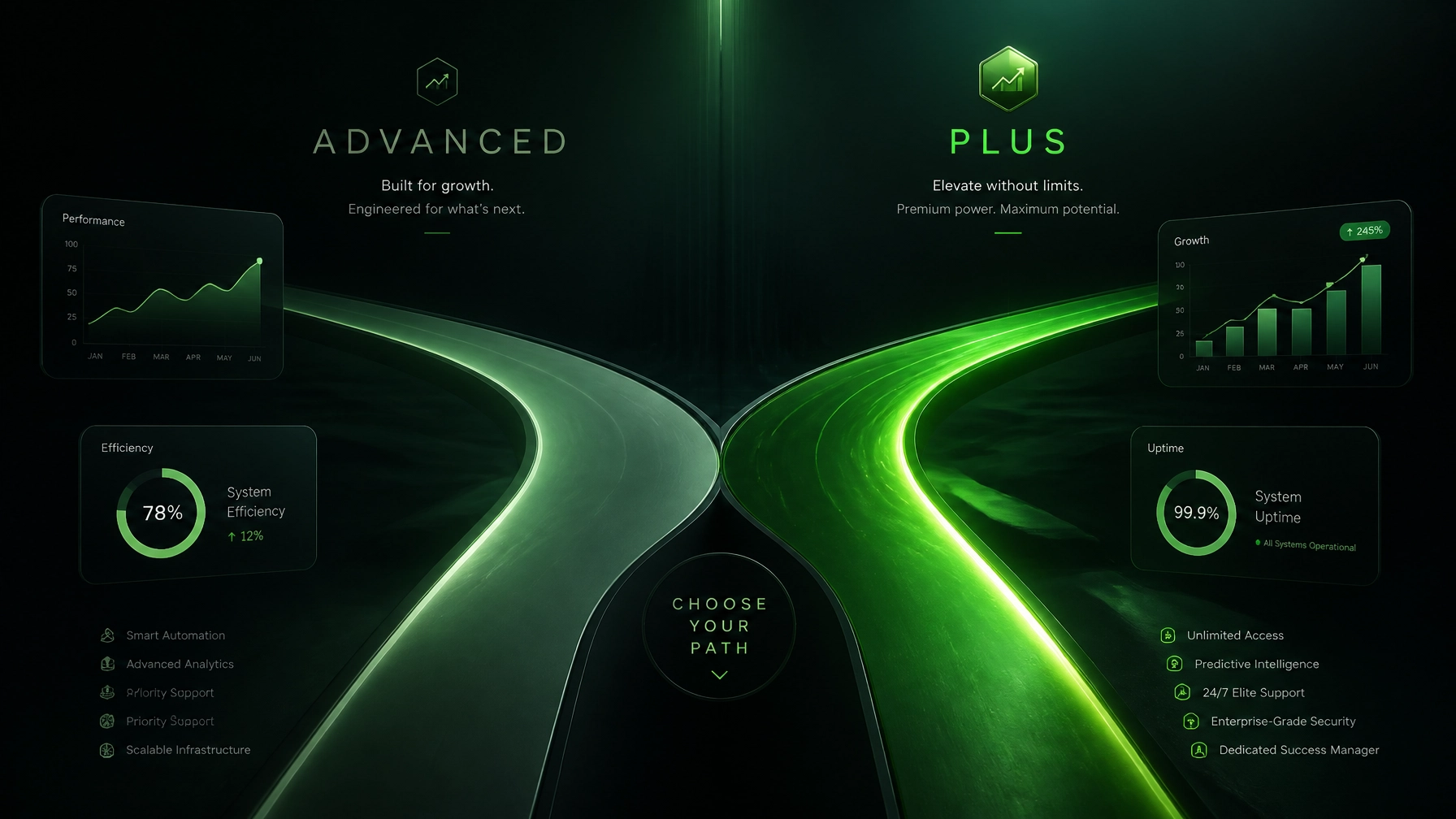
    Sleek gauge showing 100% speed optimization with Thriftizer branding elements.

    When to Stay on Shopify Advanced (and Call Us Instead)

    You don't always need Plus to scale. If you are doing under $5M/year, you can often achieve "Enterprise-level" results through:

    1. Custom Liquid Development: Tailoring your theme for high-speed performance.
    2. Headless-lite Approaches: Using high-performance frameworks to make your store feel instantaneous.
    3. Aggressive CRO: Optimizing your PDPs (Product Detail Pages) to maximize AOV before they even get to the checkout.

    Pros & Cons: The 2026 Breakdown

    Feature Shopify Advanced ($399/mo) Shopify Plus ($2,300+/mo)
    Best For Scaling D2C ($1M – $8M GMV) Enterprise/High-Growth ($10M+ GMV)
    Checkout Branding only Full customization via Shopify Functions
    Staff Accounts 15 Unlimited
    B2B Requires Apps Native & Integrated
    API Limits Standard 10x Higher (Essential for ERP/WMS)
    Support 24/7 Standard Priority Support + Merchant Success Manager

    Challenges You’ll Face When Upgrading

    1. Complexity Overload: More features mean more things to manage. You’ll need a dedicated Shopify development agency to handle the custom scripts and checkout logic.
    2. The "Plus" Tax: Some app developers charge more for the "Plus" version of their software, even if the features are similar.
    3. Implementation Time: Setting up expansion stores and B2B logic isn't an overnight task: unless you have a partner who prioritizes disruption and speed.

    Next Steps: Your Scaling Checklist

    1. Audit Your Fees: Calculate your total transaction fees over the last 90 days. Does the savings justify a $2k/mo jump?
    2. Identify Checkout Gaps: List three things you wish you could do at checkout (e.g., custom upsells). If these would increase your conversion rate by even 0.5%, the upgrade likely pays for itself.
    3. Evaluate Your Tech Stack: Are your API limits constantly being hit by your ERP or inventory management system?
    4. Check Your Speed: Use a Shopify speed optimization tool to see if your "slowness" is a platform limitation or just poor theme code.
    5. Talk to a Strategist: Don't let a salesperson convince you. Talk to a Shopify expert who understands the D2C landscape.

    A high-converting mobile product page for a fashion brand, emphasizing speed and clean UI.

    Ready to move faster?

    Whether you're ready to make the jump to Plus or you want to optimize your current store to its absolute limit, Thriftizer is here to act as your co-pilot. We specialize in helping fashion and beauty brands tell their story with impact and execute with disruptive speed.

    Explore our Shopify Services or find us in the Shopify Expert Directory to start your 4-hour onboarding today.

    Never ever think of giving up on your growth: start small, stay creative, and move fast.

  • 7 Mistakes You’re Making with Shopify Speed Optimization (and How to Fix Them)

    7 Mistakes You’re Making with Shopify Speed Optimization (and How to Fix Them)

    In the high-stakes world of D2C fashion, beauty, and apparel, a delay of just one second can feel like an eternity. For your customers, it’s the difference between a seamless checkout and a frustrated "tab-close." In 2026, speed is no longer just a technical metric; it is a core feature of your brand experience.

    If your Shopify store feels sluggish, you aren't just losing PageSpeed points, you’re bleeding revenue. As a specialized Shopify agency, we see the same patterns over and over again. Brands chase "retina-ready" visuals and feature-rich apps, only to find their conversion rates plummeting because the site takes five seconds to load on a 5G connection.

    At Thriftizer, we believe in disruptive speed. We don't operate like traditional, slow-moving agencies. We are the "Amazon of Shopify Services", built for agility and performance. If you're tired of waiting weeks for a speed audit, our 4-hour onboarding process ensures we start moving as fast as your customers expect your site to be.

    Here are the 7 most common mistakes brands make with Shopify speed optimization and the actionable steps to fix them today.


    1. Falling into the "App Spaghetti" Trap

    It starts innocently. You need a countdown timer. Then a rewards program. Then a size guide, a sticky "Add to Cart," and a "Shop the Look" widget. Before you know it, your store is running 30+ third-party apps, each injecting its own JavaScript and CSS into your theme.

    The Problem: Every app adds a new request to the server. These scripts often compete for "main-thread" time, causing script contention. This blocks your page from becoming interactive, leading to high bounce rates.

    The Fix:

    • Quarterly App Audit: If an app isn’t directly driving revenue or is only used for a minor cosmetic feature, delete it.
    • Native over Third-Party: Most modern Shopify development focuses on building features directly into the Liquid theme or using Shopify's native blocks.
    • Consolidate: Use one robust platform (like Klaviyo or Yotpo) for multiple functions rather than five standalone apps.

    Pro Tip: Before installing a new app, ask: "Can this be done with 20 lines of custom Liquid code?" If the answer is yes, opt for the code. It’s cleaner, faster, and won't break your site during a sale.

    App Spaghetti Organization


    2. The "High-Res" Blind Spot in Fashion

    Fashion and beauty brands thrive on high-quality imagery. You want your customers to see every stitch and every shade. However, uploading 3MB "Retina Ready" hero banners is a surefire way to kill your mobile performance.

    The Problem: Large, unoptimized images dominate your Largest Contentful Paint (LCP). Even though Shopify does some automatic compression, it cannot fix a fundamentally oversized source file.

    The Fix:

    • Pre-upload Compression: Use tools to compress images to under 250KB before they ever touch Shopify.
    • Next-Gen Formats: Ensure your theme is utilizing WebP formats.
    • Mobile-Specific Assets: Don't just "shrink" your desktop banner for mobile. Serve a smaller, vertically cropped image specifically for phone users.

    3. Misconfiguring Lazy Loading (The LCP Killer)

    Lazy loading is a great tool: until it’s used incorrectly. We frequently see stores applying loading="lazy" to every single image on the page, including the main hero banner.

    The Problem: When you lazy load the first thing a user sees (the hero image), you tell the browser: "Don't prioritize this." This significantly delays your LCP, making the site feel slower even if the technical load time is okay.

    The Fix:

    • Eager Loading for the Fold: The main product image on a PDP and the hero banner on the Home Page should load eagerly.
    • Lazy Load the Rest: Everything "below the fold": like your "You May Also Like" section or your Instagram feed: should be lazy-loaded.

    4. Ignoring "Interaction to Next Paint" (INP)

    In 2026, Google has shifted its focus heavily toward Interaction to Next Paint (INP). This metric measures how "snappy" your site feels when a user clicks a button or opens a menu.

    The Problem: Many stores have a fast initial load but feel "janky" once the user starts interacting. This is often caused by heavy JavaScript execution happening in the background.

    The Fix:

    • Minimize Main-Thread Work: Break up long-running JS tasks.
    • Optimize Event Listeners: Ensure your "Add to Cart" or "Filter" buttons respond instantly, even if the actual data takes a second to fetch.

    Core Web Vitals Pillar Infographic


    5. Staying Stuck with Legacy "Shopify Scripts"

    If you are on Shopify Plus and still using the old Ruby-based Shopify Scripts for discounts or shipping logic, you are sitting on a performance bottleneck.

    The Problem: Legacy Scripts are being phased out and are slower than the modern alternative. They can add unnecessary millisecond delays to the checkout process: the one place you cannot afford friction.

    The Fix:

    • Migrate to Shopify Functions: These are written in Rust or JavaScript and run directly on Shopify’s infrastructure. They are lightning-fast and far more reliable for high-growth brands.
    • Agile Transition: Don't wait for the deprecation deadline. Moving to Functions now is a key part of modern Shopify development.

    6. Pixel Overload and Synchronous Scripts

    Marketing teams love data. They want Meta pixels, TikTok pixels, Pinterest tags, and Google Analytics all running at once.

    The Problem: If these pixels load synchronously in the <head> of your site, they block the rest of the page from rendering. Your customer is literally staring at a white screen while your TikTok pixel tries to "handshake" with a server.

    The Fix:

    • Use Shopify Pixels/Web Pixels API: Move your tracking into Shopify's sandboxed Pixel environment. This ensures they don't interfere with the main page rendering.
    • GTM Deferral: If you use Google Tag Manager, ensure it is firing correctly without blocking critical path resources.

    7. The Traditional Agency "Waiting Game"

    Perhaps the biggest mistake isn't technical: it’s organizational. Many brands wait months for a "speed overhaul" from traditional agencies that follow a slow, waterfall-style development process.

    The Problem: Speed regressions happen every week. If your agency takes three weeks to respond to a ticket, your performance is already suffering.

    The Fix:

    • Adopt an Agile Mindset: Performance is a continuous process, not a one-time project.
    • The Thriftizer Way: We specialize in Shopify speed optimization that moves at the speed of your business. With our 4-hour onboarding, we eliminate the friction of starting. We don't just "fix" speed; we build performance-first cultures for our clients.

    Your Speed Optimization Checklist

    Ready to stop guessing and start scaling? Use this checklist to audit your store this week.

    Speed Audit Checklist Infographic

    1. [ ] Run a Mobile Lighthouse Audit: Focus on mobile, not desktop. 90% of your fashion traffic is on a phone.
    2. [ ] Identify the Top 3 Heaviest Apps: Check your network tab. Which apps are taking the longest to load?
    3. [ ] Audit Your Hero Images: Are they under 250KB? Are they loading "eagerly"?
    4. [ ] Check for Legacy Scripts: If you’re on Plus, plan your migration to Shopify Functions immediately.
    5. [ ] Verify Your "Add to Cart" Snappiness: Does the button react instantly on a mobile device?

    Never ever think of giving up

    Speed optimization can feel like a game of whack-a-mole. You fix one thing, and another metric drops. But remember: Start small, stay creative. Every millisecond you shave off is a direct investment in your conversion rate.

    At Thriftizer, we take the complexity out of growth. Whether you need a full site rebuild or high-impact Shopify speed optimization, we are here to help you tell your brand story without the lag.

    Next Steps:

    1. Review your current site performance using Shopify’s built-in speed dashboard.
    2. Identify "low-hanging fruit" like unoptimized images.
    3. Partner with an expert who understands the unique needs of D2C fashion brands.
    4. Build your own custom optimization package to target exactly what’s slowing you down.

    Ready to see the difference speed makes? Connect with the Thriftizer team today and experience the power of the 4-hour onboarding. Let’s make your store the fastest in the niche.


  • Shopify Speed Optimization Secrets Revealed: What “Experts” Won’t Tell You

    Shopify Speed Optimization Secrets Revealed: What “Experts” Won’t Tell You

    In the high-stakes world of D2C fashion and beauty, a split second isn't just a measurement of time: it’s a measurement of lost revenue. By 2026, the digital landscape has become so competitive that a 100-millisecond delay can drop your conversion rates by 7%. You’ve likely heard the standard "expert" advice: "Uninstall unused apps" or "Compress your images."

    While that’s a decent start, it’s only the tip of the iceberg. If you are scaling a high-growth brand on Shopify, you need more than just basic housekeeping. You need a performance strategy that treats speed as a core product feature.

    At Thriftizer, we’ve seen behind the curtain of hundreds of stores. We know that many "speed optimization services" merely run a few automated scripts and call it a day. Today, we’re revealing the technical depth required to actually move the needle on your Core Web Vitals and, more importantly, your bottom line.

    The "Expert" Myths You Need to Unlearn

    Before we dive into the technicalities, let’s clear the air. Many agencies sell "speed packages" that rely on myths.

    • Myth 1: "A high PageSpeed score equals high sales."
      Reality: You can "cheat" a PageSpeed score by delaying all scripts until user interaction. This makes the tool happy but creates a terrible user experience when a customer tries to click a "Buy Now" button and nothing happens for three seconds.
    • Myth 2: "Uninstalling an app removes its performance impact."
      Reality: Most Shopify apps leave behind "ghost code": residual Liquid snippets and JavaScript tags: even after you hit uninstall. This bloat accumulates over years, slowing down your site invisibly.
    • Myth 3: "Only the homepage matters."
      Reality: For most fashion and apparel brands, your traffic lands on Collection or Product pages via social ads. If your Product Detail Page (PDP) is slow, your ROAS will suffer, regardless of how fast your homepage is.

    Key Insight: Don’t optimize for a score; optimize for the human being holding the phone. Focus on perceived performance and interactivity.

    Core Web Vitals in 2026: The INP Shift

    If you haven't checked your Google Search Console lately, you might have missed the most significant change in performance metrics: Interaction to Next Paint (INP).

    Infographic comparing LCP, CLS, and INP metrics for Shopify performance

    While Largest Contentful Paint (LCP) tells you when the big hero image shows up, and Cumulative Layout Shift (CLS) tracks how much your buttons jump around, INP measures how responsive your site feels when a user actually does something.

    For a makeup brand, if a user clicks a color swatch and there's a 300ms delay before the product image changes, that's a "Poor" INP. This usually points to JavaScript execution bottlenecks. Improving this requires a deep audit of your theme's JavaScript architecture: something a standard "speed app" cannot do.

    The Technical Deep-Dive: Beyond the Surface

    To achieve elite-level performance, your Shopify development team needs to look at three critical areas: App Residue, Script Sequencing, and Asset Strategy.

    1. App Residue: The Ghost in the Machine

    When you install an app, it often injects code into your theme.liquid or creates new snippets. When you uninstall it, those files often stay.

    • The Solution: You need a manual code audit. Your Shopify agency should go through your theme files and remove every line of code referencing apps you no longer use. This reduces the number of server-side requests and cleans up the DOM.

    2. Script Sequencing: The Real Conversion Killer

    This is the "secret sauce" most experts won't tell you. Not all scripts are created equal. Your Facebook Pixel, GA4, and Klaviyo scripts shouldn't be competing with your product image for bandwidth.

    • Pro Tip: Use Partytown or similar workers to offload third-party scripts to a web worker, keeping the main thread free for user interactions. Alternatively, implement "Idle-until-Urgent" patterns for non-critical JS like chat widgets or review stars.

    3. Image Strategy: Moving Beyond Just "Compression"

    Compression is step one. Step two is Adaptive Delivery.

    • WebP & AVIF: Ensure your theme is serving AVIF formats to browsers that support them (like Chrome and Safari). AVIF offers significantly better compression than WebP at the same quality.
    • CSS Aspect-Ratio: Always define the aspect-ratio in your CSS. This prevents layout shifts (CLS) by telling the browser exactly how much space to reserve before the image even begins to download.

    Infographic showing the impact of app bloat versus optimized code on Shopify

    Shopify Plus Advantages: Hydrogen and Oxygen

    If you are on Shopify Plus, you have access to tools that can take speed to a whole different level. Hydrogen (Shopify’s React-based framework) and Oxygen (their global hosting solution) allow for headless commerce.

    By going headless, you decouple the frontend from the backend. This allows for lightning-fast sub-second page transitions because you’re only fetching the data you need, rather than reloading the entire liquid template. For high-volume streetwear or jewelry brands with "drop" models, this level of speed isn't a luxury: it’s a necessity to prevent site crashes during peak traffic.

    Pros and Cons: DIY vs. Hiring an Agency

    Optimizing for speed is a journey, and you have two paths.

    DIY Optimization

    • Pros: Cost-effective; you learn the ins and outs of your theme.
    • Cons: Extremely time-consuming; easy to "break" your layout or tracking pixels; limited to surface-level fixes.

    Hiring a Shopify Agency

    • Pros: Deep technical expertise; access to custom tools; guaranteed results on Core Web Vitals; handles the "ghost code" cleanup.
    • Cons: Higher initial investment; requires finding a partner you can trust.

    Never ever think of giving up on your site speed just because it feels technical. Start small, stay creative, and focus on the metrics that matter to your customers.

    The Ultimate 2026 Shopify Speed Checklist

    If you're ready to stop reading and start implementing, follow this numbered guide to jumpstart your optimization.

    Infographic checklist for Shopify speed optimization steps

    1. Baseline Audit: Run a mobile-first test on Google PageSpeed Insights. Focus on the "Field Data" section, not just the "Lab Data."
    2. App Purge: Identify every app that hasn't moved the needle on revenue in the last 30 days. Uninstall them.
    3. Clean the Theme: Manually remove residual code from theme.liquid and your snippets folder.
    4. Priority Loading: Use fetchpriority="high" for your LCP (hero) image. This tells the browser to download your most important asset first.
    5. Font Optimization: Host your fonts locally on Shopify’s CDN instead of pulling from Google Fonts. Use swap to ensure text is visible while fonts load.
    6. Lazy Loading: Ensure all images "below the fold" are set to loading="lazy".
    7. Monitor: Set up a monthly performance audit. Speed is not a one-time project; it’s a continuous KPI.

    Ready to Scale with Impact?

    Speed is the foundation of a great digital experience, but it's only one piece of the puzzle. At Thriftizer, we specialize in helping D2C brands in fashion, apparel, and beauty build high-converting, lightning-fast digital experiences. Whether you need a full site rebuild or a surgical speed optimization, we are here to help your brand grow with impact.

    As a certified Shopify Expert, our team of developers and strategists can audit your store and implement the technical "secrets" that others overlook.

    Stop guessing and start growing. Visit Thriftizer today to see how we can transform your Shopify performance.


  • 10 Reasons Your Shopify Speed is Killing Your Fashion Brand’s Conversions (and How to Fix It)

    10 Reasons Your Shopify Speed is Killing Your Fashion Brand’s Conversions (and How to Fix It)

    In the high-stakes world of D2C fashion, first impressions aren't just about your latest collection or a stunning lookbook: they’re about how fast those pixels hit the screen. As we move through 2026, the digital runway is faster than ever. If your site takes more than three seconds to load, your potential customers aren't just waiting; they're leaving.

    For fashion and beauty brands, speed is the silent conversion killer. You spend thousands on high-quality photography, influencer marketing, and Meta ads, only to lose 30% of that traffic because your site feels like it’s running on dial-up. Speed is no longer a technical metric; it is a financial one.

    Whether you are a scaling streetwear label or an established makeup brand, understanding the "why" behind your slow site is the first step toward reclaiming your lost revenue. Let’s dive into the 10 reasons your speed is dragging down your sales and, more importantly, how you can fix it today.


    1. The 100ms Revenue Leak

    It might sound dramatic, but every millisecond matters. Recent 2026 data shows that for every 100ms increase in Largest Contentful Paint (LCP), conversion rates drop by approximately 3.5%. If your LCP is 3 seconds instead of 1.5 seconds, you are effectively handing a massive chunk of your market share to your competitors.

    The Fix: Start by measuring your Core Web Vitals. Aim for an LCP of under 2.5 seconds on both mobile and desktop. This is the baseline for professional Shopify development in the current landscape.

    2. High-Resolution "Image Traps"

    Fashion brands live and die by imagery. However, those gorgeous 4K lifestyle shots are often the primary cause of slow load times. If you are uploading raw files without compression, you are forcing your customers' browsers to do the heavy lifting.

    Infographic showing how page load time impacts conversion rates

    Pro Tip: Use modern formats like WebP or AVIF. These offer superior compression without sacrificing the visual fidelity your brand requires. Always ensure your images are sized correctly for their containers: there is no need to load a 4000px image into a 400px product card.

    3. The "App Bloat" Paradox

    It’s tempting to install every shiny new app for "upsells," "wishlists," and "social proof." But every app adds a external script to your site. These "ghost scripts" often continue to load even after you’ve deleted the app from your dashboard.

    The Fix: Conduct a quarterly app audit. If an app isn't directly contributing to your bottom line, remove it. For the apps you keep, consider a Shopify agency to help you integrate the functionality directly into your theme's Liquid code to reduce external dependencies.

    4. Mobile-First Neglect

    Most fashion traffic comes from social platforms like Instagram and TikTok. This means your customers are viewing your site through in-app browsers on mobile devices. If your desktop version is fast but your mobile version lags, you are losing the majority of your audience.

    Infographic highlighting a mobile-first speed strategy checklist

    Key Insight: Mobile users are often on 4G or unstable 5G connections. Shopify speed optimization must be mobile-first. Prioritize "above-the-fold" content so users can start interacting with your brand before the entire page has finished loading.

    5. Heavy Custom Fonts

    Typography is a huge part of your brand identity, but custom font files (WOFF2/OTF) are heavy. If you’re loading four different weights of a custom font, you’re adding hundreds of kilobytes to your initial load.

    The Fix: Limit custom fonts to headlines only and use system fonts (like Arial or Helvetica) for body text. Alternatively, use the font-display: swap; CSS property to ensure text is visible immediately while your custom font loads in the background.

    6. Legacy Liquid and Theme Clutter

    If your store has been around for a few years, your theme is likely cluttered with old code from previous developers or deleted apps. This "code debt" slows down the server response time and makes your site feel sluggish.

    Pro Tip: Consider upgrading to Shopify Online Store 2.0 if you haven't already. Modern themes are built with performance in mind and utilize sections and blocks that are much more efficient than legacy Liquid architectures.

    7. Third-Party Pixel Overload

    Tracking is essential for ROI, but every pixel (Meta, TikTok, Google, Pinterest, Klaviyo) adds to the execution time of your JavaScript. If they all fire at once, the browser freezes, leading to a poor Interaction to Next Paint (INP) score.

    Infographic showing the negative impact of legacy scripts and app bloat

    The Fix: Use Shopify Pixels (Customer Events) or a server-side tracking solution. This moves the processing power away from the user's browser and onto the server, significantly improving the perceived speed of your site.

    8. Video Content Friction

    Video is king in fashion marketing, but autoplaying high-bitrate background videos can stop a mobile site in its tracks.

    The Fix: Never use a video as your primary hero element without a "poster image" backup. Use Shopify’s native video hosting and ensure videos are compressed and lazy-loaded so they only play when they are actually in the user's viewport.

    9. Complex Navigation and Mega Menus

    For brands with large catalogs, mega menus are common. However, loading hundreds of links and images into a hidden menu that sits on every page adds unnecessary weight to your DOM (Document Object Model).

    The Fix: Simplify your navigation. Use "Lazy Loading" for your mega menu content so it only loads when a user actually hovers or clicks on the menu. This keeps your initial page load light and fast.

    10. Lack of Trust and Brand Perception

    Speed is a subconscious trust signal. If your site is laggy, customers feel uneasy about entering their credit card details. A fast site feels premium; a slow site feels "cheap" or poorly maintained.

    Key Insight: You can have the best product in the world, but if the technical experience is subpar, your brand equity takes a hit. Shopify speed optimization is essentially an investment in your brand's reputation.


    The Pros and Cons of Speed Optimization Approaches

    Feature DIY Optimization Professional Shopify Agency
    Cost Low / Time-intensive Medium to High
    Complexity Simple fixes (images/apps) Deep code refactoring & API work
    Sustainability Short-term gains Long-term performance stability
    Risk High (risk of breaking theme) Low (managed by experts)

    Start small, stay creative. You don't need to rebuild your entire site overnight. Begin by optimizing your most-visited pages: usually your Homepage and top-selling Product Pages.


    Your Shopify Speed Checklist: Next Steps

    Ready to stop losing sales to a slow site? Follow these steps to audit and improve your performance:

    1. Run a Baseline Test: Use Google PageSpeed Insights to see where you stand today.
    2. Audit Your Apps: Identify any apps that haven't been used in the last 30 days and delete them.
    3. Compress Your Media: Use a tool to batch-compress your top 50 product images and your homepage banners.
    4. Check Your Theme: Ensure you are on the latest version of your Shopify theme.
    5. Monitor Your Analytics: Watch your conversion rate (CVR) as your speed improves. Even a 0.5% lift can mean thousands in additional revenue.

    A professional checklist infographic for Shopify store performance

    Need a Co-Pilot for Your Growth?

    Optimizing for speed is a continuous journey. At Thriftizer, we specialize in helping high-growth fashion and beauty brands scale by removing the technical friction that holds them back. From custom Shopify development to deep performance audits, our team is here to ensure your digital storefront is as fast and polished as your brand.

    Explore our services at Thriftizer or find us on the Shopify Expert Directory to start your optimization journey today.

    Never ever think of giving up on your brand's potential: sometimes, all it takes is a faster site to unlock that next level of growth.

  • Shopify Technical Secrets Revealed: What Most Agencies Won’t Tell You About Speed

    Shopify Technical Secrets Revealed: What Most Agencies Won’t Tell You About Speed

    In the high-stakes world of D2C fashion and beauty, speed isn’t just a "nice-to-have" metric; it is the silent engine of your revenue. As we move through 2026, the gap between a fast store and a slow one has widened into a chasm that can cost your brand millions in lost conversions.

    Most agencies will give you the standard checklist: "Compress your images," or "Uninstall a few apps." But if you’re running a high-growth fashion brand, those surface-level tips won't move the needle. True Shopify speed optimization requires a deep, technical dive into the architecture of your store.

    At Thriftizer, we believe in radical transparency. In this guide, we are pulling back the curtain on the technical secrets that typical agencies often overlook: or simply don't have the development chops to handle.

    The Milli-Second Tax: Why 2026 is Different

    The data for 2026 is clear: every 100ms of additional load time correlates with a 3.5% drop in conversion rates. For a brand doing $10M in annual revenue, a mere one-second delay is a $3.5M tax you are paying to the gods of inefficiency.

    With the introduction of new metrics like Interaction to Next Paint (INP), Google and Shopify are now measuring how responsive your site feels, not just how fast it loads the first image. This shift means that the "bloat" hidden in your JavaScript is more dangerous than ever.


    Pillar 1: The Discovery of "App Debt"

    Most D2C brands are unknowingly drowning in "App Debt." You install an app for a countdown timer, another for a size guide, and another for loyalty points. Before you know it, your store is loading 15 different JavaScript libraries, many of which are fighting for the same browser resources.

    The Secret: Apps Leave Ghosts

    When you click "Uninstall" in the Shopify admin, it does not always remove the code injected into your theme. These "ghost scripts" continue to make requests, slowing down your site even though the app is long gone.

    How to solve it:

    1. Perform a Script Audit: Use the Chrome DevTools 'Coverage' tab to see which JavaScript files are actually being used.
    2. Hardcode when possible: If you need a simple size guide or a shipping bar, don't use an app. Have a Shopify development team build it natively into your theme.
    3. App Consolidation: Move toward multi-functional apps or, better yet, use native Shopify features like Shopify Flow to handle tasks that previously required third-party bloat.

    A technical infographic showing a checklist for the 2026 Speed Audit, including code optimization and asset management.


    Pillar 2: Building Trust Through Liquid Optimization

    Your theme's Liquid code is the backbone of your store. However, inefficient Liquid logic can significantly increase your "Server Response Time" (TTFB).

    The Secret: Nested Loops are Performance Killers

    In fashion stores, we often see complex collection pages with color swatches, hover effects, and quick-add buttons. If your developer has written nested for loops to check metafields for every single product variant, you are essentially forcing Shopify’s servers to do a marathon before they can even send the HTML to your customer.

    Advanced Tactics for 2026:

    • Lazy-loading Sections: Use Shopify’s section rendering API to load heavy elements (like "Frequently Bought Together" or "UGC Galleries") only after the main page has rendered.
    • Metafield Caching: Avoid calling shop.metafields inside loops. Assign variables outside the loop to save processing power.
    • CSS-First Interaction: Use CSS for hover effects and simple animations instead of bulky JavaScript libraries like jQuery or GSAP.

    Pillar 3: Converting Intent with Asset Strategy

    For beauty and apparel brands, high-quality imagery is non-negotiable. But "high quality" doesn't have to mean "high weight."

    Beyond Compression: The AVIF Revolution

    While WebP was the standard for years, AVIF is the secret weapon for 2026. AVIF offers 30% better compression than WebP without losing the crisp detail required to show off fabric textures or makeup finishes.

    A high-end luxury fashion brand mobile storefront loading instantly on a sleek smartphone in a dark space.

    Key Action Steps:

    1. Responsive Images: Ensure your theme uses the srcset attribute. There is no reason a customer on an iPhone 13 should be downloading a 3000px wide hero banner.
    2. Font Preloading: Custom brand fonts are beautiful but heavy. Preload your primary heading font in the <head> of your theme.liquid to prevent the "Flash of Unstyled Text" (FOUT).
    3. Video as a Last Resort: For hero sections, use highly optimized MP4/WebM loops or, better yet, static images with subtle CSS animations. Never, ever use YouTube or Vimeo embeds for your main hero background.

    The Shopify Plus Advantage: Moving to the Edge

    If you are a high-growth brand on Shopify Plus, you have access to technical levers that smaller brands don't. A top-tier Shopify agency should be leveraging these for you.

    • Shopify Functions: Move your complex discount and shipping logic away from slow "Apps" and into Functions that run natively on Shopify’s infrastructure. This eliminates external API calls during the critical checkout phase.
    • Checkout Extensibility: Replace the old checkout.liquid with modern, performance-first UI extensions. This ensures your checkout stays "Shopify-fast" while still being highly customized for your brand.
    • Hydrogen & Oxygen: For brands that want absolute control, moving to a headless architecture using Hydrogen (Shopify’s React framework) allows you to build a storefront that is fundamentally faster than any traditional theme could ever be.

    A comparison between bloated red messy lines of code and clean parallel blue optimized lines of code.


    The Pros and Cons of Aggressive Speed Optimization

    Every technical decision involves a trade-off. It’s important to manage expectations as you scale.

    Feature Pros Cons
    Removing Unused Apps Massive speed boost, cleaner code, lower monthly costs. Loss of some niche features or "bells and whistles."
    Native Development Perfectly tailored UI, zero external dependency, ultra-fast. Higher upfront cost for custom Shopify development.
    Headless (Hydrogen) Sub-second page loads, total design freedom. Requires a specialized development team; higher maintenance.
    Aggressive Lazy Loading Faster initial paint and better SEO rankings. Potential "pop-in" effect for images if not implemented with placeholders.

    Pro Tips for the Modern Merchant

    Key Insight: Don't chase a 100/100 Lighthouse score at the expense of your brand's soul. Speed is a tool for conversion, but your visual identity is what builds long-term loyalty. Aim for "Fast Enough to Convert, Beautiful Enough to Remember."

    • Audit Your Pixels: That Facebook, TikTok, and Pinterest pixel? They are all running JavaScript. Use Shopify's Server-Side API to handle tracking so the browser doesn't have to.
    • GTM Optimization: If you use Google Tag Manager, ensure it’s firing only the essential tags on the initial load. Move non-critical scripts (like heatmaps) to fire after 5 seconds of inactivity.
    • Start Small, Stay Creative: You don't need a total rebuild to see improvements. Often, cleaning up the header and the first 2,000 pixels of your homepage can yield a 20% lift in mobile conversion.

    Your "Next Steps" Checklist

    Ready to stop losing revenue to a slow store? Follow this roadmap to reclaim your performance:

    1. Baseline Your Metrics: Go to your Shopify Admin > Analytics > Reports > Web Performance. Note your LCP and INP scores.
    2. Purge the Apps: Identify 3 apps you haven't looked at in a month. Uninstall them and ask your developer to clean up any remaining code.
    3. Optimize the "Above-the-Fold": Ensure your hero image is optimized, uses the correct aspect ratio, and is NOT being lazy-loaded (the first image should load as fast as possible).
    4. Audit Third-Party Scripts: Check your Google Tag Manager for legacy scripts from old campaigns.
    5. Consult an Expert: If you are hitting a wall, reach out to a specialized Shopify agency that understands the nuances of fashion and beauty niches.

    Grow With Impact

    At Thriftizer, we don’t just follow trends: we set them. We are a team of strategists and developers dedicated to helping D2C brands tell their story through high-performing digital experiences. Whether you need a full-scale Shopify speed optimization or custom Shopify development, we craft solutions that merge creativity with raw performance.

    Ready to unlock your store's true potential?
    Explore our work at Thriftizer.com or find us on the Shopify Expert Directory.

    Never ever think of giving up on your brand's growth. Start small, stay creative, and let the data lead the way.

  • Stop Wasting Time on Slow Agency Quotes: How the 4-Hour Onboarding Challenge Changes Shopify Development

    Stop Wasting Time on Slow Agency Quotes: How the 4-Hour Onboarding Challenge Changes Shopify Development

    In the hyper-competitive landscape of 2026, speed is the only currency that truly matters for D2C brands. Whether you are launching a new streetwear drop or scaling a viral skincare line, every day spent waiting for a quote is a day of lost revenue. Traditional agency models: with their multi-week discovery phases and bloated RFPs: are becoming the biggest bottleneck for high-growth brands.

    You don't need a month of meetings; you need a partner who can move at the speed of your customers.

    The "4-Hour Onboarding Challenge" isn't just a marketing hook: it is a systematic overhaul of how Shopify development should function. It transitions the agency-client relationship from a slow, bureaucratic dance into a high-octane sprint toward results.

    The Speed Trap: Why Traditional Agency Quoting is Dead in 2026

    For years, the standard agency onboarding process looked something like this: you submit a contact form, wait three days for a callback, sit through a 60-minute discovery call, and then wait another two weeks for a customized proposal. By the time you sign the contract, the market trend you were trying to capitalize on: like a specific TikTok aesthetic or a new AI-driven shopping feature: has already evolved.

    For brands in the fashion, beauty, and apparel niches, this delay is fatal. Your brand identity depends on being first, being relevant, and being seamless. When your development partner is slow to quote, they are effectively decoupling you from the pace of the Shopify ecosystem.

    Why slow onboarding hurts your D2C growth:

    • Lost Incremental Revenue: Every week a conversion rate optimization (CRO) experiment is delayed, you are leaving money on the table.
    • Decision Fatigue: Lean D2C teams don't have time for endless back-and-forth. You need clarity so you can get back to merchandising and marketing.
    • Missed Feature Adoption: With Shopify constantly releasing updates like advanced checkout extensibility and new B2B features, slow agencies keep you stuck in the past.

    What is the 4-Hour Onboarding Challenge?

    The 4-Hour Onboarding Challenge is a commitment to Clarity and Commitment within four working hours of a qualified intake. It doesn't mean a 50-page technical document is written in four hours. It means that within that window, you receive a roadmap that tells you exactly where you stand, what needs to happen next, and what it will cost.

    4-Hour Onboarding Process Infographic

    Clarity Over Complexity

    In 2026, the best Shopify Experts realize that complexity is the enemy of execution. Instead of trying to "custom-scope" every single pixel from scratch, we use standardized audits and proven playbooks to identify the high-impact wins for your store immediately.

    Start small, stay creative. You don't need a total site rebuild to see a 10% lift in AOV. You might just need a better post-purchase upsell flow or a more intuitive mobile navigation. The 4-hour model identifies these "low-hanging fruits" before the first cup of coffee is cold.

    The 3 Pillars of Rapid Shopify Onboarding

    To make a 4-hour turnaround possible without sacrificing quality, we rely on a three-pillar system. This is the engine that allows us to move faster than traditional agencies while maintaining the professional standards expected of a Shopify Expert.

    1. The Automated Intake & Audit

    The moment you reach out, our system triggers a deep-dive audit of your current Shopify stack. We don't just look at your theme; we analyze your app redundancies, your site speed, and your checkout friction points.

    • Identify the Bloat: Are you paying for five different apps that do the same thing?
    • Technical Health: Is your "Liquid" code slowing down your mobile experience for beauty shoppers?

    2. The Strategic Opportunity Map

    Instead of a generic list of services, you get a prioritized map of actions. For a jewelry brand, this might focus on high-quality visual rendering and "Shop the Look" features. For a streetwear brand, it might focus on high-traffic "drop" stability and SMS integration.

    3. Productized Pricing Tiers

    We eliminate the "black box" of agency pricing. By using range-based pricing and productized service tiers, we can give you a budget range instantly. This removes the "wait and see" anxiety and allows you to make an informed decision on the spot.

    Key Insight: Speed is a signal of competence. If an agency can't manage their own onboarding process efficiently, how can they manage your store’s high-traffic product launches?

    Tailoring the Speed for Fashion & Beauty Brands

    The requirements for a makeup brand are vastly different from a sustainable apparel company. The 4-Hour Challenge takes these nuances into account by using niche-specific frameworks.

    • For Beauty Brands: We focus on SKU complexity, shade matching UX, and subscription-first architectures.
    • For Apparel/Streetwear: We prioritize mobile-first navigation, size guides that actually work, and "Flash Sale" performance.
    • For Jewelry: We look at trust signals, high-resolution media loading speeds, and sophisticated product filtering.

    Never ever think of giving up on a complex feature just because your previous developer said it would take months. Often, the solution is already within the Shopify ecosystem: you just need the right "co-pilot" to implement it.

    Pros and Cons of Rapid Onboarding

    While moving fast is essential, it’s important to have a balanced perspective.

    Pros Cons
    Instant Momentum: You go from "problem" to "plan" in one afternoon. Narrow Scope: 4-hour onboarding works best for standard Shopify setups, not custom headless monsters.
    Reduced Friction: Minimal meetings mean more time for your team to focus on sales. Data Intensity: You need to have your store access and goals ready to go.
    Early ROI: Faster kickoff means faster live changes and faster revenue growth. Standardized Approach: It relies on proven playbooks rather than "reinventing the wheel."

    D2C Growth Visualization

    Pro-Tips for D2C Founders

    1. Audit Your Own Stack First: Before talking to an agency, list every app you pay for. You’d be surprised how many are "zombie apps" sucking your site speed.
    2. Define Your "North Star" Metric: Is it Conversion Rate? AOV? LTV? When you know your goal, we can map your 4-hour strategy toward it.
    3. Think Systems, Not Features: Don't just ask for a "popup." Ask for a "retention system" that turns one-time buyers into brand advocates.

    Your Implementation Checklist: Next Steps

    If you are tired of the slow-motion agency world, here is how you can transition to a high-velocity model today:

    1. Identify the Bottleneck: Is your current developer taking weeks to reply to simple tickets?
    2. Gather Your Stats: Have your Shopify dashboard, GA4 data, and app list ready.
    3. Take the Challenge: Reach out to a partner that values your time as much as you do.
    4. Audit the Plan: Look for the "First Live Change." If an agency can't promise a live improvement within the first week, they aren't moving fast enough.
    5. Scale and Iterate: Once the foundation is solid, start layering on more complex growth strategies.

    Conclusion: Partner with a Problem-Solver

    At Thriftizer, we don't believe in the "slow-and-steady" approach for digital commerce. We believe in the "fast-and-focused" approach. Our team of strategists and developers is designed to act as your co-pilot, helping you navigate the complexities of Shopify while you focus on telling your brand's story.

    Don't let a slow quote be the reason your competitors beat you to the market. Whether you're an emerging startup or an established name in the beauty or fashion space, we craft tailored solutions that merge creativity with performance: fast.

    Ready to see what your brand can achieve in just 4 hours? Connect with us and let's start building your digital future.


  • 7 Mistakes Killing Your Fashion Brand’s Shopify Speed (and How to Fix Them)

    7 Mistakes Killing Your Fashion Brand’s Shopify Speed (and How to Fix Them)

    In the high-stakes world of D2C fashion, a three-second delay isn't just a minor lag: it’s a lost sale. As we head into 2026, the digital runway is faster than ever. If your Shopify store takes too long to load its stunning hero shots or high-definition product galleries, your customers will bounce faster than last season’s trends.

    Efficiency and scaling depend on a technical foundation that moves as fast as your growth. Whether you are a streetwear startup or an established jewelry house, Shopify speed optimization is the silent engine behind your conversion rates.

    Let's dive into the seven critical mistakes currently slowing you down and how to fix them today.

    1. The High-Res Trap: Oversized Campaign Imagery

    Fashion brands live and die by their visuals. You want your customers to see every stitch, every texture, and every shimmer. However, uploading raw, 5MB editorial shots directly from your photographer is the fastest way to kill your site speed.

    The Mistake: Using oversized files (PNGs or uncompressed JPEGs) for product galleries and lookbooks.
    The Fix:

    • Resize before you upload: Most Shopify themes don't need images wider than 2048px.
    • Embrace WebP: Shopify now automatically serves WebP images, but you should still compress your files using tools like TinyPNG or JPEGmini before they ever hit your library.
    • Aim for <300KB: Keep your hero banners under 300KB and product images under 100KB whenever possible.

    2. The "Sluggish Slider" Syndrome

    We get it: you have five different campaigns you want to feature on the homepage. But that rotating hero slider is a performance nightmare.

    The Mistake: Loading 3–5 high-resolution images in an auto-playing carousel at the very top of your page.
    The Fix: Replace the slider with a single, high-impact static hero image. This significantly improves your Largest Contentful Paint (LCP), which is a key metric Google uses to rank your site. If you must have multiple messages, use a "collection grid" below the fold instead.

    Shopify Speed Performance Checklist

    3. App Ghosting and "Leftover" Code

    Every time you install a new app to try a "Buy Now, Pay Later" widget or a size recommender, you add JavaScript to your store. The real problem starts when you uninstall them.

    The Mistake: Thinking that hitting "Delete App" removes all its code. Many apps leave "ghost code" snippets in your theme.liquid file that continue to load even after the app is gone.
    The Fix: Conduct a monthly app audit. If you aren't seeing a clear ROI from an app, remove it. More importantly, hire a Shopify development expert to clean up your theme files and remove dead scripts that are still making external calls.

    Pro Tip: Aim to keep your total app count under 15. Every script added is a potential roadblock for your customers.

    4. Lazy Loading the Wrong Elements

    Lazy loading is great: it tells the browser to wait to load an image until the user scrolls down to it. But when applied incorrectly, it actually makes your site feel slower.

    The Mistake: Lazy loading your hero image or your logo.
    The Fix: Your "above-the-fold" content (everything a user sees without scrolling) should load instantly. Ensure your main product image or hero banner has the loading="eager" attribute, while everything else (reviews, footer, related products) uses loading="lazy".

    5. Neglecting the Mobile-First Reality

    In 2026, over 75% of fashion D2C traffic comes from mobile devices. If you are only checking your speed on a high-speed office iMac, you are missing the reality of a customer browsing on a 4G connection in a coffee shop.

    The Mistake: Designing for desktop and "shrinking" it for mobile, leading to heavy elements that choke mobile processors.
    The Fix: Use the Shopify Web Performance Dashboard to monitor your Core Web Vitals specifically for mobile. Optimize your mobile navigation and simplify your filter menus to ensure they don't block the page from rendering.

    Mobile-first Shopify performance

    6. Third-Party Script Overload

    Marketing teams love data, but every tracking pixel (Meta, TikTok, Pinterest, Google Analytics, Hotjar) adds a layer of weight.

    The Mistake: Running multiple heatmaps and redundant tracking pixels simultaneously on every page.
    The Fix:

    1. Consolidate with Google Tag Manager: This allows you to manage all your scripts in one container.
    2. Use Shopify Pixel Manager: Utilize Shopify’s native pixel integration which is optimized for performance.
    3. Audit your pixels: If you haven't run a TikTok ad campaign in six months, remove the pixel.

    7. Relying on "Page Builder" Crutches

    Page builder apps are tempting because they allow non-technical team members to drag and drop layouts. However, they often output "div-heavy," bloated code that is difficult for browsers to parse.

    The Mistake: Building your entire store using a drag-and-drop builder instead of native Shopify sections.
    The Fix: Invest in Shopify speed optimization through custom Liquid development. A Shopify agency can build you custom, reusable sections that are lightweight and lightning-fast, giving you the flexibility of a builder without the performance tax.

    Custom Shopify development and clean code

    Pros and Cons of Professional Optimization

    Feature DIY Optimization Professional Agency (Thriftizer)
    Cost Low / Free Upfront investment
    Code Quality Patchy (App-based) Clean, custom Liquid
    Speed Results Moderate improvements Dramatic, long-term gains
    Time Investment High (Learning curve) Zero (We handle it)
    Risk High (Breaking theme) Low (Expert handled)

    Your Next Steps: A 2026 Speed Checklist

    Don't let technical debt slow down your brand's journey. Start small, stay creative, and follow this implementation path:

    1. Run a Baseline Test: Use PageSpeed Insights to see where you stand today.
    2. Compress Your Heroes: Manually resize and compress your top 5 most-visited pages' images.
    3. Prune the Apps: Uninstall any app that hasn't moved the needle in the last 30 days.
    4. Clean the Ghost Code: Search your theme files for old app remnants.
    5. Simplify the Hero: Switch to a static image and measure the LCP improvement.
    6. Optimize Mobile: Ensure your "Add to Cart" button is interactive within 2 seconds.
    7. Consult the Experts: Reach out to a verified Shopify Expert to conduct a deep-dive technical audit.

    Never ever think of giving up on your site's performance. Speed isn't just a metric; it's a customer service feature. At Thriftizer, we specialize in helping D2C brands bridge the gap between stunning design and high-performance execution.

    Ready to supercharge your store? Explore our Shopify development services or check out our profile on the Shopify Expert Directory to see how we’ve helped brands like yours scale with impact.

  • 7 Mistakes You’re Making with Shopify Speed (and How to Fix Them for Your Fashion Brand)

    7 Mistakes You’re Making with Shopify Speed (and How to Fix Them for Your Fashion Brand)

    In the high-stakes world of D2C fashion, a split second isn't just a measurement of time: it’s a measurement of revenue. When a potential customer clicks on your latest streetwear drop or jewelry collection from an Instagram ad, they expect an immediate response. If your site takes more than three seconds to load, you aren't just losing "engagement"; you are handing your sales directly to your competitors.

    At Thriftizer, we’ve seen how even the most beautiful fashion brands struggle with high bounce rates simply because their technical foundation is dragging them down. Shopify speed optimization isn't a "nice-to-have" in 2026; it is the backbone of your conversion strategy. If your store feels sluggish, you’re likely making one of these seven common mistakes.

    Here is how to identify the bottlenecks and fix them for a lightning-fast shopping experience.


    1. The "App Graveyard" and Ghost Code

    The most common mistake fashion brands make is treating the Shopify App Store like a candy shop. You install an app for a countdown timer, another for a wishlist, one for a "shoppable" Instagram feed, and three more for loyalty programs.

    The Problem: Every app you install adds external scripts and styles to your site. Even worse, when you uninstall an app, it often leaves "ghost code" behind in your theme.liquid or snippet files. This leftover code continues to make requests to servers that no longer exist, slowing down your page for no reason.

    The Fix:

    • Audit Your Apps: If you haven’t looked at an app’s dashboard in 30 days, delete it.
    • Consolidate Features: Instead of five different apps, look for a high-performance Shopify development partner to build custom features or use "all-in-one" apps that are optimized for speed.
    • Manual Clean-up: Hire a developer to scan your theme for legacy scripts that are no longer serving a purpose.

    App Audit Infographic

    Pro Tip: Before installing a new app, ask yourself: "Will this feature generate more revenue than the potential 5% drop in speed will cost me?"


    2. Lazy-Loading Your Hero Images

    Wait: isn't lazy-loading supposed to help speed? Yes, for images below the fold. But one of the biggest mistakes we see in Shopify speed optimization audits is "over-eager" lazy-loading.

    The Problem: If you apply lazy-loading to your primary hero image or the first banner a user sees, you are telling the browser: "Wait to show this until everything else is ready." This kills your Largest Contentful Paint (LCP) score. Your customer sees a blank space or a loading spinner exactly where your most important visual should be.

    The Fix:

    • Exclude the Hero: Ensure your first 1-2 images (especially on mobile) are loaded with loading="eager" or use fetchpriority="high".
    • Prioritize Above-the-Fold: Your goal is to get the visual "hook" of your brand in front of the user as fast as possible.

    3. The "Retina" Trap: Oversized Media

    Fashion is a visual industry. You want your customers to see every stitch of your apparel and every sparkle on your jewelry. This leads many brands to upload 5MB high-resolution JPGs straight from their photoshoot.

    The Problem: Massive file sizes are the #1 reason for slow mobile performance. A single 5,000px wide image can stall a 4G connection for seconds.

    The Fix:

    • Use WebP or AVIF: These modern formats offer high quality at a fraction of the file size of JPG or PNG.
    • Standardize Dimensions: Most Shopify themes don't need images wider than 2000px. Resize them before you upload.
    • Compress Everything: Use tools like TinyIMG or Shopify-native features to strip unnecessary metadata from your files.

    Image Optimization Comparison


    4. Third-Party Script Hoarding

    Between TikTok pixels, Meta (Facebook) pixels, Pinterest tags, Google Analytics, and heat-mapping tools like Hotjar, your site is likely running a dozen tracking scripts simultaneously.

    The Problem: Each of these scripts creates a "request" to an external server. If that server is slow, your site waits for it. This is particularly problematic for Shopify Plus brands that are scaling multiple marketing channels at once.

    The Fix:

    • Use a Tag Manager: Consolidate your scripts through a properly configured Google Tag Manager or Shopify's native Pixel Manager.
    • Kill Unused Pixels: If you aren't actively running ads on Pinterest, remove the pixel. Don't collect data "just in case" if it's hurting your current customers' experience.

    5. Ignoring Interactivity (The New INP Metric)

    Google has officially replaced First Input Delay (FID) with Interaction to Next Paint (INP). This metric measures how fast your site responds when a user actually does something, like clicking "Add to Cart" or opening a filter menu.

    The Problem: Many fashion stores look fast but feel "janky." You click a size selector, and nothing happens for half a second. This is usually caused by "heavy" JavaScript execution that blocks the main thread.

    The Fix:

    • Optimize JS Loops: Heavy custom development often involves complex logic that can be streamlined.
    • Delay Non-Critical Scripts: Set scripts like reviews or chat widgets to load only after the main page is interactive.

    Core Web Vitals Dashboard


    6. Overloading Collection Pages

    For a fashion brand, your Collection (Category) pages are your "aisles." Often, brands try to show 50+ products at once, each with high-res hover images, "Quick View" buttons, and color swatches.

    The Problem: This creates an immense amount of data for the browser to process. If you have 50 products and each has a hover image, the browser is trying to load 100 images simultaneously.

    The Fix:

    • Pagination vs. Infinite Scroll: Use "Load More" buttons instead of automatic infinite scroll to give the browser a break.
    • Lazy-Load Swatches: Only load secondary product images (like hover effects) when the user actually interacts with the product tile.

    7. Using a "Heavy" Off-the-Shelf Theme

    Many brands start with a theme that looks great in the preview but is packed with hundreds of features they will never use.

    The Problem: These themes often come with generic, bulky CSS and JavaScript that load on every single page, even if that page doesn't use the feature. It’s like carrying a 50lb backpack just because you might need a screwdriver once.

    The Fix:

    • Custom Shopify Development: As you scale, moving toward a custom-built theme or a highly optimized "Headless" setup can yield massive speed gains.
    • Theme Clean-up: If you aren't ready for a full rebuild, work with a Shopify agency to strip away the "bloat" from your current theme.

    The Pros and Cons of In-House vs. Agency Optimization

    While some speed fixes are DIY-friendly, others require a deep dive into the Liquid codebase.

    Factor DIY Optimization Professional Agency (Thriftizer)
    Cost Low (Internal time) Investment-based
    Complexity Basic (Apps, image resizing) Advanced (Code refactoring, INP fixes)
    Longevity Short-term (Temporary fixes) Long-term (Clean technical foundation)
    Risk High (Can break theme logic) Low (Handled by Shopify Experts)

    Key Insight: Speed is a Journey, Not a Destination

    Your Shopify speed isn't something you "fix" once and forget. Every time you add a new product line, launch a seasonal campaign, or integrate a new marketing tool, you risk slowing down your store. Start small, stay creative. Frequent audits are the only way to maintain a high-performance fashion brand in a competitive market.


    Your Next Steps Checklist

    Ready to speed up your fashion brand? Follow these steps in order:

    1. Run a Baseline Test: Use PageSpeed Insights and focus on LCP and INP.
    2. Delete 3 Unused Apps: Be ruthless. If it doesn't make you money, it's costing you speed.
    3. Optimize the Hero: Check your homepage and ensure the main banner is NOT lazy-loading.
    4. Compress Your Collection: Use a bulk image resizer to ensure no product photo is over 300KB.
    5. Audit Your Pixels: Remove tracking tags for platforms you aren't currently using for ads.
    6. Partner with Experts: If your mobile score is still below 50, it's time for professional help.

    Building a powerful brand identity requires more than just aesthetics; it requires a digital experience that flows as smoothly as your designs. Whether you're an emerging startup or an established name like Fireboltt or Crossbeats, we craft tailored solutions that merge creativity with performance.

    Never ever think of giving up on your site performance just because it seems technical. At Thriftizer, we are a team of strategists and developers driven to help you tell your story and grow with impact.

    If you're ready to transform your store's performance, visit our Shopify Expert profile or Contact Us today to start your journey toward a faster, higher-converting fashion brand.