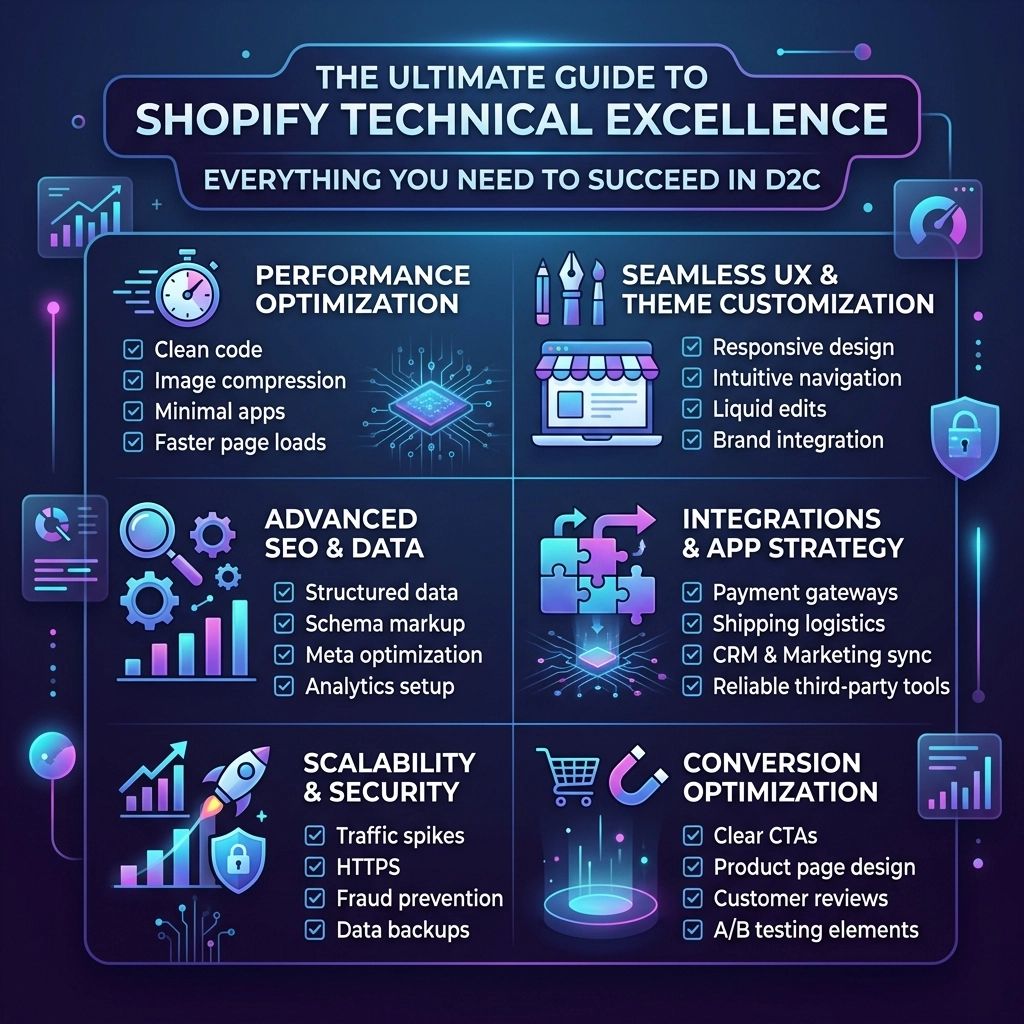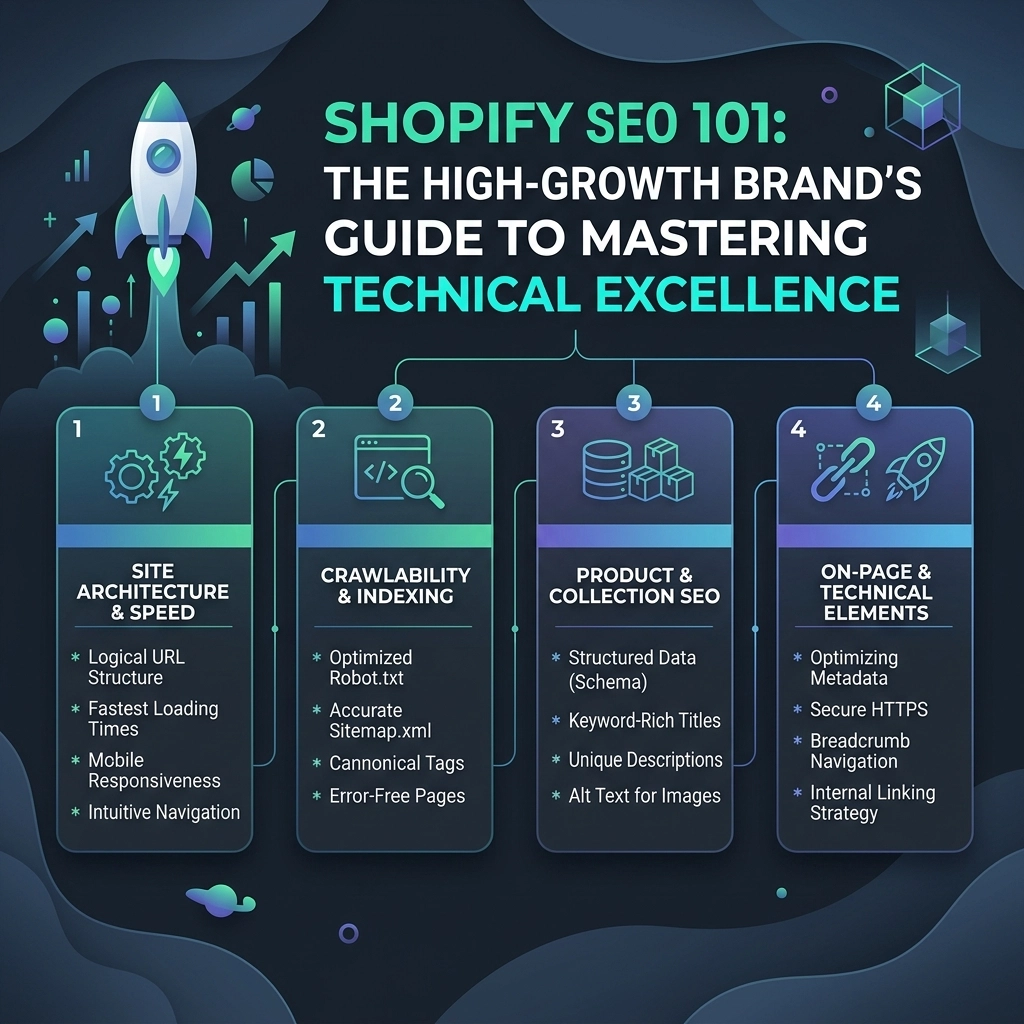
Author: Nivi

  • Boost Your Site Speed Instantly with These 5 Shopify Technical Excellence Hacks

    Boost Your Site Speed Instantly with These 5 Shopify Technical Excellence Hacks

    In the hyper-competitive world of D2C fashion and beauty, a three-second delay isn't just a minor annoyance: it’s a conversion killer. By the time your high-resolution lookbook finally finishes loading, your customer has likely already bounced to a competitor's tab. If you want to scale your brand in 2026, you can no longer afford to treat site speed as an afterthought.

    Technical excellence is the silent engine behind every high-growth brand. Whether you are running a streetwear empire or a luxury makeup line, your digital experience must be as fast as it is beautiful. At Thriftizer, we’ve helped brands like Colonial Candle and Crossbeats bridge the gap between creative design and peak technical performance.

    This guide isn't about generic "delete an app" advice. We’re diving into the technical weeds of Shopify speed optimization to give you the competitive edge you need.

    1. Establish a 2026 Performance Budget

    You cannot improve what you do not measure. Before you touch a single line of Liquid code, you need to establish a strict performance budget. Think of this as the "guardrails" for your developers and designers. If a new feature or high-res video takes you over this budget, it doesn't go live.

    Core Web Vitals 2026 Checklist

    For a modern Shopify store, your targets should be:

    • Time to First Byte (TTFB): Under 0.6s.
    • Largest Contentful Paint (LCP): Under 2.5s (this is your "hero" moment).
    • Cumulative Layout Shift (CLS): Under 0.1 (no jumping elements).
    • Total Blocking Time (TBT): Under 200ms.

    Pro Tip: Use Google PageSpeed Insights and the Shopify Admin Performance Report to track these weekly. A one-time fix is useless if your team adds a 5MB banner the following Monday.

    2. Advanced Image Orchestration: Eager vs. Lazy

    Fashion brands live and die by their imagery. However, loading 50 product images at once on a collection page will tank your mobile performance. The secret isn't just "lazy loading": it's orchestration.

    Many themes apply lazy loading globally. This is a mistake. You should never lazy-load your above-the-fold content. Your hero image or the primary product shot should be "eagerly" loaded with a high fetch priority to ensure it’s the first thing the user sees.

    Eager vs Lazy Loading Infographic

    Technical Implementation:

    1. Eager Load Hero Images: Use loading: 'eager' and fetchpriority: 'high' in your Liquid tags for the first 1-2 images on any page.
    2. Lazy Load Everything Else: Ensure all below-the-fold images use loading: 'lazy'.
    3. Modern Formats: Always use Shopify’s image_url filter to serve WebP or AVIF formats automatically.

    Actionable Code Snippet:

    {{ product.featured_image | image_url: width: 1200 | image_tag: loading: 'eager', fetchpriority: 'high', class: 'hero-img' }}
    

    3. The JavaScript Purge: Defer and Async

    JavaScript is often the heaviest part of a Shopify site. From "Spin the Wheel" popups to complex review widgets, every script adds a "tax" to your load time. To achieve technical excellence, you must treat your JS library like a minimalist wardrobe: if it doesn't serve a critical purpose, it goes.

    • Defer Scripts: Most of your scripts (like marketing pixels or chat bots) don't need to run immediately. Adding the defer attribute allows the HTML to finish parsing before the script executes.
    • Async Scripts: Use async for independent scripts that don't rely on other code to run.
    • Minification: Ensure your theme's JS files are minified. If your developer is using a build tool like Vite or Webpack, this should be automated.

    Key Insight: Identify heavy third-party scripts that can be replaced with native Shopify features. For instance, Shopify's native Web Pixels API is significantly more efficient than hard-coding multiple tracking scripts into your theme.liquid.

    4. Conduct a Radical App Audit

    Every Shopify app you install adds a layer of weight. Even if you "delete" an app from the dashboard, it often leaves behind "ghost code": remnant snippets of JS and CSS in your theme files that continue to slow down your site.

    The Radical Audit Process:

    1. Inventory: List every app and its purpose.
    2. Impact Testing: Disable the app on a duplicate theme and run a speed test. If the speed jump is significant, ask: Is this app’s feature driving more revenue than the speed loss is costing?
    3. Replace with Code: Many apps (like simple announcement banners or basic product tabs) can be built directly into your Shopify Online Store 2.0 theme sections. Custom development is a one-time cost that pays for itself in permanent speed gains.

    As a leading Shopify agency, we often find that 30% of a store's apps can be replaced with custom, lightweight theme code.

    5. Critical CSS & Font Optimization

    Custom typography is essential for branding, but it can cause "flash of unstyled text" (FOUT) or "flash of invisible text" (FOIT). To fix this, you need to optimize how your fonts and CSS are delivered.

    • Limit Font Weights: Don't load the entire "Montserrat" family. Only load the 400 (regular) and 700 (bold) weights you actually use.
    • Self-Host Fonts: Store your font files in your Shopify Assets folder rather than fetching them from Google Fonts or Adobe Fonts. This reduces external DNS lookups.
    • Critical CSS: Inline the CSS required to render the top of your page directly into the <head>. This allows the browser to start painting the page before the main stylesheet has even finished downloading.

    Challenges to Anticipate

    While these hacks are powerful, they aren't without their hurdles.

    • Pros: Dramatically lower bounce rates, higher organic search rankings, and improved mobile conversion.
    • Cons: Technical optimization can be time-consuming and requires a deep understanding of Liquid and browser rendering. Incorrectly deferring a critical script can break your "Add to Cart" functionality.

    Never ever think of giving up when you hit a technical snag. Site speed is an iterative process. Start small, stay creative, and keep testing.

    Technical Excellence Path Flowchart

    Your Next Steps Checklist

    Ready to transform your store into a high-performance machine? Follow this checklist:

    1. Identify the Gaps: Run a lighthouse report today and document your baseline scores.
    2. Audit Your Images: Check your collection pages. Are you loading 1000px images where 400px would suffice?
    3. List Your Tasks: Rank your apps by "Utility vs. Speed Impact."
    4. Automate the Workflow: Set up a staging environment where no code goes live without passing a performance check.
    5. Consult the Experts: If the technical debt feels overwhelming, reach out to a professional Shopify development team to handle the heavy lifting.

    Conclusion

    Speed is not just a technical metric; it is a fundamental part of your brand’s customer service. In 2026, a fast site signals to your customers that you value their time and their experience. By implementing these five technical excellence hacks, you are setting the foundation for scalable growth.

    At Thriftizer, we specialize in helping D2C brands navigate the complexities of Shopify. Whether you need a full site audit or custom feature development, we are here to be your technical co-pilot. Check out our Shopify Expert profile to see how we’ve helped other brands achieve peak performance.

    Let's build something fast.


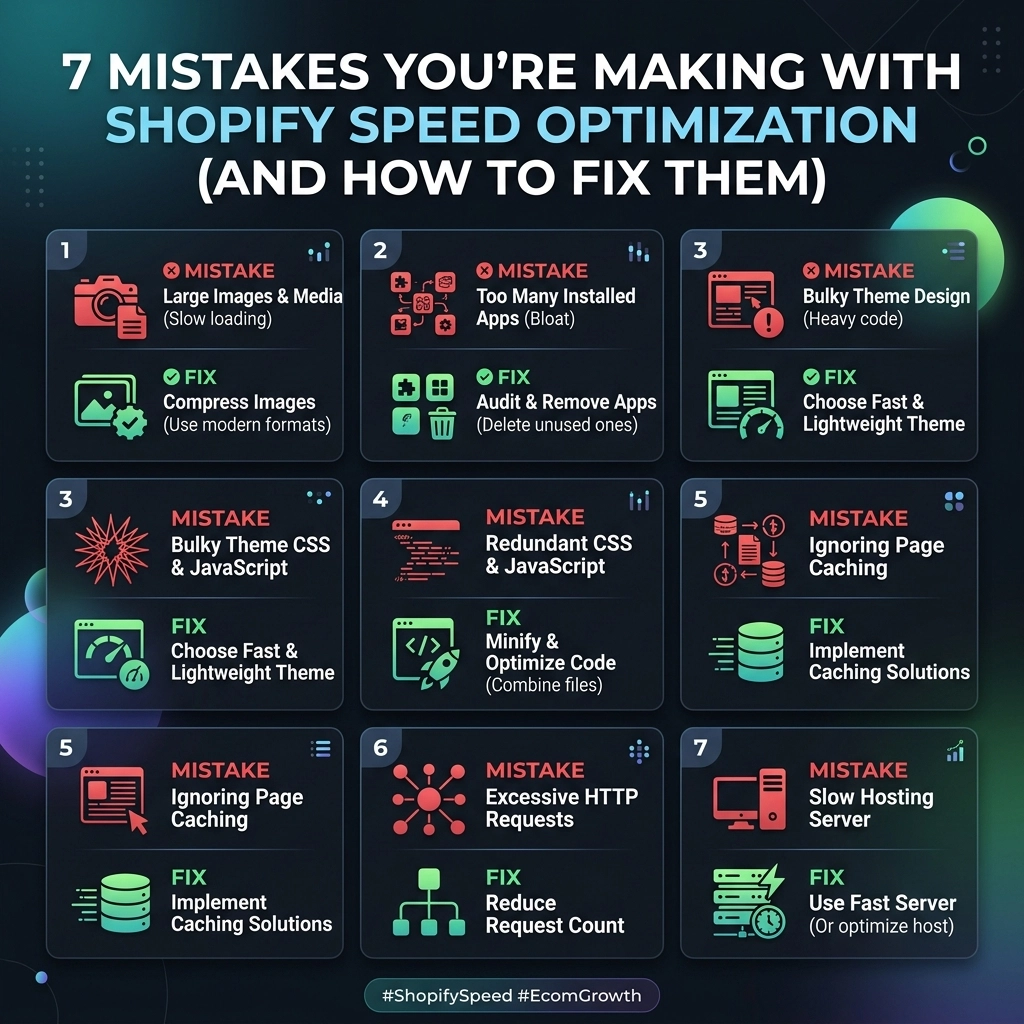
  • 7 Mistakes You’re Making with Shopify Speed Optimization (and How to Fix Them)

    High Speed Performance Illustration

    In the high-stakes world of D2C fashion and beauty, speed isn’t just a technical metric: it’s your storefront’s heartbeat. If your Shopify store takes more than three seconds to load in 2026, you aren't just losing "users"; you're actively handing your customers over to your competitors. Every millisecond of delay directly erodes your conversion rate and spikes your customer acquisition cost (CAC).

    Scaling a brand requires more than just great products; it requires a high-performance engine. Yet, many high-growth brands unknowingly sabotage their own growth with "speed fixes" that actually slow them down.

    Are you making these common Shopify speed optimization mistakes? Let’s identify the gaps and fix them.


    1. The "App Graveyard" (Leftover Code Bloat)

    One of the most frequent issues we see at our Shopify agency is the accumulation of "App Debt." You install a rewards app, try a new loyalty program, or test a "speed booster" app. Later, you hit 'Uninstall' and think the problem is solved.

    The Reality: Most apps don't clean up after themselves. They leave behind snippets of Liquid code and JavaScript files in your theme that continue to load: even if the app is long gone.

    How to Fix It:

    • Manual Theme Audit: Scan your theme.liquid and snippets folder for tags belonging to uninstalled apps.
    • The Quarterly Purge: Make it a habit to audit your app stack every 90 days. If an app isn't driving clear ROI, it’s just digital weight.
    • Use Professional Help: Our team at Thriftizer specializes in deep-cleaning legacy code to restore performance.

    Shopify App Audit Infographic


    2. Visual Overload: High-Res Imagery & Autoplay Video

    For fashion and jewelry brands, visuals are everything. You want your customers to see every stitch and sparkle. However, uploading a 5MB RAW file directly to your Shopify admin is a recipe for disaster.

    Many brands also fall for the "autoplay hero video" trap. While it looks stunning on a 1Gbps fiber connection, it creates a massive "Largest Contentful Paint" (LCP) delay for mobile shoppers on 4G or 5G.

    How to Fix It:

    • Next-Gen Formats: Use WebP or AVIF formats. They offer superior compression without sacrificing the "luxury" feel of your imagery.
    • Explicit Dimensions: Always define width and height attributes on your <img> tags to prevent layout shifts (CLS).
    • Video with Intent: Replace autoplay videos with high-quality animated GIFs or, better yet, use a "poster" image that loads instantly before the video fetches.

    Key Insight: Shopify’s CDN does some optimization for you, but it can’t fix a fundamentally oversized original upload. Compress before you upload.


    3. Custom Development Bloat & Liquid Loops

    Customization is what makes your brand unique, but poor Shopify development practices can lead to "Liquid Bloat." A common mistake is using nested for loops to display related products or custom metafields. This forces the server to do heavy processing before the page even starts to load.

    How to Fix It:

    • Profile Your Liquid: Use the Shopify Theme Inspector for Chrome to see which parts of your code are taking the longest to render.
    • Client-Side Rendering: For complex logic (like "Frequently Bought Together" sections), consider using JavaScript to fetch data after the main page content has loaded.
    • Keep It Lean: Never ever think of giving up on customization, but ensure your code is written with performance-first principles.

    Image Optimization Comparison


    4. The "Optimization App" Paradox

    This is the most ironic mistake of all: installing a "Speed Booster" app to fix your speed. These apps often work by adding more scripts to your site to "pre-load" pages or "optimize" images.

    The Problem: Adding more JavaScript to solve a JavaScript problem rarely works. It often creates a bloated "Critical Request Chain," delaying the rendering of your actual product photos.

    How to Fix It:

    • Root Cause Analysis: Instead of adding an app to hide the symptoms, address the root cause: usually heavy images, too many third-party scripts, or a bloated theme.
    • Trust the Experts: Check out our Shopify Expert profile to see how we handle speed optimization without relying on "quick-fix" apps.

    5. Third-Party Script Chaos (Pixels & Trackers)

    Marketing teams love data: and they should. But every Facebook Pixel, TikTok Tracker, Hotjar script, and Google Tag Manager container adds a "cost" to your page speed. If you have ten different scripts fighting for priority in the <head> of your site, your "Time to Interactive" (TTI) will skyrocket.

    How to Fix It:

    • Async and Defer: Ensure all non-essential scripts are loaded using the async or defer attributes.
    • One Source of Truth: Use a single, well-managed Google Tag Manager container instead of hard-coding every pixel into your theme files.
    • Audit Your Tags: Remove legacy tracking pixels from agencies or campaigns you no longer run.

    6. Ignoring Mobile-Specific Performance

    Most fashion and D2C brands get over 80% of their traffic from mobile. Yet, many owners only check their site speed on their high-end MacBooks. A site that feels "fast enough" on a desktop can be incredibly sluggish on a mid-range mobile device.

    How to Fix It:

    • Mobile-First Testing: Use Google PageSpeed Insights and focus exclusively on the "Mobile" tab.
    • Simplified Mobile UI: Consider removing heavy decorative elements (like parallax effects or complex sliders) on mobile screens.
    • Interaction to Next Paint (INP): Pay attention to how quickly your site responds when a user taps a "Buy Now" button or a menu icon.

    7. Staying on an Outdated Theme Architecture

    If you are still running a theme built before the "Online Store 2.0" era, you are missing out on native performance improvements. Older themes often rely on jQuery and heavy frameworks that Shopify has since moved away from with the introduction of the Dawn theme and modern architectures.

    How to Fix It:

    • Migrate to OS 2.0: Moving to a modern, section-based theme architecture isn't just about easier editing: it’s about a cleaner, faster code base.
    • Shopify Plus Features: For high-volume brands, leverage Shopify Plus features like custom checkout scripts and specialized hosting APIs to shave off even more load time.

    Pros and Cons of DIY Optimization

    Feature Pros Cons
    Image Compression Apps Fast, easy to implement. Can occasionally reduce quality too much.
    Manual Code Cleaning Most effective long-term result. Requires technical Shopify development skills.
    Pre-loading Scripts Makes the next page feel instant. Can slow down the current page load if not done correctly.
    Lazy Loading Improves initial load speed. Can cause "flashing" if applied to top-of-page images.

    Your Next Steps: A 5-Point Checklist

    Ready to stop guessing and start scaling? Follow this actionable plan to reclaim your store’s speed.

    1. Conduct a "Ghost" Audit: Identify and remove code leftovers from uninstalled apps.
    2. Compress Your Top 20 Images: Your homepage and top-selling product pages are your highest leverage points.
    3. Review the Critical Chain: Use Chrome DevTools to see which scripts are blocking your page from loading.
    4. Adopt a Performance Budget: Decide that no new feature or app will be added unless it meets a specific speed threshold.
    5. Consult a Shopify Agency: Sometimes, you need a specialist to handle the deep technical lifting.

    Next Steps Checklist

    Start Small, Stay Creative

    Optimization isn't a one-time project; it’s a continuous commitment to your customers' experience. By treating your store's technology as a co-pilot for your brand's creativity, you can ensure that your storytelling is never interrupted by a loading spinner.

    If you’re looking to scale your fashion or beauty brand with a site that’s as fast as it is beautiful, we’re here to help. Explore our work at Thriftizer Solutions or find us on the Shopify Partner Directory.

    Let’s build something impact-driven. Together.


  • 7 Mistakes You’re Making with Shopify Speed Optimization (and How to Fix Them)

    7 Mistakes You’re Making with Shopify Speed Optimization (and How to Fix Them)

    In the high-stakes world of high-growth fashion and streetwear, speed isn't just a technical metric: it’s a massive driver of revenue. If your Shopify store takes more than three seconds to load, you aren't just losing "users"; you are losing customers to competitors who have a more seamless experience.

    When scaling a brand, the instinct is often to add more: more features, more high-res lookbook images, and more apps to boost conversions. But this "more is better" approach often leads to a bloated, sluggish site that kills your mobile conversion rates. Whether you are running a Shopify Plus store or just starting to scale, understanding Shopify speed optimization is crucial for staying competitive in 2026.

    Let's dive into the seven most common mistakes store owners make and, more importantly, how to fix them for good.

    1. Installing “Speed Booster” Apps Blindly

    It sounds ironic, doesn’t it? You install an app to make your site faster, but it actually slows it down. This is the single most common mistake we see at our Shopify agency. Many "all-in-one" speed apps work by injecting heavy JavaScript and CSS into your theme files. While they might improve a single metric (like pre-loading a page), they often increase the total number of third-party requests, leading to a "heavy" feel for the user.

    The Fix: Audit and Manual Cleanup

    Instead of looking for a magic-bullet app, take a manual approach:

    • Audit Your Apps: Go to your Shopify admin, list every installed app, and ask: "Is this essential for revenue?" If it hasn't been used in 30 days, delete it.
    • Remove Leftover Code: Many apps leave "ghost code" behind after uninstallation. Check your theme.liquid and snippets for old references to apps you no longer use.
    • Consult a Developer: If you aren't comfortable touching Liquid code, hiring a Shopify development expert to perform a code cleanup is often cheaper and more effective than a monthly app subscription.

    2. Ignoring Image Optimization for Fashion Branding

    For jewelry and streetwear brands, high-quality visuals are non-negotiable. However, uploading 5MB raw images straight from a photoshoot is a recipe for disaster. On the flip side, some owners over-compress images, making their luxury products look cheap and blurry.

    Visual comparison of heavy versus optimized fashion images for Shopify store speed optimization.

    The Fix: The "Goldilocks" Compression Method

    You want your images to be "just right": high quality but low weight.

    • Use WebP Format: Modern browsers love WebP. It offers better compression than JPEG or PNG without sacrificing quality.
    • Set Size Limits: Product images should rarely exceed 300KB. For hero banners, aim for under 500KB.
    • Resize Before Uploading: If your theme only displays a product image at 1200px, don't upload a 4000px file. Your browser has to work harder to resize it on the fly, which kills performance.

    Key Insight: Never let your brand aesthetic suffer for speed, but never let your speed suffer for laziness. Tools like TinyPNG or Squoosh are your best friends here.

    3. Lazy Loading the Wrong Assets

    Lazy loading is a technique where images only load when they are about to enter the viewport (the part of the screen the user is looking at). It’s great for performance, but many store owners apply it to everything: including the hero banner.

    When you lazy load your main hero image or your logo, you increase your Largest Contentful Paint (LCP), which is a core web vital that Google uses for ranking. The browser has to wait for a script to trigger before it even starts downloading the most important image on the page.

    The Fix: Targeted Implementation

    • Above-the-Fold: Ensure your logo, main hero banner, and the first row of product images on a PDP (Product Detail Page) are not lazy loaded. Use loading="eager" for these.
    • Below-the-Fold: Apply loading="lazy" to all images in the footer, the bottom half of collection pages, and secondary gallery images.
    • Native over Script: Whenever possible, use native browser lazy loading rather than heavy JavaScript libraries.

    4. Letting Font and Script Bloat Run Wild

    High-growth brands love custom fonts. While they are great for branding, loading five different weights of a custom font family adds significant weight to your page load. Similarly, tracking pixels (Facebook, TikTok, Pinterest, Google Analytics) all add up.

    Infographic showing the transition from bloated scripts to clean optimized Shopify code for faster loading.

    The Fix: Simplify Your Tech Stack

    • Stick to Two Families: Use one font for headings and another for body text. Use minimal weights (e.g., 400 and 700).
    • System Fonts: Consider using system fonts (like Arial or Helvetica) for body text. They load instantly because they are already on the user's device.
    • Defer Scripts: Use the defer or async attribute on non-critical scripts. This tells the browser to keep loading the page and handle the script later.

    5. Focusing Only on the Homepage

    Most Shopify speed optimization efforts are focused on the homepage because that’s what owners see first. However, if you are running ads, your customers are likely landing on Collection Pages or Product Pages.

    If your homepage is lightning fast but your product page takes 6 seconds to load the "Add to Cart" button, your bounce rate will skyrocket.

    The Fix: Optimize the "Money" Pages

    • Test Specific URLs: Use PageSpeed Insights to test a high-traffic product page and a large collection page.
    • Mobile-First Testing: Since over 70% of Shopify traffic usually comes from mobile (especially in fashion), always prioritize mobile scores over desktop.
    • Check the Cart: Ensure your AJAX cart drawers are snappy. A delay in the cart opening is a major friction point that leads to abandoned sessions.

    6. Ignoring Redirect Chains and Broken Links

    As you scale, you delete old products and change collection names. This often creates "redirect chains" (Page A redirects to Page B, which then redirects to Page C). Each jump adds server response time. Worse, broken 404 links consume "crawl budget" and frustrate users.

    The Fix: Clean Up Your Navigation

    • Audit Redirects: In your Shopify admin under Online Store > Navigation > URL Redirects, look for chains. Update them so Page A points directly to Page C.
    • Fix 404s: Use a tool like Screaming Frog or a dedicated Shopify app to find broken links and fix them immediately.

    Pro Tip: If you're looking for a deep dive into how to manage complex workflows, check out our guide on automating YouTube workflows to see how we think about efficiency across platforms.

    7. Treating Speed as a One-Time Project

    This is the "set it and forget it" mistake. You hire a Shopify agency to optimize your store, get a 90/100 score, and then spend the next three months adding five new apps and ten high-res videos. By month four, your score is back in the 40s.

    The Fix: Build a Performance Culture

    Speed is a habit, not a destination.

    • The "One-In, One-Out" Rule: If you want to add a new app, see if you can remove an old one.
    • Monthly Audits: Spend 30 minutes every month checking your Shopify Speed Report.
    • Development Standards: If you are working with a developer for Shopify Plus features, make performance a KPI for every new feature build.

    Challenges: The Balancing Act

    Optimizing for speed isn't always easy. Here are a few challenges you might face:

    • Aesthetics vs. Performance: High-end fashion brands often want autoplay videos and parallax effects. These are heavy. You’ll have to decide when the visual "wow" factor is worth the performance hit.
    • App Dependency: Sometimes an app is essential for your business logic (like a complex tiered discount app). In these cases, you can't just delete it; you have to work with a developer to optimize how it loads.

    A balance scale representing the equilibrium between luxury fashion branding and Shopify site speed.

    Next Steps: Your Shopify Speed Checklist

    Ready to stop making these mistakes? Follow this step-by-step implementation plan:

    1. Baseline Test: Run your site through Google PageSpeed Insights and WebPageTest. Record your current scores for mobile and desktop.
    2. The Great App Purge: Uninstall every app that isn't helping you make money today.
    3. Image Clean-up: Use a bulk image optimizer to convert existing assets to WebP and compress them.
    4. Check Your Theme: Ensure your theme is updated. Newer Shopify themes (Online Store 2.0) are built with performance in mind.
    5. Technical Deep Dive: If your scores are still low, it’s time for custom development. Check out our Shopify Expert profile to see how we help brands achieve elite performance.
    6. Set Alerts: Use monitoring tools to alert you if your site speed drops below a certain threshold.

    Shopify speed optimization doesn't have to be a headache. By avoiding these seven common pitfalls, you’re not just chasing a higher score: you’re building a better, more profitable experience for your customers. Start small, stay creative, and remember: every millisecond counts.

    If you're ready to take your store to the next level, contact Thriftizer today. We specialize in helping D2C brands scale without the bloat. Let's make your store the fastest in your niche.

  • How to Integrate AI With Your Shopify Brand Voice (Easy Guide for Beauty & Fashion)

    The Future of AI in Fashion and Beauty

    The biggest fear for a D2C beauty or fashion brand isn't "the competition": it’s losing your soul. You’ve spent years building a "vibe," a specific aesthetic, and a voice that resonates with your community. Now, it’s 2026, and the pressure to scale using AI is everywhere.

    The question isn't whether you should use AI; it’s how you can use it as a sophisticated co-pilot rather than a robotic replacement. When done right, AI doesn't just save time: it amplifies your luxury or streetwear identity at a scale that was previously impossible.

    At Thriftizer, we specialize in helping brands bridge this gap. By leveraging tools like Shopify Magic and Sidekick, we help you automate the mundane without sacrificing the "magic" that makes your brand unique.


    Pillar 1: Codifying Your Digital Persona

    AI is only as good as the instructions you give it. If you treat AI like a generic intern, you’ll get generic results. To maintain a high-end brand voice, you must first build a Brand Voice North Star.

    Defining Your AI Constraints

    Before you let Shopify Magic write a single product description, you need to define your guardrails.

    • The Vibe: Are you "Approachable Luxury" (like Glossier) or "Aggressive Streetwear" (like Supreme)?
    • The Vocabulary: List the words you always use (e.g., "radiant," "tailored," "conscious") and the words you never use (e.g., "cheap," "miracle," "flattering").
    • The Perspective: Are you speaking in the first person ("We created this…") or the second person ("You need this…")?

    The Four Pillars of AI Brand Voice

    Key Insight: AI is a "stochastic parrot." It repeats patterns. If you feed it your best 10 blog posts and 50 product descriptions, it will learn to mimic your specific cadence and rhythm. Start small, stay creative.


    Pillar 2: Scaling Visual Narratives with Shopify Magic

    In fashion and beauty, visuals are your primary currency. In 2026, Shopify Magic has evolved into a powerhouse for visual merchandising, allowing you to create editorial-grade imagery on the fly.

    From Studio to Lifestyle in Seconds

    One of the most powerful features for D2C brands is AI-driven background generation.

    1. Shoot on Mobile: Take a high-quality product shot on your iPhone.
    2. Generate the Scene: Use Magic to remove the background and place your lipstick or linen dress in a hyper-realistic scene: a Parisian café, a minimalist marble bathroom, or a sunset beach.
    3. Localize the Look: Instantly create variants for different markets. A summer collection for your Australian customers can be generated while your UK customers see a cozy, indoor editorial.

    AI Background Transformation for Luxury Products

    Pro Tip: Use Magic to generate platform-specific visuals. What works for a Pinterest Tall Pin is very different from an Instagram Reels thumbnail. Automate the resizing and context-shifting to save your creative team hundreds of hours.


    Pillar 3: Narrative Scaling – Product Descriptions that Convert

    Writing 500 product descriptions for a new collection used to take weeks. Now, it takes minutes: if you have the right framework.

    The Beauty & Fashion Copy Framework

    Don’t just ask AI to "write a description." Use a System Prompt that follows this structure:

    1. The Hook: A sensory-driven opening line (e.g., "Feel the weightless drape of pure Italian silk").
    2. The Details: Automatically pull fabric composition, skin-type compatibility, or ingredient lists.
    3. The Vibe: Explicitly instruct the AI to use your tone pillars.
    4. The Care/Styling: Short, punchy advice on how to wear it or use it.

    Challenges to Watch For:

    • Compliance: Especially in beauty, AI might accidentally make "miracle" claims. Always have a human review descriptions for FDA/regulatory compliance.
    • Tone Drift: Over time, AI can become too repetitive. Periodically refresh your "gold-standard" examples to keep the output fresh.

    Pillar 4: Strategic Orchestration with Sidekick

    While Shopify Magic is your creative specialist, Shopify Sidekick is your strategic operator. In the 2026 Shopify ecosystem, Sidekick lives in your admin as a conversational assistant that understands your data.

    Use Sidekick to Identify "Friction"

    Instead of digging through spreadsheets, ask Sidekick: "Which of my high-margin beauty kits have high traffic but low conversion?"

    Once Sidekick identifies the gap, it can "call" Magic to:

    • Draft a more compelling product description.
    • Suggest a localized promotional offer.
    • Build a new customer segment for an email blast.

    The Workflow of the Future: Sidekick + Magic

    Never ever think of giving up on your manual strategy: think of Sidekick as the person who does the 80% of the research so you can do the 20% of the high-level decision-making.


    Pillar 5: Personalization Without the "Creepiness"

    AI integration isn't just about what you write; it’s about when you say it. For beauty and fashion brands, personalization is about relevance.

    AI-Native Personalization Workflows

    • Dynamic Bundling: Use AI to suggest a "Complete Routine" based on a customer's specific skin concerns (oily vs. dry) rather than a generic one-size-fits-all kit.
    • Visual Search: Implement AI agents that allow customers to upload a photo: "I want a dress like this": and find the closest match in your catalog instantly.
    • Email & SMS: Use AI to draft hyper-segmented campaigns. A VIP customer who only buys "Noir" scented candles shouldn't receive a promo for "Floral" scents.

    The Thriftizer Advantage: Making AI "Frictionless"

    Integrating AI sounds great on paper, but the execution can be messy. That’s where we come in. At Thriftizer, we don't just "turn on" AI; we architect a system that fits your brand’s unique DNA.

    Whether you need a custom-built AI chatbot that knows your ingredients better than a human rep, or a fully automated content pipeline that powers your weekly fashion drops, our team of strategists and developers is here to help.

    As a certified Shopify Expert, we’ve helped dozens of D2C brands scale their operations while keeping their brand voice pristine. Explore our services to see how we can turn AI into your brand’s greatest asset.


    Next Steps Checklist: Implementing AI Today

    Ready to transition from consumption to implementation? Follow this 5-step checklist to start integrating AI with your brand voice:

    1. Create your "Voice Bible": List 10 adjectives and 5 "Gold Standard" copy examples.
    2. Audit your Imagery: Identify 10 products that need "lifestyle" shots and test Shopify Magic's background generator.
    3. Prompt Sidekick: Ask Sidekick to identify your top 3 conversion bottlenecks this month.
    4. Set Up a "Human-in-the-Loop" Review: Designate a team member to approve all AI-generated public-facing copy.
    5. Schedule a Consultation: Connect with the team at Thriftizer to build a roadmap for your brand’s AI transformation.

    Start small, stay creative, and let the technology do the heavy lifting so you can focus on the vision.

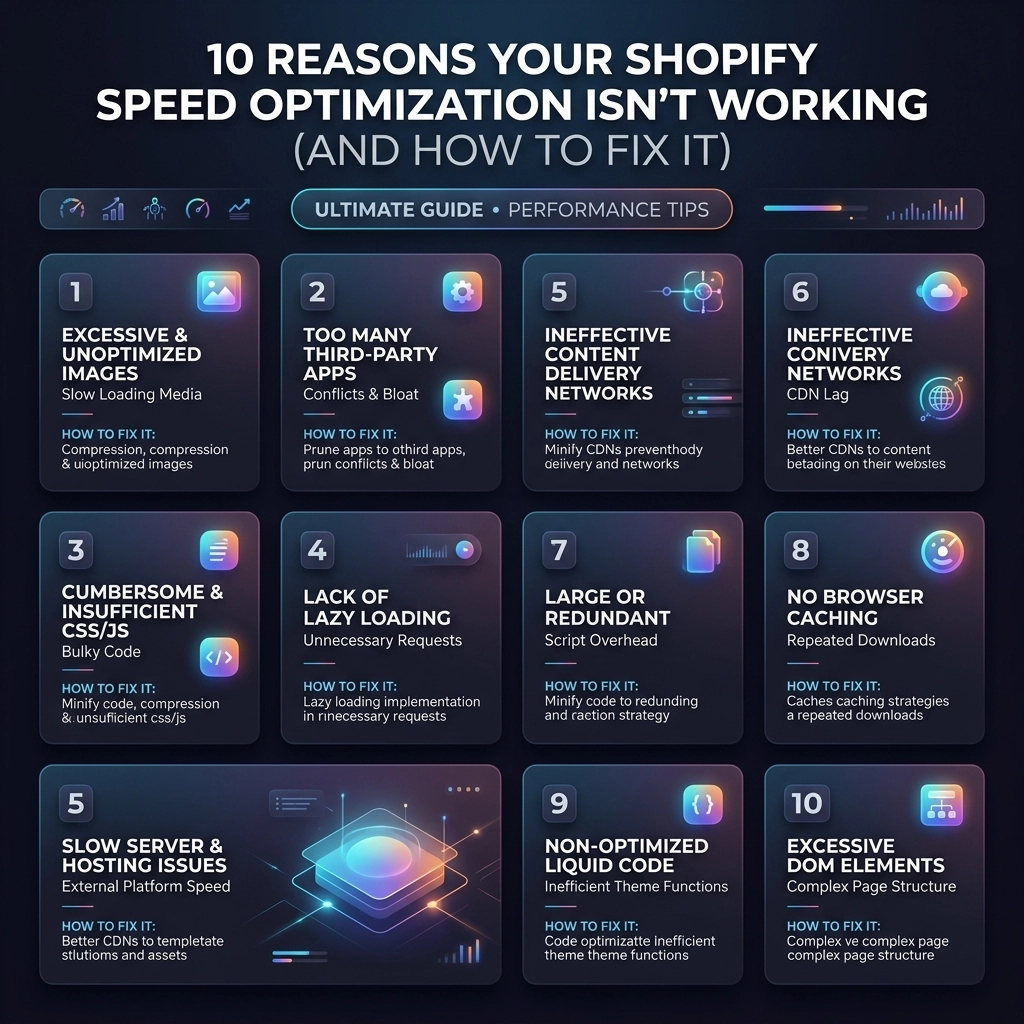
  • 10 Reasons Your Shopify Speed Optimization Isn’t Working (And How to Fix It)

    10 Reasons Your Shopify Speed Optimization Isn’t Working (And How to Fix It)

    You’ve spent weeks tweaking your store. You’ve compressed every product photo for your jewelry line, uninstalled three unused apps, and yet, your Shopify Speed Score is still stuck in the "Red" zone. For high-growth fashion and streetwear brands, this isn't just a technical annoyance: it’s a conversion killer. In 2026, a one-second delay can mean the difference between a new customer and a high bounce rate.

    At Thriftizer, we see this daily. Merchants often focus on the symptoms rather than the disease. If your Shopify speed optimization efforts aren't moving the needle, it’s likely because you’re fighting hidden bottlenecks that basic "speed apps" can't touch.

    Here are the 10 real reasons your store is still slow and the professional-grade fixes to get your performance back on track.


    1. You’re Obsessing Over Image Size but Ignoring JS Logic

    Most merchants think "Speed = Small Images." While file size matters, modern browsers are actually quite good at handling images. The real culprit in 2026 is JavaScript (JS) execution time.

    Your fancy streetwear video backgrounds, "frequently bought together" widgets, and currency converters all run on JS. Even if your images are tiny, the browser might be "frozen" while it tries to figure out which script to run first.

    How to Fix It:

    • Audit your scripts: Use Chrome DevTools (Performance tab) to see which scripts are blocking the main thread.
    • Defer non-critical JS: Move scripts like reviews or heatmaps to load only after the user starts scrolling.
    • Move to native features: If your theme supports a native "Quick View," stop using a third-party app for it.

    2. The "Ghost" of Apps Past

    When you uninstall a Shopify app, it doesn't always leave cleanly. Many apps inject snippets into your theme.liquid or create separate .liquid files that remain in your code forever. These "ghost" scripts still attempt to load, creating 404 errors or slowing down the server as it looks for missing assets.

    How to Fix It:

    • Manual Code Audit: Search your theme code for keywords like "include," "render," or specific app names you no longer use.
    • Clean the Head: Check the <head> section of your theme.liquid for old tracking pixels or verification tags.
    • Hire a Shopify Agency: If you aren't comfortable with Liquid, a professional Shopify agency can perform a "code scrub" to remove legacy bloat without breaking your site.

    Removing leftover Shopify app code to clean store bloat and improve site speed.


    3. Your High-Fashion Theme is Over-Featured

    Premium themes for fashion and beauty brands often come with "everything included": mega menus, parallax scrolling, color swatches, and multiple sliders. Even if you don't use these features, the CSS and JS files for them are often still being requested by the browser.

    How to Fix It:

    • Disable unused theme settings: Go to your theme customizer and turn off every feature you aren't actively using.
    • Conditional Loading: Work with a developer to ensure that CSS for a "Product Gallery" only loads on Product Pages, not on your Homepage.
    • Custom Shopify Development: For Shopify Plus brands, consider a custom-built theme that only includes the code you actually need.

    4. Third-Party Tracking is Strangling Your LCP

    Marketing teams love data, but every tracking pixel (Meta, TikTok, Pinterest, GA4, Klaviyo) adds weight. If these scripts are set to load synchronously, they block your Largest Contentful Paint (LCP): the time it takes for your hero image to appear.

    How to Fix It:

    • Use Google Tag Manager (GTM): Consolidate your tags into one container to manage loading priorities.
    • Implement Server-Side Tagging: This is a game-changer for Shopify speed optimization. By moving the processing to a server, you reduce the workload on the customer’s phone.
    • Prioritize the Hero: Ensure your main banner image has a fetchpriority="high" attribute so it loads before the tracking scripts.

    5. You’re Optimizing for "Scores," Not Customers

    A "100" score on Lighthouse feels great, but it doesn't always equal a fast experience for a shopper on a mid-range Android phone in a 4G area. If you use "lazy loading" on every single image, your customer might see a blank white screen while they scroll quickly through a new jewelry collection.

    Key Insight: Lab data (Lighthouse) is a simulation. Field data (Core Web Vitals) is reality.

    How to Fix It:

    • Don't lazy-load "above the fold": Your logo and hero banner should never be lazy-loaded.
    • Test on real devices: Use tools like BrowserStack or simply grab an older phone to see how your site actually feels.
    • Focus on Interaction to Next Paint (INP): Ensure that when a user clicks "Add to Cart," the response is instant.

    Optimizing Shopify performance metrics and real-world user experience for fashion brands.


    6. App Conflicts in the Cart and Checkout

    High-growth brands often stack apps for discounts, gift-with-purchase, and shipping calculators. These apps frequently "fight" each other. One app updates the cart, triggering a second app to recalculate, which triggers a third. This creates a laggy experience right when the customer is most likely to convert.

    How to Fix It:

    • Consolidate Apps: Use one app that handles multiple functions (e.g., discounts + upsells) rather than three separate ones.
    • Leverage Shopify Functions: Replace old-school "Draft Order" apps with native Shopify Functions that run on Shopify's backend infrastructure.
    • Streamline Checkout: If you are on Shopify Plus, use Checkout Extensibility to keep your checkout lean and fast.

    7. Inefficient Liquid Loops

    In Shopify development, how code is written matters. If your theme is looping through 100 products to find 3 items with a specific tag, it’s wasting server time. This is called a "Liquid Loop" and it can significantly delay the time it takes for Shopify to send the page to the browser (TTFB).

    How to Fix It:

    • Use Collection Filtering: Instead of looping through all products, use Shopify’s native filtering and search objects.
    • Cache where possible: Use the {% section %} tags wisely, as Shopify has built-in caching for certain section types.
    • Limit "all_products" calls: Avoid calling the global all_products object multiple times in one template.

    8. Internationalization Bloat

    Scaling a beauty brand globally is exciting, but geolocation apps and currency converters are notoriously heavy. If your store has to detect a user's IP, look up a currency, and then reload the prices, the "flicker" and delay will hurt your speed score.

    How to Fix It:

    • Switch to Shopify Markets: Use Shopify’s native internationalization features. They are baked into the platform and load much faster than third-party apps.
    • Native Selectors: Use the native currency and language selectors provided by your theme rather than an overlay popup app.

    Visual representation of compressing heavy video files to increase Shopify store speed.


    9. Giant Video Files Without Compression

    Video is essential for streetwear and fashion brands to show movement, but a 50MB background video will kill your mobile performance. Even "compressed" videos often lack the correct format for different devices.

    How to Fix It:

    • Use Hosted Video: Upload your videos to Shopify’s file settings and use the video_tag filter. This allows Shopify to serve the best format (like WebM) automatically.
    • Set Constraints: Never let a video auto-play on mobile unless it is heavily compressed and muted.
    • Provide a Poster Image: Always have a high-quality static image that loads while the video is buffering.

    10. The "Set and Forget" Mentality

    Performance is not a one-time project. Every time you add a new marketing pixel or launch a "Limited Drop" section on your homepage, you are affecting speed. If you haven't audited your site in three months, it’s likely slower than it was.

    How to Fix It:

    • Performance Budget: Set a limit (e.g., "Our homepage will never exceed 3MB").
    • Monthly Audits: Schedule a quick 30-minute review of your apps and scripts every month.
    • Empower your Team: Ensure your content managers know how to export images in WebP format before uploading them.

    Pros and Cons of Common Optimization Strategies

    Strategy Pros Cons
    All-in-One Speed Apps Easy to install, cheap. Often just "hide" problems from Lighthouse; can break site logic.
    Custom Code Minification Cleanest results, permanent. Requires technical knowledge; more expensive upfront.
    Native Shopify Features Best stability, zero extra cost. Might have fewer "bells and whistles" than specialized apps.
    Headless Commerce Maximum speed, total control. Extremely high development and maintenance costs.

    Next Steps: Your Speed Implementation Checklist

    Never ever think of giving up on your store's performance. Start small, stay creative, and follow this roadmap to a faster site:

    1. Run a Baseline Test: Use PageSpeed Insights and record your mobile LCP and INP.
    2. The App Purge: Identify three apps you haven't used in 30 days and delete them.
    3. Clean the Code: Check your theme.liquid for leftover scripts from the apps you just deleted.
    4. Optimize the Hero: Ensure your main banner is a WebP file and is NOT lazy-loaded.
    5. Review the Cart: Test your cart drawer on a slow 3G connection: does it feel snappy or sluggish?
    6. Consult an Expert: If you've hit a wall, reach out to a professional.

    Pro Tip: If you're a high-growth brand, your time is better spent on design and strategy. Let an expert handle the technical debt. You can check out our Shopify Expert profile to see how we’ve helped other D2C brands scale without the lag.

    At Thriftizer, we specialize in bridge-building between high-end design and technical excellence. Whether you need a full audit or custom Shopify development, we're here to help your brand move at the speed of fashion.

    Ready to stop guessing and start scaling? Contact us today for a deep dive into your store's performance.

    Start small, stay creative. Your customers (and your conversion rate) will thank you.

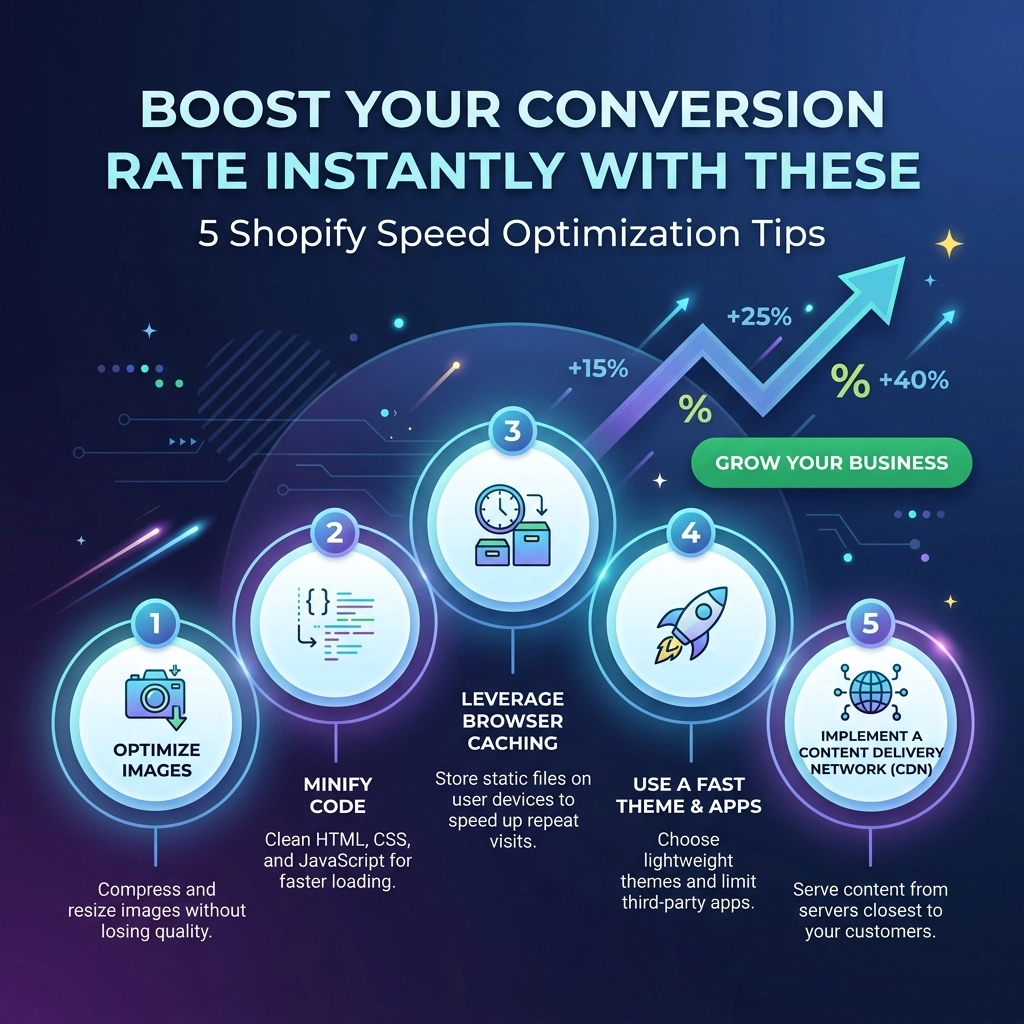
  • Boost Your Conversion Rate Instantly with These 5 Shopify Speed Optimization Tips

    Boost Your Conversion Rate Instantly with These 5 Shopify Speed Optimization Tips

    In the high-stakes world of D2C fashion and streetwear, your website’s loading speed is no longer a "technical detail": it is your digital storefront’s pulse. As we move through 2026, the threshold for consumer patience has dropped to an all-time low. If your Shopify store takes more than three seconds to load, you aren't just losing a visitor; you are literally handing your revenue to a competitor.

    Think about it: you spend thousands on high-quality photography for your jewelry line or streetwear drop, only for the page to lag so hard that the customer bounces before the first image even renders. Shopify speed optimization isn't just about passing a Google lighthouse test; it's about maximizing your return on ad spend (ROAS) and ensuring your conversion rate reflects the quality of your products.

    At Thriftizer, we’ve seen that stores loading under two seconds convert 2.5x better than those dragging at five seconds. Here is how you can overhaul your performance today.

    1. Radical Image Optimization for High-Growth Brands

    For fashion and beauty brands, visuals are everything. You need high-resolution zoom capabilities to show off fabric textures or jewelry intricate details. However, unoptimized images are the #1 cause of "bloated" Shopify stores.

    In 2026, simply "saving for web" isn't enough. You need a layered approach to image delivery.

    The Action Plan:

    • Adopt WebP and AVIF Formats: While Shopify does some of this automatically, ensuring your source files are optimized before upload reduces the server's workload.
    • Implement "True" Lazy Loading: Don’t load the footer images when the user is still looking at the hero banner. Use browser-native lazy loading to prioritize what’s "above the fold."
    • Set Explicit Dimensions: Always define the height and width of your images in the liquid code. This prevents "Layout Shift": that annoying jumpy behavior where elements move around as images load: which is a major factor in Google’s Core Web Vitals.

    Pro Tip: For your "Hero" section, avoid sliders. Data shows that static hero images with a single, powerful CTA convert significantly higher and load up to 40% faster than multi-slide carousels.

    Optimized high-resolution fashion products showing fast loading speed for Shopify stores.

    2. Conduct a Brutal "App Audit" and Script Cleanup

    It’s easy to get "App Fever." You see a shiny new upsell tool, a loyalty program pop-up, or a social proof bubble, and you click install. But here is the catch: every app adds a snippet of JavaScript to your store. Even after you uninstall an app, "ghost code" often lingers in your theme files, dragging down your speed.

    The Action Plan:

    1. Identify the Heavies: Use tools like PageSpeed Insights to see which third-party scripts are taking the longest to execute.
    2. Consolidate Functionality: If you have three different apps for "Product Reviews," "Upsells," and "Email Capture," check if one comprehensive Shopify development solution can handle all three.
    3. Hard-Code Where Possible: Instead of using an app to add a simple "Free Shipping" bar, ask a Shopify agency to hard-code it into your theme. Custom development is always faster than a third-party app script.

    Key Insight: Never ever think of giving up on a feature just for speed: instead, find a more efficient way to build it. Modern Shopify development allows for high functionality without the heavy lifting of poorly optimized apps.

    3. Prioritize "Mobile-First" Architecture

    In the streetwear and beauty niches, over 80% of your traffic likely comes from mobile devices. If your store is optimized for desktop but "heavy" on mobile, you are failing the majority of your audience. Mobile processors and 4G/5G connections handle data differently than fiber-optic desktops.

    Challenges with Mobile Performance:

    • JavaScript Execution: Mobile phones take longer to "parse" and execute heavy scripts.
    • Network Latency: Images that look great on a 27-inch monitor are overkill for a 6-inch phone screen.

    The Action Plan:

    • Use Responsive Images: Use the srcset attribute in your Shopify liquid files. This tells the browser to only download the image size that fits the user's screen.
    • Minimize CSS: Only load the styles needed for the specific page. High-growth fashion brands often have massive CSS files because of complex design layouts. Breaking these down can shave milliseconds off your load time.

    A fast-loading mobile Shopify store interface showcasing optimized mobile-first performance.

    4. Leverage Shopify Plus Features and OS 2.0

    If you are a high-growth brand and haven't migrated to Shopify's Online Store 2.0 (OS 2.0), you are essentially driving a sports car with a clogged engine. OS 2.0 was designed with performance as a core pillar.

    Why OS 2.0 and Shopify Plus Matter:

    • Sections on Every Page: This allows for more modular, cleaner code.
    • App Blocks: This technology allows apps to load more predictably without breaking your site’s liquid structure.
    • Checkout Extensibility: For Shopify Plus users, moving to Checkout Extensibility isn't just about branding: it’s about a lightning-fast, purpose-built checkout experience that doesn't lag during high-traffic drops.

    Pro Tip: If you're doing major volume, consider custom Shopify development to build a "headless" or highly optimized frontend. This separates your display layer from the backend, offering unrivaled speed.

    5. Clean Up Your Liquid Code and Fonts

    Generic themes are built to cater to everyone, which means they are packed with "just-in-case" code that you probably don't need. Redundant loops in your Liquid code can cause server-side delays that frustrate shoppers.

    The Action Plan:

    • Limit System Fonts: Every custom font you load is an extra "request" to a server. Stick to two custom brand fonts at most, and use system fonts (like Arial or Helvetica) for body text to speed up rendering.
    • Minify Everything: Ensure your CSS and JavaScript files are minified: this removes all the white space and comments that humans need to read code but computers don't.
    • Clean Your Liquid: Audit your theme.liquid file. If there are snippets from apps you deleted in 2024, get them out of there!

    Visual representation of clean, optimized Shopify Liquid code for faster website performance.


    Balancing Speed vs. Experience: The Pros and Cons

    Optimizing for speed is a game of trade-offs. You want a site that feels like a premium luxury experience, but you don't want it to load like a 1990s dial-up page.

    Feature Pro for Speed Con for Experience
    System Fonts Instant loading, no layout shift. Might not perfectly match niche branding.
    Removing Apps Massive reduction in script lag. Lose specific "out-of-the-box" features.
    Static Hero Dramatic increase in LCP (Largest Contentful Paint). Can't showcase 5 products at once on the home page.
    Lazy Loading Faster initial page load. Users might see a brief "pop" as they scroll fast.
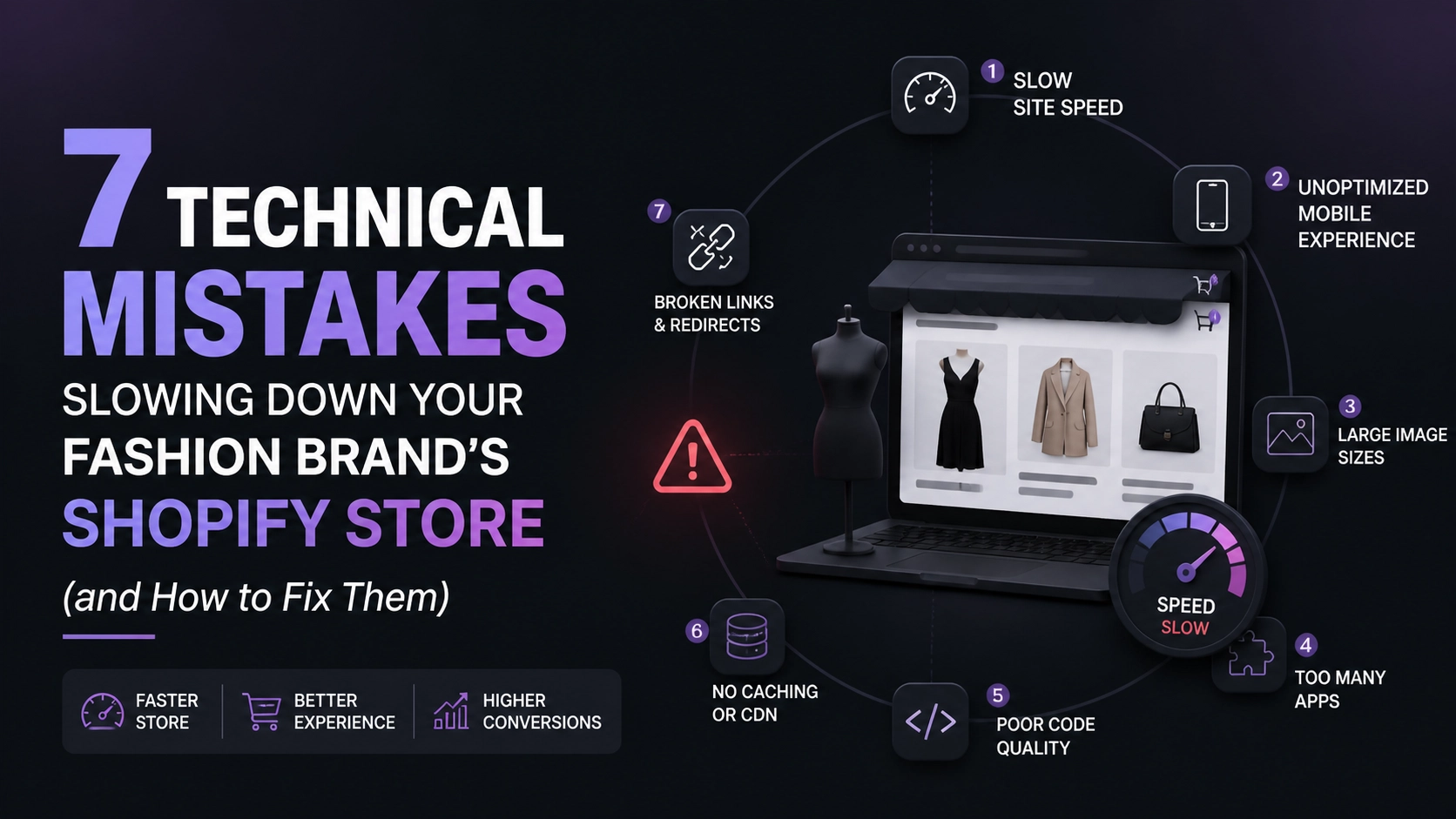
    The Verdict: Speed usually wins. A beautiful site that no one sees because they bounced is a waste of your creative talent.


    Next Steps: Your 2026 Optimization Checklist

    Don't try to do everything at once. Start small, stay creative, and focus on the high-impact areas first.

    1. Run a Baseline Test: Use PageSpeed Insights or GTMetrix to see where you stand today.
    2. The Great App Purge: Uninstall any app that hasn't made you money in the last 30 days.
    3. Optimize Your Top 5 Landing Pages: Focus on your Home, Collection, and top 3 Product pages.
    4. Audit Your Images: Use a bulk compression tool or a Shopify-specific optimization app.
    5. Consult the Experts: If the technical side feels overwhelming, reach out to a professional Shopify agency.

    At Thriftizer, we specialize in helping D2C brands scale by removing the technical friction that kills conversions. Whether you need a complete theme overhaul or surgical Shopify development to fix specific bottlenecks, we've got you covered.

    Ready to turn your Shopify store into a high-performance sales machine?
    Check out our Shopify Expert profile or visit us at Thriftizer.com to start your optimization journey today.

    A rising growth chart representing increased conversion rates after Shopify speed optimization.

    Final Thought

    Your website speed is a reflection of your brand's respect for the customer's time. In 2026, efficiency is the ultimate luxury. Start optimizing today, and watch your conversion rates: and your customer satisfaction: climb.

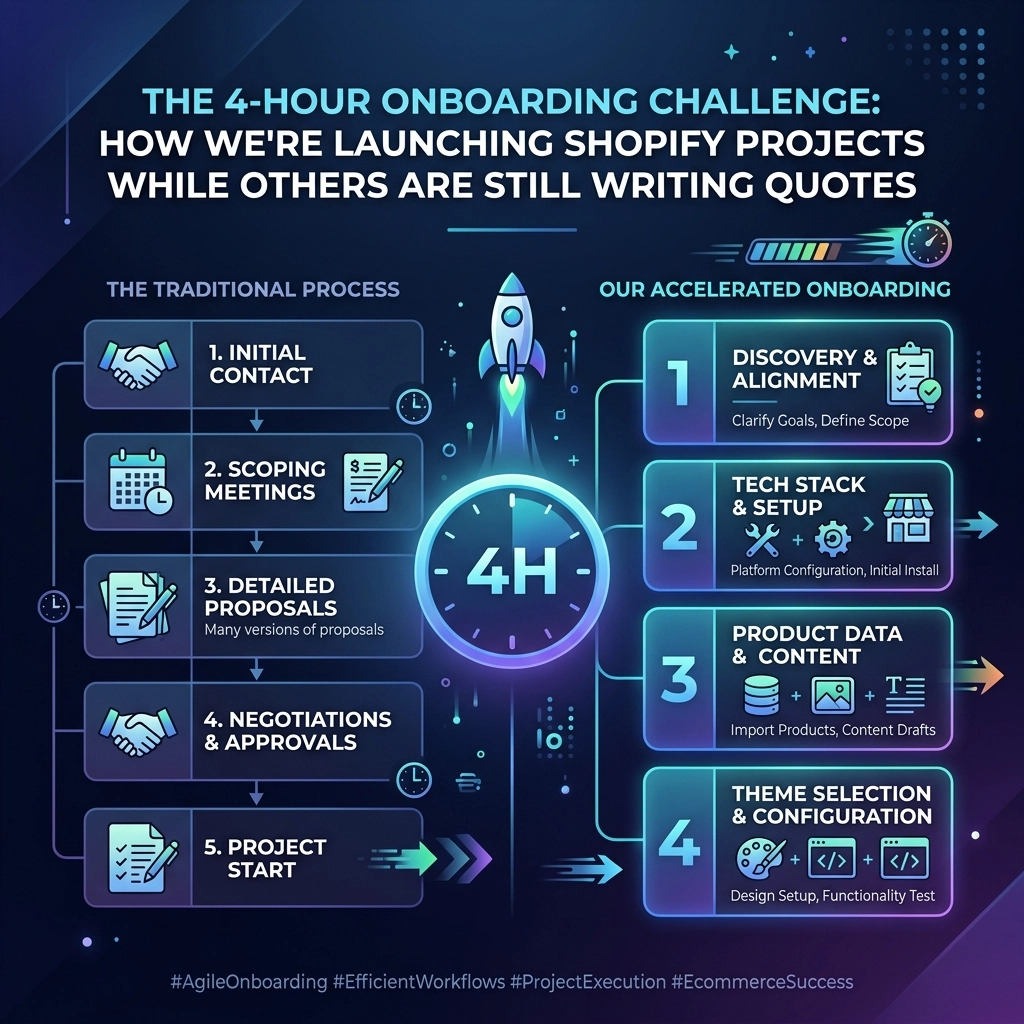
  • The 4-Hour Onboarding Challenge: How We’re Launching Shopify Projects While Others are Still Writing Quotes

    The 4-Hour Onboarding Challenge: How We’re Launching Shopify Projects While Others are Still Writing Quotes

    In the fast-paced world of D2C fashion, beauty, and streetwear, time isn't just money: it's market share. While you’re waiting for an agency to "get back to you with a quote," your competitor has already launched their new landing page, optimized their checkout, and captured the weekend's viral trend.

    The traditional Shopify agency model is broken. It’s built on endless discovery calls, bloated RFPs (Request for Proposals), and the dreaded "let's circle back next week" culture. If you are a founder in the makeup or apparel space, you don't need a three-week consultation for a Shopify audit or a theme tweak. You need execution.

    At Thriftizer Nest, we decided to break the mold. We looked at the friction points that stall growth and eliminated them. The result? The 4-Hour Onboarding Challenge. While the other guys are still formatting their PDF quotes, we are already shipping code.

    The Death of the "Discovery Call" Culture

    For years, the standard operating procedure for a Shopify development agency has been:

    1. Fill out a contact form.
    2. Wait 2 days for a sales rep to email you.
    3. Book a 30-minute discovery call for next Tuesday.
    4. Wait 3 more days for a custom quote.
    5. Negotiate the scope for another week.

    Stop buying hours. Start buying outcomes.

    If you want to add a "Frequently Bought Together" section or fix your mobile navigation for your jewelry store, why should you have to talk to a salesperson? You know what you want. We know how to do it. Thriftizer Nest treats agency services like a SaaS product. You browse, you click, you buy. No surprises. No delays.

    Hourglass and play button icons illustrating fast Shopify service delivery over traditional agency delays.

    Why Fixed-Price Services are the Future of E-commerce

    Transparency is the ultimate trust-builder. When you visit Thriftizer Nest, you aren't met with a "Get a Quote" button. You’re met with a catalog of 79 fixed-price Shopify services.

    From a comprehensive Shopify website design overhaul to granular speed optimizations, every service has a clear price tag. This transparency allows D2C brands to:

    • Budget with Precision: No more "variable billing" or hidden "project management fees."
    • Scale Rapidly: Need five things done at once? Buy five services. Simple.
    • Remove Bureaucracy: Give your marketing manager the "green light" to fix site issues without needing a board meeting for every $500 spend.

    The 4-Hour Onboarding: How It Works

    We challenged ourselves to see how fast we could go from "Order Confirmed" to "Project Started." We landed on a 4-hour window. Here is the breakdown of how we skip the fluff and get straight to work.

    1. The WhatsApp Command Center

    Emails get buried. Slack channels get noisy. But everyone sees a WhatsApp message. The moment you purchase a service on Thriftizer Nest, you are invited into a dedicated WhatsApp onboarding flow.

    Pro Tip: High-growth brands in the beauty and fashion niches use WhatsApp for internal comms because it’s mobile-first. We adopted this because we want to meet you where you already are.

    2. Immediate Asset Collection

    Instead of a 60-minute "kickoff call" where we ask for your login details, we use a structured automated intake.

    • Access: Securely share your Shopify collaborator code.
    • Brand Assets: Drop your Figma files, brand guidelines, or product photos.
    • The "Win" Condition: Tell us exactly what success looks like for this specific task.

    3. Expert Matching in Real-Time

    Because we have a "Nest" of specialized Shopify experts, we don’t have to wait for a project manager to check a calendar. If you bought a Shopify speed optimization, the request goes straight to our performance engineers. If it’s a UI/UX tweak for a streetwear drop, our designers are on it.

    4. The 4-Hour "Go" Signal

    Within four hours of your purchase (during business hours), your project is assigned, your assets are reviewed, and your developer is in the code. You get a confirmation message: "We’re in. Here is the timeline."

    Four-stage infographic detailing the rapid 4-hour onboarding for Shopify development projects.

    79 Ways to Level Up Your Store

    Most agencies want the "Big Fish": the $50k migrations. They ignore the "small" tasks that actually move the needle for a D2C brand on a daily basis. At Thriftizer, we believe the small wins compound into massive growth.

    Our catalog of 79 services is specifically curated for niches like Apparel, Beauty, Makeup, and Jewelry.

    Critical Services for Fashion & Beauty Brands:

    1. The High-Conversion Audit: A deep-dive Shopify audit to find out why your "Add to Cart" rate is lagging.
    2. Product Page UX Overhaul: Fashion is visual. We optimize your PDPs (Product Detail Pages) for high-res imagery without sacrificing speed.
    3. Mobile-First Design Polish: 80% of streetwear sales happen on mobile. We ensure your Shopify website design is thumb-friendly and lightning-fast.
    4. App Stack Consolidation: Stop paying for 20 apps that slow down your site. We help you find "all-in-one" solutions or custom-code the features.

    Key Insight: Never ever think of giving up on a feature just because an agency said it’s "too small to quote." If it improves the customer journey, it’s worth doing.

    The Pros and Cons of the "Nest" Model

    While we love our disruptive approach, it’s important to be transparent about who this is for.

    The Pros

    • Speed: Go from idea to execution in hours, not weeks.
    • Predictability: You know exactly what you are paying before you check out.
    • Quality: You are working with a verified Shopify expert team, not a generalist freelancer.
    • Agility: Perfect for brands that need to pivot based on trends or seasonal shifts.

    The Challenges

    • Not for "Discovery-Lite" Founders: If you have no idea what you want and need someone to hold your hand through a 3-month strategy phase, our fast-paced model might feel too quick.
    • Narrow Focus: We are 100% Shopify. If you’re looking for someone to fix your WordPress blog or your offline POS system, we aren't the right fit. We stay in our lane to remain the best in it.

    Grid layout featuring specialized Shopify services for D2C brands in fashion, beauty, and jewelry.

    Why D2C Brands Are Switching to Productized Services

    The modern D2C founder is often a "polymath." You are managing creative, logistics, and marketing simultaneously. You don't have time to be a project manager for your Shopify development agency.

    By treating services as products, Thriftizer acts as your technical co-pilot. You identify the gap: be it a slow checkout, a messy navigation, or a lack of social proof widgets: and you "order" the fix.

    It’s about moving from a reactive mindset ("Something is broken, I need to call someone") to a proactive mindset ("I want to improve my conversion rate by 0.5% this week, let me buy the 'Checkout Optimization' package").

    Start Small, Stay Creative

    You don’t have to commit to a $10,000 retainer to work with us. In fact, we prefer you don't. Start with a single task. See how our 4-hour onboarding feels. Experience the communication on WhatsApp. Check the quality of the code.

    Growth happens in increments. Identify a single bottleneck in your jewelry or makeup store today, and let’s clear it by tomorrow.

    Next Steps: Join the 4-Hour Challenge

    Ready to stop waiting for quotes and start seeing results? Here is your implementation checklist to get your Shopify store to the next level:

    1. Identify the Friction: Browse your store on a mobile device. Note the first three things that annoy you or feel "clunky."
    2. Visit the Nest: Go to Thriftizer Nest and find the services that match your friction points.
    3. Check Our Credentials: Feel free to browse our Shopify Expert profile to see our track record of helping brands scale.
    4. Execute the Purchase: Select your service and checkout.
    5. Watch Your WhatsApp: Keep your phone handy. Within 4 hours, your dedicated expert will reach out to kick off the project.
    6. Review and Launch: Once the work is done, review it in your sandbox environment, give the "thumbs up," and go live.

    The "old way" of doing things is a luxury your brand can't afford. In a world of instant gratification, your development partner should be as fast as your shipping. Welcome to the Nest.

  • The Ultimate Guide to Shopify Technical Excellence: Everything You Need to Succeed in D2C

    The Ultimate Guide to Shopify Technical Excellence: Everything You Need to Succeed in D2C

    Scaling a Direct-to-Consumer (D2C) brand in 2026 isn't just about having a great product or a massive ad budget. It’s about technical resilience. In a world where a 100-millisecond delay in page load can cost you thousands in lost revenue, your Shopify store needs to be more than just "functional": it needs to be a high-performance machine.

    Whether you are running a high-growth streetwear label or a luxury jewelry boutique, the gap between "good" and "excellent" is found in the backend. This guide breaks down the pillars of Shopify technical excellence to help you save time, increase conversion rates, and build a brand that scales effortlessly.

    1. The Infrastructure: Choosing Your Shopify Engine

    The first step toward technical excellence is ensuring your foundation can support your weight. For high-growth fashion and beauty brands, the choice usually boils down to Shopify Plus vs. Advanced Shopify.

    Why Shopify Plus is the D2C Gold Standard

    If your brand is doing significant volume, the native automation and customization capabilities of Shopify Plus are non-negotiable.

    • Customizable Checkout: Plus allows you to modify the checkout.extensibility (formerly checkout.liquid), which can reduce cart abandonment by 20–35% through personalized upsells and trust signals.
    • Unlimited API Access: Essential for connecting your ERP, WMS, and custom marketing tools without hitting rate limits.
    • Shopify Flow: This is your secret weapon for operational efficiency, potentially saving your team 15–30 hours of manual work every single week.

    Pro Tip: If you are planning a major product drop: common in the streetwear niche: Shopify Plus’s Launchpad allows you to schedule theme changes, price adjustments, and automation triggers in advance. This ensures your site doesn't break under the pressure of a 10:00 AM hype launch.

    2. Shopify Speed Optimization: The Silent Conversion Killer

    You can have the most beautiful jewelry photography in the world, but if the page takes five seconds to load, your customers are gone. Speed is the most critical component of Shopify development today.

    The Technical Audit Checklist

    To achieve a sub-3-second load time, you must address these three areas:

    1. Image Compression & WebP Conversion: Large hero images are the primary culprits in fashion D2C. Use modern formats like WebP and implement "lazy loading" for images below the fold.
    2. App Audit: Every app you install adds a "script tag" that slows down your site. If an app isn't driving direct ROI, delete it. Even after deletion, check your theme.liquid file for "ghost code" left behind.
    3. Minify Liquid and JavaScript: Clean code is fast code. A professional Shopify agency will often rewrite clunky app-provided features into native Liquid code to reduce dependency on external scripts.

    Shopify speed optimization dashboard showing high-performance metrics and clean Liquid code icons

    Key Insight: Speed isn't just for users; it's for Google. Faster sites rank higher. If you're wondering why your site isn't showing up, it might be a technical crawl issue. Read more about how fast Google indexes your site to understand the connection between performance and visibility.

    3. Custom Development: Moving Beyond Templates

    Standard themes are great for starting out, but high-growth brands eventually hit a "template wall." To stand out in the crowded beauty and fashion space, you need custom Shopify development.

    Liquid vs. Hydrogen (Headless)

    Most brands thrive on Liquid, Shopify’s native templating language. It is robust, SEO-friendly, and easy to maintain. However, if you want a truly unique, app-like experience with complex transitions, you might consider Hydrogen, Shopify’s React-based framework for headless commerce.

    The Pros and Cons of Going Headless:

    • Pros: Total creative freedom, lightning-fast transitions, and a decoupled frontend.
    • Cons: Higher development costs, loss of some "plug-and-play" app functionality, and increased complexity.

    Start small, stay creative. You don't always need to go full headless. Customizing your existing Liquid theme with unique product page modules or an interactive "Find Your Fit" quiz can offer the same premium feel at a fraction of the cost.

    4. Automation: Your Operational Co-Pilot

    Efficiency is the name of the game. If your team is still manually tagging orders or emailing customers about out-of-stock items, you are wasting human potential.

    Essential Shopify Flow Workflows

    • Inventory Alerts: Automatically unpublish a product when stock hits zero and send a Slack notification to your production team.
    • High-Value Customer Tagging: When a customer spends over a certain threshold, tag them as "VIP" to trigger exclusive email flows in Klaviyo.
    • Fraud Prevention: Set rules to hold orders that show high-risk signals, saving you from costly chargebacks.

    Infographic of Shopify Flow automation workflows connecting orders to fulfillment and customer VIP tagging

    By treating automation as a "co-pilot," you free up your creative team to focus on brand storytelling and product design rather than spreadsheets. For those looking to take automation even further, exploring AI-driven workflows can provide a significant edge in customer service and content creation.

    5. Technical SEO for D2C Growth

    SEO for Shopify isn't just about keywords; it's about site architecture. For fashion brands with thousands of SKUs and variants, managing "crawl budget" is essential.

    The Pillars of Shopify SEO Excellence

    • Structured Data (Schema): Ensure your product schema is perfect. This allows Google to show your price, availability, and star ratings directly in the search results (Rich Snippets).
    • Sitemap Management: Regularly check your sitemap.xml to ensure no "dead" pages or "noindex" tags are hurting your visibility.
    • Collection Page Logic: Avoid duplicate content issues caused by Shopify's default URL structure (e.g., /products/blue-shirt vs /collections/mens/products/blue-shirt). Use canonical tags to tell Google which version is the "master" copy.

    6. Data Intelligence & Personalization

    In 2026, the brands that win are the ones that use their data. Shopify’s unified data model allows you to see exactly how your customers behave across different channels.

    Leveraging AI and LLMs

    Custom chatbots and recommendation engines are no longer "futuristic": they are expected. Implementing LLM-based chatbots can help customers find the right size or style instantly, significantly boosting conversion rates for jewelry and apparel brands where "fit" is a major concern.

    Pro Tip: Use a recommendation engine like Rebuy or Nosto to create "Frequently Bought Together" sections. This simple technical addition can increase your Average Order Value (AOV) by 15-20% almost overnight.

    Visual representation of Shopify personalization data using customer behavioral insights to increase AOV

    Challenges to Anticipate

    Technical excellence isn't a one-time project; it’s a continuous process. You will face challenges:

    • App Fatigue: The temptation to solve every problem with a $10/month app. Resist this. Every app is a technical debt.
    • The Mobile Gap: Most developers work on desktops, but 80% of your fashion customers shop on mobile. Always test your custom features on a phone first.
    • Scaling Pains: What works for 100 orders a day might break at 10,000. Regularly stress-test your integrations and third-party logistics (3PL) syncs.

    Your Implementation Checklist: Next Steps

    Ready to transition from consumption to implementation? Follow these steps:

    1. Run a Speed Audit: Use Google PageSpeed Insights and identify the top three scripts slowing you down.
    2. App Purge: Delete any app you haven't used in the last 30 days. Clean up the residual code.
    3. Optimize Images: Ensure every image on your homepage is under 200kb and served in WebP format.
    4. Set Up One Flow: Create a Shopify Flow that automates a task you currently do manually (like tagging high-value orders).
    5. Review SEO: Check your sitemap for errors and ensure your product titles follow a consistent, keyword-rich format.
    6. Partner with Experts: If the technical side feels overwhelming, don't go it alone. Reach out to a specialized Shopify agency that understands the nuances of D2C growth.

    A step-by-step Shopify development roadmap for D2C growth from initial audit to enterprise scaling

    Conclusion: Never Ever Think of Giving Up

    Building a technically excellent Shopify store is a marathon, not a sprint. The technical landscape changes fast, but the fundamentals: speed, automation, and user experience: remain the same.

    At Thriftizer, we specialize in turning complex technical challenges into streamlined growth engines. Whether you need a full store build or intensive Shopify speed optimization, our team is here to help you scale.

    Ready to take your store to the next level? View our Shopify Expert profile or contact us at Thriftizer today to start your journey toward technical excellence. Start small, stay creative, and watch your D2C brand thrive.

  • Shopify SEO 101: The High-Growth Brand’s Guide to Mastering Technical Excellence

    Shopify SEO 101: The High-Growth Brand’s Guide to Mastering Technical Excellence

    For a high-growth fashion or streetwear brand, your Shopify store is more than just a digital storefront: it is your most valuable asset. But as you scale from five-figure months to seven-figure drops, the cracks in your technical foundation can become chasms. You can have the most stunning lookbook in the world, but if Google can’t crawl your collections or your site takes five seconds to load on a 5G connection, you are leaving money on the table.

    Technical SEO is the "silent engine" of your e-commerce growth. It’s not about stuffing keywords into image alt text anymore. It’s about site speed, infrastructure, and creating a frictionless path for both search engines and customers. If you want to dominate the 2026 search landscape, you need to move beyond the basics.

    In this guide, we’re breaking down the technical pillars that every high-growth brand must master to achieve peak performance.

    The Velocity Pillar: Shopify Speed Optimization

    In the world of high-fashion and fast-moving D2C brands, speed is a ranking factor, but more importantly, it’s a conversion factor. A one-second delay in mobile load times can slash conversions by up to 20%. When we talk about Shopify speed optimization, we aren't just talking about "feeling fast": we are talking about passing Core Web Vitals (CWV).

    1. App Audit and Script Management

    The most common "speed killer" for Shopify stores is app bloat. Every time you install a new upsell tool, a loyalty program, or a chatbot, you add external JavaScript that drags down your performance.

    • The Solution: Regularly audit your apps. If an app isn't driving direct ROI, delete it. For the ones you keep, consider using a Shopify agency to implement "lazy loading" for non-critical scripts. This ensures your main product images load before your reviews widget.

    2. Image Optimization for High-Resolution Brands

    Fashion brands rely on high-quality imagery. However, oversized files are the enemy of SEO.

    • Use WebP formats: Shopify now automatically serves WebP images, but you should still ensure your source files are compressed.
    • Implement Aspect Ratio Boxes: This prevents "Layout Shift" (CLS), a key metric in Google’s Core Web Vitals.

    A streetwear sneaker with light trails representing Shopify speed optimization and store performance.

    The Infrastructure Pillar: Mastering Shopify Development

    High-growth brands eventually outgrow standard "out-of-the-box" themes. To truly scale, you need a custom approach to Shopify development that prioritizes clean code over "feature-heavy" templates.

    Liquid Code Optimization

    Shopify’s templating language, Liquid, is powerful, but inefficient code can slow down your server response time (TTFB).

    • Avoid Excessive Loops: Iterating through every product in a huge collection to find one tag is a performance nightmare.
    • Pro Tip: Use Shopify’s "Render" tag instead of "Include" for snippets. It’s a small change that offers better performance by localizing variables.

    Custom Sections vs. App Blocks

    Instead of using third-party page builders that inject massive amounts of CSS, invest in custom-coded sections. This keeps your codebase lean and ensures your brand identity remains consistent without the technical debt of a drag-and-drop builder.

    The Discovery Pillar: Advanced Site Architecture

    Search engines need a map to understand your store. For fashion brands with deep catalogs, complex color/size variants, and seasonal collections, this "map" often gets messy.

    1. Fixing the Collection/Product URL Trap

    By default, Shopify often creates multiple URLs for the same product (e.g., /collections/mens/products/blue-tee and /products/blue-tee). This creates duplicate content issues.

    • The Fix: Edit your product-grid-item.liquid or equivalent snippet to ensure your internal links always point to the canonical /products/ URL. This consolidates link equity and helps Google index your store faster.

    2. Strategic Breadcrumbs

    Breadcrumbs aren't just for navigation; they are structural signals for Google. They create a clear hierarchy (Home > Men’s > Outerwear > Jackets) that helps search engines understand the relationship between pages.

    3. Robots.txt and Sitemap Control

    High-growth brands often have "hidden" pages: landing pages for influencers, VIP-only collections, or draft products.

    • Action Step: Use the robots.txt.liquid file to exclude low-value pages from being crawled. This preserves your "crawl budget," ensuring Google focuses on your high-margin product pages.

    A digital architecture map representing an optimized Shopify site structure and search engine crawl path.

    The Shopify Plus Advantage for Enterprise Growth

    If you are pushing high volume, Shopify Plus offers technical tools that standard plans simply don't have. Mastering these can give you a significant edge in SEO and UX.

    • Shopify Scripts: These allow you to run custom logic on the server side (like complex discounts or shipping rules) without needing heavy front-end apps.
    • Multipass and Custom Checkouts: While primarily for conversion, a custom checkout flow on Plus reduces bounce rates during the most critical stage of the funnel.
    • International SEO (Hreflang): For global fashion brands, Shopify Plus makes managing subfolders (e.g., /en-gb/ vs /en-us/) much easier. Ensuring your hreflang tags are correctly implemented prevents your UK site from competing with your US site in search results.

    Challenges & Trade-offs: The Reality of Technical SEO

    While technical excellence is the goal, there are always trade-offs to consider.

    Feature Pros Cons
    Heavy Video Content High engagement, showcases product movement. Can drastically slow down mobile page load if not hosted correctly.
    Third-Party Review Apps Builds trust and provides "Social Proof" SEO. Often adds the most third-party "weight" to your site's code.
    Deep Collection Filtering Helps users find specific items (size, color). Can create thousands of "junk" URLs that confuse search crawlers.

    Key Insight: Never prioritize a design trend over a functional necessity. If a high-resolution video background kills your mobile speed, your SEO will suffer, and your "cool" factor won't matter because nobody will see the site.

    Luxury jewelry on a pedestal illustrating the balance between brand design and Shopify technical SEO excellence.

    The Human Side: Why Technical SEO Supports Your Brand Story

    We often treat SEO like a math problem, but at its core, it’s about user experience. Google rewards sites that users love. When you invest in Shopify speed optimization, you aren't just checking a box for a bot; you are respecting your customer's time.

    High-growth brands in the jewelry or beauty space need to evoke a sense of luxury. A lagging, buggy website is the digital equivalent of a dusty, disorganized physical boutique. Technical excellence is the "white-glove service" of the internet.

    Your Technical SEO Checklist: Next Steps

    Transitioning from a basic store to a high-performance engine doesn't happen overnight. Start with these actionable steps:

    1. Run a Baseline Test: Use PageSpeed Insights and GTmetrix to see where you stand today.
    2. Audit Your App List: Delete any app you haven't looked at in the last 30 days.
    3. Optimize Your Images: Ensure every image on your homepage is under 200kb.
    4. Fix Duplicate URLs: Ensure your internal links point to canonical product pages.
    5. Review Your "No-Index" Tags: Make sure your search result pages and filtered collection pages aren't being indexed.
    6. Consult an Expert: If your theme code looks like a bowl of spaghetti, it might be time for a professional Shopify development audit.

    Scale Your Brand with Technical Precision

    Mastering Shopify SEO isn't about one-time hacks; it's about building a culture of performance. As your brand grows, your technical requirements will evolve. Stay creative, but keep your foundation solid.

    If you're ready to take your store to the next level of technical excellence, working with an experienced Shopify agency can save you months of trial and error. At Thriftizer, we specialize in helping high-growth D2C brands navigate the complexities of Shopify speed optimization and custom development.

    Ready to optimize your growth? Check out our Shopify Expert profile to see how we’ve helped brands like yours scale to new heights.

    The future of your brand is fast, accessible, and technically flawless. Start building it today.

  • 7 Technical Mistakes Slowing Down Your Fashion Brand’s Shopify Store (and How to Fix Them)

    7 Technical Mistakes Slowing Down Your Fashion Brand’s Shopify Store (and How to Fix Them)

    In the high-stakes world of online fashion, streetwear, and jewelry, your website is your digital flagship store. Imagine a customer walking into a physical boutique, only for the door to jam for ten seconds. They wouldn't wait; they’d walk to the next shop on the block.

    On Shopify, those seconds are even more expensive. For high-growth fashion brands, Shopify speed optimization isn't just a "nice-to-have" technical chore: it is a direct lever for your conversion rate. Studies consistently show that a one-second delay in page load time can lead to a 7% drop in conversions. When you’re scaling a D2C brand, that 7% could be the difference between a record-breaking month and a stagnating one.

    If your Shopify store feels sluggish, the culprit usually isn't Shopify itself. It’s the technical "debt" accumulated through heavy themes, unoptimized assets, and app clutter. Let’s dive into the seven technical mistakes slowing you down and, more importantly, how to fix them for 2026 and beyond.

    1. High-Resolution "Image Overload" Without Optimization

    Fashion is visual. You need stunning, high-resolution product photography to sell a lifestyle. However, many brands make the mistake of uploading massive 5MB files directly from their photographer's drive. While Shopify does some basic resizing, it often isn't enough to prevent a massive "Largest Contentful Paint" (LCP) delay.

    The Technical Fix:

    • Switch to WebP or AVIF: These modern formats provide superior compression compared to JPEG or PNG without losing quality.
    • Implement Lazy Loading: Ensure images below the fold only load when the user scrolls down.
    • Explicit Dimensions: Always define width and height attributes in your Liquid code to prevent layout shifts.

    Shopify speed optimization comparison of unoptimized large image files versus lightweight WebP product photos.

    2. The "App Graveyard" and Ghost Code

    Every time you install a Shopify app: whether it’s for loyalty rewards, size charts, or "frequently bought together" upsells: it injects JavaScript into your theme. The problem? Even after you uninstall an app, "ghost code" often remains in your theme.liquid or product templates. This extra weight forces the browser to make unnecessary requests, dragging down your performance.

    The Technical Fix:

    • Conduct an App Audit: If an app hasn't contributed to your ROI in the last 30 days, delete it.
    • Custom Development Over Apps: For simple features like size charts or basic upsells, hire a Shopify agency to build them directly into your theme. Custom code is almost always faster than a third-party app.
    • Manual Code Cleanup: Check your snippets and layouts for old script tags from apps you no longer use.

    Key Insight: Treat your app list like a minimalist wardrobe. If you don’t wear it, don’t keep it. Every app should earn its place by proving its value against the speed cost it incurs.

    3. Unoptimized Third-Party Tracking Pixels

    Between Meta, TikTok, Pinterest, Google Analytics, and Heatmaps, your store might be firing a dozen different tracking pixels simultaneously. These scripts often block the "main thread," meaning the browser stops rendering your beautiful fashion collections to process a piece of tracking code.

    The Technical Fix:

    • Use Shopify's Web Pixels API: Move away from hard-coding scripts into your header. Shopify's modern pixel manager runs scripts in a "sandbox," preventing them from slowing down the visible page.
    • Consolidate via Google Tag Manager (GTM): Use GTM to trigger scripts asynchronously, ensuring your product photos load before the tracking data does.

    4. Inefficient Liquid Loops and Code Bloat

    For fashion brands with large catalogs, inefficient Liquid code can lead to slow "Time to First Byte" (TTFB). For example, if your collection page code loops through every single product variant just to check a stock level, it puts a heavy load on Shopify’s servers.

    The Technical Fix:

    • Optimize Liquid Logic: Avoid nested loops wherever possible.
    • Pagination is Key: Never try to load 200 products on a single page. Use standard Shopify pagination or "load more" functionality to keep the initial server response fast.
    • Minify CSS and JS: Ensure your theme's stylesheets and scripts are minified to reduce file size.

    Shopify development visual showing the difference between bloated code and streamlined Liquid logic for faster stores.

    5. Neglecting the Mobile "First Fold"

    Over 70% of fashion and beauty traffic now comes from mobile devices. Many brands design their stores on large 27-inch monitors, forgetting that a mobile user on a 4G connection has a completely different experience. If your "above the fold" content includes a heavy 4K video background, your mobile bounce rate will skyrocket.

    The Technical Fix:

    • Mobile-First CSS: Use media queries to serve smaller images or hide heavy decorative elements on mobile.
    • Prioritize Critical CSS: Inline the CSS required to render the top of the page so it appears instantly.
    • Disable Autoplay Videos on Mobile: Replace heavy background videos with high-quality static "hero" images for mobile users to save bandwidth.

    Pro Tip: Use the "Performance" tab in Chrome DevTools to simulate a "Mid-tier Mobile" connection. It’s a humbling but necessary reality check for every brand owner.

    6. Excessive Use of Custom Web Fonts

    Typography is a core part of brand identity in fashion. However, loading five different weights of a custom font adds several hundred kilobytes to every page load. Each font file is an extra request the browser has to make before it can display text correctly.

    The Technical Fix:

    • Limit Font Variations: Stick to two font families and two weights (Regular and Bold).
    • Use font-display: swap: This allows the browser to show a system font while your custom brand font loads, preventing the "Flash of Invisible Text."
    • Self-Host Fonts: Instead of calling fonts from an external server (like Adobe Fonts), host them locally within your Shopify assets folder to reduce DNS lookups.

    Optimization of custom web fonts and typography to improve loading speeds for high-growth fashion Shopify stores.

    7. Ignoring Shopify Plus Features for High-Growth

    If you are doing high volume, staying on a basic Shopify plan might actually be holding your performance back. Shopify Plus features allow for more advanced customization, such as specialized checkout liquid access and higher API rate limits, which are essential for scaling streetwear drops or flash sales.

    The Technical Fix:

    • Leverage Shopify Scripts: Use scripts to handle complex discounting logic on the server side rather than using front-end apps that slow down the cart page.
    • Utilize the Storefront API: For ultra-high-growth brands, moving toward a "Headless" architecture using the Storefront API can provide unparalleled speed, though it requires significant Shopify development expertise.

    The Pros and Cons of Shopify Speed Optimization

    Pros Cons
    Improved SEO Rankings: Google loves fast sites, especially on mobile. Upfront Cost: Professional optimization requires an investment in quality development.
    Higher Conversion Rates: Faster sites turn more browsers into buyers. Maintenance: Speed isn't a "one-and-done" task; it requires ongoing monitoring.
    Better Ad ROI: Lower bounce rates mean your ad spend on Meta/TikTok goes further. Design Constraints: You might have to sacrifice some heavy animations for the sake of speed.

    Your Speed Optimization Checklist: Next Steps

    Ready to turn your Shopify store into a high-performance machine? Follow these steps to start seeing results:

    1. Run a Baseline Test: Use PageSpeed Insights and GTmetrix to see your current score.
    2. Audit Your Images: Use a tool like Crush.pics or manual compression to shrink your hero banners.
    3. Clean Your App List: Delete any app you haven’t used in the last month.
    4. Check Your "Ghost Code": Open your theme.liquid and look for any script tags pointing to deleted apps.
    5. Optimize for Mobile: Ensure your mobile menu and "Add to Cart" buttons are lightning-fast.
    6. Partner with Experts: If the technical side feels overwhelming, reach out to a professional.

    Start small, stay creative, and never think of giving up on your brand’s performance. Speed is a competitive advantage that most of your competitors are likely ignoring.

    For brands looking to scale without the technical headaches, our team at Thriftizer specializes in bespoke Shopify development and performance tuning. We help D2C brands navigate the complexities of the Shopify ecosystem, ensuring your store is built for both beauty and speed. Check out our Shopify Expert profile to see how we’ve helped other fashion brands dominate the digital landscape.

    Your store should be as fast as the latest trends. Don’t let a few technical errors stand in the way of your next big scale-up. Identify the gaps, automate the workflow, and watch your conversion rates soar.