Author: Nivi

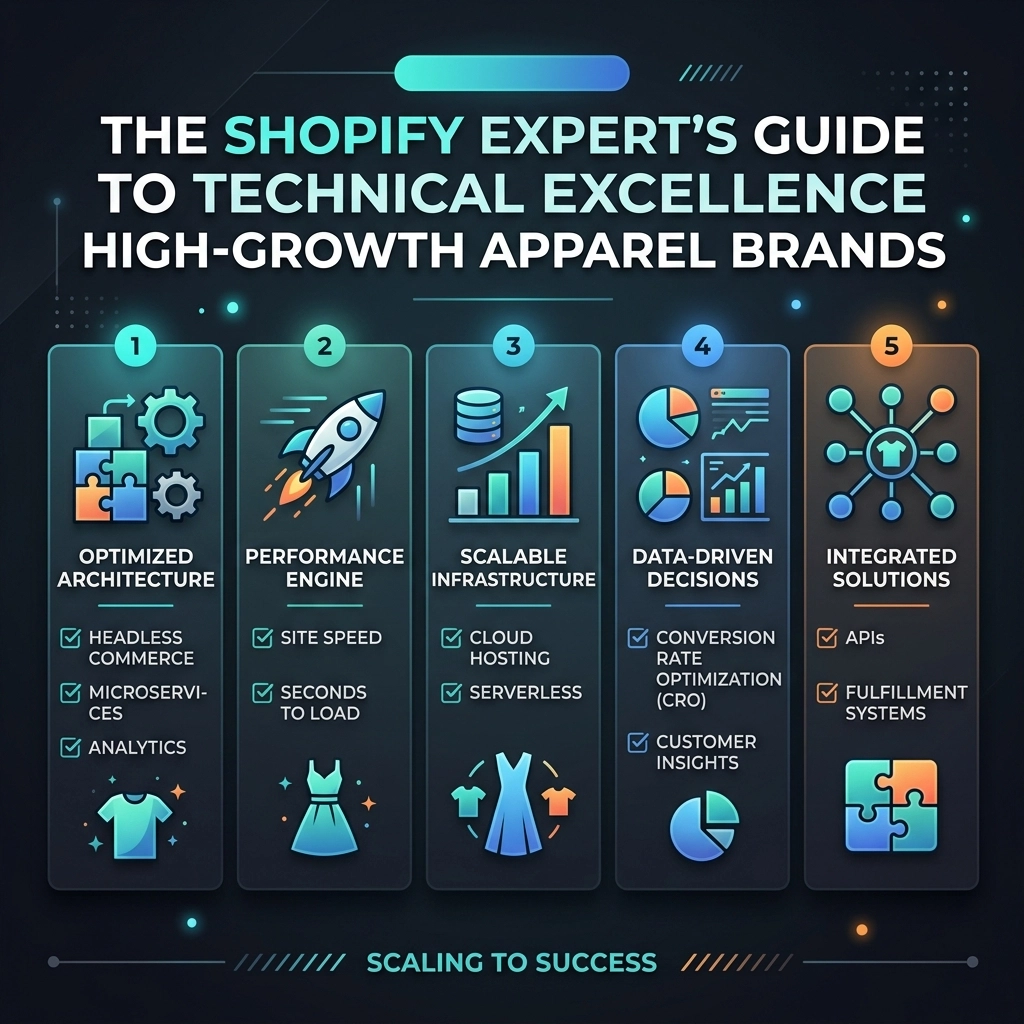
  • The Shopify Expert’s Guide to Technical Excellence for High-Growth Apparel Brands

    The Shopify Expert’s Guide to Technical Excellence for High-Growth Apparel Brands

    In the fast-paced world of fashion e-commerce, technical excellence isn't just a "nice-to-have" feature; it is the backbone of your survival. As we move through 2026, the gap between "standard" stores and high-growth apparel brands is widening. If your site takes more than three seconds to load or your checkout process feels clunky on a mobile device, you aren't just losing a sale: you are losing a customer for life.

    Scaling a D2C apparel brand involves more than just great designs and a viral TikTok strategy. It requires a robust, scalable, and high-performance infrastructure. This guide is designed to help you navigate the complexities of Shopify speed optimization, custom Shopify development, and the advanced features of Shopify Plus to ensure your brand is built to last.

    The Performance Pillar: Why Speed is Your Greatest Competitive Advantage

    For apparel brands, visuals are everything. High-resolution lookbooks, video headers, and 360-degree product views are essential for conversion. However, these elements are often the primary culprits behind slow load times. In 2026, Shopify speed optimization is no longer about just passing a Core Web Vitals test; it’s about providing a frictionless user experience that mirrors the speed of social media browsing.

    Stop the "App Bloat" Cycle

    Most high-growth brands fall into the trap of installing an app for every minor feature. While the Shopify App Store is a goldmine, every third-party script adds weight to your site.

    • Audit Your Scripts: Regularly review your theme.liquid and app integrations. If you aren't using it, delete it.
    • Lazy Loading Everything: Ensure that images and videos below the fold only load when the user scrolls to them.
    • Custom Liquid Solutions: Instead of using a bulky app for a simple countdown timer or a sizing chart, hire a Shopify agency to build a lightweight, custom Liquid solution.

    Pro Tip: Use Shopify's built-in image filters to serve WebP formats automatically. This reduces file sizes by up to 30% without sacrificing the crispness of your streetwear or jewelry photography.

    Digital speedometer symbolizing Shopify speed optimization for high-growth fashion e-commerce sites.

    Architecture for Scale: Beyond the Basic Theme

    When you are doing $1M in revenue, a premium theme might work. When you are pushing toward $50M+, you need a custom architecture. High-growth apparel brands often outgrow the constraints of "out-of-the-box" templates. This is where professional Shopify development becomes a game-changer.

    Embracing Metaobjects and Metafields

    In 2026, the most successful fashion brands use Metaobjects to create structured, reusable data. Instead of hard-coding product details, you can create a "Model Profile" metaobject that includes height, weight, and the size they are wearing. This data can then be dynamically pulled into every Product Display Page (PDP).

    • Benefits: Consistency across 1,000+ SKUs and easier updates.
    • User Experience: Customers get the "Fit" information they need to reduce return rates: the #1 profit killer in apparel.

    Is Headless Right for You?

    Headless commerce (decoupling your front-end from Shopify’s back-end) is the ultimate move for technical excellence. It allows for lightning-fast page transitions and total creative freedom. However, it comes with higher maintenance costs. If you aren't ready for headless, leveraging Shopify Plus and its "Commerce Components" allows you to pick and choose modular features without the full headless overhead.

    Key Insight: Don’t build for the sake of building. Build for the sake of scaling. Start small, stay creative, and only invest in complex architecture when your current setup limits your growth.

    Shopify Plus: The Enterprise Engine

    For high-growth brands, the transition to Shopify Plus is a rite of passage. It provides the tools necessary to handle massive traffic spikes during collection drops or Black Friday Cyber Monday (BFCM).

    1. Expansion Stores: Easily launch localized versions of your store for the UK, EU, or Asian markets with synchronized inventory.
    2. Shopify Scripts & Functions: Automate complex logic like "Buy 2, Get 1 Free" or tiered shipping discounts directly at the server level, ensuring your checkout stays fast and secure.
    3. Launchpad: Schedule everything from theme changes to price adjustments and automation scripts. For a fashion brand, this means your midnight collection drop happens flawlessly while you sleep.

    Modular architecture infographic showing scalable Shopify development for apparel brands.

    The Fashion-Specific UX Framework

    Technical excellence must serve the user. In the apparel niche, user intent is driven by discovery and trust. Your technical setup should facilitate both.

    Advanced Filtering and Discovery

    High-growth brands often have deep catalogs. If a customer can’t find a "Linen Blazer in Navy, Size Large" within three clicks, they are gone.

    • Systemic Filtering: Use Shopify's Search & Discovery app to build multi-dimensional filters.
    • Visual Swatches: Don’t just list "Blue" as text; show the specific hue of the fabric.
    • Predictive Search: Implement an AI-powered search bar that suggests products as the user types, prioritizing high-margin or trending items.

    The Trust Layer: Sizing and Social Proof

    Apparel has a high "risk" factor for the buyer. Technical excellence helps mitigate this.

    • Dynamic Size Guides: Use custom Liquid blocks to show specific measurements based on the product category (e.g., different guides for hats vs. hoodies).
    • UGC Integration: Fast-loading widgets that pull in Instagram photos of real customers wearing your clothes.

    Pros and Cons: Custom Development vs. Native Features

    As a Shopify agency, we often see brands struggle with the decision to go custom or stay native. Here is a quick breakdown:

    Feature Native Shopify Custom Development
    Speed Good (but app-dependent) Superior (optimized code)
    Cost Low / Monthly Subscription Higher Upfront / Lower Long-term
    Flexibility Limited by Theme Settings Infinite
    Maintenance Handled by Shopify Requires a Developer / Agency

    Pro Tip: Start with native features to prove the concept. Once you hit a ceiling where "standard" isn't delivering the conversion rate you need, pivot to custom Shopify development.

    Minimalist tablet interface for a fashion brand illustrating high-quality Shopify development.

    Challenges to Anticipate in 2026

    Scaling isn't always a smooth upward line. You will face technical hurdles that can stall your momentum if you aren't prepared.

    • Technical Debt: Quick fixes from two years ago can break your site today. Schedule a "Code Cleanup" every six months.
    • API Limits: High-volume brands using multiple integrations (ERP, CRM, WMS) can hit Shopify's API limits. Shopify Plus offers higher limits, but efficient coding is still required.
    • Global Latency: If you are selling globally, ensure your CDN (Content Delivery Network) is properly configured so your high-res imagery loads just as fast in London as it does in Los Angeles.

    The Thriftizer Approach to Scaling

    At Thriftizer, we believe that technology should be your co-pilot, not a bottleneck. We specialize in helping D2C brands navigate these technical waters with a focus on ROI and long-term stability. Whether it's deep-level Shopify speed optimization or building bespoke features that set your brand apart, our goal is to let you focus on design and brand building while we handle the engine.

    Never ever think of giving up on your brand's vision because the tech feels too complicated. With the right partner, even the most complex technical challenges become simple stepping stones to your next $10M.

    Global network nodes representing the technical infrastructure used by a Shopify agency to scale brands.

    Next Steps: Your Technical Excellence Checklist

    Ready to move from a "store" to a "high-growth brand"? Follow this implementation roadmap:

    1. Run a Performance Audit: Use PageSpeed Insights and Shopify’s built-in speed report. Identify the top three apps slowing you down.
    2. Optimize Your Imagery: Ensure all product images are compressed and served in modern formats.
    3. Review Your Data Structure: Check if you can replace repetitive text with Metafields or Metaobjects for better consistency.
    4. Evaluate Your Shopify Tier: If your revenue is scaling and you’re still on a Basic or Shopify plan, calculate the transaction fee savings of moving to Shopify Plus.
    5. Clean Your Code: Remove any lingering scripts from deleted apps.
    6. Partner with Experts: If you're ready to take the leap, consult with a verified Shopify agency to build a custom roadmap.

    Technical excellence is a journey, not a destination. By staying curious, prioritizing the user experience, and keeping your codebase clean, you’ll build a fashion empire that stands the test of time.

    If you are looking for a dedicated team to handle your development needs, check out our Shopify Expert profile or visit us directly at Thriftizer to start your journey toward technical mastery today. Stay creative, stay fast, and keep building!
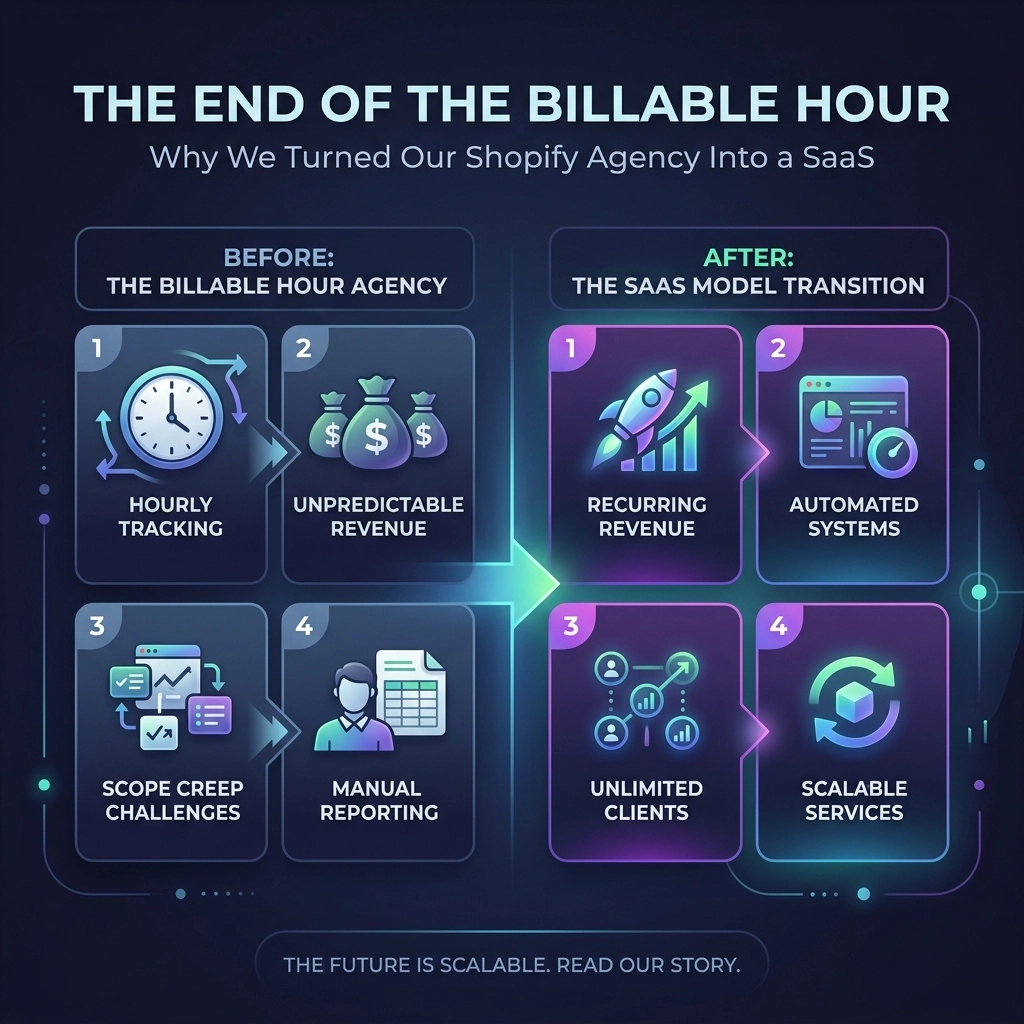
  • The End of the Billable Hour: Why We Turned Our Shopify Agency Into a SaaS

    The End of the Billable Hour: Why We Turned Our Shopify Agency Into a SaaS

    For decades, the traditional agency model has operated on a lie: that time spent equals value delivered. If you are a founder scaling a D2C brand in 2026, you know exactly how this feels. You reach out for a simple Shopify speed optimization or a landing page tweak, and instead of a solution, you get a "discovery call." Then comes the "custom quote." Then the "project roadmap."

    By the time the work actually starts, your competitors: the ones moving at the speed of social commerce: have already launched three new campaigns and cleaned up the market.

    At Thriftizer, we realized that the traditional "billable hour" was the single biggest bottleneck for our clients. It rewarded inefficiency and punished speed. So, we did something radical. We stopped acting like a slow-moving agency and started acting like a high-growth SaaS platform.

    We built Thriftizer Nest.

    The Problem: Why Traditional Agencies are Broken

    The agency-client relationship has historically been built on friction. In the fast-paced worlds of streetwear, jewelry, and beauty, friction is a conversion killer. Here is why the old-school model is failing modern D2C brands:

    1. The "Custom Quote" Trap: Why does a basic feature integration need a 3-day quoting process? Most agencies use quotes to hide variable pricing and pad margins.
    2. The Sync Call Obsession: We’ve all been there: a 45-minute Zoom call to discuss a 5-minute task. It’s an expensive waste of your time.
    3. The Ghosting Phase: After the contract is signed, communication often drops into a black hole until the first milestone is "almost" ready.
    4. Scaling Friction: If you want to scale your Shopify store rapidly, you can’t afford to wait two weeks for a developer to become "available."

    If you’ve dealt with a Shopify Expert before, you know that finding reliability is harder than finding a viral product.

    Comparison of traditional agency friction versus efficient, streamlined Shopify store scaling speed. The friction of traditional agency models vs. modern speed

    The Solution: Thriftizer Nest – The Shopify Store That Sells Shopify Services

    We decided to treat our services exactly like the products you sell on your store. We productized our expertise.

    Thriftizer Nest is a catalog of 79 fixed-price Shopify services that you can literally "Add to Cart." No quotes. No hidden fees. No "let me check with the lead dev."

    Whether you need a high-converting jewelry product page, a streetwear brand's collection filter overhaul, or a beauty brand’s subscription setup, you see the price, you click buy, and we get to work.

    Why This "SaaS" Approach Changes Everything

    By turning our agency into a productized service, we’ve eliminated the 90% of agency overhead that doesn't contribute to your growth.

    • Fixed Pricing: You know your ROI before you even spend a rupee.
    • Instant Invoicing: Get your GST invoices immediately upon checkout. No more chasing accounts departments.
    • Predictable Quality: Because these are "products," our workflows are standardized and perfected.

    Speed is the Only Competitive Advantage in 2026

    In the current D2C landscape, being "good" isn't enough. You have to be first. While your competitors are stuck in email threads, Thriftizer Nest users are already live.

    The 4-Hour Promise
    The moment you checkout on Thriftizer Nest, the clock starts. Within 4 hours, you are added to a dedicated WhatsApp group with our execution team. No project management software to learn, no passwords to lose. Just direct, instant communication.

    Same-Day Starts
    We don't "schedule you in for next Tuesday." Because our team is structured like a SaaS delivery engine, work on your Shopify store begins the same day you purchase the service.

    Key Insight: In the fashion and beauty niches, trends move in 72-hour cycles. If your agency takes 48 hours just to reply to an email, you’ve already lost the trend.

    Fast Shopify store updates and development support delivered via instant WhatsApp communication channels. WhatsApp-led delivery for instant Shopify updates

    Tailored for High-Growth Niches

    We didn't build Thriftizer Nest for everyone. We built it for the brands that are obsessed with conversion and aesthetics. Our frameworks are specifically designed for:

    1. Jewelry and Luxury

    High-ticket items require immense trust. Our Jewelry-Specific UX Audits focus on micro-interactions, zoom capabilities, and trust badges that move the needle for premium brands.

    2. Streetwear and Fashion

    For streetwear brands, the "Drop" is everything. We offer specialized services for high-traffic load handling and "Flash Sale" optimizations to ensure your Shopify store doesn't crash when the hype peaks.

    3. Beauty and Wellness

    With beauty brands, education and social proof are key. Our Beauty Brand Landing Page services focus on integrating video reviews and ingredient transparency layouts that are proven to increase AOV.

    Trusted by the Best

    This isn't an experiment. We’ve battle-tested this model with over 150+ brands, including industry leaders like Dot & Key and The Sleep Company. These brands don't have time for the "billable hour." They have goals, and they need a partner that acts as a co-pilot, not a vendor.

    Our position as a vetted Shopify Expert ensures that while we move fast, we never break your site's core architecture.

    Growth trajectory of successful D2C brands scaling their revenue with professional Shopify expert services. Logos of D2C brands that have scaled with Thriftizer

    Challenges and Considerations: Is This Right For You?

    We believe in transparency. The "SaaS" model for services is revolutionary, but it requires a specific mindset.

    The Pros:

    • Total Transparency: You know exactly what you are getting and for how much.
    • Extreme Speed: The fastest onboarding in the Shopify ecosystem.
    • No Long-term Contracts: Buy only what you need, when you need it.

    The Challenges:

    • Scope Definition: Since these are fixed-price services, they have defined scopes. If you need a completely custom, ground-up ERP build, a "standard" service might not fit.
    • Directness: We move fast and communicate via WhatsApp. If you prefer long, formal boardroom meetings, our style might feel too "quick" for you.

    Pro Tip: How to Use Thriftizer Nest for Maximum Growth

    Don't just buy a service; build a growth sprint.

    1. Identify your biggest leak: Use our Shopify Audit service to find where you are losing customers.
    2. Fix the friction: Buy the Speed Optimization or Mobile UX service.
    3. Enhance Intent: Use the Product Page Optimization service to increase add-to-cart rates.

    By stacking these "products," you can transform your store in a single week: something that takes months with a traditional agency.

    Modular Shopify development services stacked to create a rapid seven-day e-commerce growth sprint. Stacking Shopify services for a 7-day growth sprint

    Next Steps: Experience the Future of Shopify Growth

    The era of the billable hour is ending. The future belongs to the efficient, the transparent, and the fast. Whether you are a jewelry brand looking to polish your online presence or a streetwear label preparing for your next big drop, Thriftizer Nest is your unfair advantage.

    Your Action Plan:

    1. Audit Your Current Friction: How much time did you spend last month waiting for agency quotes?
    2. Browse the Catalog: Visit Thriftizer Nest and see the 79 services available right now.
    3. Start Small: Pick one service: perhaps a speed fix or a landing page tweak: and witness the 4-hour onboarding for yourself.
    4. Scale Fearlessly: Once you see the speed, move your entire development backlog into the "Nest."

    Stop paying for an agency's time. Start buying results.

    Visit Thriftizer to learn more about our philosophy, or jump straight into the future at Thriftizer Nest.

    Never ever think of giving up on your brand's growth: just change the way you fuel it.

  • 10 Reasons Your Shopify Store Speed Is Killing Sales (And How to Fix It)

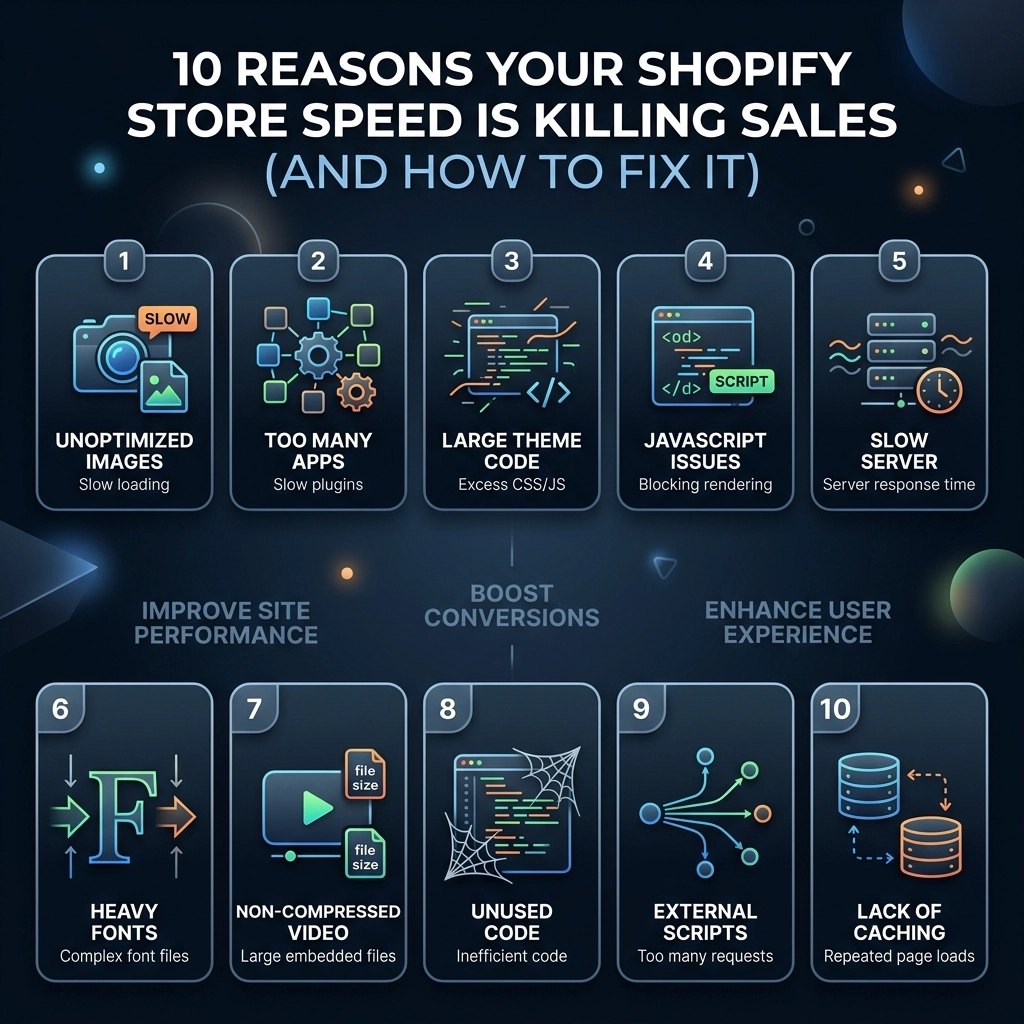
    10 Reasons Your Shopify Store Speed Is Killing Sales (And How to Fix It)

    In the fast-paced world of 2026 D2C e-commerce, speed isn't just a technical metric; it is your store's heartbeat. If you are running a high-growth fashion, beauty, or jewelry brand, you know that your customers have zero patience for a lagging site. You’ve spent thousands on Meta ads and influencer partnerships, but if your landing page takes more than three seconds to load, half of that traffic: and your budget: is effectively flushed down the drain.

    Research shows that a one-second delay in mobile load times can impact conversion rates by up to 27%. For a Shopify Plus store doing $100k a month, that "tiny" lag is costing you $27,000 every single month. It’s time to stop the bleeding.

    This guide breaks down the ten most common speed killers we see during our Shopify speed optimization audits at Thriftizer and, more importantly, how you can fix them today to reclaim your revenue.

    The High Cost of a Slow Store

    Before we dive into the technicalities, let’s look at the "Discovery-Trust-Intent" framework.

    1. Discovery: Google and TikTok prioritize fast-loading content. A slow site kills your organic reach.
    2. Trust: A sluggish site feels "cheap" or insecure. High-end fashion consumers expect a premium, fluid experience.
    3. Intent: When a user is ready to buy, any friction (like a slow "Add to Cart") gives them time to second-guess the purchase.

    1. High-Resolution "Hero" Images and Unoptimized Assets

    For fashion and streetwear brands, high-quality imagery is non-negotiable. However, uploading a 5MB raw file from your professional photoshoot directly to your Shopify admin is a recipe for disaster.

    The Problem: Large images increase the "Total Payload" of your page, forcing the browser to download massive amounts of data before the user can see anything.

    The Fix:

    • Compress everything: Use tools like TinyPNG or Optimizilla before uploading.
    • Use WebP format: This modern image format provides superior compression compared to JPEG.
    • Resize appropriately: If a mobile screen only displays 400px width, don't serve a 4000px image.
    • Key Insight: Shopify’s CDN automatically performs some optimization, but "pre-squeezing" your assets ensures the best results.

    2. The "App Trap": Ghost Scripts and Bloat

    It’s tempting to install every new app that promises to "boost conversions." But every app adds a snippet of JavaScript to your theme’s <head>.

    The Problem: Many apps load their scripts on every single page, even if they aren't being used. Even worse, when you uninstall an app, it often leaves "ghost code" behind that continues to slow down your site.

    The Fix:

    • Audit your apps: Go to your Shopify admin and delete anything you haven't used in the last 30 days.
    • Consult a Shopify agency: A professional Shopify agency like Thriftizer can help you identify and manually remove residual code left by old apps.
    • Consolidate features: Use multi-functional apps or, better yet, custom-code simple features directly into your theme.

    Visualizing the impact of bloated Shopify apps and ghost code on store speed vs optimization.

    3. Outdated or Bloated Shopify Themes

    If you are still using a theme from the "Vintage" era (pre-Online Store 2.0), you are missing out on significant performance upgrades built into the Shopify core.

    The Problem: Older themes were built for desktops and often rely on heavy libraries like jQuery, which are no longer necessary and add unnecessary weight.

    The Fix:

    • Upgrade to OS 2.0: Move to a modern, speed-first theme like Dawn, or invest in custom Shopify development to build a lightweight, bespoke storefront.
    • Minimize liquid logic: Complex loops in your Liquid code can delay the server response time (TTFB).

    4. Excessive Third-Party Tracking Scripts

    Between the Meta Pixel, TikTok Pixel, Google Analytics 4, Pinterest tags, and heatmapping tools like Hotjar, your site is likely making dozens of external requests before it even renders.

    The Problem: These scripts are "render-blocking," meaning the browser stops everything to fetch data from these third-party servers.

    The Fix:

    • Use Shopify Pixels: Leverage the new "Customer Events" API in Shopify, which runs scripts in a sandboxed environment to prevent them from slowing down the main thread.
    • Defer non-essential scripts: Ensure scripts that aren't needed for the initial view (like chat widgets) only load after the page is fully interactive.

    5. Lack of Image Lazy Loading

    Why should a user’s phone download the 15th product image at the bottom of the collection page if they haven't even scrolled past the header?

    The Problem: Loading all images simultaneously creates a bottleneck in the browser's download queue.

    The Fix:

    • Implement native lazy loading: Add loading="lazy" to your image tags.
    • Prioritize Above-the-Fold: Never lazy-load your main hero image or logo; these should load instantly to improve your Largest Contentful Paint (LCP) score.

    6. Complex Navigation and Mega Menus

    For large beauty or jewelry catalogs, mega menus are great for UX, but they can be a nightmare for speed if they are poorly coded.

    The Problem: Every time the menu loads, it might be fetching dozens of product images and collection links, increasing the DOM size (the complexity of the page structure).

    The Fix:

    • Simplify the DOM: Keep your menu structure clean.
    • CSS-only Menus: Avoid using heavy JavaScript libraries just to trigger a hover effect.

    Comparison between a cluttered website hierarchy and a clean DOM structure for faster site performance.

    7. Unminified CSS and JavaScript Files

    Code is written for humans to read, which means it includes spaces, comments, and long variable names. Browsers don't need any of that.

    The Problem: Unminified files are larger than they need to be, taking longer to travel from the server to the user.

    The Post-2026 Fix:

    • While Shopify automatically minifies some files, custom scripts added by developers often aren't. Ensure your Shopify development team uses build tools like Vite or Webpack to minify all assets during the deployment process.

    8. Web Font Overload

    Branding is vital for fashion, and it’s tempting to use five different weights of a custom brand font.

    The Problem: Each font file is an extra 50-100kb. If you load "Light," "Regular," "Medium," "Bold," and "Extra Bold," you’ve added half a megabyte of data before a single word is read.

    The Fix:

    • Stick to two weights: Usually, Regular and Bold are enough.
    • Use system fonts: Consider using system fonts (like San Francisco or Roboto) for body text and reserving custom fonts for headings.
    • Font-display: swap: This CSS property allows the browser to show a fallback font while the custom one is loading, preventing the "Flash of Invisible Text."

    9. Excessive Redirects

    If you’ve recently migrated from another platform or deleted old collections, you might have a chain of redirects.

    The Problem: Each redirect adds a "round trip" to the server, adding hundreds of milliseconds to the load time.

    The Fix:

    • Clean up your URL redirects: Go to Online Store > Navigation > View URL Redirects and remove unnecessary links.
    • Avoid Redirect Chains: Ensure Page A goes directly to Page C, rather than Page A -> Page B -> Page C.

    10. Poor Mobile UI/UX Logic

    Since 70% of Shopify traffic is now mobile, a "desktop-first" approach is the fastest way to lose sales.

    The Problem: Serving high-resolution desktop banners to mobile devices or using "Quick View" modals that take ages to pop up.

    The Fix:

    • Mobile-first assets: Upload separate, vertically-cropped images for mobile users.
    • Reduce Layout Shift: Ensure elements don't jump around as the page loads (Cumulative Layout Shift). This is a major Google ranking factor in 2026.

    Mobile-optimized Shopify store layout highlighting speed, user experience, and revenue growth.

    The Pros and Cons of DIY vs. Professional Optimization

    Feature DIY Optimization Professional Agency (Thriftizer)
    Cost Free / Low Cost Investment required
    Depth Surface level (apps/images) Deep dive (Liquid/JS/Database)
    Time Highly time-consuming Fast, efficient execution
    Risk High risk of "breaking" the theme Safe, backed-up, expert deployment
    Results Incremental improvements Significant, long-term speed gains

    Pro Tip: Never ever think of giving up on speed just because it seems technical. Start small, stay creative, and focus on the images first.

    Next Steps: Your Speed Implementation Checklist

    If you're ready to stop killing your sales, follow this transition from consumption to implementation:

    1. Run a Baseline Test: Use Google PageSpeed Insights and Shopify’s built-in speed report to see where you stand.
    2. Audit Your Apps: Delete three apps you haven't used this month.
    3. Optimize the Hero: Compress your homepage hero image and convert it to WebP.
    4. Check for Ghost Code: Search your theme.liquid file for scripts belonging to uninstalled apps.
    5. Review Mobile Experience: Browse your store on a 4G connection (not Wi-Fi) to feel the "real-world" lag.
    6. Consult the Experts: Reach out to an authorized Shopify agency to handle the heavy lifting.

    At Thriftizer, we specialize in high-performance Shopify speed optimization for D2C brands that refuse to settle for average. Whether you are on Shopify Plus or just starting your scaling journey, we provide the technical edge you need to outpace the competition.

    Ready to turn your slow store into a high-conversion machine? Visit Thriftizer today or check out our official Shopify Expert profile to see how we’ve helped fashion brands like yours achieve lightning-fast load times.

    Speed is the foundation of your digital storefront. Don't let a slow site be the reason your brand stops growing. Build for speed, build for the future.

  • Meet Thriftizer Nest: The First ‘Add-to-Cart’ Agency for Shopify Brands

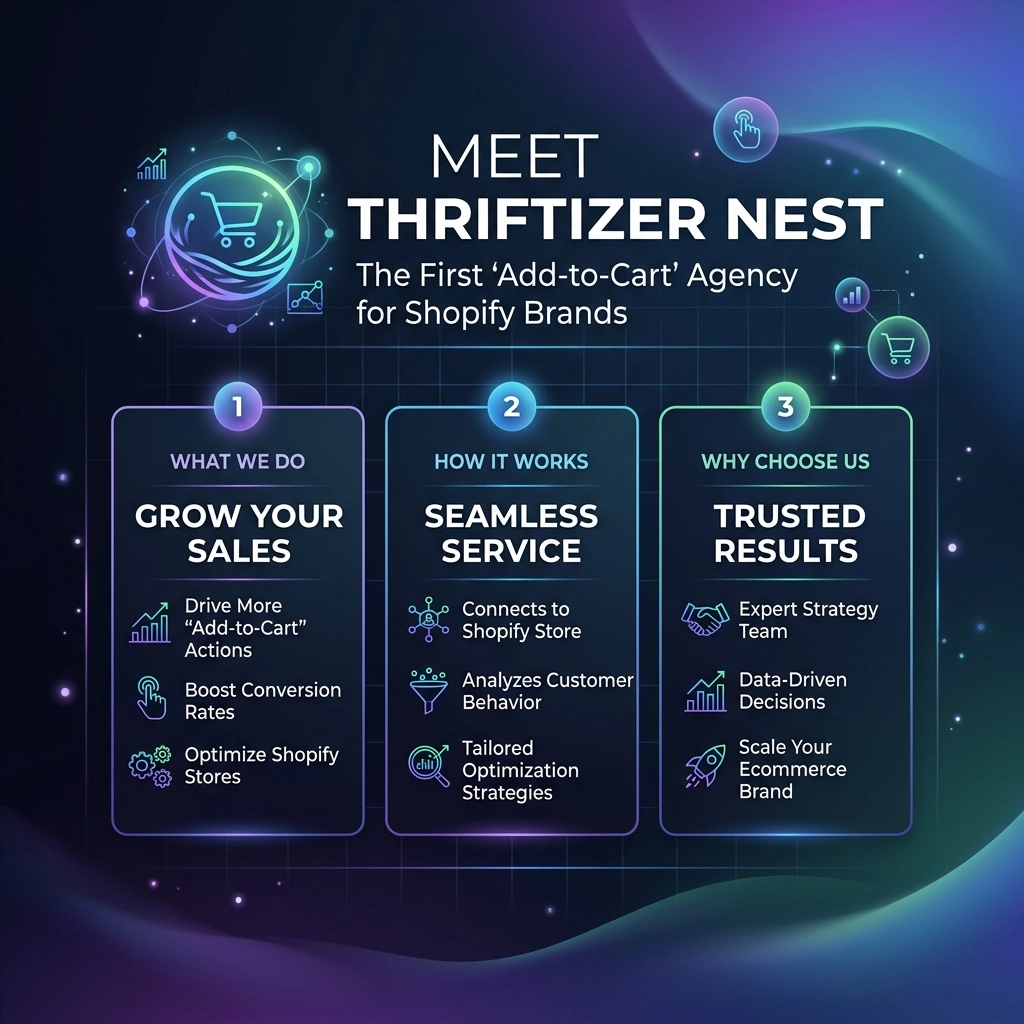
    Meet Thriftizer Nest: The First ‘Add-to-Cart’ Agency for Shopify Brands

    For years, the relationship between D2C founders and digital agencies has followed a predictable, often frustrating script. It starts with a discovery call, moves to a proposal, enters a negotiation phase, and: weeks later: finally results in a signed contract. In the fast-paced world of 2026 e-commerce, where trends in beauty and fashion move at the speed of a TikTok scroll, this traditional model is no longer just slow: it’s a bottleneck.

    Enter Thriftizer Nest. We’ve spent over a decade as a leading Shopify Expert team, and we realized that the biggest barrier to scaling a brand isn't a lack of ideas: it's the friction of execution.

    Today, we are officially launching Thriftizer Nest, the world’s first "Add-to-Cart" agency designed specifically for Shopify brands. We’ve turned high-end agency services into a seamless e-commerce experience. If you can buy a pair of sneakers online, you can now buy a full Shopify theme migration or a marketing audit just as easily.

    The Problem: The High Cost of "Agency Back-and-Forth"

    Traditional agency models are built on billable hours and opaque scopes. For a D2C founder in the apparel or jewelry niche, this creates several pain points:

    1. Hidden Costs: You rarely know the final price until the project is halfway through.
    2. Onboarding Lag: It often takes 14 days just to get a project started.
    3. Communication Gaps: Information gets lost in email threads and formal ticketing systems.
    4. Invoicing Nightmares: Getting a compliant GST invoice for your accounts team can take days of follow-up.

    Scaling a brand requires agility. If your streetwear brand is blowing up, you don't have two weeks to wait for a developer to look at your landing page. You need it fixed now.

    Visualizing the transition from complex agency friction to a streamlined Shopify growth path.

    What is Thriftizer Nest?

    Thriftizer Nest is the productization of expert Shopify services. We have taken our years of experience at Thriftizer and distilled them into 79 fixed-price services. It is essentially an e-commerce store where the products are professional agency outcomes.

    1. 79 Fixed-Price Shopify Services

    Whether you need a complete Shopify theme design, a complex migration from another platform, or a targeted SEO audit for your makeup brand, you’ll find it as a discrete "product" on our store. No quotes. No "it depends." Just a price and a clear deliverable.

    2. 'No Surprises' Pricing

    In the D2C world, cash flow is king. With Thriftizer Nest, you pay exactly what you see. This transparency allows founders to budget their growth with 100% accuracy. There are no hidden setup fees or surprise hourly overages.

    3. Speed of Onboarding: The 4-Hour Rule

    This is where we break the mold. Once you "checkout" your chosen service, our system triggers an immediate onboarding flow. We guarantee a dedicated WhatsApp group for your project within 4 hours. You go from purchase to talking to an expert faster than most agencies can send a calendar invite.

    4. Fast GST Invoices

    We understand the administrative burden of running a business in India and globally. Our system generates a valid GST invoice in under 2 minutes. Your finance team will love you for it.

    Digital catalog displaying productized Shopify services in an add-to-cart agency model.

    Specialized Support for D2C Niches

    Thriftizer Nest isn't a "generalist" shop. We have built our workflows around the specific needs of high-growth D2C brands.

    Beauty and Makeup

    For beauty brands, the user experience is everything. You need high-speed mobile pages and high-fidelity product imagery. Our "Add-to-Cart" services include specific conversion rate optimization (CRO) packages designed to handle the high-traffic spikes of new product drops.

    Apparel and Fashion

    The fashion industry moves seasonally. Our Shopify theme design services are built to be modular, allowing streetwear and apparel brands to refresh their look for every season without a total rebuild.

    Jewelry and Accessories

    Trust is the primary currency in jewelry. Our services focus on building "Trust Pillars": optimized product pages, secure checkout flows, and review integrations that convert cautious browsers into loyal customers.

    How the 'Add-to-Cart' Model Works

    The process is designed to be a "co-pilot" for your business, removing the ego from the agency relationship and focusing entirely on the task at hand.

    1. Browse the Catalog: Visit Thriftizer Nest and select the service you need (e.g., "Shopify Speed Optimization").
    2. Instant Checkout: Use your preferred payment method.
    3. Automatic Onboarding: Receive an email with a brief form to capture your store details.
    4. WhatsApp Launch: Within 4 hours, you are added to a project group with our Shopify specialists.
    5. Execution: We get to work immediately.

    Infographic representing the fast journey from service checkout to WhatsApp expert onboarding.

    Pros and Cons of the Productized Agency Model

    While we believe this is the future of digital marketing, it's important to understand if it's the right fit for your current stage.

    The Pros

    • Extreme Efficiency: You skip the sales funnel and go straight to the work.
    • Cost Control: Perfect for startups and mid-market brands with strict budgets.
    • Clarity: You know exactly what you are getting before you pay a single rupee.
    • Scalability: You can "buy" more capacity whenever your brand needs it.

    The Challenges

    • Not for Ultra-Complex Custom Builds: If you are building a custom headless commerce solution that requires 6 months of R&D, a traditional consultation at Thriftizer's main site is a better fit.
    • Standardized Workflows: To maintain speed and price, we follow proven frameworks. If you want to reinvent the wheel, the "Add-to-Cart" model might feel restrictive.

    Pro Tip: If you are a founder doing ₹10L to ₹50L a month, don't waste time on custom-coded features. Use standardized, high-performance "Add-to-Cart" services to stabilize your operations first.

    Why 2026 is the Year of the Frictionless Agency

    The e-commerce landscape in 2026 is hyper-competitive. Customer acquisition costs (CAC) are rising, and the only way to stay profitable is through operational efficiency. You cannot afford to spend 20% of your time managing your agency.

    Thriftizer Nest acts as your technical "co-pilot." We handle the Shopify heavy lifting so you can focus on brand storytelling and product development. By removing the friction from agency engagement, we allow you to pivot faster than your competition.

    A balance scale showing Shopify operational efficiency versus technical agency complexity.

    A New Era for Shopify Operators

    If you are a Shopify Operator or a Growth Manager, your job just got easier. Instead of asking for a budget to "hire an agency," you are now simply purchasing a tool or a service to solve a specific problem. It changes the internal conversation from "Should we partner with them?" to "Which service do we need this week?"

    Key Takeaway: Stop treating agency services like a marriage and start treating them like a utility. You need power? You flip a switch. You need Shopify growth? You add it to your cart.

    Your Implementation Checklist: Getting Started with Nest

    Ready to scale without the headache? Follow these steps:

    1. Identify Your Biggest Bottleneck: Is it your site speed? Your checkout flow? Or your lack of a professional theme?
    2. Visit the Nest Catalog: Go to Thriftizer Nest and find the service that matches that bottleneck.
    3. Audit Your Accounts: Ensure you have your Shopify collaborator access ready to share.
    4. Purchase and Connect: Checkout and look for the WhatsApp invite.
    5. Review and Deploy: Work with our experts in the group, approve the work, and watch your metrics move.

    A 5-step checklist for D2C founders to implement growth and scale their Shopify stores.

    Final Thoughts

    The mission at Thriftizer has always been to simplify the complex world of digital marketing. Thriftizer Nest is the logical evolution of that mission. By combining our status as a premier Shopify Expert with a revolutionary delivery model, we are giving D2C brands the one thing they need most: Time.

    Never think of your store as a finished product. It is a living, breathing entity that requires constant optimization. Start small, stay creative, and use the "Add-to-Cart" model to ensure your technical foundation is always rock solid.

    Ready to experience the future of Shopify growth?
    Explore the full catalog of services at Thriftizer Nest or learn more about our full-scale growth strategies at Thriftizer.com.

    Next Steps for Founders:

    1. Browse the 79 services available for Shopify brands.
    2. Select one small fix (like Speed Optimization) to test the 4-hour onboarding.
    3. Scale up to full theme migrations or marketing audits as you see the results.
  • The Ultimate Guide to Shopify Technical Excellence: Everything Your D2C Brand Needs to Succeed

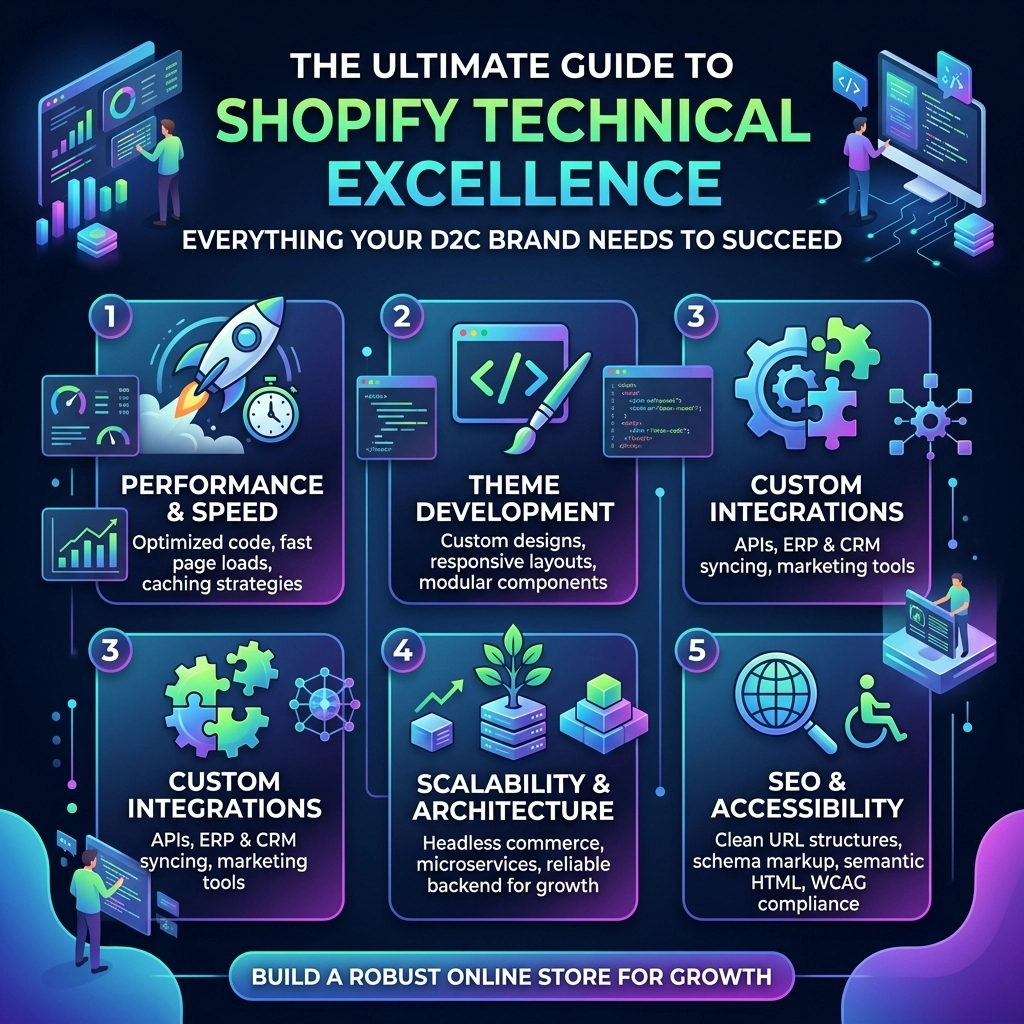
    The Ultimate Guide to Shopify Technical Excellence: Everything Your D2C Brand Needs to Succeed

    In the high-stakes world of Direct-to-Consumer (D2C) commerce, particularly within the fast-moving fashion, beauty, and streetwear niches, your website is no longer just a digital storefront. It is your flagship store, your primary salesperson, and your brand's most critical technical asset. By 2026, the gap between "standard" Shopify setups and "technically excellent" platforms has widened significantly.

    If your brand is currently scaling toward the mid-seven or eight-figure mark, you probably realize that generic themes and basic app stacks are no longer enough. To succeed, you need a system-based approach to Shopify development that prioritizes speed, custom functionality, and automated workflows. This guide breaks down the pillars of technical excellence that will save you time, increase your efficiency, and ultimately drive your revenue to new heights.

    Pillar 1: The Performance Foundation (Shopify Speed Optimization)

    In an era where attention spans are measured in milliseconds, site performance is your most important conversion rate optimization (CRO) tool. For a luxury jewelry brand or a streetwear label dropping a new collection, a 1-second delay can mean thousands of dollars in lost sales.

    Why Speed is the Ultimate D2C Metric

    Google’s Core Web Vitals: specifically Largest Contentful Paint (LCP) and Cumulative Layout Shift (CLS): are now critical ranking factors and user experience benchmarks. A technically excellent Shopify store should aim for a sub-2.5 second LCP on mobile.

    Technical Strategies for Speed:

    1. Critical CSS Inlining: Don't make the browser wait to load your entire stylesheet before showing the "above-the-fold" content.
    2. Image Optimization Beyond the Basics: Use WebP formats and implement strict "srcset" attributes for responsive imagery. This is vital for fashion brands that rely on high-resolution photography.
    3. App Audit and Script Management: Every app you install adds a "tax" to your load time. A professional Shopify agency will often replace heavy apps with lightweight, custom Liquid code to achieve the same result without the performance hit.
    4. Lazy Loading Strategy: Only load high-quality assets as the user scrolls to them, ensuring the initial page load is lightning-fast.

    Speedometer gauge representing fast loading times for Shopify speed optimization.

    Key Insight: Shopify speed optimization isn't a one-time project; it’s a continuous maintenance task. As you add new marketing pixels or features, you must constantly monitor how they impact your performance budget.

    Pillar 2: Custom Development vs. Theme Limitations

    While the Shopify Theme Store offers incredible starting points, high-growth brands eventually hit a wall with "off-the-shelf" solutions. Technical excellence means moving beyond the "settings" panel and into custom Liquid, JavaScript, and specialized API integrations.

    Building for the Unique Fashion & Streetwear Experience

    Streetwear brands often require complex "drop" logic, such as countdown timers that sync with inventory or gated "early access" pages for VIP members. Beauty brands might need interactive quiz engines to recommend the right skincare routine.

    Custom Shopify development allows you to:

    • Create Unique Product Page Layouts: Move beyond the standard "image on left, text on right" to create immersive, editorial-style experiences.
    • Implement Advanced Filtering: For jewelry brands with hundreds of variants (metal type, stone, size), custom AJAX-based filtering allows customers to find products without a single page reload.
    • Develop Bespoke Bundling Logic: Standard Shopify apps for bundling can be clunky. Custom development allows for "Build Your Own Box" experiences that feel native to your brand.

    Never ever think of giving up on a creative vision just because a theme doesn't support it. With the right technical partner, the platform is virtually limitless.

    Pillar 3: Leveraging Shopify Plus for High-Growth Brands

    If you’re doing over $1M in annual revenue, moving to Shopify Plus is often the smartest technical move you can make. It’s not just about the lower transaction fees; it’s about the exclusive technical features that act as "co-pilots" for your growth.

    Automation with Shopify Flow and Launchpad

    For many D2C founders, manual tasks are the biggest bottleneck. Shopify Plus provides tools to automate the mundane:

    • Shopify Flow: Automatically tag customers based on buying behavior, hide out-of-stock products, or alert your team when a high-value customer places an order.
    • Launchpad: This is a game-changer for fashion drops. You can schedule theme changes, price adjustments, and password-protected pages to go live at a specific second, then revert automatically when the sale ends.

    The Power of Checkout Extensibility

    One of the biggest technical shifts in 2026 is the move toward Checkout Extensibility. This allows you to customize the checkout experience: adding upsells, trust badges, or custom gift messaging: without breaking the secure, high-converting core of the Shopify checkout.

    Infographic showing automated digital workflows for high-growth Shopify D2C brands.

    Pillar 4: The SEO and Content Strategy Layer

    Technical excellence also extends to how search engines "read" your site. For jewelry and fashion brands, ranking for long-tail keywords like "sustainable gold vermeil necklaces" or "oversized heavyweight streetwear hoodies" requires a structured technical SEO approach.

    The Technical SEO Checklist:

    1. Structured Data (JSON-LD): Ensure your products, reviews, and FAQs are correctly marked up so Google can display "Rich Snippets" (like star ratings and prices) directly in search results.
    2. Clean URL Structures: Avoid the "collections/all" mess. Ensure your primary categories have clean, descriptive URLs.
    3. Hreflang for International Scaling: If you are selling globally, your technical setup must correctly signal which version of the site belongs to which country to avoid duplicate content penalties.

    Pro Tip: Use your blog as a "Discovery" hub. Instead of just posting news, create "how-to" guides and style lookbooks that link back to your product collections. This creates a powerful internal linking structure that search engines love.

    Challenges of Scaling: Managing the "Tech Debt"

    As you grow, you will face challenges. It’s better to anticipate them now than to scramble later.

    • The App Trap: Installing too many apps leads to "code bloat." Regularly audit your stack. If an app isn't actively making you money or saving you time, delete it.
    • Data Silos: As you scale, ensure your Shopify data talks to your Klaviyo, your ERP, and your customer service tools. Technical excellence is about having a "Single Source of Truth."
    • Mobile-First vs. Mobile-Only: While 80%+ of your traffic might be mobile, don't ignore the desktop experience for high-ticket items like luxury jewelry, where customers often do their final research on a larger screen.

    Your Technical Roadmap: A 5-Step Checklist

    Transitioning from a standard store to a high-performance D2C machine requires a clear plan. Start small, stay creative, and follow these steps:

    1. Run a Performance Audit: Use PageSpeed Insights and Shopify's built-in reports to identify your biggest bottlenecks.
    2. Optimize Your Asset Delivery: Compress images, clean up old app code, and implement lazy loading.
    3. Define Your "Custom" Needs: Identify the one feature that would make your customer experience unique (e.g., a custom size finder or a loyalty dashboard) and invest in Shopify development to build it.
    4. Automate One Major Workflow: Use Shopify Flow to automate a task that currently takes your team more than 2 hours a week.
    5. Partner with Experts: Don't try to be a coder and a CEO at the same time. Working with a specialized Shopify agency allows you to focus on brand and product while the technical heavy lifting is handled by pros.

    Five-step technical roadmap for scaling a D2C brand with a Shopify agency.

    Why Technical Excellence is Your Competitive Edge

    In the crowded D2C landscape, your brand's voice is what gets people to the site, but your site's technical performance is what gets them to buy. When your store is fast, intuitive, and unique, you build immediate trust.

    At Thriftizer, we specialize in helping high-growth fashion and beauty brands navigate these technical complexities. Whether it's custom development or deep Shopify speed optimization, our goal is to turn your store into a high-converting asset. You can find us and see our track record of success on the Shopify Expert directory.

    Next Steps for Your Brand:

    1. Audit: Review your current site speed today.
    2. Consolidate: Remove at least two apps you haven't used in the last 30 days.
    3. Plan: Outline your biggest "technical friction" point and set a date to solve it.
    4. Scale: If you’re ready to level up, get in touch with us to discuss a custom technical strategy tailored to your niche.

    Building a D2C powerhouse isn't about luck; it's about building a better system. Start today, and let technical excellence be the engine that drives your brand’s future.

  • 7 Shopify Speed Optimization Mistakes Killing Your Sales (and How to Fix Them)

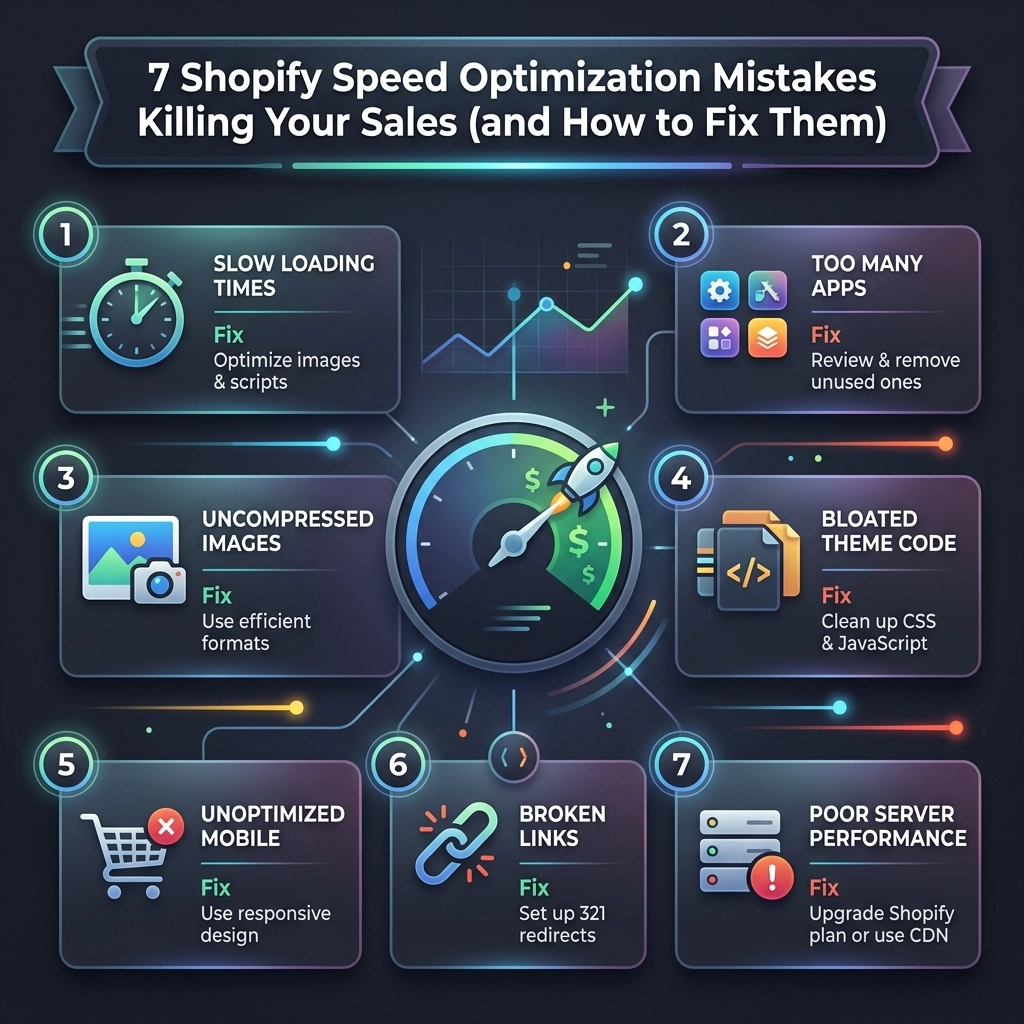
    7 Shopify Speed Optimization Mistakes Killing Your Sales (and How to Fix Them)

    In the fast-paced world of e-commerce, especially for fashion and beauty brands, first impressions aren't just about your latest collection: they are about how fast that collection loads. By 2026, user expectations have hit an all-time high. If your Shopify store takes more than 2.5 seconds to load, you aren't just losing "traffic"; you are actively handing your customers over to your competitors.

    Speed is a silent revenue killer. A one-second delay can result in a 7% reduction in conversions. For a high-growth jewelry or streetwear brand doing $100k a month, that’s $7,000 vanishing into thin air every single month.

    As a specialist Shopify agency, we see the same technical bottlenecks over and over again. Most store owners focus on the "look" of the site while inadvertently sabotaging the performance. Here are the seven most common Shopify speed optimization mistakes we see in 2026 and, more importantly, exactly how you can fix them.

    1. The "App for Everything" Trap

    It’s tempting. You see a cool "Spin the Wheel" app or a social proof bubble, and you hit install. Before you know it, your store is running 25 different apps.

    The Problem

    Each app you install adds its own JavaScript and CSS files to your site's header or footer. Even if the app is "small," it forces the browser to make additional requests to external servers. This increases your Total Blocking Time (TBT), making the site feel sluggish or "frozen" while the scripts load.

    How to Fix It

    • Audit your apps monthly: If you haven't looked at an app's analytics in 30 days, delete it.
    • Identify "Ghost Code": Simply hitting "Uninstall" often leaves behind messy Liquid code in your theme. You need a developer to clean up the theme.liquid and snippet files.
    • Consolidate functionality: Instead of using five different apps for rewards, reviews, and upsells, look for all-in-one platforms or, better yet, custom Shopify development to build these features directly into your theme.

    Pro Tip: Use the "Network" tab in Chrome DevTools to see which apps are taking the longest to respond. You might be surprised to find that a tiny "currency converter" is adding 1.5 seconds to your load time.

    2. Neglecting Image Compression and Modern Formats

    Fashion and beauty brands thrive on high-quality visuals. You want your customers to see every stitch of that fabric or the shimmer of that highlighter. However, uploading raw, 5MB 4K images is the fastest way to kill your mobile conversion rate.

    The Problem

    Large file sizes are the #1 cause of high Largest Contentful Paint (LCP) scores. If your hero image is 2MB, the user is staring at a blank white screen for seconds before anything appears.

    Shopify image compression infographic showing heavy data transformed into fast light particles for speed.

    How to Fix It

    • Switch to WebP or AVIF: These modern formats offer superior compression compared to JPEG or PNG without losing visible quality.
    • Implement Lazy Loading: Ensure that images "below the fold" (the parts of the page the user can't see yet) only load when the user scrolls down to them.
    • Use CDN-side Resizing: Use Shopify’s built-in image filters to serve the exact size needed. Don't load a 2000px image into a 300px thumbnail slot.

    3. Using Heavy, Feature-Bloated Themes

    Many premium themes marketed on the Shopify Theme Store are built to appeal to everyone. They come packed with sliders, carousels, and pop-ups that you might never use, but the code for those features loads on every single page.

    The Problem

    This "Kitchen Sink" approach leads to massive CSS and JS files. Even if you disable a feature in the theme editor, the underlying code often still loads in the background, weighing down your performance.

    How to Fix It

    • Start with "Dawn" or a Headless approach: Shopify’s OS 2.0 themes (like Dawn) are built for speed. If you are a high-growth brand, consider custom Shopify speed optimization by stripping a theme down to its bare essentials.
    • Minify your code: Ensure your CSS and JavaScript are minified (removing spaces and comments) to reduce file size.
    • Prioritize Critical CSS: Inline the CSS required to render the top of the page so the user sees content immediately, while the rest of the styles load in the background.

    4. Poor JavaScript Execution and Render-Blocking Scripts

    JavaScript is the engine that makes your site interactive, but too much engine weight makes the car slow. In 2026, Google’s Core Web Vitals place a heavy emphasis on Interaction to Next Paint (INP).

    The Problem

    When a browser hits a <script> tag, it stops everything else to download and execute that script. If you have five tracking pixels and three chat widgets loading at the top of your page, the actual "content" of your store is stuck in a traffic jam.

    How to Fix It

    • Deffering and Asyncing: Use the defer or async attributes on non-critical scripts. This tells the browser to keep loading the page and handle the script later.
    • Delay Execution: For things like Live Chat widgets, don't load them until the user actually moves their mouse or scrolls. There is no reason to load a chat bot the millisecond a page opens.
    • Audit Third-Party Scripts: Do you really need Pinterest, TikTok, Facebook, and Google tracking all firing simultaneously on the home page? Use a tag manager to streamline this.

    Key Insight: Every third-party script you add is a "speed debt" you are taking out against your conversion rate. Spend that debt wisely.

    5. Ignoring the Mobile-First Reality

    We often see founders reviewing their site on a high-end MacBook Pro with gigabit internet. Your customers, however, are likely on a mid-range iPhone using a spotty 4G connection while sitting on a bus.

    The Problem

    A site that feels "okay" on desktop can be unusable on mobile. High-resolution video backgrounds and complex hover effects often break the mobile experience and cause massive layout shifts (CLS).

    Minimalist smartphone visual illustrating mobile performance pillars for Shopify store speed optimization.

    How to Fix It

    • Design for 3G speeds: Use Google PageSpeed Insights and set the throttling to "Slow 4G." If it’s slow there, it’s slow for your customers.
    • Eliminate Layout Shifts: Give your images and video containers explicit width and height aspects. This prevents the page from "jumping" as images load, which is a major frustration for mobile users.
    • Simplify Mobile Navigation: Heavy mega-menus can be JavaScript nightmares on mobile. Keep it light and functional.

    6. The Custom Font Clutter

    Brand identity is everything in the streetwear and jewelry niches. You want that specific, edgy font that reflects your vibe. But fonts are hidden speed killers.

    The Problem

    If you are loading four different weights of a custom font from a third-party server (like Adobe Fonts or Google Fonts), you are adding several hundred kilobytes to your load time. Even worse, you might see a "flash of unstyled text" where the font changes suddenly after a few seconds, which looks unprofessional.

    How to Fix It

    • Stick to 1-2 fonts: Use one for headings and one for body text.
    • Self-host your fonts: Upload your font files directly to Shopify’s files section. This allows them to load from the same CDN as your site, reducing DNS lookup time.
    • Use Font-Display: Swap: This CSS property tells the browser to show a system font immediately and swap in your custom font once it's ready. No more invisible text!
    7. Mismanaging Video Content

    Video is the king of engagement in 2026. A video of a model wearing your jewelry or a "behind the scenes" of your fashion shoot can skyrocket interest. But video is also the heaviest element you can put on a webpage.

    The Problem

    Autoplaying, unoptimized MP4 files used as hero backgrounds can easily be 20MB+. This will tank your speed scores and eat up your users' data plans.

    Fast loading video icon infographic representing optimized Shopify media and hero video performance.

    How to Fix It

    • Host on YouTube or Vimeo? Think again: For background loops, hosting on Shopify or a dedicated video CDN is often faster than the overhead of a YouTube iframe.
    • Compress, compress, compress: Use tools like Handbrake to get your video files as small as possible.
    • Use the poster attribute: Always provide a static image (poster) that loads instantly while the video buffers in the background.

    The Thriftizer Approach to Performance

    At Thriftizer, we don't just "fix" speed; we engineer performance. We believe that a high-growth brand shouldn't have to choose between a beautiful aesthetic and a lightning-fast experience. Whether you are scaling a boutique jewelry line or managing a global streetwear empire, your infrastructure needs to be rock solid.

    We specialize in deep-level Shopify development that removes the "bloat" and replaces it with streamlined, custom-coded solutions. Our team understands the nuances of Shopify Plus features and how to leverage them for maximum efficiency.

    If you are tired of losing sales to a slow loading bar, it might be time to bring in the experts. You can check out our Shopify Expert profile to see how we've helped other brands achieve peak performance.

    Next Steps: Your Speed Optimization Checklist

    Ready to take action? Don't try to fix everything at once. Start small, stay creative, and follow this sequence:

    1. Benchmark: Run your site through Google PageSpeed Insights and Shopify's built-in speed report. Note your current scores.
    2. The Great App Purge: Delete any app you haven't used in the last month.
    3. Image Audit: Use a tool like Crush.pics or manual compression to shrink your top 10 most visited pages' images.
    4. Font Check: Ensure you aren't loading more than two custom font families.
    5. Clean the Code: Reach out to a professional Shopify agency like Thriftizer to perform a deep code audit and remove "ghost code" from uninstalled apps.
    6. Monitor: Check your conversion rates. As your speed goes up, your bounce rate should go down, and your sales should start to climb.

    Never ever think of giving up on your store's performance. It is the foundation upon which your digital marketing efforts are built. A fast site is a profitable site. Start optimizing today!

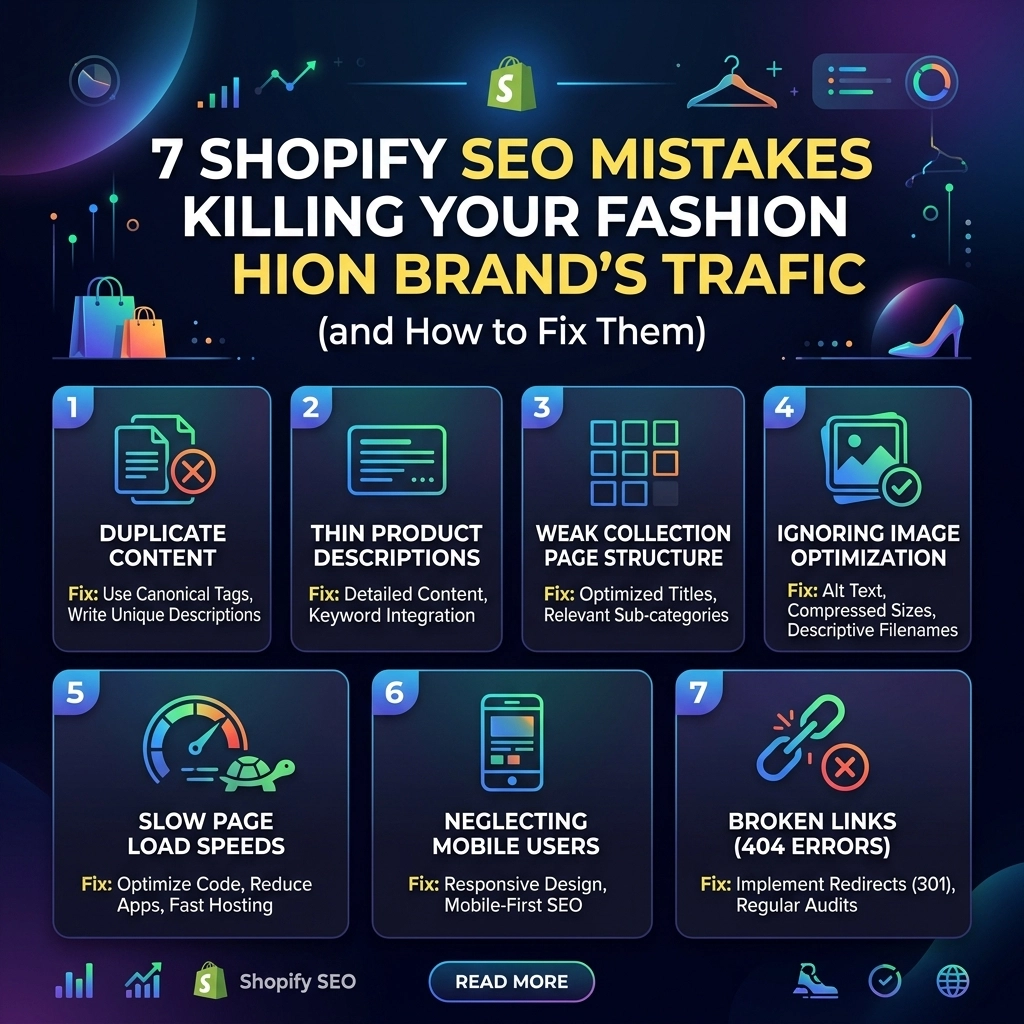
  • 7 Shopify SEO Mistakes Killing Your Fashion Brand’s Traffic (and How to Fix Them)

    7 Shopify SEO Mistakes Killing Your Fashion Brand’s Traffic (and How to Fix Them)

    Scaling a D2C fashion brand in 2026 is no longer just about who has the biggest ad budget. With rising customer acquisition costs (CAC), organic traffic is the lifeblood of sustainable growth. You’ve built a stunning store, your designs are top-tier, and your Shopify website design is sleek: but if Google can’t find you, neither can your customers.

    Many fashion founders treat SEO as an afterthought, a "nice-to-have" once they hit a certain revenue milestone. The truth? By the time you realize you need it, you’ve likely already lost thousands in potential sales to competitors who optimized from day one.

    Let’s dive into the seven most common Shopify SEO mistakes currently killing your traffic and, more importantly, exactly how to fix them.

    1. The "Ghost" Collection Pages

    In the fashion world, shoppers rarely search for your specific SKU name. They search for categories: "oversized linen shirts," "sustainable gold hoops," or "minimalist streetwear hoodies."

    The biggest mistake fashion brands make is focusing all their SEO energy on individual product pages while leaving their collection pages empty of content. On Shopify, collection pages are your highest-earning assets.

    The Fix:
    Treat your collection pages like landing pages. Add 200–300 words of high-quality, keyword-rich copy at the bottom of the page (or a short snippet at the top). Use this space to describe the fit, the fabric, and the vibe of the collection. This helps Google understand the context of the products within that category.

    Abstract storefront interface illustrating an organized Shopify collection page for fashion brand SEO.

    2. Copy-Pasting Manufacturer Descriptions

    If you are a multi-brand boutique or using specific fabric technicalities from a supplier, do not copy and paste their descriptions. Google hates duplicate content. If ten different stores use the exact same description for a pair of denim jeans, Google will likely only rank the one with the highest domain authority: usually a giant retailer like Amazon or Nordstrom.

    The Fix:
    Write original, brand-aligned copy for every single product. Focus on the "why" and the "how it feels" rather than just the "what." Instead of "100% Cotton Tee," try "Our signature heavyweight cotton tee, designed to maintain its shape wash after wash." This doesn't just help SEO; it’s a core pillar of Conversion Rate Optimization (CRO).

    3. High-Res Images Without Optimization

    Fashion is a visual industry. You want your high-res editorial shots to look crisp. However, uploading 5MB JPEGs directly to Shopify is a recipe for a slow site. Page speed is a direct ranking factor in 2026. If your site takes more than 3 seconds to load on a mobile device, your bounce rate will skyrocket, and your rankings will tank.

    The Fix:

    • Compress everything: Use tools to shrink file sizes without losing quality.
    • Rename your files: Change "IMG_5678.jpg" to "womens-charcoal-wool-overcoat.jpg" before uploading.
    • Alt Text is non-negotiable: Describe the image for search engines and accessibility. "Model wearing a charcoal wool overcoat with a silk scarf" is a perfect example of descriptive alt text.

    4. The Broad Keyword Trap

    Many D2C brands try to rank for massive, high-volume keywords like "dresses" or "shoes." Unless you have a million-dollar SEO budget, you won't outrank the giants for those terms.

    The Fix:
    Go long-tail. Focus on specific, high-intent keywords that describe your niche. If you sell jewelry, don't just target "gold rings." Target "hand-crafted 14k gold stacking rings" or "waterproof gold jewelry for travel." These terms have lower search volume but much higher conversion rates because the user knows exactly what they want.

    Pro Tip: Use Shopify SEO services to identify these "hidden gem" keywords that your competitors are overlooking. Start small, stay creative.

    Targeting long-tail fashion keywords to drive high-converting organic traffic to a Shopify store.

    5. Broken Internal Linking (The "Silo" Effect)

    Google crawls your site by following links. If your blog posts don't link to your products, or your products don't link back to relevant collections, you are creating "dead ends." This makes it harder for Google to index your pages and harder for customers to discover your catalog.

    The Fix:
    Create a spiderweb of internal links.

    • Link to your "New Arrivals" collection from your homepage.
    • In a blog post about "Summer Styling Tips," link directly to the products mentioned.
    • Use "You May Also Like" sections on product pages to keep users (and crawlers) moving through your site.

    6. Neglecting the Power of Blogging

    Most fashion brands treat their blog like a graveyard for lookbook images. While visuals are great, search engines need text to understand your authority. If you aren't blogging, you are missing out on the "Discovery" phase of the customer journey.

    The Fix:
    Create content that answers customer questions.

    • "How to style a blazer for a casual brunch."
    • "The best eco-friendly fabrics for summer 2026."
    • "5 ways to transition your wardrobe from day to night."

    This type of content builds trust and captures users who are looking for inspiration, not just a specific product.

    Illustration of a fashion blog ecosystem connecting lifestyle content to e-commerce product pages.

    7. Ignoring the Mobile Shopping Experience

    Over 70% of fashion e-commerce traffic comes from mobile devices. If your Shopify website design isn't mobile-first, you’re losing money. Google uses mobile-first indexing, meaning it looks at your mobile site version to determine your ranking.

    The Fix:
    Test your store on multiple devices. Ensure buttons are easy to click, text is legible without zooming, and pop-ups aren't blocking the entire screen. A seamless mobile experience is a major signal to Google that your brand is high-quality and user-focused.


    Challenges of Shopify SEO for Fashion

    Managing SEO for a fashion brand isn't without its hurdles. Unlike a static service site, fashion stores have high turnover. Products go out of stock, collections are seasonal, and trends shift overnight.

    Challenge Impact How to Navigate
    Out-of-stock items 404 errors and lost rankings Redirect out-of-stock URLs to the parent collection page.
    Seasonal turnover Content becomes irrelevant quickly Update old blog posts with new product links rather than deleting them.
    Large Catalogs Can cause "Crawl Budget" issues Prioritize your best-sellers for deep optimization.

    Pros and Cons: DIY vs. Professional SEO

    DIY SEO:

    • Pros: Zero cost (other than time), you learn the "guts" of your business.
    • Cons: Extremely time-consuming, steep learning curve, easy to make technical mistakes that hurt rankings.

    Professional Shopify SEO Services:

    • Pros: Expert strategy, faster results, technical issues solved instantly, allows you to focus on design and production.
    • Cons: Requires an upfront investment.

    Key Insight: For brands doing over $10k/month, the ROI on professional SEO usually pays for itself within 3–6 months through reduced ad spend and higher organic margins.

    Visual roadmap for scaling a D2C fashion brand through SEO performance and site speed optimizations.

    Your 2026 SEO Implementation Checklist

    Never ever think of giving up on organic growth. It takes time, but the compounding effect is unmatched. Follow these steps to start fixing your store today:

    1. Audit your Collections: Add at least 150 words of unique text to your top 5 collections.
    2. Optimize Images: Download a Shopify app to bulk-compress images and automate alt text.
    3. Fix Your Headers: Ensure every page has one (and only one) H1 tag that includes your primary keyword.
    4. Create a Content Calendar: Commit to one "How-to" style blog post per week.
    5. Check Your Speed: Run a Google PageSpeed Insights report and remove any unused Shopify apps.
    6. Update Your Metadata: Ensure every product has a unique meta title and description: don't let Shopify default to your product name.
    7. Review Mobile UX: Place a test order on your phone and note any friction points.

    Scaling Your Brand with Thriftizer

    SEO is a marathon, not a sprint. If you’re ready to stop guessing and start growing, we’re here to act as your co-pilot. At Thriftizer, we specialize in high-growth strategies for D2C fashion and beauty brands.

    Whether you need a complete overhaul of your Shopify website design or targeted SEO strategies that actually move the needle, our team of experts is ready to help. Check out our Shopify Expert profile to see how we’ve helped other fashion brands dominate the search results.

    Next Step: Identify your three worst-performing product pages and rewrite their descriptions today. Start small, stay consistent, and watch your traffic transform.

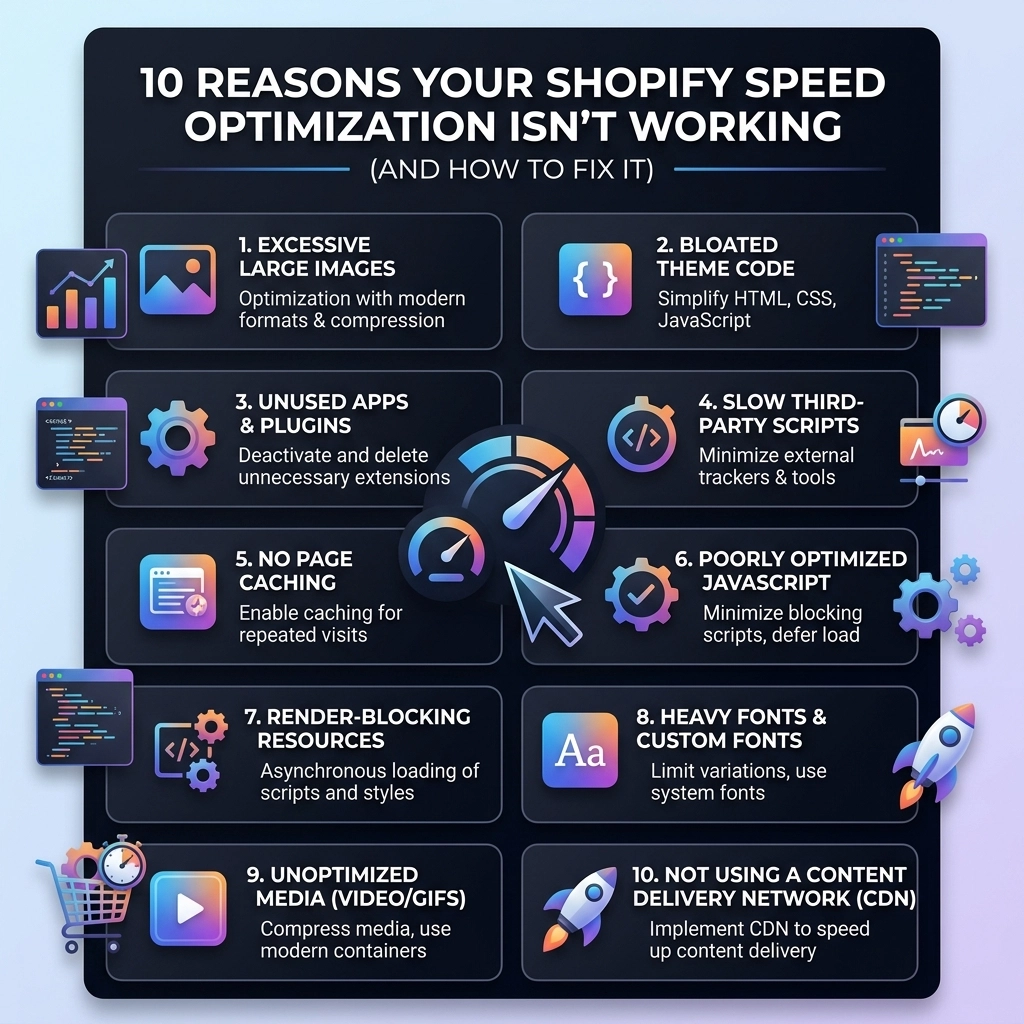
  • 10 Reasons Your Shopify Speed Optimization Isn’t Working (And How to Fix It)

    10 Reasons Your Shopify Speed Optimization Isn’t Working (And How to Fix It)

    You’ve spent weeks tweaking your Shopify store. You’ve compressed your images, uninstalled a few apps, and maybe even tried a "speed booster" tool you found on the app store. Yet, when you run your site through Google PageSpeed Insights, that dreaded red score still stares back at you.

    For high-growth fashion and beauty brands, a slow site isn't just an annoyance, it’s a conversion killer. In the world of streetwear and luxury jewelry, your customers expect a seamless, high-end experience. If your site lags, they’re gone before your hero banner even finishes loading.

    At Thriftizer, we see this every day. Most merchants are doing the "obvious" things, but they’re missing the underlying technical bottlenecks that keep their Shopify speed optimization from actually sticking.

    Here are the 10 real reasons your Shopify store is still slow and, more importantly, how you can fix them for good.

    1. The "Ghost Code" of Uninstalled Apps

    This is the most common culprit. When you click "Uninstall" on a Shopify app, the app's developers don't always clean up after themselves. Many apps inject snippets of JavaScript or CSS into your theme.liquid or other template files.

    When you delete the app, that code stays behind. Your store continues to try and fetch files from a server that no longer recognizes your store, leading to "404 Not Found" errors and significant browser lag.

    The Fix:

    You need a manual code audit. Search your theme.liquid, product.liquid, and cart.liquid files for script tags or liquid includes that reference apps you no longer use. If you aren't comfortable editing code, a professional Shopify agency can perform a "code scrub" to remove this dead weight.

    2. You’re Lazy Loading Your Hero Images

    Wait, isn’t lazy loading supposed to be good? Yes, but not for everything. Lazy loading tells the browser: "Don't load this image until the user scrolls down to see it."

    If you apply lazy loading to your main banner or "Hero" image (the first thing people see), you are essentially telling the browser to wait to load the most important part of your site. This destroys your Largest Contentful Paint (LCP) score, which is a massive factor in Google’s ranking algorithm.

    The Fix:

    Identify your "above-the-fold" images: usually your logo and your main hero banner. Ensure these images have the loading="eager" attribute or simply no lazy loading at all. You want these to start downloading the millisecond a visitor hits your URL.

    Comparison of slow lazy loading versus instant loading for Shopify hero banners to boost speed.

    3. Third-Party Script Bloat (The Tracking Trap)

    D2C fashion brands love data. You likely have a Meta pixel, a TikTok pixel, Pinterest tracking, Google Analytics 4, Hotjar, and maybe a few "buy now, pay later" widgets like Affirm or Klarna.

    Each of these scripts is a "third-party" request. Your store has to pause its own loading to go talk to Meta’s servers, then Google’s servers, then TikTok’s servers. If any of those servers are slow, your site is slow.

    The Fix:

    Use Google Tag Manager (GTM) to consolidate your scripts, or better yet, move to server-side tracking. Periodically audit your tracking pixels. If you haven't run a Pinterest ad in six months, kill the pixel. Every script must earn its place on your site.

    4. Using Heavy Custom Fonts

    Your branding is everything in the jewelry and streetwear niche. We get it. But loading five different weights of a custom hosted font (Light, Regular, Medium, Bold, Extra Bold) can add 500kb to 1MB of data to every page load.

    The Fix:

    Stick to two custom font weights max. For everything else, use System Fonts (like Arial, Helvetica, or San Francisco). System fonts are pre-installed on the user's device, meaning they load instantly with zero data transfer. If you must use custom fonts, ensure they are in the .woff2 format, which is highly compressed.

    5. High-Resolution "Print Ready" Photos

    We see this often with jewelry brands. You want the customer to see every sparkle, so you upload a 5MB high-res photo directly from your photographer. Shopify’s CDN does some optimization, but it can’t perform miracles on a file that large.

    The Fix:

    Before uploading, run your images through a tool like TinyPNG or Squash. Aim for product images under 200KB. Also, ensure your Shopify development team is using "responsive images" code, which tells the browser to load a smaller version of the image for mobile users and a larger one for desktop users.

    6. The "All-in-One" Theme Trap

    Many popular Shopify themes come packed with features: sliders, countdown timers, color swatches, and pop-ups. While convenient, these themes load the code for all those features, even the ones you’ve turned off. This is known as "feature bloat."

    The Fix:

    If your brand is scaling, it might be time to move away from bloated off-the-shelf themes. A custom-built theme or a highly optimized framework (like Dawn) allows you to include only the features you actually need. Less code equals more speed.

    Minimalist contrast between bloated Shopify themes and high-performance custom theme code.

    7. Inefficient Liquid Loops

    Shopify uses a language called Liquid. Sometimes, a developer might write a "loop" that asks the store to search through every single product in your collection just to find one specific tag. If you have 1,000 products, your store is doing 1,000 checks every time a page loads.

    The Fix:

    Optimize your Liquid logic. Instead of looping through all products, use Shopify’s built-in filtering or move complex logic to the "search" API. Efficient Shopify speed optimization starts with clean, logical code.

    8. Hidden Global Market Bottlenecks

    If you use Shopify Markets to sell in different countries, your site might be calculating currency conversions, tax rules, and shipping rates in real-time. This can create a "bottleneck" where the server is crunching numbers before it can even send the page to the customer.

    The Fix:

    Ensure you are using Shopify Plus features where possible to handle high-volume global traffic. Cache your localized content so the server doesn't have to recalculate the price of a t-shirt in Euros for every single visitor in France.

    9. Too Many App-Generated Visuals

    Apps that add "Frequently Bought Together" sections, "Product Reviews" with images, or "Instagram Feeds" are notoriously slow. They often wait for your entire page to load before they "inject" their content, which causes the page to jump around (a bad Cumulative Layout Shift score).

    The Fix:

    Look for apps that offer "App Blocks" (Online Store 2.0). These are more integrated into Shopify's core and generally load faster. If an app is slowing you down, consider having a Shopify agency build that feature directly into your theme code.

    10. Redirect Chains and Broken Links

    If you recently migrated from another platform or deleted old collections, you might have redirect chains (e.g., Page A redirects to Page B, which redirects to Page C). Each jump adds hundreds of milliseconds to the load time.

    The Fix:

    Use a tool like Screaming Frog to crawl your site and identify 404 errors and redirect chains. Clean these up so that every link goes directly to its final destination.

    Visualizing script and app bottlenecks that hinder Shopify speed optimization and user experience.


    Pros and Cons of Professional Shopify Optimization

    When it comes to speed, you have two choices: DIY or hiring an expert.

    Feature DIY Optimization Professional Agency (Thriftizer)
    Cost Free / Low Cost Investment required
    Technical Depth Surface-level (Images/Apps) Deep-dive (Liquid/Server-side)
    Sustainability Speed often drops again later Built to stay fast as you scale
    Risk High risk of breaking theme code Safe, backed-up, and tested
    Time Can take dozens of hours Done quickly and correctly

    The Thriftizer Approach to Scaling

    Speed isn't just about a score; it's about the bottom line. For our clients in the fashion and beauty sectors, we treat speed as a core business metric. Whether we are implementing Shopify Plus features or performing custom Shopify development, our goal is always the same: make the technology invisible so the brand can shine.

    If you are tired of playing "Whac-A-Mole" with your site speed, it’s time for a professional touch. You can view our work and technical capabilities on our Shopify Expert Profile or learn more about our process at Thriftizer.

    A step-by-step performance roadmap for Shopify stores looking to scale with faster load times.

    Next Steps Checklist: How to Start Fixing Your Speed Today

    1. Run a benchmark: Use PageSpeed Insights and record your mobile score.
    2. The App Audit: List every app. If you haven't used it in 30 days, delete it.
    3. Manual Code Clean-up: Check your theme.liquid for leftover scripts from deleted apps.
    4. Optimize your Hero: Ensure your main banner is not being lazy-loaded.
    5. Font Check: Limit your custom fonts to two weights maximum.
    6. Image Compression: Go back through your top 10 best-selling products and ensure their images are under 200KB.
    7. Consult an expert: If you’re still in the red, contact us for a technical audit.

    Start small, stay creative. Speed optimization is a marathon, not a sprint. By tackling these ten points, you’ll build a faster, more resilient store that’s ready to scale into 2026 and beyond. Never ever think of giving up on your site performance( your conversion rate will thank you!)

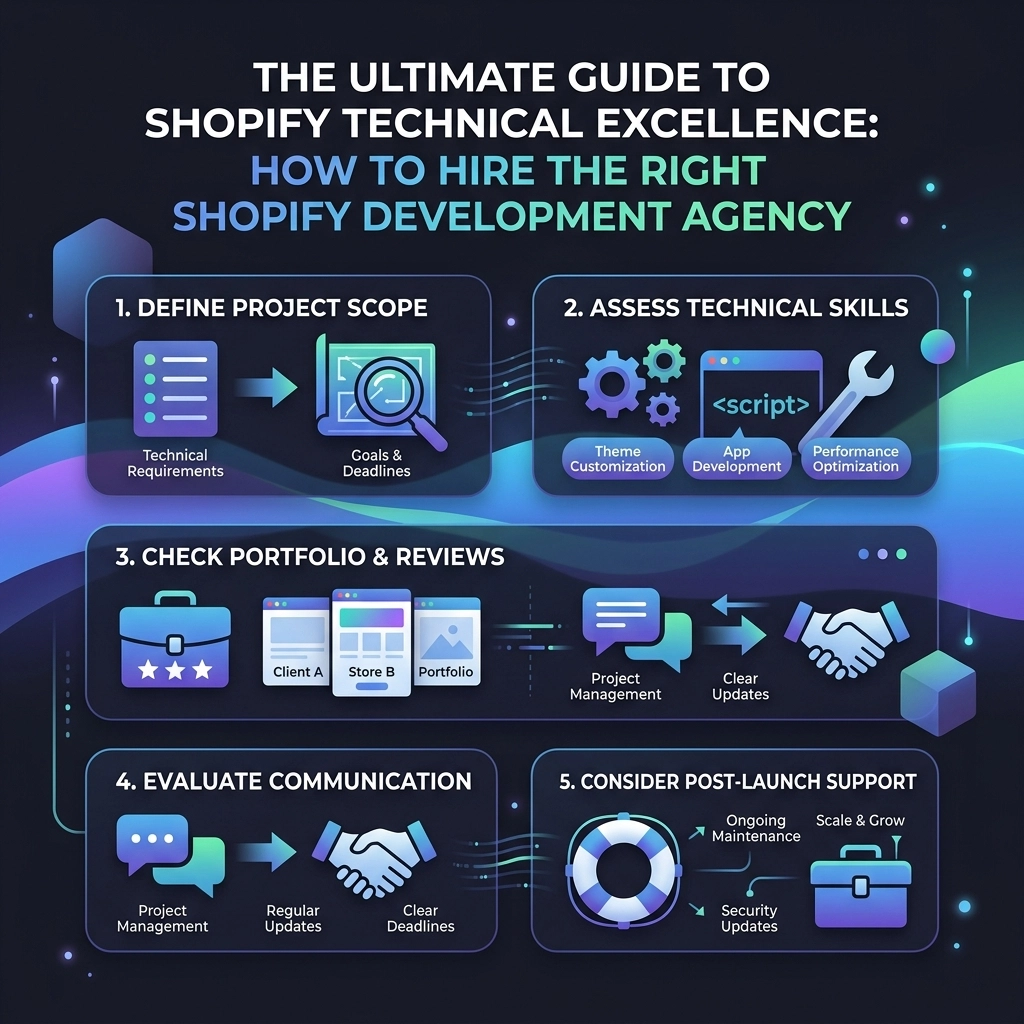
  • The Ultimate Guide to Shopify Technical Excellence: How to Hire the Right Shopify Development Agency

    The Ultimate Guide to Shopify Technical Excellence: How to Hire the Right Shopify Development Agency

    Scaling a high-growth fashion brand isn't just about the aesthetic of your collection or the strength of your latest influencer campaign. While those drive traffic, your technical foundation determines whether that traffic converts into loyal customers or bounces due to a three-second lag.

    In 2026, the gap between "working" and "winning" on Shopify is defined by technical excellence. Whether you are migrating to Shopify Plus or seeking deep Shopify speed optimization, the partner you choose to handle your code is the most critical hire you’ll make this year.

    This guide breaks down the framework for identifying, vetting, and hiring a Shopify development agency that doesn't just build stores but engineers growth engines.

    Why Technical Excellence is Non-Negotiable for Fashion Brands

    In the world of streetwear, jewelry, and high-fashion, visual storytelling is everything. However, high-resolution imagery and video-heavy homepages are the enemies of performance. A "pretty" site that takes 5 seconds to load is a liability, not an asset.

    Technical excellence means your store is:

    • Blazing Fast: Maintaining a high core web vitals score even with heavy assets.
    • Scalable: Built with clean Liquid code or Headless architectures that don't break during 10k-user-per-minute drops.
    • Flexible: Using a modular "Online Store 2.0" approach so your marketing team can swap layouts without calling a developer.

    Silk fabric turning into digital data representing Shopify speed optimization for fashion brands.

    Phase 1: Identifying Your Technical Needs

    Before you start browsing portfolios, you need to identify where you sit on the growth curve. Not every brand needs a $100k custom headless build; some just need a performance-tuned version of a premium theme.

    1. The Speed Optimization Tier

    If your conversion rates are dipping despite high traffic, your problem is likely performance. Shopify speed optimization involves more than just "optimizing images." It requires auditing third-party apps, cleaning up legacy "ghost code," and prioritizing critical CSS.

    2. The Custom Development Tier

    Are you outgrowing your theme's capabilities? Custom development allows you to build unique product bundles, complex loyalty logic, or bespoke checkout experiences that your competitors can't replicate.

    3. The Shopify Plus Tier

    For brands doing $1M+ in annual revenue, the technical requirements shift toward automation and internationalization. You need an agency that understands Shopify Plus features like Shopify Scripts, Flow, and Launchpad to automate your high-volume sales events.

    Phase 2: How to Vet a Shopify Agency Like a Pro

    The "Shopify Expert" tag is a great starting point, but it shouldn't be the end of your research. You need to look under the hood.

    Check the Performance Pedigree

    Don't just look at screenshots of their work: visit the live sites they’ve built. Run those URLs through Google PageSpeed Insights. If an agency claims to be an expert in Shopify development but their clients' sites are scoring 30/100 on mobile, move on.

    Pro Tip: Ask for a "Before and After" speed report for a recent client. A true technical partner will have these metrics ready because performance is a core part of their value proposition.

    Evaluate Liquid Code Quality

    A great agency follows Shopify’s best practices. They use the Shopify CLI, version control (GitHub/Bitbucket), and avoid "hard-coding" values that should be editable in the Theme Editor. If they don't mention a staging environment or a GitHub-linked workflow, they are likely taking shortcuts that will cause technical debt later.

    Industry-Specific Experience

    A fashion brand has different needs than a SaaS company. Jewelry brands need high-zoom capabilities and intricate meta-field logic for specs. Streetwear brands need "Flash Sale" stability. Ensure the agency has a portfolio that matches your niche.

    Digital pedestals showing scaling tiers for professional Shopify development and growth.

    Questions You Must Ask During the Interview

    When you get a lead developer or project manager on the phone, skip the small talk and get into the mechanics. Use these questions to separate the "implementers" from the "architects."

    1. "How do you handle third-party app bloat?"
      • Correct Answer: They should suggest custom-coding features whenever possible to reduce the reliance on heavy, script-heavy apps.
    2. "What is your process for Shopify speed optimization during a theme build?"
      • Correct Answer: They should mention lazy-loading, minifying assets, and using Shopify's native features over external libraries.
    3. "How do you ensure our store remains editable for our non-technical team?"
      • Correct Answer: They should focus on building custom "Sections" and using Metaobjects so you can update content without touching a line of code.
    4. "Can you walk us through a recent Shopify Plus migration or upgrade?"
      • Correct Answer: They should discuss data integrity, SEO redirection strategy, and how they leveraged Plus-exclusive tools to solve a specific business problem.

    Red Flags to Watch Out For

    In your search for the perfect Shopify agency, stay alert for these warning signs:

    • The "Yes Men": If an agency agrees to every single feature request without questioning the impact on load speed or UX, they aren't partners; they are order-takers.
    • App Obsession: If their first solution to every problem is "there’s an app for that," they are building a fragile ecosystem that will eventually slow down your store and increase monthly recurring costs.
    • Vague Timelines: Technical projects have variables, but an experienced agency should have a clear, milestone-based roadmap.
    • No Post-Launch Support: E-commerce is not a "set it and forget it" business. If they don't offer maintenance or support retainers, you’ll be left stranded when a Shopify API update changes how your custom checkout works.

    A red glowing cube in a structure representing Shopify development red flags and failure points.

    Pros and Cons of Agency Types

    Agency Type Pros Cons Best For
    Large Enterprise Agency Massive resources, 24/7 support, handled major global brands. Very expensive, you might be a "small fish," slower communication. Global fashion houses with $50M+ revenue.
    Boutique Shopify Agency Direct access to founders, specialized expertise, agile workflows. Limited bandwidth, may have a waitlist. High-growth D2C brands ($1M – $20M revenue).
    Solo Freelancer Most cost-effective, highly personal. Single point of failure, limited skill set (e.g., great at design, bad at backend). Early-stage startups or small task-based fixes.

    The "Technical Excellence" Framework: 3 Pillars

    To truly succeed, your relationship with your agency should be built on three pillars. Use these to guide your expectations.

    Pillar 1: Discovery and Architecture

    Never skip the discovery phase. This is where the agency maps out your data structure, app stack, and user journeys. A solid architecture prevents you from having to rebuild six months down the line.

    Pillar 2: Performance-First Development

    This is where the Shopify development happens. Every line of code should be written with the end-user's device in mind. Shopify speed optimization isn't a final step; it's a philosophy applied from the first line of CSS.

    Pillar 3: Scalability and Intent

    Every feature should have a purpose. Does this custom product builder drive AOV? Does this international expansion setup reduce friction for UK customers? Tech for tech's sake is a waste of capital.

    Three connected pillars symbolizing a Shopify technical excellence and performance framework.

    Key Insight: Never ever think of giving up on performance for the sake of a flashy animation. In the mobile-first world of fashion e-commerce, smooth beats flashy every single time.

    Moving From Consumption to Implementation

    Hiring an agency is a major investment. Don't rush it. Start small, stay creative, and focus on the technical details that your competitors are ignoring.

    If you are looking for a partner that treats your code like a high-performance engine, explore how we handle complex builds at Thriftizer. We specialize in bridging the gap between high-end fashion aesthetics and hardcore technical performance. You can also find our verified track record on the Shopify Expert Directory.

    Your Next Steps Checklist:

    1. Audit your current site: Use Google PageSpeed Insights and identify your biggest bottlenecks.
    2. Define your "Must-Haves" vs. "Nice-to-Haves": Be clear about what features are essential for your next growth phase.
    3. Shortlist 3 agencies: Look for those with specific experience in fashion or your specific niche.
    4. Request a technical walkthrough: Ask them to show you the backend of a store they recently built.
    5. Check references: Speak to at least two current or former clients about their communication and post-launch support.
    6. Start with a Discovery Project: Before committing to a full build, hire the agency for a paid discovery or audit to see how they work.

    Technical excellence isn't a destination; it's a standard. By hiring the right Shopify development agency, you aren't just buying a website; you're securing the future of your brand. Keep your code clean, your speed high, and your focus on the customer.

  • The Ultimate Guide to Shopify SEO Services: Everything Your Apparel Brand Needs to Succeed

    The Ultimate Guide to Shopify SEO Services: Everything Your Apparel Brand Needs to Succeed

    Scaling an apparel brand in 2026 isn't just about having the trendiest designs or the flashiest Instagram ads. It’s about being found when a customer types "sustainable linen dresses" or "oversized vintage hoodies" into Google.

    If you aren't appearing on page one, you're essentially leaving money on the table for your competitors to grab.

    Shopify is a powerhouse for D2C brands, but its out-of-the-box SEO isn't a "set it and forget it" solution. To truly dominate the fashion and beauty space, you need a specialized approach. Whether you are a solo founder or a growing team, this guide will walk you through the high-impact Shopify SEO services and strategies that turn browsers into buyers.

    Why Apparel Brands Struggle with SEO (and How to Fix It)

    Fashion is visual, fast-paced, and highly seasonal. This creates a unique set of challenges for search engine optimization. Most apparel brands face "thin content" issues because they rely on images rather than text. Others struggle with Shopify’s rigid URL structure.

    The goal isn't just to rank; it’s to rank for the right terms. You want visitors who have "commercial intent": people ready to open their wallets.

    Start small, stay creative, and focus on the systems that scale.

    Apparel rack with upward arrows symbolizing scaling search visibility for Shopify fashion brands.


    Pillar 1: The Technical Foundation

    Before you write a single blog post, your "house" needs to be in order. Search engines prioritize sites that are fast, secure, and easy to crawl.

    1. Site Speed and Core Web Vitals

    In the world of apparel, high-quality imagery is non-negotiable. However, those 5MB 4K lifestyle shots are killing your load times. Google's Core Web Vitals are now a major ranking factor.

    • Compress Images: Use WebP format to maintain quality while slashing file size.
    • App Audit: Every app you install adds a snippet of code that can slow down your site. If you aren't using it, delete it.
    • Shopify Website Design: Opt for a lightweight, performance-optimized theme. Professional Shopify website design ensures your site looks premium without sacrificing speed.

    2. Mobile-First Optimization

    Over 70% of fashion searches happen on mobile. If your "Add to Cart" button is hard to click on an iPhone, your SEO efforts are wasted. Google uses mobile-first indexing, meaning it looks at your mobile site version to determine your rankings.

    3. Fixing Duplicate Content

    Shopify has a habit of creating multiple URLs for the same product (e.g., when a product is featured in two different collections). Ensure your technical setup uses canonical tags correctly so Google knows which page is the "master" version.

    Pro Tip: Don't let your "Out of Stock" pages disappear. Instead of 404ing them, keep the page live and offer a "Notify me when back in stock" option or suggest similar products to keep the SEO value.


    Pillar 2: Mastering Collection Page Architecture

    For apparel brands, collection pages (Categories) are your most important assets. These pages often rank for broader, high-volume keywords like "Men’s Streetwear" or "Boho Jewelry."

    Intent-Based Keyword Research

    Stop guessing what customers type. Use tools like Ahrefs or Google Keyword Planner to find long-tail keywords specific to your niche.

    • Generic: "Blue Shirt"
    • Intent-Based: "Organic cotton blue button-down shirt for men"

    Optimized Collection Descriptions

    Most brands leave the description area blank. Don't do that. Write 200–300 words of helpful content at the top or bottom of your collection pages. Describe the fit, the fabric, and the "vibe" of the collection. This provides the context Google needs to rank you.

    Smart Internal Linking

    Link to your best-selling collections from your homepage and your blog posts. This passes "link juice" (authority) to the pages that actually generate revenue.


    Pillar 3: Product Page SEO That Converts

    Your product pages are where the "Trust" and "Intent" pillars meet. This is your chance to shine.

    1. Unique Product Descriptions

    Never use the manufacturer’s default descriptions. It’s a recipe for duplicate content penalties. Write original, punchy copy that addresses:

    • The Problem: Why do they need this item?
    • The Solution: How does the fabric feel? Is it true to size?
    • The Motivation: Use active verbs. "Style this with…" or "Elevate your weekend look."

    2. Visual SEO (Alt Text)

    Search engines can't "see" your photos. They read the Alt Text. Instead of leaving it as IMG_5678.jpg, change it to womens-red-floral-maxi-dress-front-view. This helps you show up in Google Image Search: a massive traffic driver for fashion.

    3. Product Schema Markup

    Ever seen those search results that show the price, star rating, and "In Stock" status directly on Google? That's Schema. It makes your listing look more professional and increases your Click-Through Rate (CTR).

    Sneaker product optimization icons for better Shopify search rankings and professional schema markup.


    Pillar 4: Content Strategy for D2C Growth

    SEO isn't just about product listings. It’s about becoming an authority in your niche. If you sell yoga wear, you should be writing about "The Best Morning Stretches" or "How to Choose Sustainable Fabrics."

    The "Helpful Content" Framework

    Google’s latest updates favor content that actually helps the user.

    • Identify the gaps: What questions are your customers asking?
    • Automate the workflow: Use a calendar to stay consistent.
    • List your tasks: Weekly blog posts, monthly SEO audits, daily social snippets.

    Never ever think of giving up on blogging. It takes 4–6 months to see real traction, but once it starts, the traffic is free and recurring.


    Pros and Cons of Shopify for SEO

    Every platform has its trade-offs. It's important to know what you're working with.

    Pros Cons
    Built-in SSL: Secure and trusted by Google. Rigid URL Structure: You can't easily change /products/ or /collections/.
    Easy Metadata: Simple interface for titles and descriptions. Automatic Sitemaps: Good for beginners, but lacks deep customization.
    App Ecosystem: Plenty of tools to automate technical SEO. App Bloat: Too many apps will tank your site speed.

    Tools as Your SEO Co-Pilots

    You don't have to do this alone. Think of technology as a co-pilot that handles the heavy lifting so you can focus on creativity.

    1. Google Search Console: The ultimate "truth" source. It tells you exactly what keywords you rank for and if there are any errors on your site.
    2. Ahrefs or Semrush: Great for spying on your competitors' keywords.
    3. Matrixify: Perfect for bulk-editing SEO metadata if you have thousands of products.
    4. Thriftizer Solutions: When you need expert-level growth, partnering with a Shopify Expert can save you months of trial and error.

    The Growth Mindset: SEO + CRO

    Traffic is vanity; conversions are sanity. You can have 100,000 visitors, but if your site design is confusing, you won't make a dime. This is why Conversion Rate Optimization (CRO) must go hand-in-hand with your Shopify SEO services.

    A professional Thriftizer audit looks at the whole picture: how you get the traffic and how you keep it.

    Key Insight

    Good SEO gets them to the door. Good UX/UI (User Experience) gets them to the checkout. Use heatmaps to see where users are dropping off and fix those friction points immediately.


    Your Next Steps: A 5-Day Implementation Checklist

    Ready to move from consumption to action? Follow this simple plan:

    1. Day 1: Audit Your Speed. Run your site through Google PageSpeed Insights. Compress the top 10 largest images on your homepage.
    2. Day 2: Optimize Your Top 3 Collections. Add 200 words of descriptive content and ensure the Meta Titles include your primary keywords.
    3. Day 3: Fix Your Alt Text. Go through your top 20 best-selling products and update the image Alt Text to be descriptive.
    4. Day 4: Install Google Search Console. Check the "Indexing" tab for any errors and submit your sitemap (yourstore.com/sitemap.xml).
    5. Day 5: Plan Your Content. Identify 4 blog topics that answer common customer questions and schedule them for the next month.

    Final Thoughts

    SEO is a marathon, not a sprint. In the competitive landscape of 2026, the brands that win are those that provide the most value to their customers while maintaining a clean, fast, and search-friendly website.

    Identify the gaps in your current strategy, automate what you can, and don't be afraid to ask for professional help to scale faster. Your apparel brand has a story to tell: make sure the world can find it.

    Ready to dominate the search results? Explore how Thriftizer can transform your store or check out our Shopify Partner profile for specialized growth strategies.