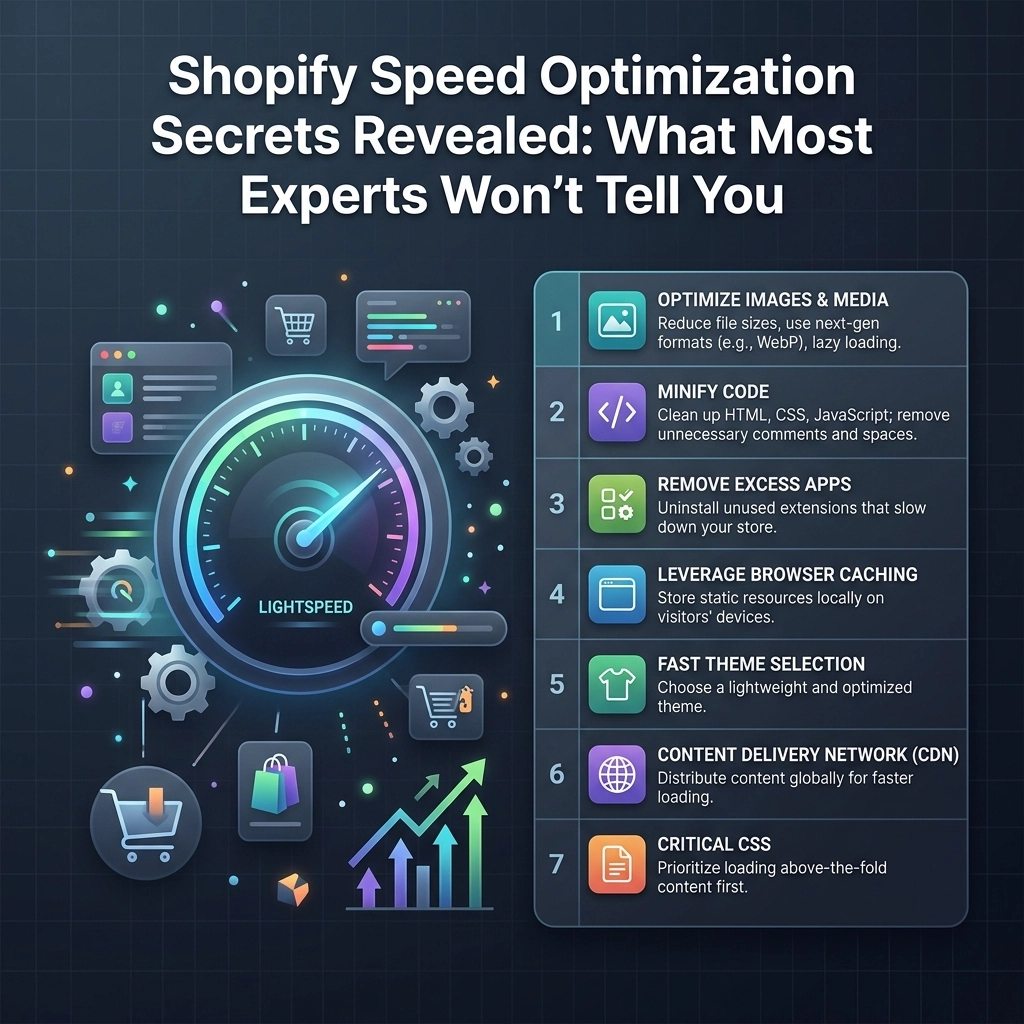
If you are running a high-growth fashion brand or a fast-paced streetwear label, you already know that every second counts. But here is the reality: in 2026, a "second" is an eternity. If your Shopify store takes more than three seconds to load, your potential customers are gone. They’ve scrolled past your Instagram ad, closed the tab, and are already looking at a competitor’s jewelry collection.
Speed isn't just a technical metric; it is your conversion rate's best friend. At Thriftizer, we’ve seen stores double their revenue simply by trimming a few milliseconds off their Largest Contentful Paint (LCP). Most "experts" will tell you to just install a compression app and call it a day. They are wrong.
True Shopify speed optimization requires a surgical approach to your theme’s architecture, asset delivery, and app scripts. Let’s dive into the secrets that will actually move the needle for your D2C brand.
Why Speed is the Ultimate Conversion Lever in 2026
We live in an era of instant gratification. Whether you are selling high-end beauty products or limited-edition sneakers, your mobile audience is browsing on the go. They are on 5G, sure, but they are also easily distracted.
Research shows that a 0.1-second improvement in site speed can increase retail conversions by up to 8.4%. For a brand doing $100k a month, that is an extra $8,400 in your pocket just for being faster.
As a leading Shopify agency, we focus on three core pillars:
- Discovery: Fast sites rank better on Google.
- Trust: A laggy site looks amateur and untrustworthy.
- Intent: Speed removes the friction between "I want this" and "Checkout complete."

The Liquid Logic Loophole: What’s Dragging Your Backend Down
Most Shopify store owners focus on what they can see: images and videos. But the real bottleneck often lies in what you can’t see: your Liquid code.
Every time a user visits a page, Shopify’s servers have to process the Liquid code to generate the HTML. If your theme has excessive loops (e.g., checking every product in a collection to see if it has a specific tag), the server works overtime. This is called "Time to First Byte" (TTFB) delay.
Pro Tip: Audit Your For-Loops
If you are using a custom-built theme for a large fashion catalog, ensure your developers aren't nesting for loops within for loops. This creates an exponential load on the server. Instead, use Shopify’s search API or pre-filter collections to keep the backend lean.
The Image Myth: Compression is Only Half the Battle
You’ve probably been told to "compress your images." That is basic advice. If you want a lightning-fast jewelry or beauty store, you need to go deeper.
For fashion brands, high-quality imagery is non-negotiable. You need to show the texture of the fabric or the sparkle of a gemstone. Here is how you do it without killing your speed:
- Adopt WebP and Avif: These next-gen formats offer superior compression without losing quality.
- Implement Adaptive Sizing: Don’t serve a 4000px image to a user on an iPhone. Use the
srcsetattribute in your Liquid code to serve the exact size needed for the device. - Lazy Loading 2.0: Don’t just lazy load everything. Use "Eager Loading" for your hero image (the first thing a user sees) and lazy load everything below the fold. This improves your LCP instantly.
Start small, stay creative. You don't need to delete your best lookbook photos; you just need to serve them smarter.

The Silent Killer: The "App Graveyard"
We get it: apps are tempting. There is an app for loyalty, an app for upsells, an app for size guides, and an app for "spinning the wheel." But each one of these adds a JavaScript file to your site header.
When a browser encounters a <script> tag, it often stops everything else it’s doing to download and run that script. This is called "render-blocking."
How to Audit Your Apps
- Check for Ghost Code: When you delete an app, it often leaves behind "ghost code" in your
theme.liquidfile. This code still tries to load even though the app is gone. - Consolidate Features: Instead of three different apps for social proof, find one that does it all, or better yet, have a Shopify development team build it directly into your theme.
- Defer and Async: Any script that isn't essential for the initial page view should be marked as
deferorasync. This allows the rest of your page to load while the script waits its turn.
Key Insight: If an app isn't directly generating more revenue than the "speed tax" it charges, get rid of it.
Advanced Shopify Plus Tactics for High-Growth Brands
If you are running on Shopify Plus, you have access to tools that standard stores don’t. Our team at Thriftizer specializes in leveraging these for maximum performance.
- Shopify Scripts: Move your discount logic to the server side. This reduces the need for heavy front-end apps that slow down the checkout process.
- Custom Storefronts (Headless): For the ultimate speed, some brands move to a headless architecture using Hydrogen and Oxygen. This separates the front-end (what users see) from the Shopify backend, allowing for sub-second load times.
- Pre-fetching and Pre-loading: Use
rel="prefetch"for your top-selling product pages. When a user hovers over a product in your streetwear drop, the browser starts downloading the data before they even click.

Core Web Vitals: The Only Metrics That Matter
Don't get obsessed with "Speed Scores" from random online tools. Google cares about Core Web Vitals, and you should too.
- Largest Contentful Paint (LCP): How fast the main content loads. Target: < 2.5s.
- Interaction to Next Paint (INP): How responsive your site feels when someone clicks a button. Target: < 200ms.
- Cumulative Layout Shift (CLS): Does your "Buy Now" button jump around while the page loads? Target: < 0.1.
If you can master these three, you aren't just faster; you are more "shoppable."
Challenges and Trade-offs
Optimization is a balancing act. You might face these challenges:
- The Aesthetic vs. Speed Trade-off: Sometimes that high-def auto-playing video looks great but adds 2 seconds to your load time.
- Development Costs: Custom Shopify development is an investment. It’s cheaper to install an app, but more expensive in the long run due to lost conversions.
- Theme Limitations: Some "off-the-shelf" themes are poorly coded. Sometimes, the best speed optimization is moving to a cleaner theme like "Dawn" or building a custom one.
Pros and Cons of Professional Optimization
| Pros | Cons |
|---|---|
| Significant boost in conversion rates | Initial investment in dev hours |
| Better SEO rankings in 2026 | Requires technical expertise |
| Improved user experience on mobile | May require removing some flashy features |
| Lower bounce rates | Periodic maintenance needed |
Your Next Steps: A Shopify Speed Checklist
Ready to turn your store into a high-performance machine? Follow this checklist:
- Benchmark Your Site: Use PageSpeed Insights to get your current baseline.
- Purge Unused Apps: Be ruthless. If you haven't checked the analytics of an app in a month, delete it.
- Optimize the Hero Section: Ensure your main banner is compressed and set to high priority.
- Review Liquid Loops: Ask your developer to check for "N+1" query problems in your collection templates.
- Check the Shopify Expert Directory: If this feels overwhelming, look for a vetted partner. You can find our profile on the Shopify Expert Directory.
- Implement a CDN Strategy: Ensure all your assets are served through Shopify's native CDN.
- Monitor Regularly: Speed isn't a "one and done" task. Check your vitals every time you add a new app or marketing campaign.
Speed is a Journey, Not a Destination
Never ever think of giving up on your store's performance just because it seems technical. Start small, stay creative, and remember that every millisecond you shave off is a step closer to scaling your brand.
At Thriftizer, we don't just build stores; we build high-speed revenue engines. Whether you need a full site audit or custom development for your next big product drop, we are here to act as your technical co-pilot.
Don't let a slow site hold back your creative vision. Let's make your Shopify store as fast as the trends you're setting.
Ready to accelerate? Let’s get to work.