Author: Nivi

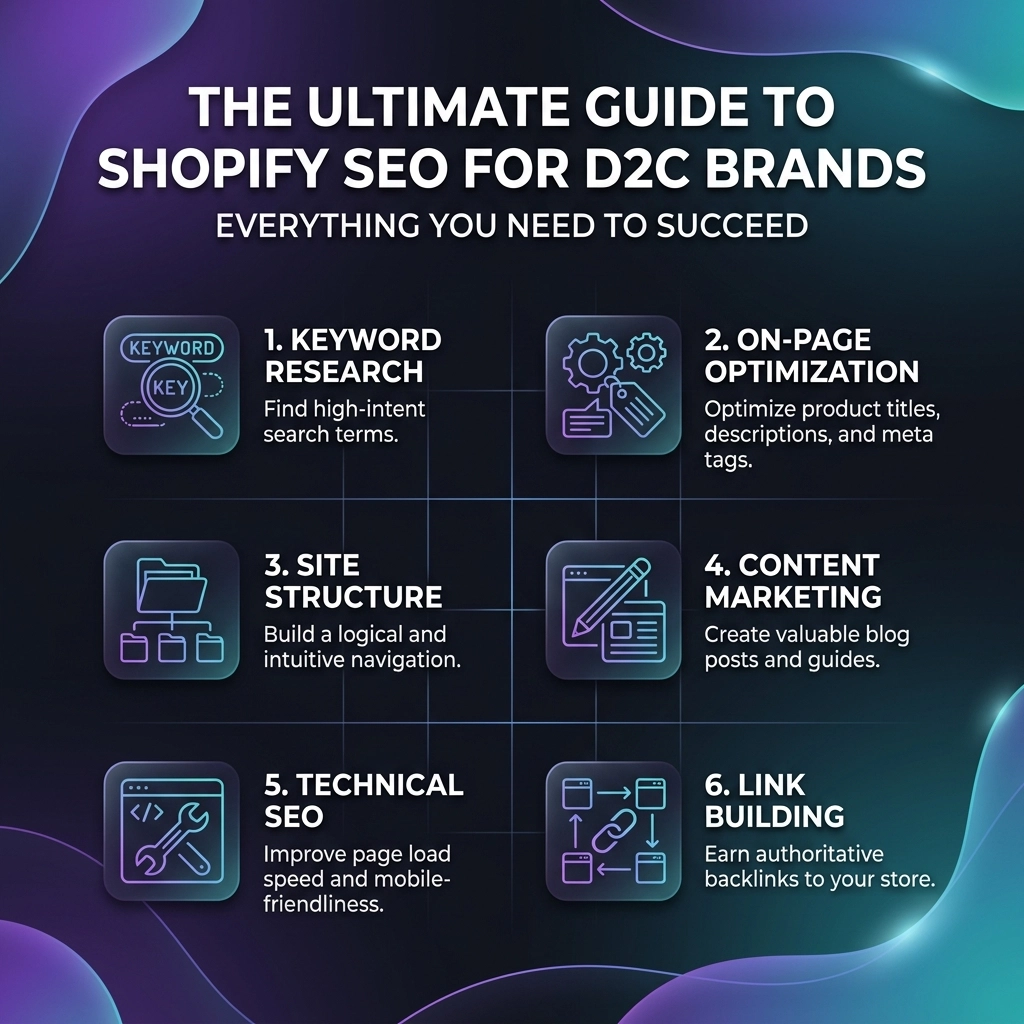
  • The Ultimate Guide to Shopify SEO for D2C Brands: Everything You Need to Succeed

    The Ultimate Guide to Shopify SEO for D2C Brands: Everything You Need to Succeed

    Scaling a D2C brand in 2026 isn't just about having a great product; it’s about making sure your target audience can actually find you in an increasingly crowded digital landscape. Whether you are selling high-end jewelry, sustainable streetwear, or clean beauty products, organic search remains your most cost-effective acquisition channel. While paid ads get more expensive every day, a solid SEO strategy compounds over time, building a foundation that drives traffic while you sleep.

    If you’ve been feeling like your Shopify store is a hidden gem that nobody can find, you’re in the right place. This guide is designed to move you from "invisible" to "industry leader" by leveraging technical precision and creative content. We are going to dive deep into the specific systems that turn a standard Shopify store into a search engine powerhouse.

    The Discovery Pillar: High-Intent Keyword Strategy

    The biggest mistake most D2C founders make is targeting keywords that are too broad. If you sell skincare, trying to rank for "moisturizer" is a losing battle against giants like Sephora or Amazon. In 2026, the real wins happen in the "long-tail."

    For fashion and beauty brands, your keyword strategy should be a mix of specific product attributes and lifestyle solutions. Think about how your customer actually talks. They aren't just looking for "shoes"; they are looking for "breathable vegan sneakers for summer travel" or "handcrafted 14k gold minimalist rings."

    How to Find Your Niche Keywords

    1. Analyze Search Intent: Are they looking for information (How to style a trench coat) or are they ready to buy (Buy oversized vintage denim jacket)?
    2. Use AI Tools as Co-pilots: Tools like SEMrush or Ahrefs are great, but don't ignore the "People Also Ask" section on Google. It’s a goldmine for long-tail phrases.
    3. Competitor Gaps: Look at what other streetwear or jewelry brands are missing. If they have the products but no "How-to" content, that is your entry point.

    Key Insight: Focus on "Zero-Volume" keywords. Sometimes tools say a keyword has no search volume, but if it’s hyper-specific to your niche (e.g., "botanical infused retinol for sensitive skin"), those few searchers are almost guaranteed to convert.

    Magnifying glass highlighting glowing crystals representing high-intent Shopify SEO keywords for D2C brands.

    The Technical Layer: Shopify Website Design & Performance

    You can have the best keywords in the world, but if your Shopify website design is clunky or slow, Google will penalize you. Technical SEO is the "engine" of your store. If the engine is broken, the car won't move: no matter how pretty the paint job is.

    Speed is Your Best Friend

    In the world of apparel and beauty, high-quality images are non-negotiable. However, heavy images are the #1 killer of site speed.

    • Compress everything: Use WebP formats to keep images crisp but light.
    • Limit your Apps: Every Shopify app adds a script. Too many scripts create "app bloat," dragging your load time into the gutter. If you haven't used an app in 30 days, delete it.
    • Mobile-First is Only-First: Over 80% of D2C fashion traffic comes from mobile. If your mobile navigation is frustrating, your bounce rate will skyrocket.

    Clean Site Hierarchy

    Search engines love a logical structure. For a D2C brand, this usually looks like:

    • Home Page
    • Collection Pages (e.g., Women's Streetwear, Men's Hoodies)
    • Sub-Collections (e.g., Oversized Hoodies, Graphic Tees)
    • Product Pages (The final destination)

    Avoid "flat" structures where every page is just one click from the home page. Use internal linking to guide search bots through your hierarchy. This passes "link juice" from your high-authority pages to your specific products.

    The Trust Pillar: Optimizing Product Pages for Conversion

    SEO gets them to the page; Conversion Rate Optimization (CRO) keeps them there. On Shopify, your product pages are your closing pitch. If you want to rank for "Shopify SEO services" or similar high-value terms, you need to prove to Google that users love your pages.

    SEO-Driven Product Descriptions

    Stop using the manufacturer's default description. It’s boring, and worse, it’s duplicate content.

    • Write for humans first: Use sensory language. Instead of "Blue silk dress," try "Cerulean sand-washed silk slip dress with an effortless drape."
    • Optimize Meta Titles & Descriptions: Keep your titles under 60 characters and descriptions under 155. Include your primary keyword and a clear value proposition like "Free Shipping" or "Ethically Sourced."
    • Alt Text for Images: Don't just leave it blank. Describe the image for accessibility and SEO: "Woman wearing gold hoop earrings and white linen shirt."

    Leveraging Schema Markup

    Schema is a piece of code that tells Google exactly what your page is about. For D2C brands, "Product Schema" is vital. It allows Google to show your price, star rating, and "In Stock" status directly in the search results. This significantly increases your click-through rate (CTR).

    Product with floating rich snippet icons showing price and ratings to boost D2C Shopify conversion rates.

    The Authority Pillar: Content Marketing and Backlinks

    If you want to dominate the fashion or beauty space, you need to be seen as an authority. This is where blogging and external outreach come into play. Many brands treat their blog as an afterthought, but it’s actually your best tool for capturing "top-of-funnel" traffic.

    The Power of the D2C Blog

    Create content that solves problems.

    • Jewelry Brands: "The Ultimate Guide to Cleaning Lab-Grown Diamonds."
    • Beauty Brands: "5 Morning Routines for Glowing Skin in 10 Minutes."
    • Apparel Brands: "How to Transition Your Streetwear from Day to Night."

    These posts target users who are researching. Once they trust your advice, they are far more likely to buy your products. Link these blog posts back to your collections to create a seamless shopping experience.

    Building Quality Backlinks

    A backlink is like a "vote of confidence" from another website. Focus on:

    • Niche Features: Get your products featured in gift guides or style blogs.
    • Collaborations: Partner with influencers or other brands for co-authored content.
    • Guest Posting: Write authoritative articles for industry publications.

    Pro Tip: Never buy cheap backlinks from shady sites. Google’s AI is smart enough to spot them, and they will do more harm than good. Focus on quality over quantity.

    Challenges: The Reality of Shopify SEO

    Let’s be honest: SEO isn't always easy. D2C founders often face specific hurdles:

    • The "Duplicate Content" Trap: Shopify creates multiple URLs for the same product based on collections. Ensure your theme uses "Canonical Tags" correctly to tell Google which version is the master copy.
    • Heavy Theme Files: Some "out-of-the-box" Shopify themes are coded poorly. If your theme is slow, no amount of SEO can save you. You might need professional Shopify website design help to clean up the code.
    • Patience: SEO takes time. It’s a marathon, not a sprint. You might not see massive results for 3-6 months, but once the momentum starts, it’s hard to stop.
    Pro Con
    High ROI over the long term Takes time to see results
    Builds brand authority and trust Requires consistent content updates
    Decreases reliance on paid ads Technical fixes can be complex
    Improves user experience (UX) Requires ongoing monitoring and tweaks

    Next Steps: Your 2026 SEO Implementation Checklist

    Ready to turn your Shopify store into a growth machine? Follow these steps in order. Start small, stay creative, and don't get overwhelmed.

    1. Audit Your Speed: Use Google PageSpeed Insights. Identify the top three scripts or images slowing you down and fix them today.
    2. Fix Your Meta Data: Spend 30 minutes every day updating the titles and descriptions of your top 10 selling products.
    3. Submit Your Sitemap: Ensure your sitemap is submitted to Google Search Console so the bots know you exist.
    4. Create a Content Calendar: Commit to one high-quality blog post per week that targets a long-tail keyword in your niche.
    5. Optimize for AI Search: Use structured data (Schema) to ensure AI-powered search engines can easily parse your product data.
    6. Clean Up Redirects: Fix any 404 errors. A broken link is a lost customer.
    7. Partner with Experts: If technical SEO feels like a foreign language, consider professional Shopify SEO services.

    A stepped growth roadmap illustrating the strategy to scale a Shopify store using professional SEO services.

    Building a successful D2C brand requires a blend of art and science. While you handle the creative vision and product development, let the systems of SEO handle the discovery. If you need a partner to navigate the complexities of Shopify growth, we at Thriftizer specialize in scaling brands just like yours. You can also find us and see our track record on our Shopify Expert profile.

    Never ever think of giving up on your organic growth. The best time to start was yesterday; the second best time is right now. Automate the workflow, identify the gaps, and watch your brand scale to new heights.
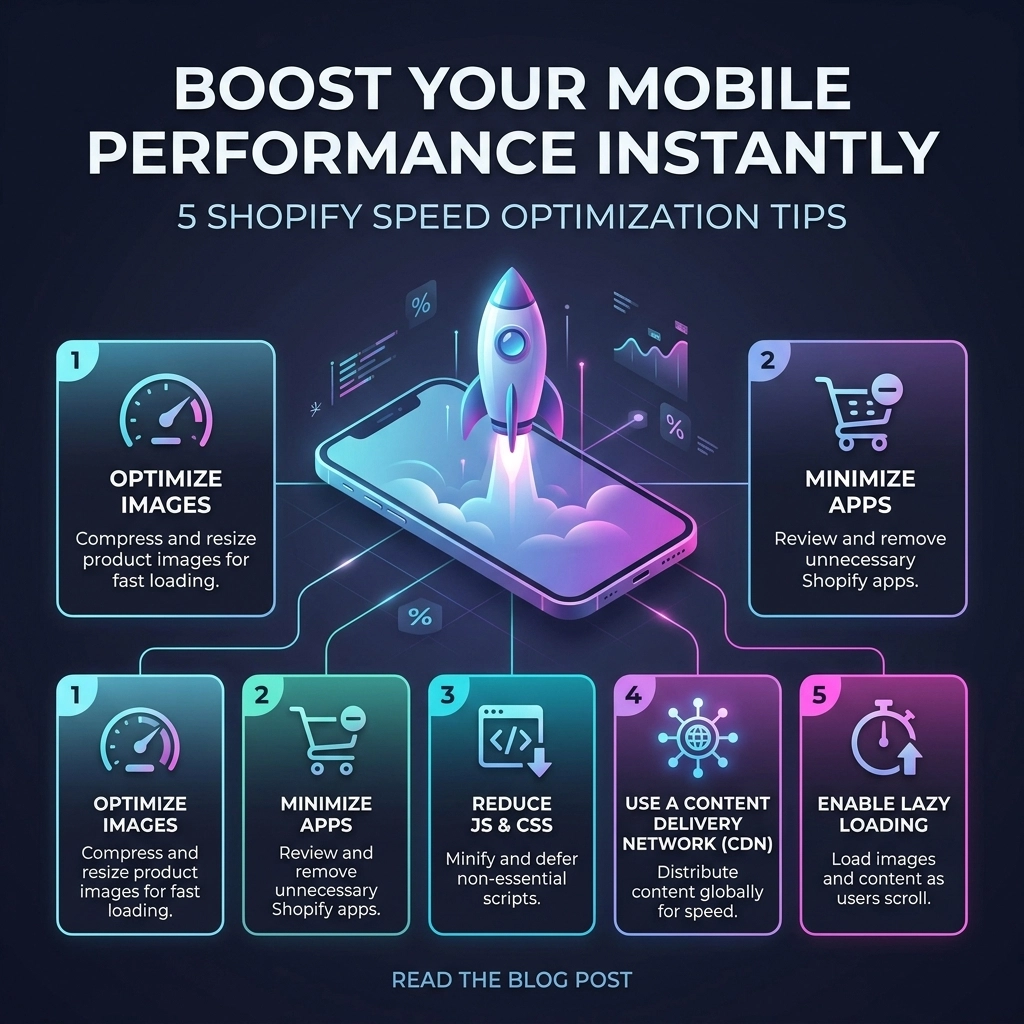
  • Boost Your Mobile Performance Instantly with These 5 Shopify Speed Optimization Tips

    Boost Your Mobile Performance Instantly with These 5 Shopify Speed Optimization Tips

    In 2026, your mobile store isn't just a version of your website: it is your website. For high-growth fashion brands and streetwear labels, mobile traffic often accounts for over 80% of total sessions. If your site takes more than three seconds to load on a standard 5G or 4G connection, you aren't just losing clicks; you’re literally handing your customers over to your competitors.

    Speed is the silent killer of conversion rates. As a leading Shopify agency, we see it every day: beautiful, high-end jewelry or apparel stores that fail to scale because their mobile performance is bogged down by unoptimized assets and "app bloat."

    If you want to scale your revenue this year, you need to stop thinking about speed as a "technical chore" and start seeing it as a core growth strategy. Here are five actionable Shopify speed optimization tips to transform your mobile experience today.

    1. Radical Image Optimization for Mobile Reality

    Images are the soul of any fashion brand. You need high-resolution photography to build trust and showcase detail. However, serving a 2000px wide "Hero" image to a customer on a 400px wide iPhone screen is a waste of bandwidth.

    The Strategy: Serve Smaller, Smarter Files
    Most brands focus on compression, but sizing is where the real wins are. Using the srcset attribute in your Liquid code allows Shopify to serve different image sizes based on the user's device.

    Actionable Steps:

    • Convert to WebP: Ensure your theme supports WebP or AVIF formats. These provide superior compression compared to JPEG or PNG without losing quality.
    • Manual Compression: Before uploading to Shopify, run your assets through tools like TinyPNG or ImageOptim.
    • Crop for Mobile: Don't just resize; crop. A vertical (9:16) image often loads faster and looks better on mobile than a scaled-down horizontal desktop banner.

    Key Insight: Refining your image strategy alone can reduce mobile page load times by up to 30%. In the world of Shopify development, this is the lowest-hanging fruit with the highest ROI.

    Smartphone showing Shopify image optimization and WebP compression for faster mobile page load speeds.

    2. Transition to a Performance-First Shopify Theme

    Many D2C brands fall into the trap of choosing a theme based purely on aesthetics. They pick a theme with ten different animations, three types of sliders, and a "kitchen sink" of features. On a mobile processor, these scripts battle for resources, leading to a "janky" scrolling experience.

    The Strategy: Choose Leaner Architectures
    If you are on Shopify Plus or scaling a high-growth brand, consider moving to an Online Store 2.0 theme built for speed, such as Dawn or a custom-built headless solution.

    Pros and Cons of Pre-made Themes:

    • Pros: Quick to deploy, lower initial cost, easy to customize via the editor.
    • Cons: Often contain "dead code" (features you don't use but still load), heavy JavaScript libraries, and redundant CSS.

    Pro Tip: If your current theme feels slow, don't keep layering apps on top of it to "fix" things. Sometimes the most cost-effective Shopify speed optimization is a clean migration to a leaner theme architecture.

    3. Master the Art of Lazy Loading

    Lazy loading is the practice of delaying the initialization of resources until they are actually needed. For a mobile user, this means the browser only loads the images and videos currently visible on the screen ("above the fold").

    The Strategy: Liquid-Level Implementation
    In 2026, browsers have become much smarter, but you still need to give them a nudge. You can implement native lazy loading directly in your Shopify Liquid templates by adding the loading="lazy" attribute to your image tags.

    Why this matters for Mobile:
    Mobile devices have limited memory. By only loading what is necessary, you reduce the "Total Blocking Time" (TBT), allowing the user to start interacting with your product filters or "Add to Cart" buttons much sooner.

    Key Insight: Never lazy load your "Above the Fold" content. Your main hero image should load immediately (using loading="eager" or fetchpriority="high") to ensure your Largest Contentful Paint (LCP) score remains healthy.

    Mobile interface demonstrating lazy loading implementation to improve Shopify store performance and LCP.

    4. Kill the Carousel: Static Hero Images Win

    It’s time to face the truth: mobile users rarely slide through carousels. Data consistently shows that the first slide gets 90% of the engagement, while the remaining slides simply slow down your site.

    The Strategy: Swap Sliders for High-Impact Statics
    A carousel with five images requires the browser to download five high-res assets and the JavaScript required to move them. On a mobile device, this is a performance nightmare.

    The Benefits of Static Heroes:

    1. Lower Request Count: One image means fewer HTTP requests.
    2. Better SEO: Google prioritizes pages that stabilize quickly (Cumulative Layout Shift).
    3. Clearer Messaging: You force yourself to put your best offer or most compelling brand imagery front and center.

    Pro Tip: Use a single, high-quality static image with a clear "Shop Now" call-to-action. If you must show multiple products, use a mobile-optimized grid or a "Lookbook" section further down the page where lazy loading can handle the weight.

    5. Perform a Brutal App Audit and Code Minification

    Every time you install a Shopify app: whether it’s for reviews, countdown timers, or social proof: it adds a snippet of JavaScript to your store. Even if you uninstall the app, the code often stays behind, ghosting your site and slowing it down.

    The Strategy: The "One-In, One-Out" Rule
    Treat your site's code like a high-end fashion boutique. If you want to bring in a new tool, something else has to go.

    Actionable Steps:

    • Audit Your Scripts: Use the Chrome DevTools "Coverage" tab to see how much of your JavaScript is actually being used.
    • Minify Everything: Ensure your CSS and JS are minified (removing whitespace and comments). While many Shopify apps do this automatically, custom Shopify development often requires manual oversight to keep the codebase clean.
    • App Consolidation: Look for all-in-one solutions. Instead of five different apps for upsells, reviews, and loyalty, find one robust platform that handles them through a single script.

    Visual representation of Shopify app audit and code minification to eliminate bloat and increase speed.

    The Thriftizer Framework for Mobile Growth

    At Thriftizer, we believe that speed isn't just about passing a Google PageSpeed Insights test; it’s about the user's journey. We organize our optimization through three pillars:

    1. Discovery: Can the user find what they want without waiting for a search bar to load?
    2. Trust: Do high-quality images load fast enough to prove the brand's premium status?
    3. Intent: Is the "Add to Cart" button responsive the moment a user decides to buy?

    Technology should be your co-pilot, not an anchor. Start small, stay creative, and focus on the metrics that actually move the needle for your bottom line.

    Challenges to Consider

    While these tips offer "instant" boosts, speed optimization is an ongoing process.

    • Third-Party Scripts: You can't always control the speed of external scripts (like Meta or Google Ads pixels).
    • Feature Creep: Marketing teams often want more features that technical teams know will slow the site down. Balance is key.

    Next Steps Checklist

    Ready to speed up? Follow this implementation path:

    1. Analyze: Run your site through PageSpeed Insights and identify your current "Largest Contentful Paint" on mobile.
    2. Audit: Uninstall any apps you haven't used in the last 30 days.
    3. Optimize: Compress your top 10 most-viewed images and convert them to WebP.
    4. Test: Implement lazy loading on your product collection pages.
    5. Consult: If you're hitting a wall, reach out to a professional Shopify agency to handle the deep-liquid code optimizations.

    Never ever think of giving up on your performance goals. A faster store is a more profitable store. If you're looking for expert help to take your fashion brand to the next level, check out our Shopify Expert profile or visit us at Thriftizer to see how we can help you scale.

    Start small, stay creative, and watch your conversion rates climb.

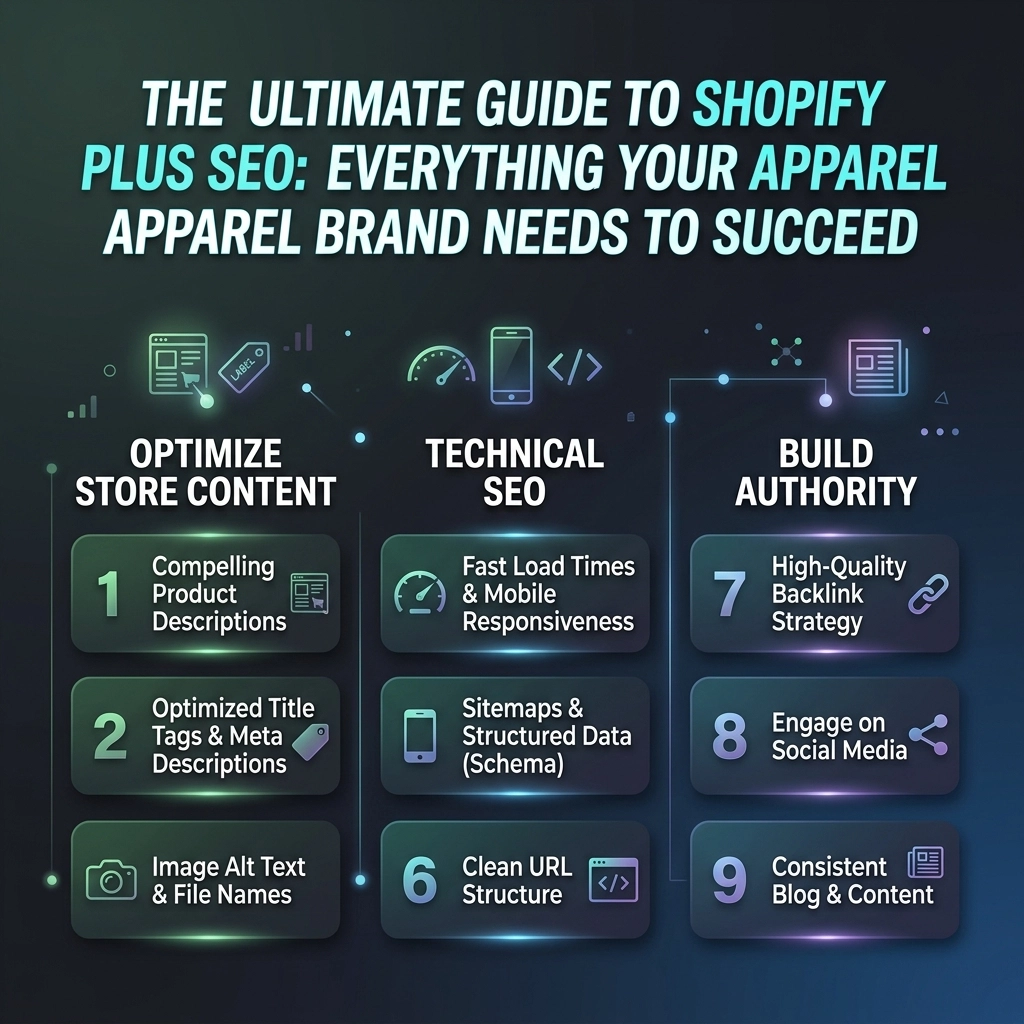
  • The Ultimate Guide to Shopify Plus SEO: Everything Your Apparel Brand Needs to Succeed

    The Ultimate Guide to Shopify Plus SEO: Everything Your Apparel Brand Needs to Succeed

    Scaling an apparel brand to the enterprise level is an exhilarating ride, but it comes with a unique set of technical hurdles. If you are running on Shopify Plus in 2026, you already know the platform is a beast when it comes to handling high-volume traffic and complex flash sales. However, having the "Plus" badge doesn't automatically mean you’ll rank #1 on Google.

    In the world of D2C fashion and streetwear, competition is fierce. You aren't just competing with other boutiques; you’re fighting for real estate against global giants. To win, your Shopify Plus SEO strategy needs to be as sharp as your brand's aesthetic. This guide will move beyond the basics of "editing your meta tags" and dive into the high-level strategies that turn your store into a search engine powerhouse.

    The Shopify Plus Edge: Why It Matters for SEO

    Shopify Plus offers several features that standard plans don't, and from an SEO perspective, these are your secret weapons. You have more control over the checkout experience, expanded API access, and the ability to manage multiple international stores under one roof.

    For an apparel brand, this means you can create a highly customized Shopify website design that doesn't just look pretty but loads at lightning speed. It means you can handle "drops" without the site crashing and maintain your search rankings even when inventory fluctuates wildly.

    The Power of International Expansion

    One of the biggest SEO wins for Plus users is the ability to easily launch expansion stores. Whether you’re targeting the UK streetwear scene or the Australian summer market, Shopify Plus allows you to manage localized versions of your site.

    Pro Tip: Don't just clone your US store. Use hreflang tags correctly to tell Google which version of the site to show in which country. This prevents duplicate content issues and ensures your customers see the right currency and shipping info immediately.

    Global globe icon representing Shopify Plus international expansion and localized SEO for fashion brands.


    Pillar 1: Technical SEO for Large-Scale Fashion Catalogs

    Technical SEO is the foundation. If Google’s bots can’t crawl your site efficiently, your beautiful lookbooks and high-fashion photography won't matter.

    1. Mastering Collection Page Filters

    In the apparel world, "filtering" is everything. Users want to sort by size, color, material, and price. However, many filtering apps create "junk" URLs that can confuse search engines or lead to massive duplicate content issues.

    For Shopify Plus users, we recommend using a system that utilizes AJAX for filtering but maintains SEO-friendly URLs for your primary categories. If you have a collection for "Men's Hoodies," and a user filters by "Black," you need to decide if "Black Men's Hoodies" is a page you want to rank for. If it is, it needs a dedicated, clean URL and unique meta data.

    2. Speed is the New Black

    Page speed is a major ranking factor in 2026. Apparel stores are notoriously heavy because of high-resolution images and video backgrounds.

    • Use WebP or AVIF formats: These provide high quality at a fraction of the file size.
    • Implement Lazy Loading: Only load images as the user scrolls down the page.
    • App Audit: Shopify Plus stores often suffer from "App Bloat." Every time you add a new upsell or social proof app, you add a script that can slow down your site. Regularly audit your apps and remove anything that isn't pulling its weight in conversions.

    3. Handling JavaScript Rendering

    Modern Shopify themes often rely heavily on JavaScript for dynamic elements. While Google has gotten better at rendering JS, it's not perfect. If your product descriptions or reviews are injected via JS, ensure they are being indexed. You can check this by using the "URL Inspection" tool in Google Search Console to see exactly how Google "sees" your page.


    Pillar 2: The "Discovery" Layer – Keyword Strategy for 2026

    Keyword research for apparel has shifted. People aren't just searching for "dresses." They are searching for "sustainable linen midi dress for wedding guest" or "vintage-style oversized streetwear hoodie."

    Long-Tail Dominance

    Your Shopify SEO services should focus heavily on long-tail keywords. These have lower search volume but much higher intent.

    • Fashion-Specific Attributes: Incorporate fabric (silk, organic cotton), fit (oversized, slim, petite), and occasion (workwear, festival, gym) into your keyword map.
    • Visual Search Optimization: People often search by describing what they see. Optimize your image Alt Text not just for accessibility, but with descriptive, keyword-rich phrases.

    The "Trend" Cycle

    In fashion, trends move fast. Your SEO strategy must be agile. Create "Trend Pages" or "Style Guides" that target seasonal search terms. Instead of just having a "Summer Collection," create a guide on "What to Wear to a 2026 Desert Music Festival." This captures "Discovery" traffic before the user even knows exactly what product they want to buy.

    Infographic of fashion items showing the trend cycle for D2C apparel SEO and seasonal marketing strategy.


    Pillar 3: The "Trust" Layer – On-Page Optimization & UX

    In the D2C space, trust is the currency of conversion. SEO and CRO (Conversion Rate Optimization) are two sides of the same coin. If you rank #1 but your bounce rate is 90%, Google will eventually drop your rankings.

    Product Descriptions That Sell

    Stop using the manufacturer's default descriptions. Not only is this bad for branding, but it’s also a death sentence for SEO due to duplicate content.

    1. Write for Humans first: Describe the "feel" of the fabric and the "vibe" of the garment.
    2. Optimize for Bots second: Naturally weave in your primary and secondary keywords.
    3. Use Structured Data: Ensure your Shopify Plus store uses Product Schema. This allows Google to show "Rich Snippets" like price, availability, and star ratings directly in the search results.

    User-Generated Content (UGC)

    Reviews are SEO gold. They provide fresh, relevant content for your product pages without you having to write a single word. Encourage customers to upload photos with their reviews. Google loves seeing that your site is active and that real people are interacting with your brand.


    Pillar 4: The "Intent" Layer – High-Impact Link Building

    For an apparel brand, the "build it and they will come" mentality doesn't work. You need authority.

    Digital PR and Influencer Collabs

    Traditional "guest posting" is mostly dead. In 2026, you want high-quality mentions from fashion bloggers, news outlets, and industry publications.

    • The "Drop" Strategy: When you launch a new collection, send PR packages to niche influencers. Even a "no-follow" link from a major fashion site or a high-traffic social media profile can drive "referral traffic" that signals to Google your brand is important.
    • Gift Guides: Getting featured in "Best Gifts for Streetwear Lovers" lists is one of the most effective ways to build high-authority backlinks.

    Conceptual image of digital PR and authority building through high-quality backlinks for streetwear brands.


    The Challenges: Shopify Plus SEO Limitations

    Even as a "Plus" user, you will face some platform-specific hurdles. It’s better to know them now than to be surprised later.

    Challenge Impact Workaround
    URL Structure Shopify forces /products/ and /collections/ into the URL. Focus on keeping the slug (the part after the slash) clean and keyword-rich.
    Robots.txt Control Standard Shopify limits robots.txt edits. Shopify Plus allows for robots.txt.liquid customization, giving you more control over what gets crawled.
    Checkout SEO You can't really optimize the checkout page for SEO. Focus your efforts on the "Top of Funnel" pages (Home, Collection, Product, Blog).

    Pro Tip: Leverage the "Shopify Plus Partner" Ecosystem

    Managing enterprise-level SEO while trying to run a fashion empire is a lot. This is where professional Shopify SEO services come in. At Thriftizer, we specialize in helping D2C brands navigate the complexities of Shopify Plus. Whether it’s a complete Shopify website design overhaul or a deep-dive technical audit, having experts in your corner is a game-changer.

    You can also find vetted professionals through the Shopify Expert Directory to ensure you are working with people who actually understand the Plus infrastructure.

    Ascending blocks signifying the scaling of a Shopify Plus store through expert SEO services and optimization.


    Your 2026 Shopify Plus SEO Checklist

    Ready to take action? Use this checklist to audit your store and start climbing the rankings.

    1. Audit Your Redirects: Ensure you don't have a "404 graveyard" from old, out-of-stock products. Use 301 redirects to point old URLs to the most relevant current collection.
    2. Optimize Image Alt Text: Go through your top 50 selling products and ensure the Alt Text is descriptive and includes keywords.
    3. Check Your Mobile Core Web Vitals: Most fashion shopping happens on mobile. If your mobile site is slow, your rankings will suffer.
    4. Implement Product Schema: Use an app or custom liquid code to ensure your prices and ratings show up in Google.
    5. Clean Up Your Sitemaps: Submit your primary sitemap to Google Search Console and monitor for indexing errors.
    6. Create a Content Calendar: Plan 2-4 high-value blog posts per month that answer customer questions (e.g., "How to style a puffer vest").
    7. Monitor Brand Mentions: Use tools like Google Alerts to see who is talking about you and reach out for a backlink if they haven't provided one.

    Start Small, Scale Fast

    SEO is a marathon, not a sprint, but the rewards are compounding. By focusing on the technical foundations of Shopify Plus and layering on a data-driven content strategy, you can turn your apparel brand into a global leader.

    Don't let technical debt hold you back. Start with one category, optimize it perfectly, and then move to the next. The most important thing is to start today.

    Next Steps:

    1. Identify your top 10 "Money Keywords."
    2. Run a speed test on your most popular collection page.
    3. Audit your navigation for mobile-friendliness.
    4. Reach out to an expert if you feel overwhelmed.

    Never ever think of giving up on your organic growth: it is the most sustainable way to build a legacy brand. Stay creative, stay consistent, and let the data guide your design.

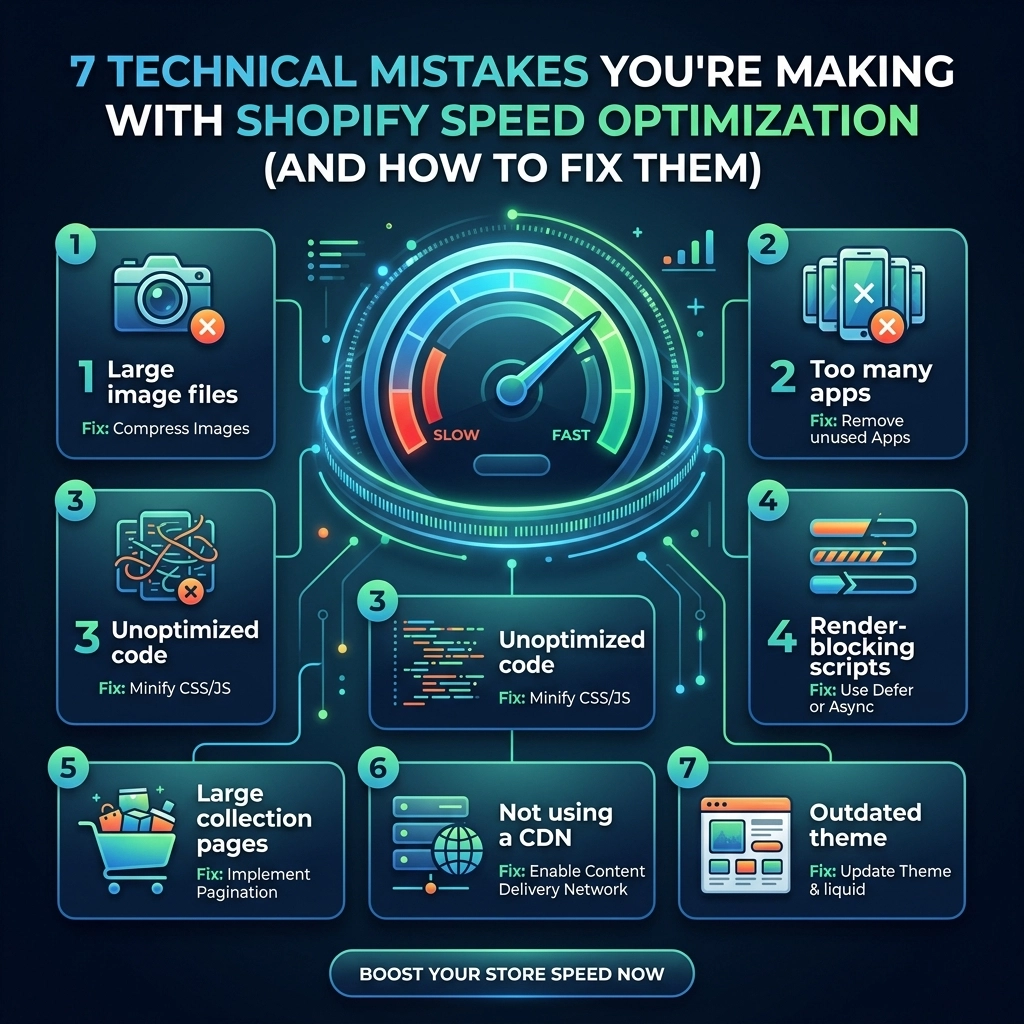
  • 7 Technical Mistakes You’re Making with Shopify Speed Optimization (and How to Fix Them)

    7 Technical Mistakes You’re Making with Shopify Speed Optimization (and How to Fix Them)

    In the competitive world of high-growth fashion, streetwear, and jewelry brands, your storefront is your digital runway. But if that runway takes ten seconds to load, your customers are going to walk out before the show even starts.

    As a Shopify development specialist, I’ve seen countless brands invest thousands in high-end photography and influencer marketing, only to see their conversion rates plummet because of a sluggish site. The reality is that speed is no longer just a "nice-to-have" feature; it is a core component of your SEO strategy and user experience. By 2026, the threshold for "fast" has moved from three seconds to under two.

    If you’re seeing a high bounce rate or a lower-than-average conversion rate, you might be making these technical mistakes. Let’s break them down and, more importantly, fix them.

    1. The High-Resolution Image Trap

    For fashion brands, imagery is everything. You want your customers to see every stitch of that premium leather jacket or the shimmer of a gold pendant. However, uploading raw 4MB+ JPEGs directly to Shopify is a conversion killer.

    The Problem: High-resolution images account for nearly 40% of a webpage's weight on mobile. While Shopify does some automatic compression, many themes fail to implement responsive sizing, meaning your store serves a massive desktop-sized image to a customer browsing on an iPhone.

    The Fix:

    • Use WebP Format: Transition all your assets to WebP. It offers superior compression (up to 30% smaller than JPEG) without losing visual quality.
    • Implement Lazy Loading: Ensure your theme uses native lazy loading. This tells the browser to only load images as the user scrolls down, prioritizing "above the fold" content.
    • Exact Dimension Mapping: Don't upload a 5000px image if it’s only going to be displayed at 500px in a grid. Crop and resize before you upload.

    Infographic comparing unoptimized heavy images with lightweight WebP formats for Shopify speed.

    2. The "App Addiction" and Ghost Code Residue

    Every merchant wants more features: product reviews, upsell pop-ups, loyalty programs, and size charts. In the Shopify ecosystem, there’s an app for everything. But there’s a hidden cost.

    The Problem: Every app you install injects external JavaScript into your store. The real danger? When you uninstall an app, it often leaves behind "ghost code." These are snippets of liquid code or script tags in your theme files that still try to call a server that no longer exists. This creates a "hang" where the browser waits for a response that will never come.

    The Fix:

    • Perform a Code Audit: Regularly check your theme.liquid and snippet files for leftover code from old apps. If you aren't comfortable with liquid, a Shopify agency like Thriftizer can help clean your backend.
    • The "One In, One Out" Rule: Before adding a new app, ask if an existing one can do the job or if you can build the feature via custom development.
    • Consolidate: Use multi-functional apps (like an all-in-one marketing suite) rather than five separate single-purpose apps.

    3. Relying on Bloated, "Feature-Rich" Themes

    It’s tempting to buy a $350 theme from a marketplace that promises 50+ built-in features. While these look great in the demo, they are often built with a "kitchen sink" approach.

    The Problem: These themes include massive amounts of CSS and JavaScript for features you probably aren't even using (like 10 different types of sliders or 5 mega-menu styles). This unused code still gets downloaded by every visitor, creating unnecessary rendering delays.

    The Fix:

    • Go Lean: Start with a lightweight, Shopify Online Store 2.0-ready theme like Dawn as a foundation and build up.
    • Custom Development: For high-growth brands, a custom-coded storefront is often more efficient. It allows you to include only the code you need, resulting in a lightning-fast experience.
    • Check the Speed Score: Before switching themes, look at the performance scores provided in the Shopify Theme Store.

    Key Insight: A 1-second delay in mobile load times can decrease conversion rates by up to 20%. In the fashion niche, where impulse buys are common, every millisecond counts.

    4. Synchronous Loading of Third-Party Scripts

    Your store likely uses tracking pixels for Meta, TikTok, and Google Analytics, plus a chat widget and perhaps a heatmap tool like Hotjar.

    The Problem: If these scripts are set to load "synchronously," they act as a roadblock. The browser stops everything, literally everything: to fetch and run that script before it moves on to showing your products. If the Meta pixel server is having a slow day, your site looks like it’s broken.

    The Fix:

    • Async and Defer: Use the async or defer attributes on all non-essential script tags. This allows the rest of your site to load while the scripts fetch in the background.
    • Shopify Pixels API: Move your tracking pixels to Shopify’s native Pixels API (Customer Events). This handles tracking on the server side or in a sandbox, significantly reducing the impact on the main thread.

    Visual representation of asynchronous script loading to prevent bottlenecks on Shopify storefronts.

    5. Logic Collisions: Stacking Multiple Discount Engines

    High-growth brands thrive on complex promotions: Buy One Get One (BOGO), tiered discounts, and influencer codes.

    The Problem: When you use three different apps to manage these, they often collide. During the checkout process or when a user adds an item to the cart, these apps perform heavy calculations simultaneously. This causes the "Add to Cart" button to lag, leading to frustrated customers who think the site is frozen.

    The Fix:

    • Native Discounts First: Always try to use Shopify’s native discount functionality first.
    • Shopify Plus Features: If you are on Shopify Plus, use Shopify Functions or Scripts to handle complex logic. These run on Shopify’s servers, not in the user’s browser, making them significantly faster.
    • Limit External Calls: Avoid apps that need to "call home" to their own servers just to calculate a price in the cart.

    6. Ignoring Cross-Border Bottlenecks and API Limits

    Scaling internationally is the goal for most D2C jewelry and streetwear brands. But internationalization often comes with a performance penalty.

    The Problem: Many stores use third-party apps for currency conversion and shipping calculations that make dozens of API calls every time a page loads. Making 20 API calls just to show a price in Euros will tank your speed. Furthermore, hitting Shopify’s API rate limits during a peak sale event (like a limited edition drop) can actually disable parts of your site functionality.

    The Fix:

    • Use Shopify Markets: Stick to Shopify’s native multi-currency and internationalization features. They are integrated into the core platform and don't require external API round-trips.
    • Batch Your Requests: If you must use custom integrations, ensure they are optimized to batch requests together rather than making them one by one.

    7. Redirect Chains and Broken Link Lag

    As your brand grows, you’ll naturally delete old products or change collection names.

    The Problem: Every time a user hits a redirect, it adds 100ms to 500ms to their wait time. If you have "redirect chains" (Page A redirects to Page B, which redirects to Page C), you are effectively doubling or tripling that latency. Even worse, broken links (404 errors) cause the browser to waste time looking for a resource that isn't there.

    The Fix:

    • Audit Your Redirects: Use a tool like Screaming Frog or a Shopify-specific SEO app to find and flatten redirect chains.
    • Clean Up 404s: Regularly check your Google Search Console for 404 errors and fix them by pointing them to the most relevant active page.

    Checklist highlighting technical fixes for 404 errors and redirect chains on Shopify stores.


    Performance Benchmarks: What to Track in 2026

    To stay ahead, you need to move beyond the generic "Shopify Speed Score." Focus on these Core Web Vitals:

    1. Largest Contentful Paint (LCP): Measures how long it takes for the main content (usually your hero image) to load. Target: < 2.5s.
    2. First Contentful Paint (FCP): The time until the first bit of content is rendered. Target: < 1.8s.
    3. Cumulative Layout Shift (CLS): Measures visual stability. Does the "Buy" button move just as the user is about to click it? Target: < 0.1.

    Your Next Steps Checklist

    Ready to turn your store into a high-performance machine? Follow this implementation plan:

    1. Audit Your Apps: Uninstall any app you haven't used in the last 30 days.
    2. Clean the Code: Remove any leftover script tags from those uninstalled apps.
    3. Optimize Images: Convert your top 50 most-viewed product images to WebP.
    4. Fix Redirects: Flatten any redirect chains in your navigation.
    5. Test on Mobile: Always use a 4G connection profile when testing, not your office fiber-optic Wi-Fi.

    Start Small, Stay Creative

    Shopify speed optimization can feel overwhelming, but you don't have to do it all at once. Start with the "low-hanging fruit" like image optimization and app cleanup. Never ever think of giving up on performance: it is the foundation upon which your brand's digital growth is built.

    At Thriftizer, we specialize in helping D2C brands bridge the gap between high-end design and technical excellence. Whether you're looking for a full site audit or custom Shopify development, our team is here to help you scale efficiently. You can also find us on our Shopify Expert profile to see how we've helped other high-growth brands hit their performance goals.

    Speed is your "co-pilot" in the journey to scaling your fashion empire. Optimize it, and your customers will thank you with their loyalty: and their wallets.

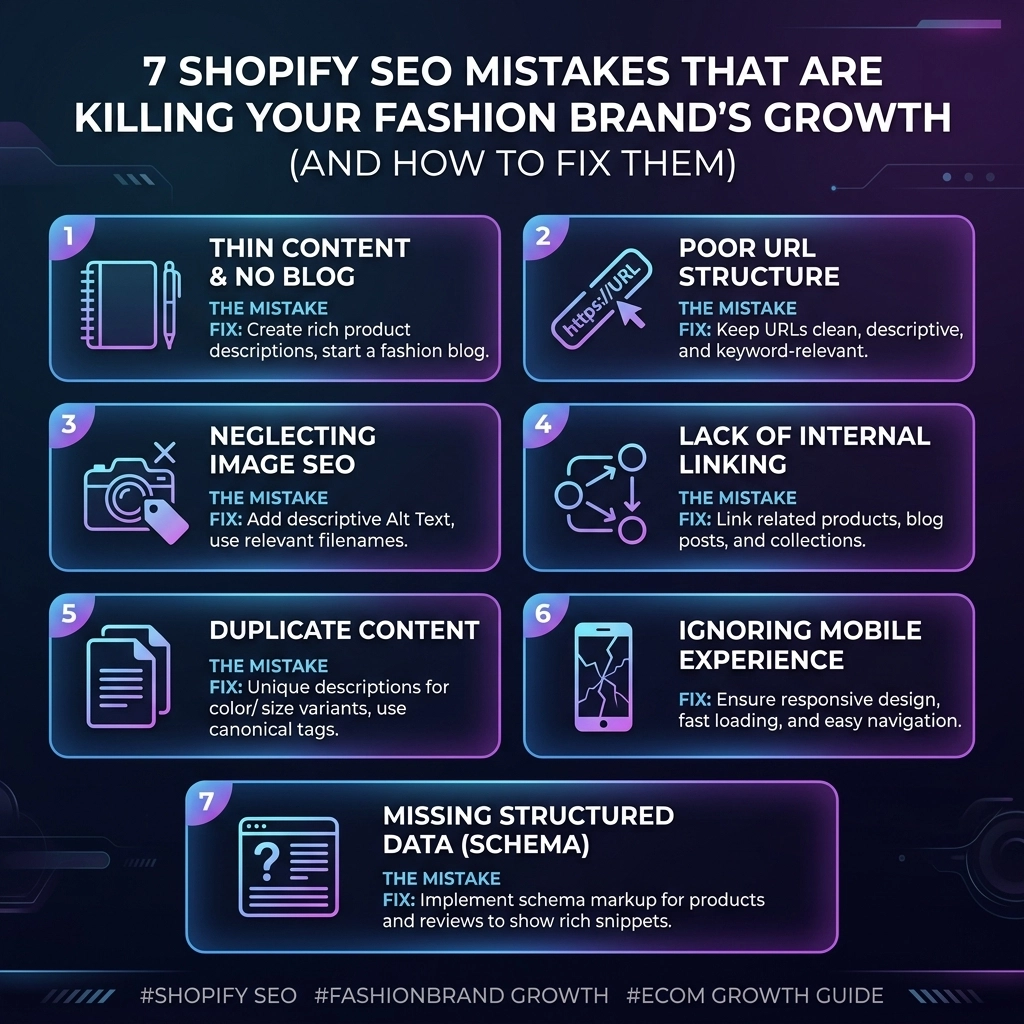
  • 7 Shopify SEO Mistakes That Are Killing Your Fashion Brand’s Growth (And How to Fix Them)

    7 Shopify SEO Mistakes That Are Killing Your Fashion Brand’s Growth (And How to Fix Them)

    If you’re running a fashion brand on Shopify in 2026, you already know the competition is fierce. The barrier to entry has never been lower, but the barrier to scaling has never been higher. You might have a stunning Shopify website design, a killer collection, and a growing Instagram following, but if your organic traffic is flatlining, you likely have an SEO problem.

    Most D2C founders treat SEO as an afterthought: something to "fix later" once they’ve exhausted their meta-ad budget. But in an era where customer acquisition costs are skyrocketing, organic search is your most sustainable engine for growth. If your store isn't appearing when someone searches for "sustainable streetwear" or "handmade gold jewelry," you’re leaving six figures on the table.

    Let’s dive into the seven most common Shopify SEO mistakes we see at Thriftizer and, more importantly, how you can fix them today to dominate the 2026 and 2027 fashion landscape.

    1. The "Lazy Title" Syndrome

    One of the most frequent mistakes in fashion SEO is using generic or non-descriptive product titles. Many brands simply use the internal name given by the designer, such as "Aria Top – Blue" or "Product #405."

    While those names might mean something to your inventory team, they mean nothing to Google. If a potential customer is looking for a "navy blue silk camisole," your "Aria Top" will never show up in the results.

    The Fix:

    • Be Descriptive: Include the product type, material, color, and fit in the H1 and Title tag.
    • Think Like a Customer: Use terms your audience actually searches for. Instead of "Midnight Dreamer," try "Midnight Blue Silk Sleepwear Set."
    • Optimize Meta Descriptions: Don't let Shopify auto-generate these. Write a compelling, 150-character hook that encourages clicks.

    Pro Tip: Use tools like Google Search Console to see which keywords people are already using to find your site, then weave those into your product titles naturally.

    2. Using Manufacturer or Duplicate Descriptions

    In the rush to launch a new season, it’s tempting to copy and paste the fabric details from your manufacturer or use the same description for five different variants of a dress. This is a massive red flag for search engines.

    Duplicate content makes it impossible for Google to decide which page is the "authority," often resulting in none of the pages ranking well. In the fashion world, unique storytelling is what sells.

    The Fix:

    • Write Unique Copy: Every product deserves its own story. Describe the drape, the feel, and the occasion.
    • Canonical Tags: If you must have multiple pages for similar items, use canonical tags to tell Google which one is the "master" page.
    • Focus on Benefits: Instead of just listing "100% Cotton," explain that it’s "breathable, organic cotton that stays cool during summer garden parties."

    Unique fashion product highlighting the importance of original descriptions to avoid duplicate content on Shopify.

    3. Ignoring the Power of Collection Pages

    Collection pages are the secret weapon of fashion SEO. While individual product pages are great for long-tail searches, your collection pages (like "Women’s Winter Coats" or "Eco-friendly Activewear") are what capture high-volume, high-intent traffic.

    Most Shopify brands leave their collection pages as a simple grid of photos. This offers zero context to search engines.

    The Fix:

    • Add "SEO Text": Add 200-300 words of descriptive text at the top or bottom of your collection pages. Explain the style, the materials used, and why your brand is the best choice.
    • Internal Linking: Link from your blog posts back to these collection pages to build "link equity."
    • Optimized URLs: Ensure your URLs are clean. Use /collections/mens-streetwear-hoodies rather than something cryptic.

    4. Heavy Images and Zero Alt Text

    Fashion is visual. You want high-resolution, editorial-grade photography to showcase your designs. However, if those images are 5MB each, your site speed will tank. A slow site is one of the fastest ways to kill your conversion rate and your SEO ranking.

    Furthermore, Google "crawlers" can't "see" your photos. They rely on Alt Text to understand what is in the image.

    The Fix:

    • Compress Everything: Use Shopify apps or external tools to compress images without losing quality. Aim for web-optimized formats like WebP.
    • Descriptive Alt Text: Instead of leaving Alt Text blank, write "Woman wearing a sustainable oversized beige trench coat in a city setting."
    • Consistent Aspect Ratios: This helps with Shopify website design stability, preventing "layout shifts" which Google penalizes.

    5. The "App Overload" Performance Drag

    Shopify makes it incredibly easy to add features via apps. Want a countdown timer? There’s an app. Want a loyalty program? There’s an app. Every time you install an app, you’re adding code (JavaScript) to your site that can slow it down significantly.

    The Fix:

    • Audit Your Apps: If you haven't looked at an app's analytics in a month, delete it.
    • Check Speed Impact: Use Google PageSpeed Insights to see which scripts are slowing down your "Time to Interactive."
    • Custom Coding: For essential features, consider hiring Shopify SEO services like Thriftizer to custom-code the functionality into your theme, which is much cleaner than using a bulky app.

    Infographic showing optimized performance versus slow page speed caused by excessive Shopify app installs.

    6. Neglecting a Long-Form Content Strategy

    Many fashion brands think a blog is a waste of time. They believe, "People just want to look at the clothes." While that’s true for some, your blog is where you capture people at the "Discovery" stage of the funnel.

    Topics like "How to Style a Blazer for a Wedding" or "5 Trends to Watch in 2027" allow you to rank for keywords that your product pages can't reach.

    The Fix:

    • Create Style Guides: These are high-value for readers and great for internal linking.
    • Answer FAQs: Use your blog to answer sizing questions, care instructions, or sustainability practices.
    • Consistency is Key: One high-quality post per week is better than five low-quality posts in a single day.

    Key Insight: Content isn't just about text. It’s about building authority. When you provide value, you build trust, and trust leads to higher Conversion Rate Optimization (CRO).

    7. Broken Internal Links and "Dead Ends"

    As your fashion brand grows, products go out of stock or collections are retired. Many brands simply delete these pages, leading to 404 errors. When a search engine hits a 404, it stops crawling. When a customer hits a 404, they leave.

    The Fix:

    • Implement 301 Redirects: If a product is gone forever, redirect that URL to the most relevant collection page.
    • Fix Broken Links: Use a tool to scan your site for broken internal links regularly.
    • Smart Out-of-Stock Management: Instead of deleting a page for a temporary out-of-stock item, keep the page up but offer an "Email me when back in stock" option.

    The Challenges of Fashion SEO

    SEO isn't a "set it and forget it" task. For fashion brands, the challenges are unique:

    • Seasonality: You have to optimize for "Summer Dresses" months before summer actually hits.
    • High Turnover: Managing SEO for hundreds of products that may only be in stock for one season.
    • Visual Balance: Maintaining a high-end look while ensuring the site remains fast and accessible.

    Pros and Cons of In-House vs. Agency SEO

    Feature In-House SEO Professional Shopify SEO Services
    Cost Fixed salary, often lower upfront. Project-based or retainer.
    Expertise Focused solely on your brand. Broad experience across many D2C brands.
    Tools You pay for your own software. Agency usually provides high-end tools.
    Speed Can be slower to implement. Faster execution with a dedicated team.

    Why SEO is Your Best Co-Pilot

    Think of SEO as the co-pilot to your creative vision. You provide the style, the brand voice, and the quality products. SEO provides the map and the fuel to ensure the right people actually find you. It’s not about "gaming the system"; it’s about making your brand as accessible as possible to the people who will love it.

    If you’re feeling overwhelmed by the technicalities of site speed, keyword mapping, or theme optimization, don't worry. You don't have to do it alone. At Thriftizer, we specialize in helping D2C brands scale through technical excellence and strategic growth. As a verified member of the Shopify Expert directory, we’ve helped countless fashion labels turn their stores into high-performance sales machines.

    Next Steps: Your Shopify SEO Checklist

    Ready to stop killing your growth and start scaling? Follow this step-by-step checklist to get your fashion store back on track:

    1. Audit Your Titles: Change five of your top-selling product titles to be more descriptive and keyword-rich today.
    2. Compress Your Homepage: Run your homepage through a speed test and compress the three largest images.
    3. Add Collection Text: Write 150 words of "About this Collection" text for your most popular category.
    4. Check for 404s: Use a free broken link checker and set up redirects for any dead ends.
    5. Alt Text Sprint: Spend 30 minutes adding descriptive Alt Text to your newest product arrivals.
    6. Plan One Blog Post: Identify one styling question your customers always ask and outline a 500-word blog post to answer it.
    7. Consult the Experts: If you're serious about 2026 growth, reach out to the team at Thriftizer for a deep-dive audit of your store.

    Start small, stay creative, and never ever think of giving up on your organic growth. The brands that win in 2027 will be the ones that started optimizing today.

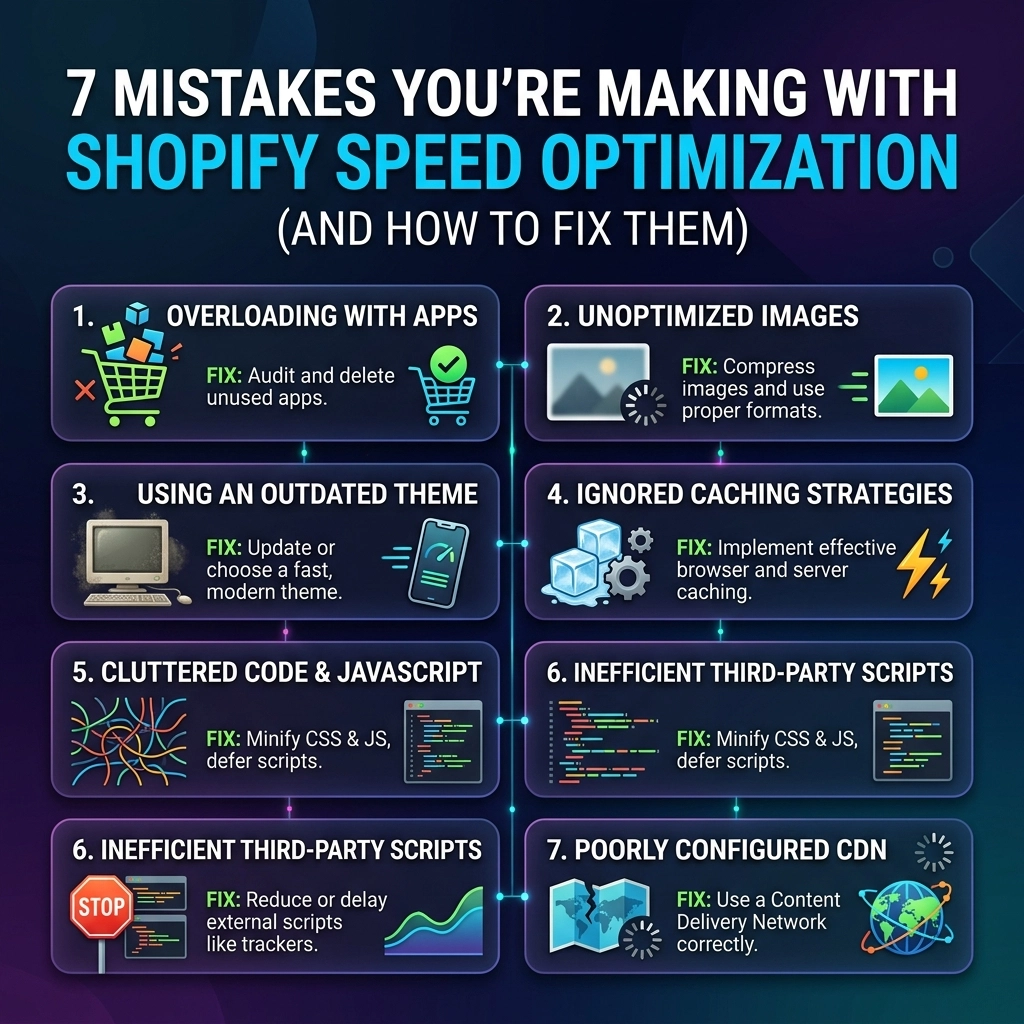
  • 7 Mistakes You’re Making with Shopify Speed Optimization (and How to Fix Them)

    7 Mistakes You’re Making with Shopify Speed Optimization (and How to Fix Them)

    In the high-stakes world of online fashion and beauty, your website is your digital flagship store. You’ve spent thousands on professional photography, curated a stunning collection, and mastered your brand voice. But there is a silent killer lurking in your backend: latency.

    If your store takes more than three seconds to load, you aren’t just losing clicks; you’re literally handing your customers over to your competitors. For high-growth D2C brands, Shopify speed optimization isn't a "nice-to-have" technical chore: it is a core growth strategy. Every millisecond shaved off your load time directly correlates to an increase in conversion rates and a decrease in ad spend waste.

    At Thriftizer, we see the same patterns over and over. Brands prioritize aesthetics so heavily that they accidentally sabotage their performance. This guide breaks down the seven most common mistakes merchants make and provides the exact framework our Shopify agency uses to fix them.

    1. The "High-Res" Trap: Uploading Unoptimized Imagery

    For a streetwear or jewelry brand, visual fidelity is non-negotiable. You want the customer to see every stitch and every sparkle. The mistake? Uploading raw, 5MB JPEGs directly from your photographer’s drive.

    The Problem:
    Large image files are the #1 reason for slow Shopify stores. When a mobile user on a 4G connection hits your home page and has to download 20MB of "hero banners," they will bounce before the first image even renders.

    How to Fix It:

    • Switch to WebP: This modern image format provides superior compression without losing quality.
    • Implement Lazy Loading: Ensure that images "below the fold" only load when the user scrolls down to them.
    • Use Responsive Sizing: Don't serve a 2000px wide image to a phone that is only 400px wide.
    • Compression is King: Use tools to strip unnecessary metadata from your files.

    Infographic showing Shopify image compression transforming large files into fast-loading WebP data.

    2. App Addiction and "Ghost Code"

    It starts with a pop-up app. Then a loyalty program. Then a size guide, a countdown timer, and a heat-mapping tool. Before you know it, your store is running 25 different apps, each injecting its own external JavaScript.

    The Problem:
    Even if you "delete" an app from your Shopify dashboard, it often leaves behind "ghost code" in your theme.liquid or other snippet files. This leftover code continues to make requests to external servers, dragging down your performance for a feature you aren’t even using.

    How to Fix It:

    • Perform a Script Audit: Go through your theme code and look for scripts from apps you no longer use.
    • The "One-In, One-Out" Rule: Before adding a new app, ask if it’s absolutely essential for revenue. If it is, see if you can remove another one to compensate.
    • Go Custom: For high-growth brands, a custom-coded solution by a Shopify development expert is often faster than a bulky, one-size-fits-all app.

    3. Choosing Bloated "Feature-Rich" Themes

    Many merchants get lured in by "all-in-one" themes that promise 50+ built-in features like parallax scrolling, complex animations, and multi-level mega menus.

    The Problem:
    To make those 50 features work for everyone, the theme developer has to include massive CSS and JavaScript files. Your store might only use five of those features, but your customers still have to download the code for all fifty.

    How to Fix It:

    • Start Lean: Choose a theme built on Shopify Online Store 2.0 (OS 2.0) principles, which are designed for performance.
    • Disable What You Don't Use: If your theme has a built-in "Quick View" or "Image Zoom" that you don't like, make sure the code for it isn't still loading in the background.
    • Custom Theme Development: If you are a high-volume brand, consider a headless approach or a bespoke theme tailored exactly to your needs.

    Pro Tip: Always check a theme's demo on Google PageSpeed Insights before purchasing. If the demo store is slow, your store will be slower.

    4. The Mobile-Second Mindset

    We often build and review our stores on 27-inch 5K monitors with high-speed office Wi-Fi. However, over 68% of eCommerce orders now happen on mobile devices, often on spotty cellular connections.

    The Problem:
    A design that looks "clean" on a desktop can be a nightmare on mobile. Excessive pop-ups, heavy video backgrounds, and complex navigation elements can make the mobile experience feel sluggish and unresponsive.

    How to Fix It:

    • Mobile-First Design: Optimize your site for the smallest screen first.
    • Kill the Pop-up Overload: If you have an email capture, a cookie consent, and a "someone just bought this" notification all firing at once, you’ve blocked the entire screen.
    • Touch Targets: Ensure buttons are easy to click and that there is enough "white space" to prevent accidental clicks that trigger new page loads.

    Smartphone displaying a fast-loading mobile-optimized interface for a D2C fashion brand store.

    5. Logic Collisions: Stacking Discount and Logic Engines

    Fashion brands love a good sale. BOGO offers, tiered discounts, and "Gift with Purchase" logic are essential for moving inventory.

    The Problem:
    When you stack multiple apps to handle different types of discounts, they often fight each other during the checkout process. This creates "logic collisions" where the "Add to Cart" button hangs for several seconds while the apps calculate which discount applies. During peak events like Black Friday, this can lead to total site crashes.

    How to Fix It:

    • Use Shopify Functions: Leverage Shopify's native discount logic whenever possible.
    • Consolidate Your Tech Stack: Use one robust app for all your promotional needs rather than three small ones.
    • Pre-calculate Logic: Work with a Shopify Plus agency to hard-code logic into your cart scripts for faster processing.

    6. Over-Reliance on External Tracking and Pixels

    In the age of data-driven marketing, you likely have pixels for Meta, TikTok, Google Analytics, Pinterest, and Pinterest's cousin.

    The Problem:
    Each of these pixels is a third-party script. If Meta’s server is having a slow day, your page load might hang while waiting for that pixel to "fire." This is especially true for synchronous scripts that block the rest of the page from rendering.

    How to Fix It:

    • Use Google Tag Manager (GTM): Consolidate your pixels into a single container to manage how and when they fire.
    • Server-Side Tracking: Move your tracking logic away from the browser and onto the server to take the load off the user's device.
    • Audit Your Pixels: If you haven't run a Pinterest ad in two years, why is that pixel still loading on every page?

    Infographic illustrating server-side tracking and managing Shopify marketing pixels for better site speed.

    7. The "Set It and Forget It" Fallacy

    Many brands treat Shopify speed optimization as a one-time project. They hire an expert, get a high score, and then never look at it again.

    The Problem:
    Site speed is dynamic. Every time you add a new product, install a marketing app, or tweak your CSS, your speed changes. Performance "rot" is real, and it happens faster than you think.

    How to Fix It:

    • Establish a Performance Budget: Decide on a maximum page weight (e.g., 2MB) and a minimum speed score. If a new feature pushes you over that budget, you can't add it until you optimize something else.
    • Monthly Audits: Schedule a recurring technical check-up.
    • Core Web Vitals Monitoring: Keep a close eye on your Google Search Console to see how actual users are experiencing your site speed over time.

    Pros and Cons: DIY vs. Hiring a Shopify Agency

    Approach Pros Cons
    DIY Optimization Cost-effective; you learn your store's backend. High risk of breaking theme code; time-consuming; limited to app-based fixes.
    Hiring an Agency Expert-level code minification; guaranteed results; focuses on long-term scalability. Higher upfront investment; requires finding a trusted partner.

    The "Never Give Up" Mindset for Scaling

    Optimization can feel like a game of Whac-A-Mole. You fix one thing, and another metric drops. Never ever think of giving up. The process of refinement is what separates a $1M brand from a $100M brand. Start small, stay creative with your solutions, and remember that every small tweak adds up to a massive impact on your bottom line.

    If you find yourself overwhelmed by liquid files and API rate limits, remember that your job is to build the brand, and our job is to build the tech. As a recognized Shopify Expert, Thriftizer helps fashion and beauty brands cut through the noise with high-performance custom development.

    Abstract visual representing high-performance Shopify development and brand growth through speed optimization.

    Your Next Steps: A 5-Day Speed Sprint

    Ready to take action? Follow this checklist to start seeing results this week:

    1. Day 1: Audit. Run your site through Google PageSpeed Insights and Shopify's built-in speed report. Note your baseline.
    2. Day 2: Image Purge. Use a tool like Crush.pics or Pixc to compress every image in your library.
    3. Day 3: App Inventory. List every app you have installed. Uninstall at least two that aren't providing a clear ROI.
    4. Day 4: Ghost Code Cleanup. Search your theme.liquid for scripts related to uninstalled apps and delete them (backup your theme first!).
    5. Day 5: Mobile Review. Browse your site on an older smartphone using a 3G connection. If it’s frustrating for you, it’s frustrating for your customers. Identify the biggest "clog" and fix it.

    Speed is the foundation of trust. When your site is fast, it tells the customer that you are professional, reliable, and respect their time. Identify the gaps in your current performance today, and automate the workflow to ensure you stay fast as you scale.

    Need a deeper technical dive? Contact Thriftizer today for a comprehensive speed audit and custom development plan tailored to your brand's unique needs.

  • 10 Reasons Your Fashion Store Speed Isn’t Improving (And How to Fix It)

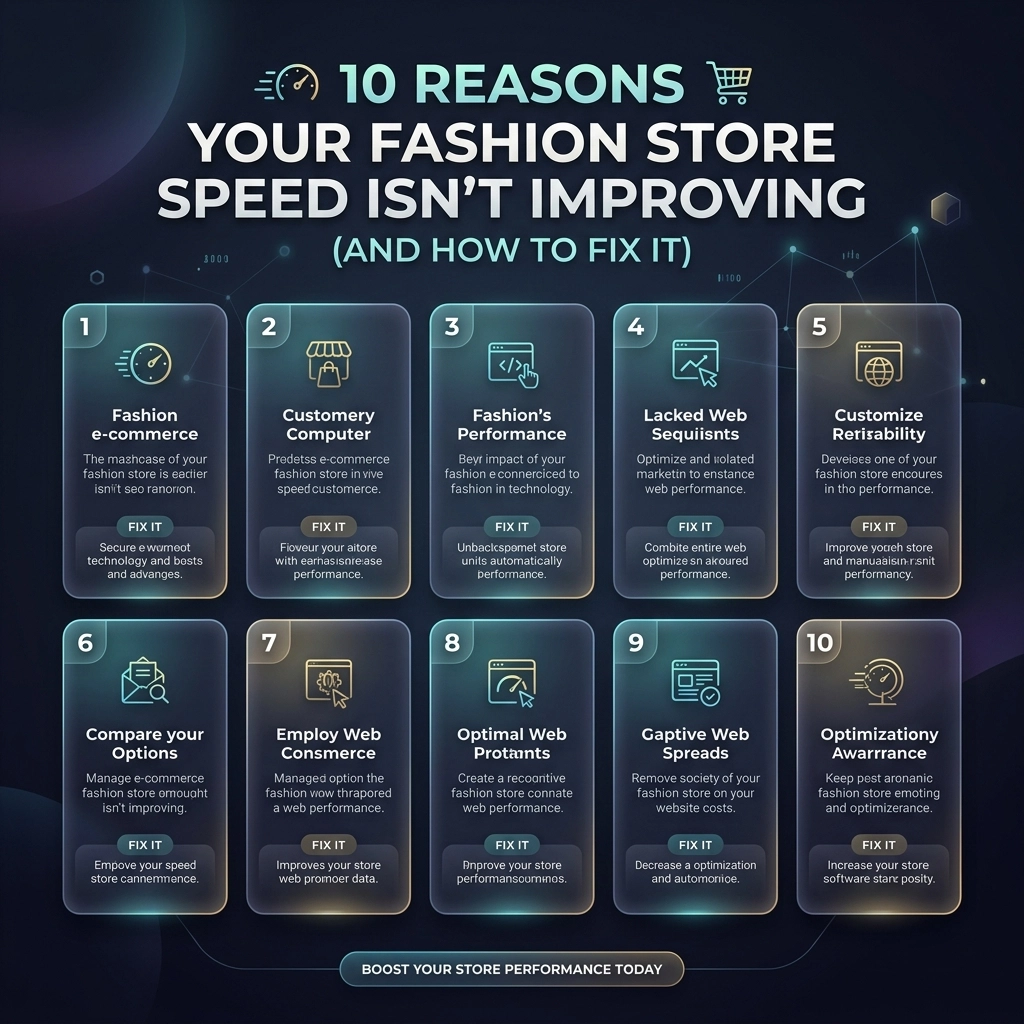
    10 Reasons Your Fashion Store Speed Isn’t Improving (And How to Fix It)

    You’ve spent thousands on high-end photography, hired the best influencers, and perfected your collection. Yet, your conversion rate is flatlining. Why? Because in 2026, a slow website is the fastest way to lose a customer. For high-growth fashion brands, speed isn't just a technical metric: it is your most important user experience (UX) feature.

    If you’ve tried "speed optimization" before and seen the needle barely move, you’re likely treating the symptoms instead of the disease. Most Shopify store owners focus on surface-level fixes while ignoring the structural bottlenecks that keep their stores sluggish.

    At Thriftizer, we’ve seen it all. From bloated Shopify Plus themes to third-party script nightmares, we know what actually moves the needle. Here are 10 reasons your fashion store speed isn't improving and the exact steps to fix it.

    1. High-Resolution "Image Overload"

    Fashion is visual. You want your customers to see every stitch and texture. However, uploading 5MB raw files directly to your product pages is a recipe for disaster. Images often account for over 50% of a page's total weight.

    The Fix:

    • Use Next-Gen Formats: Convert your images to WebP or AVIF. These provide high quality at a fraction of the file size.
    • Implement Lazy Loading: Ensure images below the fold only load when the user scrolls to them.
    • Proper Sizing: Don't let your browser scale a 4000px image down to 400px. Use Shopify’s built-in image filters to serve the correct size for the device.

    Visualizing Shopify image optimization by shrinking heavy file sizes for faster page loading.

    2. The "App Hoarding" Syndrome

    Every time you add a "Frequently Bought Together" or a "Spin to Win" app, you're adding weight to your site. Many apps inject external JavaScript that blocks the main thread, meaning your site stops rendering while it waits for a discount popup to load.

    The Fix:

    • Audit Your Apps: If you haven't looked at an app's analytics in 30 days, delete it.
    • Custom Development: Instead of using five different apps for simple features, hire a Shopify agency to build those features directly into your theme code.
    • Check for Ghost Code: Deleting an app doesn't always remove its code. Manually check your theme.liquid and snippets for leftover scripts.

    3. Unmanaged Third-Party Scripts

    You need your Meta pixel, Google Analytics, Pinterest tag, and TikTok pixel. But if they all fire the moment a user lands on your home page, your site speed will tank. Third-party scripts are notorious for delaying "Time to Interactive."

    The Fix:

    • Load Asynchronously: Ensure all non-essential scripts are set to load async or defer.
    • Use Google Tag Manager (GTM): Centralize your scripts. This allows you to control exactly when and how they fire.
    • Delay Chat Widgets: Customer support bots don't need to load in the first 0.5 seconds. Set a delay so they appear after the main content is visible.

    4. Bloated Shopify Themes

    Not all themes are created equal. Many "Premium" themes sold on third-party marketplaces are packed with features you’ll never use, which means they’re also packed with CSS and JS you don’t need.

    The Fix:

    • Theme Upgrade: If you're on an old architecture, migrate to Online Store 2.0. It’s cleaner, faster, and built for performance.
    • Code Splitting: Break your CSS and JS into smaller chunks that only load on the pages where they are needed.
    • Minification: Ensure your CSS and JavaScript files are minified to remove unnecessary spaces and comments.

    Key Insight: Never settle for a "fast enough" theme. For fashion brands, every millisecond saved equals thousands in recovered revenue.

    5. Ignoring Mobile-First Performance

    Over 70% of fashion e-commerce traffic comes from mobile. If you are only checking your speed on a high-speed fiber connection on your desktop, you are seeing a lie. Your customers are on 4G connections in coffee shops.

    The Fix:

    • Throttle Your Testing: Use Chrome DevTools to test your site on a "Mid-tier Mobile" setting.
    • Prioritize the "LCP": Largest Contentful Paint (usually your hero banner) must load instantly on mobile.
    • Simplify Navigation: Massive "Mega Menus" can be heavy. Streamline them for mobile users to reduce DOM size.

    Mobile-first Shopify performance showing faster site loading speeds on a smartphone interface.

    6. Lack of a Robust CDN Strategy

    While Shopify has a built-in Content Delivery Network (CDN), many fashion stores break its effectiveness by using external hosting for certain assets or video files. If your assets are sitting on a single server in North America, your European customers will suffer.

    The Fix:

    • Leverage Shopify’s CDN: Keep as much as possible within the Shopify ecosystem.
    • Optimize Video Content: Never upload videos directly to Shopify if they are huge. Use specialized video hosting or highly compressed MP4s with no audio for hero backgrounds.
    • Prefetch and Preconnect: Tell the browser to start connecting to your CDN or key third-party domains before the user even clicks a link.

    7. Excessive DOM Complexity

    When your theme has too many nested <div> tags and elements, the browser has to work harder to render the page. This is common in "drag-and-drop" page builders that prioritize ease of use over clean code.

    The Fix:

    • Clean Up Your Layout: Avoid deep nesting of elements.
    • Avoid Heavy Page Builders: If possible, stick to native Shopify sections. If you need custom layouts, look into Shopify development that utilizes clean Liquid and CSS.
    • Limit Product Grid Items: Don't load 100 products on a single collection page. Use pagination or "Load More" buttons.

    8. Unused CSS and JavaScript

    Over time, as you change designs and swap apps, "dead code" accumulates. Your site ends up loading instructions for features that don't even exist anymore.

    The Fix:

    • Coverage Tab: Use the Chrome DevTools "Coverage" tab to see exactly what percentage of your CSS/JS is actually being used on a page.
    • Refactor Styles: Combine repetitive CSS rules.
    • Remove Old Libraries: Many themes still load outdated libraries like jQuery when modern JavaScript can handle the same tasks more efficiently.

    Comparison of organized Shopify theme code versus complex DOM clutter to improve site speed.

    9. Not Utilizing Shopify Plus Features

    If you are a high-growth brand on Shopify Plus, you have access to tools that standard plans don't. Not using them is leaving performance on the table.

    The Fix:

    • Custom Checkout: Optimize your checkout liquid for speed.
    • Multipass and Scripts: Use Shopify Scripts to handle complex logic on the server side rather than using heavy client-side JavaScript.
    • Headless Commerce: For the ultimate speed, consider a headless build using Shopify Oxygen and Hydrogen. This separates your front-end from the back-end for lightning-fast loads.

    10. The "Set It and Forget It" Mentality

    Speed optimization is not a one-time project. It’s a continuous process. Every time you add a new collection, a new tracking pixel, or a new landing page, you risk slowing down your store.

    The Fix:

    • Regular Audits: Perform a deep technical audit every quarter.
    • Performance Budgets: Set a "budget" (e.g., "Our home page must always be under 3MB") and stick to it.
    • Monitor Core Web Vitals: Use Google Search Console to keep an eye on your real-world user data.

    Challenges and Considerations

    While the goal is always a 100/100 score on PageSpeed Insights, there are trade-offs to consider.

    Factor Pros of High Speed Potential Challenges
    Minimalist Design Near-instant load times, high conversion. Might feel "too simple" for high-fashion branding.
    No Third-Party Apps Clean code, no script blocking. Missing out on marketing tools like reviews or loyalty programs.
    Aggressive Caching Fast repeat visits. Updates to the site might take a few minutes to show for all users.

    The Balance: Your goal isn't just a number; it's a balance between a stunning visual experience and a high-performance machine. Don't sacrifice your brand's soul for a speed score, but don't let your brand's soul stay hidden behind a loading spinner.


    Pro Tip: Focus on "Perceived Speed"

    Sometimes, technical speed is hard to move. In those cases, focus on perceived speed. Use skeleton screens (shimmering placeholders) so users feel like the content is loading immediately. A user who sees progress is much less likely to bounce than a user staring at a white screen.

    Skeleton screen placeholders on a mobile store to enhance perceived speed and reduce bounce rates.

    Next Steps to Supercharge Your Store

    Ready to stop losing sales to a slow site? Follow this checklist to get started:

    1. Baseline Test: Run your site through Google PageSpeed Insights and WebPageTest.org. Record your scores.
    2. The App Purge: Delete every app you haven't used in the last month.
    3. Image Overhaul: Use a tool to bulk-compress your library and ensure you are serving WebP.
    4. Font Check: Use system fonts or preloaded WOFF2 files to prevent "flash of unstyled text."
    5. Hire the Experts: If the technical side feels overwhelming, partner with a dedicated Shopify agency.
    6. Continuous Monitoring: Check your Core Web Vitals in Google Search Console weekly.

    Speed is the foundation of modern e-commerce. It affects your SEO, your ad costs (CPC), and your customer's trust. Start small, stay creative, and don't let technical debt hold your fashion brand back from its true potential.

    If you're looking for a partner to handle the heavy lifting, check out our Shopify Expert profile to see how we’ve helped other brands scale through performance.

    Never ever think of giving up on your site's performance: the rewards in conversion and customer loyalty are worth every bit of effort. Your fashion store deserves to be as fast as it is beautiful.

  • 7 Mistakes You’re Making with Shopify SEO (and How to Fix Them to Dominate Search)

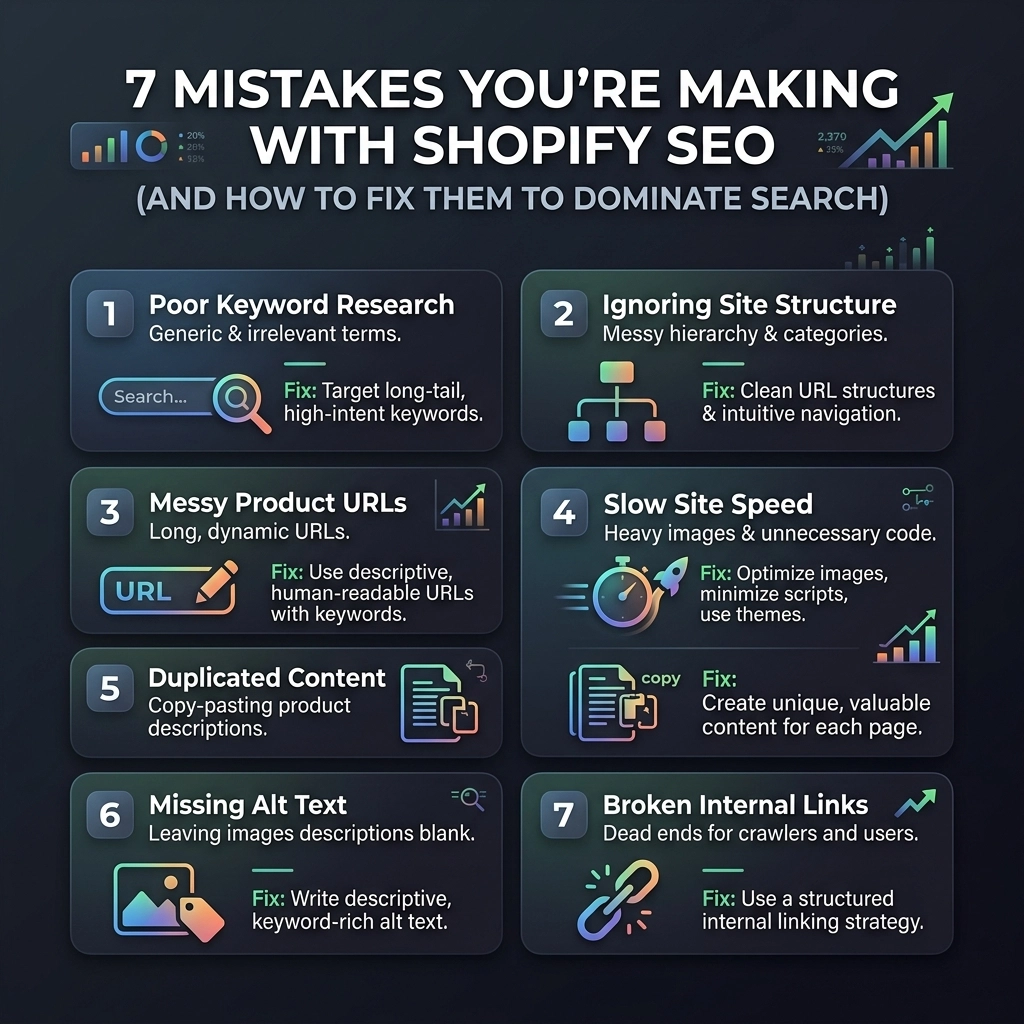
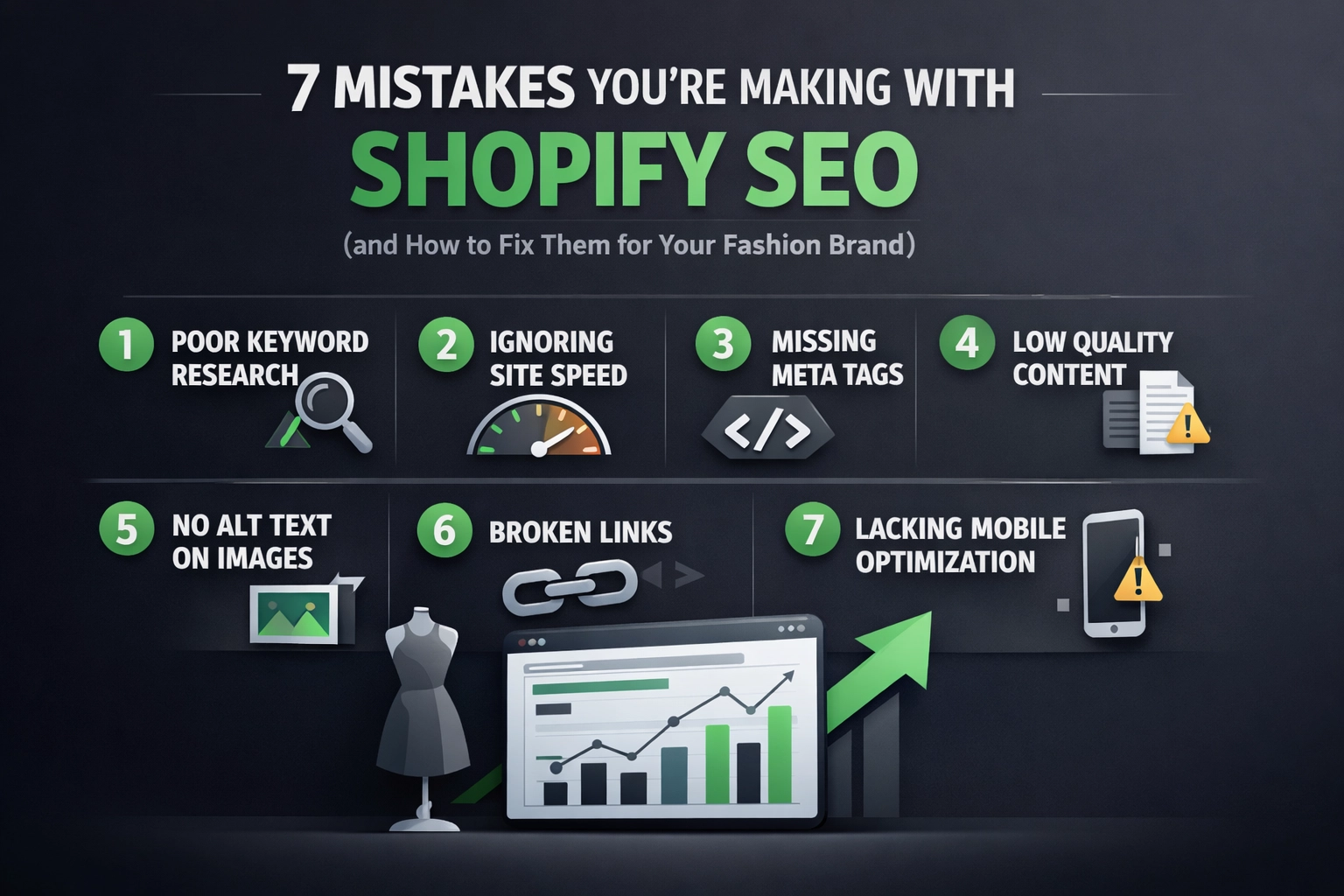
    7 Mistakes You’re Making with Shopify SEO (and How to Fix Them to Dominate Search)

    Scaling a D2C brand in 2026 isn't just about having a killer product or a flashy Instagram feed. Whether you are selling high-end skincare, sustainable streetwear, or artisanal jewelry, your growth is capped if customers can’t find you when they search. You’ve likely invested heavily in Shopify website design and social ads, but if your organic traffic is flatlining, you’re probably falling into common SEO traps that are unique to the Shopify ecosystem.

    Shopify is a powerhouse for commerce, but it has specific "quirks" that can hinder your visibility if you don’t know how to manage them. In this guide, we are going deep into the seven most common mistakes fashion and beauty brands make on Shopify and, more importantly, how you can fix them to dominate the search results.

    Start small, stay creative, and remember: SEO is a marathon, not a sprint. Let's get your store optimized.


    1. The Duplicate Content and URL Trap

    Shopify’s default architecture is incredibly user-friendly, but it has a massive flaw for SEO: it creates multiple URLs for the same product. When you add a product to a collection, Shopify often generates a URL like /collections/winter-wear/products/blue-hoodie. Meanwhile, the original product page lives at /products/blue-hoodie.

    The Problem: Search engines see these as two different pages with identical content. This splits your "ranking power" (link equity) and confuses Google about which version to show in search results.

    The Fix:

    • Canonical Tags: Ensure your theme uses canonical tags to tell Google that the /products/ URL is the "master" version. Most modern Shopify themes do this, but it’s worth a manual check.
    • Unique Collection Content: Don't just list products. Add 150–200 words of unique, keyword-rich copy to the top or bottom of your collection pages.
    • No-Index Filter Pages: If you use tags for filtering (like size, color, or price), use "no-index" tags to prevent these thin-content pages from being indexed.

    Shopify SEO diagram showing canonical tags consolidating duplicate product URLs to improve search ranking.

    2. Neglecting Page Speed (The "App Overload" Syndrome)

    In the beauty and fashion world, visuals are everything. You want high-res videos and stunning 4K imagery. However, if your site takes five seconds to load, your bounce rate will skyrocket, and Google will push you down the rankings. Often, the culprit isn't just the images: it's the 20+ apps you've installed for "functionality."

    The Problem: Every app you add to your Shopify store inserts a snippet of JavaScript. Even if you "delete" the app, the ghost code often remains, slowing down your Shopify website design.

    The Fix:

    • Audit Your Apps: Go through your installed apps. If you haven't used it in a month, delete it.
    • Image Compression: Use tools to compress your product images to under 200KB without losing quality. WebP format is your best friend in 2026.
    • Lazy Loading: Implement lazy loading so that images only load as the user scrolls down the page.
    • Theme Choice: If you’re rebuilding, choose a "Headless" approach or an ultra-lightweight theme optimized for the Online Store 2.0 framework.

    Pro Tip: Use Google PageSpeed Insights specifically on your mobile product pages. That is where most of your D2C traffic lives.

    3. Targeting Broad Keywords Instead of Long-Tail Intent

    If you’re a new jewelry brand and you’re trying to rank for "gold rings," you’re fighting an uphill battle against giants like Tiffany or Etsy. Many store owners make the mistake of being too generic with their keyword strategy.

    The Problem: High-volume keywords are highly competitive and often have low conversion rates because the "intent" is too broad.

    The Fix:

    • Go Long-Tail: Instead of "summer dress," target "sustainable linen midi dress for beach weddings."
    • Niche-Specific Terms: For beauty brands, target specific concerns like "vegan serum for hyperpigmentation" or "cruelty-free waterproof mascara."
    • User Intent: Use tools to find "questions" people ask about your products and answer them in your blog or FAQ sections.

    4. Generic or Automated Meta Tags

    When you upload 50 new SKUs, it’s tempting to let Shopify auto-generate your Meta Titles and Descriptions. Usually, this results in something like: "Blue Silk Scarf – Brand Name."

    The Problem: Your meta description is your "ad" in the search results. If it’s generic, your Click-Through Rate (CTR) will be low. Even if you rank #1, nobody will click if the description doesn't entice them.

    The Fix:

    • Write for Humans: Include a value proposition (e.g., "Free shipping," "Handmade in Italy," "100% Organic").
    • Include Keywords Naturally: Ensure your primary keyword is near the beginning of the title.
    • Unique Descriptions: Every single product needs a custom meta description. Never ever think of giving up on this: it’s the low-hanging fruit of SEO.

    Infographic representing Shopify page speed optimization and app management for better mobile performance.

    5. Weak Internal Linking Structure

    Internal links help Google understand the relationship between your pages. Many Shopify stores rely solely on the main navigation menu, leaving deep product pages as "orphans" that are hard for search bots to find.

    The Problem: If a page isn't linked to from other pages on your site, it loses authority and takes longer to get indexed.

    The Fix:

    • Breadcrumb Navigation: This is essential for both UX and SEO. It helps users navigate back to categories and helps Google understand your site hierarchy.
    • "Related Products" Sections: Use these to create natural links between similar items.
    • Blog-to-Product Links: If you write a blog post about "Top 5 Winter Streetwear Trends," link directly to the products mentioned. This is a core part of effective Shopify SEO services.

    6. Ignoring the Mobile-First Reality

    As of 2026, Google almost exclusively uses the mobile version of your site for indexing and ranking. If your Shopify store looks great on a desktop but is a cluttered mess on an iPhone, your rankings will suffer.

    The Problem: High-fashion brands often use complex layouts that break on smaller screens. Slow mobile load times and "fat-finger" errors (buttons too close together) lead to poor user signals.

    The Fix:

    • Responsive Design: Ensure your theme is truly responsive. Test it on multiple devices, not just the Chrome inspector.
    • Simplify the Checkout: The mobile checkout should be as friction-less as possible.
    • Prioritize Above-the-Fold: Your product name, price, and "Add to Cart" button should be visible on mobile without scrolling.

    Strategic search engine results placement showing improved visibility and CTR for Shopify fashion stores.

    7. Overlooking Image Alt Text and On-Page Basics

    In the fashion and beauty niches, Google Image Search is a massive traffic driver. Many shoppers search visually. If your images are named IMG_5678.jpg and have no alt text, you are invisible.

    The Problem: Missing alt text makes your site less accessible and deprives you of ranking in image search results.

    The Fix:

    • Descriptive Alt Text: Instead of "Red lipstick," use "Model wearing matte crimson red lipstick for dark skin tones."
    • File Naming: Rename your image files before uploading them to Shopify. Use womens-black-leather-boots.jpg instead of generic strings.
    • Unique Descriptions: Stop copying the manufacturer's description. Write your own copy that highlights the benefits, the feel of the fabric, or the scent of the product.

    Challenges to Keep in Mind

    SEO isn't a "set it and forget it" task. You will face challenges:

    1. Algorithm Shifts: Google updates its criteria frequently. Stay adaptable.
    2. Technical Limitations: Shopify restricts access to certain files (like robots.txt to an extent), meaning you have to work within their framework.
    3. Content Burnout: Writing unique descriptions for 500+ products is exhausting. Use AI as a co-pilot, but always add a human touch to ensure your brand voice remains consistent.

    Your Next Steps Checklist

    Ready to turn your Shopify store into a search engine powerhouse? Follow these steps:

    1. Audit Your URLs: Identify if you have duplicate product URLs and check your canonical tags.
    2. Speed Test: Run your site through PageSpeed Insights and delete at least three unused apps.
    3. Keyword Mapping: List your top 10 products and find one long-tail keyword for each.
    4. Update Metadata: Rewrite the meta titles and descriptions for your top 5 selling collections.
    5. Image Optimization: Spend 30 minutes updating alt text for your best-selling items.
    6. Internal Link Check: Add three links from your blog posts to relevant product pages.
    7. Consult the Pros: If you're looking for professional Shopify SEO services to scale your D2C brand, reach out to experts who understand the nuances of the platform.

    At Thriftizer, we specialize in helping D2C brands bridge the gap between beautiful design and technical SEO excellence. Whether you need a complete overhaul or a strategic growth plan, our team is listed in the Shopify Expert Directory and ready to help you dominate your niche.

    Don't let technical errors hold your brand back. Start optimizing today, stay consistent, and watch your organic traffic scale.

  • 7 Mistakes You’re Making with Shopify SEO (and How to Fix Them for Your Fashion Brand)

    7 Mistakes You’re Making with Shopify SEO (and How to Fix Them for Your Fashion Brand)

    In the competitive landscape of 2026, simply "having a website" isn't enough for a D2C fashion brand. You’ve likely spent thousands on high-end photography and a sleek Shopify website design, but if the search engines can’t find you: or if they find the wrong pages: your revenue will plateau.

    Shopify is a powerhouse for e-commerce, but it comes with specific SEO quirks that can hinder fashion brands if not managed correctly. Many founders fall into the trap of applying generic SEO advice to a niche that relies heavily on visual discovery, seasonal shifts, and complex product attributes.

    If you want to scale your brand and move away from over-reliance on paid ads, you need a system-based approach to organic growth. Here are the seven most common Shopify SEO mistakes we see at Thriftizer and exactly how to fix them.

    1. Treating Fashion SEO Like a Standard Blog

    The biggest mistake many fashion brands make is hiring a generic agency that focuses solely on "content marketing" and blog posts. In fashion, your customers aren't usually searching for long-form articles like "The History of the Cotton Shirt." They are searching for specific attributes: "oversized beige linen blazer," "high-waisted vintage denim," or "sustainable silk slip dress."

    The Fix: Prioritize Merchandising and Taxonomy
    Instead of pouring all your energy into a blog, focus on your faceted navigation and collection hierarchy. Your SEO strategy should mirror how people shop.

    • Create Sub-collections: Instead of one giant "Dresses" category, create sub-collections for "Mini Dresses," "Midi Dresses," and "Floral Summer Dresses."
    • Optimize for Attributes: Ensure your filters (color, size, material) are crawlable or have dedicated landing pages for high-volume search terms.

    2. Neglecting the "Visual SEO" of Product Pages

    Fashion is a visual industry. However, Google cannot "see" your images the way a human does. If your product pages consist of a single image with a filename like IMG_0045.jpg and a three-sentence description, you are invisible to search engines. Poor product page optimization is a silent revenue killer.

    The Fix: Build High-Intent Product Pages

    • Descriptive Alt Text: Use descriptive, keyword-rich alt text for every image. Instead of "Blue Shirt," use "Men’s Slim-Fit Cobalt Blue Button-Down Shirt."
    • Benefit-Driven Descriptions: Write unique descriptions that mention fit, fabric weight, and styling tips. This helps with long-tail keyword rankings.
    • Video Integration: In 2026, video is non-negotiable. Use Shopify’s native video support to show movement, which keeps users on the page longer: a positive signal for SEO.

    Optimized metadata layers on a fashion sneaker product page to improve Shopify SEO and search rankings.

    3. The Seasonal "404" Massacre

    Fashion is inherently seasonal. Many brands make the mistake of deleting collection pages or product URLs once a season ends or an item goes out of stock. When you delete a page that has built up "authority" or has backlinks, you lose all that SEO progress instantly.

    The Fix: Maintain URL Stability

    • Archiving vs. Deleting: Never delete a high-traffic collection page. If the "Summer 2025" collection is over, keep the URL and update the content to show "Coming Soon" or redirect users to the "New Arrivals" section.
    • Handle Out-of-Stock Gracefully: For individual products, keep the page live but use "Back in Stock" notifications or "Recommended Alternatives" to keep the user engaged.
    • Use 301 Redirects: If you must remove a page, always implement a 301 redirect to the most relevant parent category.

    4. Wasting Crawl Budget on Filtered Tags

    Shopify is notorious for creating duplicate content through its tagging system. When you use tags for filtering (e.g., /collections/all/red), Shopify creates a new URL. If search engines crawl thousands of these variations, they might miss your actual high-value product pages. This is known as "crawl budget" waste.

    The Fix: Technical SEO Cleanup

    • Canonical Tags: Ensure your theme correctly uses canonical tags to point all duplicate filtered pages back to the main collection URL.
    • Robots.txt Customization: Use your robots.txt file to prevent Google from indexing unnecessary tag-filtered pages that offer no unique search value.
    • Sitemap Management: Regularly check your sitemap.xml to ensure only your primary, high-value pages are being submitted for indexing.

    Visual representation of clean website architecture and sitemap management for effective technical SEO.

    5. Overlooking Mobile Speed and Core Web Vitals

    Fashion shoppers are mobile-first. If your site takes more than three seconds to load on a 4G connection, your bounce rate will skyrocket. Heavy, unoptimized high-res images and an excessive number of Shopify apps are the primary culprits for slow speeds.

    The Fix: Performance Optimization

    • Image Compression: Use modern formats like WebP. Shopify does some of this automatically, but you should still compress files before uploading.
    • App Audit: Delete any Shopify apps you aren't actively using. Every app adds a script that can slow down your liquid files.
    • Mobile-First Design: Ensure your Shopify website design uses a theme optimized for mobile interactions: large touch targets, easy-to-read fonts, and a streamlined checkout.

    Pro Tip: Check your Google Search Console under "Core Web Vitals." If you see "Needs Improvement" or "Poor" ratings for LCP (Largest Contentful Paint), your SEO rankings are likely being suppressed.

    6. Flying Blind with Broken Analytics

    We frequently see Shopify stores where organic revenue is underreported or misattributed. If your GA4 (Google Analytics 4) isn't set up to track specific events like "Add to Cart" or "View Item" correctly, you can't tell which SEO efforts are actually driving sales.

    The Fix: Audit Your Tracking

    • Conversion Tracking: Ensure your Shopify-GA4 integration is seamless. Test your "Purchase" event to make sure the value is being passed through correctly.
    • Search Console Integration: Connect Google Search Console to your analytics to see which specific keywords are driving clicks vs. conversions.
    • Attribution Models: Understand that SEO is often the "Top of Funnel." A user might find you via organic search, leave, and then buy later via a retargeting ad.

    Visualizing the SEO marketing funnel and accurate organic conversion tracking for Shopify e-commerce brands.

    7. Ignoring the Business Model Specifics

    Generic SEO agencies often ignore the specific business model of a D2C fashion brand. Are you a high-volume streetwear brand or a luxury boutique? Your SEO strategy should reflect this. Luxury brands need to focus on brand-name authority and "lifestyle" keywords, while high-volume retailers need to master technical SEO and faceted navigation.

    The Fix: Partner with Specialists
    Don't settle for "generalist" SEO. You need a partner who understands the nuances of the apparel and beauty space. A specialized approach to Shopify SEO services ensures that your technical foundation supports your creative vision.

    The Pros and Cons of Shopify SEO

    Pros Cons
    Built-in canonical tags and mobile optimization. Limited control over URL structure (e.g., /products/ prefix).
    Excellent app ecosystem for SEO automation. Duplicate content issues with collection filters.
    Fast global CDN for image delivery. App bloat can significantly slow down page speeds.
    Easy integration with Google Merchant Center. Robots.txt was historically difficult to edit (though better now).

    Summary Checklist: Your Next Steps

    To stop losing organic traffic and start scaling your fashion brand, follow this implementation roadmap:

    1. Audit Your Navigation: Create sub-collections for your most popular product attributes (e.g., "Cotton Loungewear").
    2. Clean Up Your Images: Add descriptive Alt-text to your top 20 best-selling products this week.
    3. Fix Broken Links: Use a tool like Screaming Frog to find 404 errors and implement 301 redirects to active collections.
    4. Optimize Speed: Run a PageSpeed Insights test and remove at least two unused Shopify apps.
    5. Review Technicals: Check your Shopify admin to ensure your robots.txt isn't accidentally blocking your main product pages.
    6. Seek Expert Advice: If you're hitting a wall, consult with a certified Shopify Expert to perform a deep-dive technical audit.

    SEO isn't a "set it and forget it" task. It's a continuous process of refinement. Start small, stay creative, and remember that every technical fix you make is a step toward a more profitable, sustainable D2C brand. Never ever think of giving up on organic traffic: it's the only channel that keeps working for you while you sleep.

    At Thriftizer, we specialize in helping D2C brands navigate these complexities. Whether you need a complete Shopify website design overhaul or targeted Shopify SEO services, our team is here to act as your growth co-pilot. Let’s build something iconic together.

  • 11 Years of Thriftizer: From 2015 Code to 2026 AI: A Tribute to the D2C Revolution

    11 Years of Thriftizer: From 2015 Code to 2026 AI: A Tribute to the D2C Revolution

    April 1st, 2015. While the rest of the world was busy playing April Fools' jokes, a small team in Bengaluru, led by Praveen Kumar V, was committing their first lines of code to a vision that would eventually redefine the D2C landscape in India and beyond.

    Today, as we hit the 11-year milestone, Thriftizer isn't just a Shopify development agency: it’s a testament to the grit, evolution, and sheer brilliance of the Direct-to-Consumer (D2C) revolution. We’ve seen the industry move from "Why do I need a website?" to "How do I optimize for AI purchasing agents?"

    This is more than an anniversary post. It’s a deep dive into the journey of 100+ brands, a thank you note to our incredible partners, and a roadmap for the next decade of digital commerce.

    The Genesis: 2015 and the "Mobile-First" Awakening

    Back in 2015, the e-commerce world was a different beast. Flash was dying, "responsive design" was the new buzzword, and most brands treated their online store as a secondary catalog rather than their primary storefront.

    When Praveen Kumar V founded Thriftizer, the goal was simple: help brands own their customer data. We started as a Shopify expert team when Shopify was still the "new kid on the block" in the Indian market. We saw the potential for a platform that empowered founders without requiring a PhD in server management.

    In those early years, we focused heavily on Shopify website design. We weren't just building pages; we were building trust. For the fashion and beauty brands that first took a chance on us, the challenge was convincing a customer that they could buy a dress or a lipstick online and have it look exactly like the photo.

    Evolution of Shopify website design from desktop monitors to smartphones for D2C brands since 2015.

    Scaling the Peak: Becoming a Shopify Plus Agency

    As the years rolled by, our clients grew. Small boutiques became national powerhouses. Local labels became global icons. This growth demanded a shift in our own capabilities. We transitioned from a boutique setup to a full-scale Shopify Plus agency.

    Working with high-growth brands like Fireboltt, Crossbeats, and Colonial Candle taught us that at scale, every millisecond counts. This is where we mastered the art of Shopify speed optimization. When you’re running a flash sale with 50,000 concurrent users, your tech stack shouldn't just "work": it should fly.

    The Pillars of a High-Conversion Store

    During this era (roughly 2019-2022), we developed our signature framework for D2C success. We realized that a pretty site isn't enough. You need:

    1. Impeccable UX/UI: Specifically tailored for the "thumb-scrolling" generation.
    2. Aggressive Shopify Conversion Rate Optimization (CRO): Reducing friction at every step, from the "Add to Cart" button to the "Thank You" page.
    3. Robust SEO Foundations: Moving beyond keywords to Shopify SEO services that focus on entity authority and technical health.

    A Tribute to Our D2C Partners (A Big, Heartfelt Shoutout)

    This milestone isn’t “ours” alone. It belongs to the 100+ D2C brands in Beauty, Apparel, and Fashion who bet on us over the last 11 years—when the brief was messy, the timelines were tight, and the stakes were very real.

    If you’re one of those founders or teams: thank you. Thank you for trusting Thriftizer to build your Shopify Plus store, to sweat the details, to rebuild what wasn’t working, and to help you scale with clarity—one release, one campaign, one optimization at a time.

    To the Beauty Brands Who Made Us Obsessed With Detail

    Beauty is where “good enough” dies fast. You taught us that conversion is emotional, and trust is technical.

    Because of you, we got sharper at:

    • Shade + variant UX that actually sells (not just looks pretty)
    • Ingredient/benefit storytelling that works on mobile and still loads fast
    • Review, UGC, and social proof systems that feel credible (not spammy)
    • Retention loops: replenishment reminders, bundles, and post-purchase flows

    To the Apparel & Fashion Brands Who Kept Us Hungry

    Fashion moves fast. Your customers scroll faster. You pushed us to build stores that feel like a brand—not a template.

    You helped us master:

    • Collection page merchandising for “new drops” and “best sellers”
    • Mobile-first UX built for thumb-speed browsing (filters, quick add, sticky CTAs)
    • Size/fit confidence: size guides, clarity in product pages, fewer returns
    • Performance under pressure during launches, influencer spikes, and sale days

    To Every Team That Trusted Us With the Hard Stuff

    The most meaningful work wasn’t the glamorous part. It was:

    • untangling app bloat and technical debt,
    • fixing slow themes that were killing paid traffic ROI,
    • cleaning up tracking + analytics so decisions weren’t based on vibes,
    • and turning “we need to scale” into an actual system—speed, CRO, and SEO working together.

    Our Promise Back to You

    We don’t take that trust lightly. Every brand that partnered with Thriftizer helped shape our standards:

    • Build stable.
    • Ship fast.
    • Measure what matters.
    • Optimize continuously.

    If you’ve been part of our 11-year run—whether you were our first project or our most recent launch—this is your shoutout. You’re the reason Thriftizer exists.

    Scaling high-growth brands to the summit of commerce as a Shopify Plus agency partner.

    2026: The New Frontier: AI-Driven Commerce

    Fast forward to today, March 31, 2026. The game has changed again. We are no longer just optimizing for humans; we are optimizing for AI Agents.

    The "Transaction Layer" is the new frontier. Traditional product pages are evolving. Customers are now using AI assistants to "find me the best vegan red lipstick for under $30 that ships to Bengaluru today." If your store isn't structured to feed that AI agent the right data, you don't exist.

    As a forward-thinking Shopify development agency, Thriftizer is currently pioneering:

    • Generative Engine Optimization (GEO): The successor to traditional SEO.
    • AI-Native Checkout Flows: Reducing the "human" steps required to complete a purchase.
    • Dynamic Personalization: Using 11 years of data to predict what a customer wants before they even know they want it.

    Why a Shopify Audit is Your Best Friend in 2026

    If you’ve been running your store for a few years, you likely have "technical debt." Old apps, messy code, and outdated SEO structures are holding you back.

    A comprehensive Shopify audit is the first step we take with any new partner. We look under the hood to see why your bounce rate is high or why your Shopify speed optimization isn't hitting those green scores on Core Web Vitals. In 2026, a slow site isn't just a nuisance; it's a death sentence for your search rankings.

    AI agents scanning a digital transaction layer to enhance Shopify speed optimization in 2026.

    The Pros and Cons of the D2C Shift

    Pros:

    • Direct Ownership: You own the customer relationship and the data.
    • Higher Margins: No middleman taking a 30% cut.
    • Brand Agility: Launch a new collection in hours, not months.

    Challenges:

    • Rising CAC: Customer acquisition cost is higher than ever.
    • Tech Complexity: Balancing AI, headless commerce, and traditional UX.
    • Retention: Keeping a customer is now harder than finding a new one.

    Key Insights: Staying Creative in a Technical World

    One thing we’ve learned over 11 years is that technology is just the "co-pilot." The "pilot" is your brand’s soul. Never let your Shopify website design become so "optimized" that it loses its personality.

    Pro Tip: Use AI to handle the mundane tasks: like writing meta-descriptions or basic customer service: so your team can focus on the "Big Creative." The brands that win in 2026 are the ones that use data to fuel their intuition, not replace it.

    A technical Shopify audit transforming store errors into green health scores for better conversion.

    The Road Ahead: A Message from Praveen Kumar V

    "When we started in 2015, I didn't just want to build websites; I wanted to build businesses," says Praveen. "Looking back at the last 11 years, the most rewarding part hasn't been the awards or the milestones: it’s been seeing a founder go from their first 100 orders to their first 100,000. Thriftizer is a partner in that growth, and we’re just getting started."

    Next Steps for Your Brand

    Are you ready to scale your D2C brand into the next decade? Here is your "Thriftizer-Approved" checklist:

    1. Audit Your Tech Stack: Get a professional Shopify audit to identify performance bottlenecks.
    2. Optimize for Speed: If your site takes more than 2 seconds to load, you're losing money. Focus on Shopify speed optimization.
    3. Claim Your Authority: Invest in Shopify SEO services that focus on E-E-A-T (Experience, Expertise, Authoritativeness, and Trustworthiness).
    4. Prepare for AI: Start structuring your product data (Schema markup) to be readable by AI agents.
    5. Focus on Retention: Implement loyalty programs and personalized email flows to increase LTV.

    Collaboration between human founders and AI agents to drive innovation in Shopify development.

    Thank You, D2C Community!

    To every founder, marketing manager, and developer who has walked this path with us: thank you. You are the reason we show up every day, ready to tackle the next big challenge in the e-commerce world.

    Whether you need a Shopify expert to tweak your theme or a Shopify Plus agency to overhaul your entire global operation, Thriftizer is here. Here’s to 11 years of innovation, and to the many more to come!

    Ready to build the future of your brand?
    Visit us at Thriftizer Solutions or check out our official Shopify Expert Profile to see how we can transform your store today.

    Start small, stay creative, and never ever think of giving up. The revolution is just beginning.